Newsletter Subscribe
Enter your email address below and subscribe to our newsletter

Enter your email address below and subscribe to our newsletter
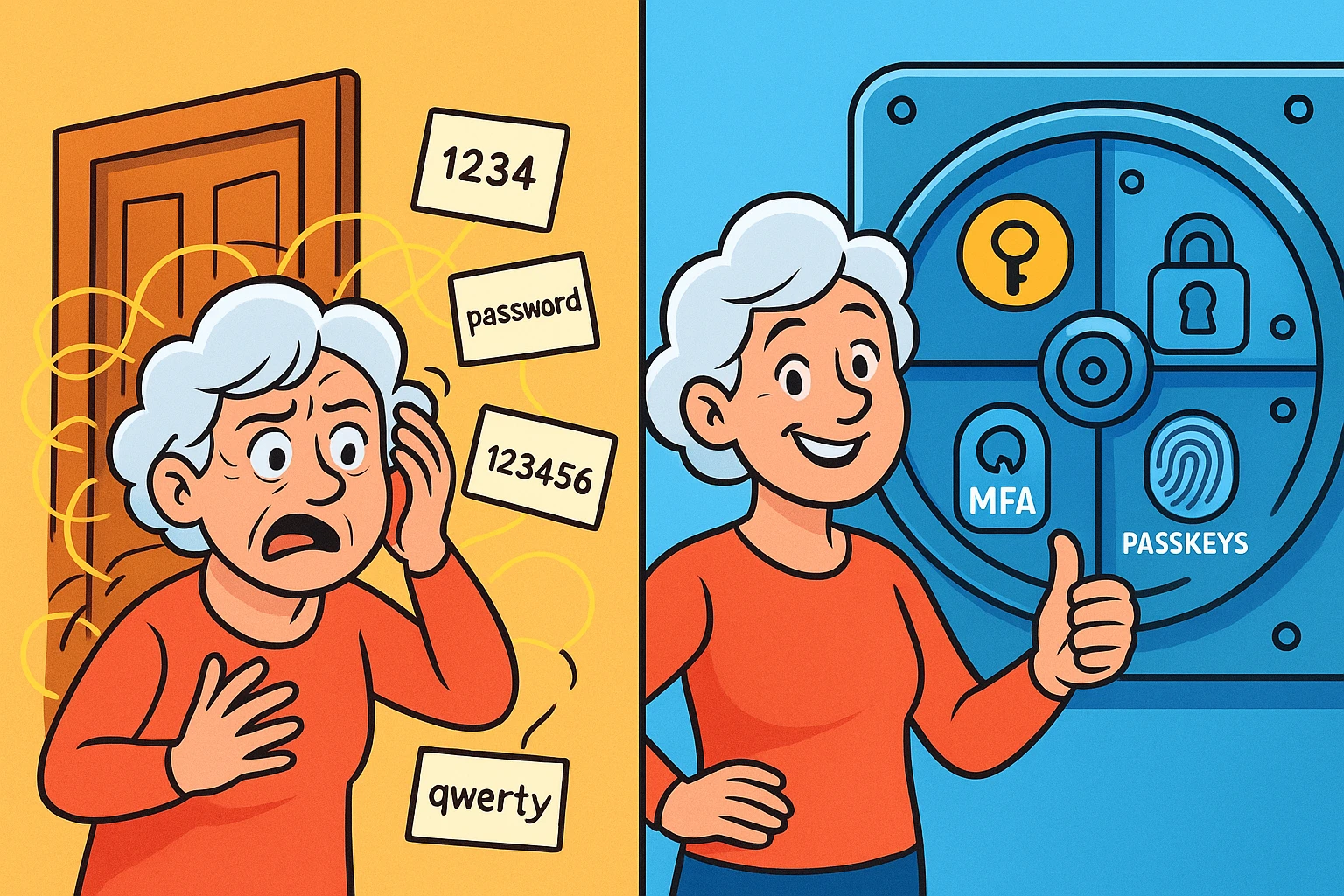
Remember when a password was just a secret word you whispered to get into a childhood treehouse? Today, logging into your own bank account feels like you’re negotiating a hostage release. You sit at your keyboard, carefully typing a password that must contain one uppercase letter, one number, a hieroglyph, and the maiden name of your first pet’s favorite mailman.
You hit enter. The screen shakes its digital head at you. “Incorrect,” it says. You try again. Nothing. Finally, you click “Forgot Password,” only for the system to cheerfully inform you that your new password cannot be the same as the old password you supposedly just typed wrong.
If you’ve ever wanted to throw your tablet out the window over a login screen, you are absolutely not alone. But here is the plain truth: traditional passwords just aren’t cutting it anymore. Relying solely on a password today is like locking your screen door but leaving the heavy wooden front door wide open.
The good news? You don’t need a degree in computer science to lock down your digital life. We’re going to look at three easy-to-understand tools—password managers, Multi-Factor Authentication (MFA), and passkeys—that will make your accounts virtually hacker-proof while actually reducing your daily frustration.
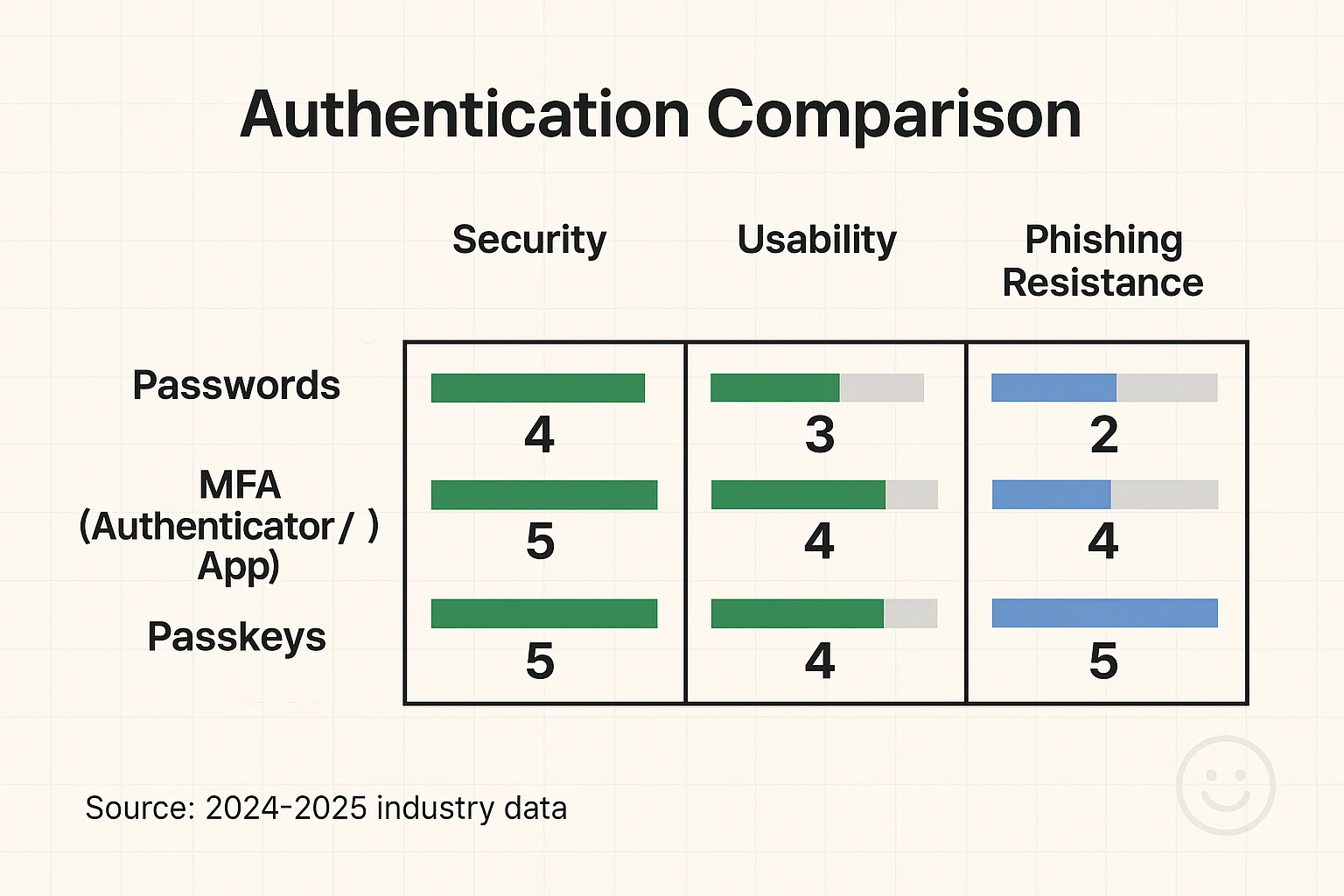
Here is a scary fact from the cybersecurity world: a weak password can be cracked by automated software in literally seconds. If your password is a common word, a sequence of numbers, or simply “Fluffy2024,” a hacker’s computer will guess it before you can even pour your morning coffee.
Security experts now recommend that a strong password should be at least 16 characters long and completely random. But let’s be realistic. You cannot possibly memorize a unique, 16-character string of gibberish for the 50 different websites you use. When people try, they end up using the same password everywhere. If a hacker breaches your favorite gardening forum, they suddenly have the keys to your email and your bank.
This is where a password manager saves the day. Think of a password manager as a highly secure digital safe, or like that reliable old cookie tin where you hide your secret stash of hard candies—only this one is guarded by a swat team.
A password manager generates incredibly strong, complex passwords for every single one of your accounts and stores them securely. You only have to remember one master password to unlock the vault. The software does the rest, automatically filling in your login details when you visit a website. It completely eliminates the risk of password reuse and the headache of forgetting your credentials.
Even with a great password, you want a backup plan. That’s where Multi-Factor Authentication, or MFA, comes in. MFA sounds like corporate jargon, but it’s a concept you already use every day. When you go to the ATM, you need your physical debit card (something you have) and your PIN (something you know). That’s multi-factor authentication!
Online MFA works the exact same way. It acts as a digital bouncer for your accounts. Even if a scammer somehow figures out your password, they can’t get in because the bouncer stops them at the door and asks for a second piece of proof that you are who you say you are.
The corporate world has already figured out how effective this is, with about 70% of businesses now adopting MFA for their workforce. It’s time we bring that bank-level security into our living rooms. There are a few common ways to set this up:
If passwords are a pain and MFA is a helpful bouncer, “passkeys” are the VIP pass that lets you skip the line entirely. Passkeys represent a massive shift toward a passwordless future, and they are incredibly user-friendly.
Instead of typing a password, a passkey lets you log into a website using the same method you use to unlock your phone or computer. That might be a fingerprint scan, a facial recognition scan, or your device’s PIN.
Passkeys combine your physical biometric data with advanced device cryptography. In plain English: they are completely phishing-resistant. Because there is no password to type, there is absolutely nothing for a hacker to steal. This technology is catching on fast, with phishing-resistant MFA adoption jumping an impressive 63% year over year.
You don’t need to overhaul your entire digital life by dinnertime. Tackling this in small, manageable steps is the best way to avoid throwing your computer into the nearest body of water.
First, start by downloading a reputable password manager. Spend a weekend slowly moving your most important accounts—like your email, banking, and medical portals—into your new digital vault, letting the software change those old passwords into complex new ones.
Next, dive into the security settings of those same important accounts and turn on Multi-Factor Authentication. Choose an authenticator app if you feel adventurous, or stick to text messages if you want to keep it simple. Finally, as websites offer the option, start piloting passkeys.
And remember, tech tools are great, but common sense is your first line of defense. If you get a suspicious email claiming your account is locked, don’t click the link. Instead, open your browser and check their website directly to see if the request is legitimate.
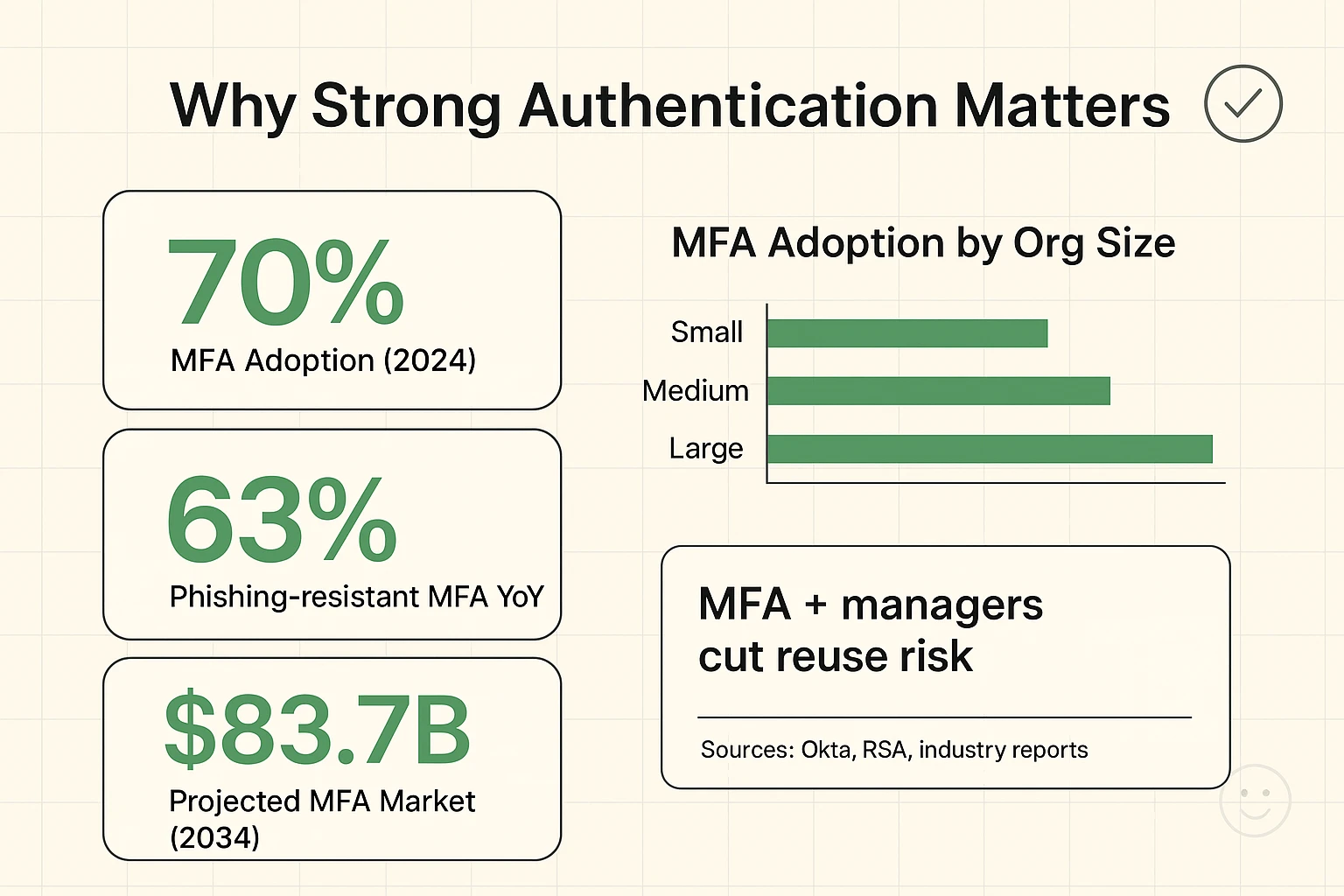
We know that setting up new tech can feel like putting together Swedish furniture with missing instructions. But the payoff here is absolute peace of mind. The cybersecurity industry knows this works. In fact, the global MFA market was valued at $16.85 billion in 2024 and is projected to hit an astonishing $83.7 billion by 2034.
Why is it growing so fast? Because strong authentication stops bad guys in their tracks. It takes the burden of security off your memory and puts it onto systems designed specifically to protect you. By taking an afternoon to set up a password manager and turn on MFA, you are effectively installing a bank-vault door on your digital life.
Writing passwords in a notebook is better than using “Password1” for everything, but it has flaws. Notebooks can be lost, snooped through, or destroyed by a spilled cup of coffee. Plus, a notebook can’t tell you if you’re on a fake website. A password manager will refuse to auto-fill your credentials on a scammer’s site, acting as a built-in safety net.
This is a very common fear! When you set up an authenticator app, the service will usually provide you with a list of “backup codes.” You can print these out and keep them in a safe physical place (like with your important documents). If you lose your phone, you simply use a backup code to get in.
This is the brilliant part about passkeys: your fingerprint or face scan never leaves your device. The website doesn’t get a copy of your biometric data. Your device simply uses your fingerprint to unlock a hidden cryptographic puzzle, and it sends the solution to the website. It is incredibly safe and highly protective of your privacy.
You now know more about digital security than the vast majority of people on the internet. It’s time to put that knowledge to work.
Pick one single account today—your primary email address is the best place to start. Log into the settings, find the “Security” tab, and turn on Two-Factor Authentication. It will take you less than five minutes, and you’ll instantly make your most important digital hub significantly safer. After that, treat yourself to a cookie. You’ve earned it!