Newsletter Subscribe
Enter your email address below and subscribe to our newsletter

Enter your email address below and subscribe to our newsletter
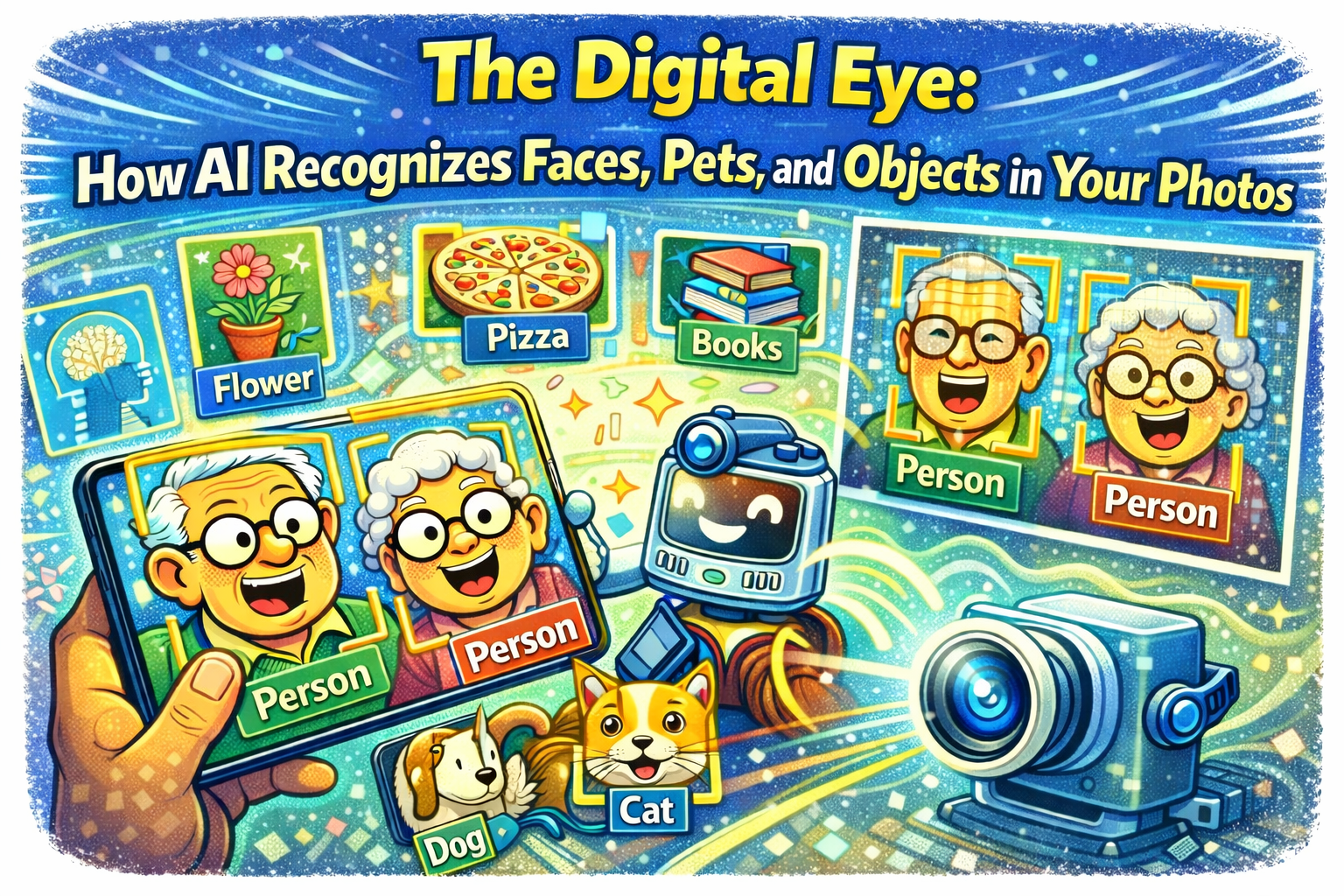
Have you ever picked up your smartphone, glanced at the screen, and watched it magically unlock before you could even remember your passcode? It feels a bit like having a tiny, very observant butler living inside your device who knows exactly who you are. “Ah, yes, the one with the glasses. Right this way.”
But then you open your photo gallery and things get even weirder. You type “dog” into the search bar, and suddenly, every photo you’ve ever taken of your Golden Retriever, Buster, appears. Even the blurry one from 2017. You didn’t label those photos. You didn’t sit there for hours typing “dog” on thousands of images. So, how did your phone know?
Is it magic? Is it a psychic connection? No, it’s something called Computer Vision, and while it sounds like sci-fi jargon, it’s actually the same technology that helps you sort through decades of family memories without losing your mind.
Let’s pull back the curtain and see how your device—whether it’s an iPhone, Android, or computer—learns to see the world, recognize your grandkids, and even spot the difference between a muffin and a Chihuahua.
To us, a photograph is a memory. It’s a sunset at the beach, a birthday cake, or a selfie where we’re trying to hide a double chin. But to a computer, a photograph is just a massive grid of colored dots called pixels.
For decades, computers were pretty dumb about these dots. If you showed a computer a photo of a cat, it just saw millions of random colors. It had no idea it was looking at a feline. It could have been a toaster for all the computer knew.
But thanks to Artificial Intelligence (AI), computers have gone to school. They have learned to recognize patterns in those dots that form shapes, textures, and eventually, faces. This is the technology that powers everything from that quick unlock feature on your phone to organizing your massive digital photo library.
The most common question people ask is: “Does my phone keep a picture of my face to compare against?”
Not exactly. If your phone just stored a photo of you, it would get confused the moment you put on sunglasses, grew a beard, or simply woke up looking a bit “ruff” (we’ve all been there).
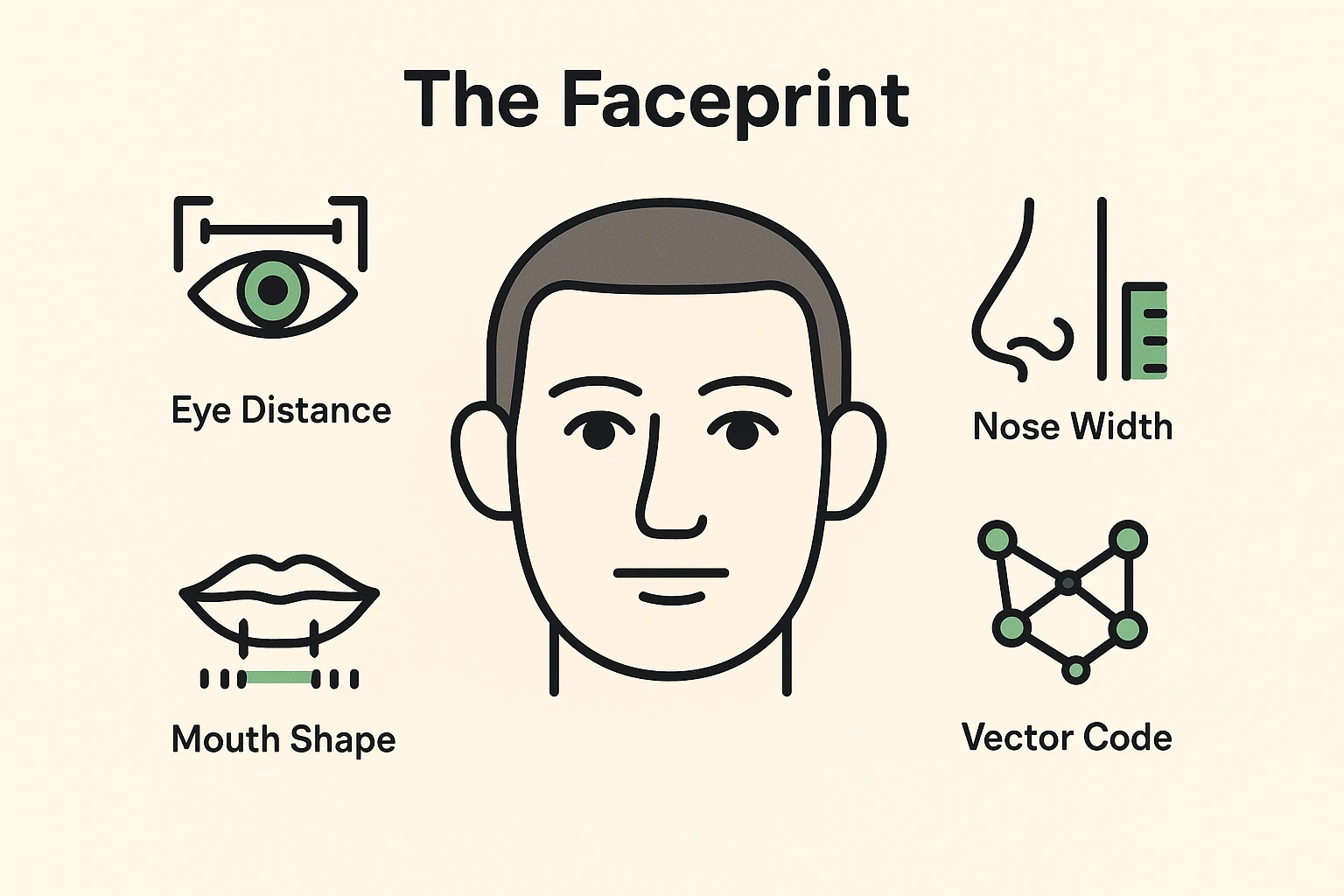
Instead, the software uses math. It looks at your face and measures the unique geometry of your features. It measures the distance between your eyes, the width of your nose, the depth of your eye sockets, and the shape of your jawline.
It takes all these measurements and turns them into a unique mathematical code. In the tech world, this is called a biometric vector or a faceprint. Think of it like a recipe. Your faceprint isn’t a picture; it’s the mathematical recipe that makes you, you.
There is a slight difference between the computer knowing that a face is there, and knowing who it is.
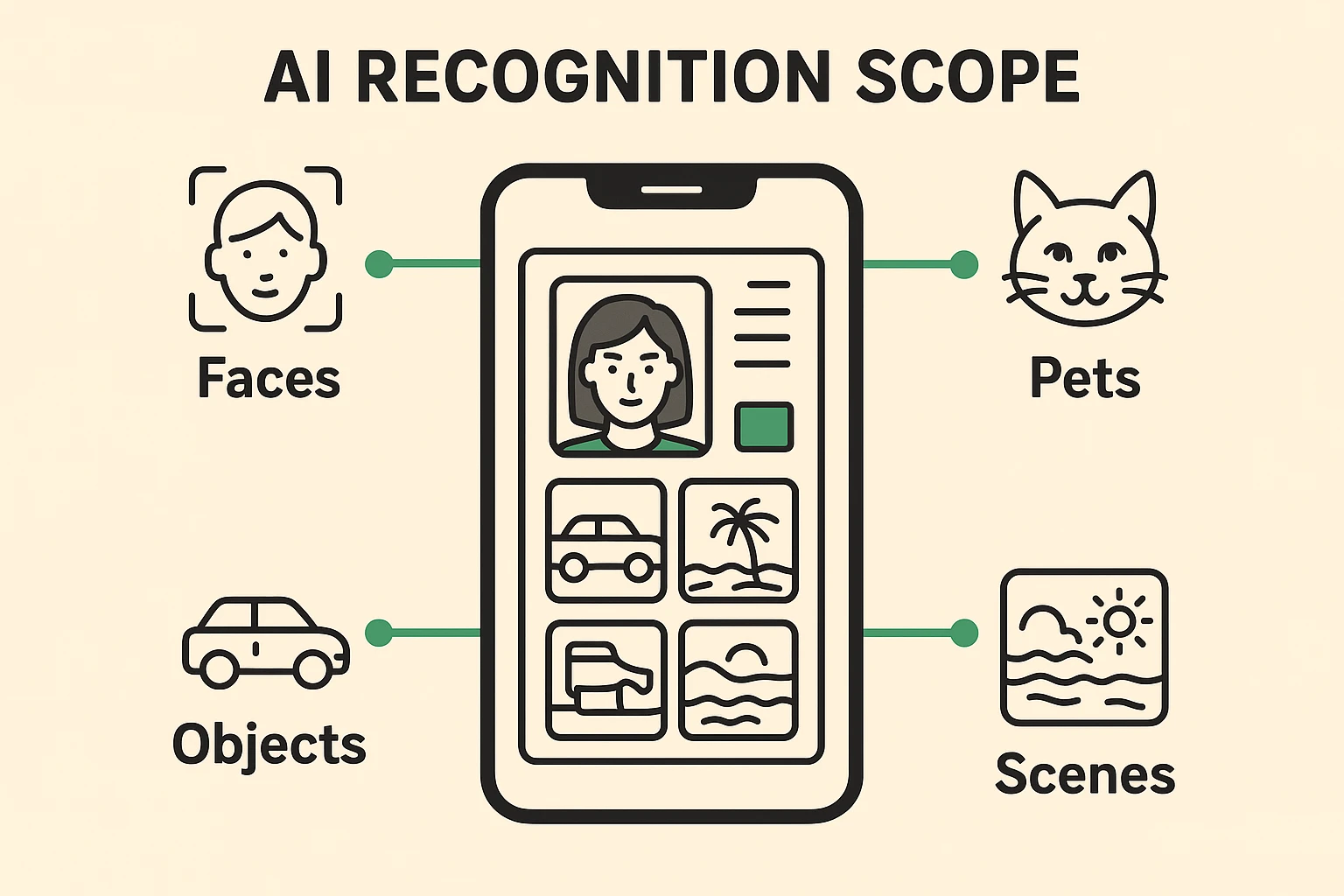
Once engineers figured out how to teach computers to recognize human faces, they realized they didn’t have to stop there. After all, if you can map the geometry of a face, why not map the geometry of a bicycle? Or a mountain? Or a plate of spaghetti?
This is why you can now go into Google Photos or Apple Photos and type in “Beach,” and it will pull up every vacation photo you’ve taken near the ocean.
The AI looks for common patterns. It knows that blue at the top usually means “sky” and blue at the bottom usually means “water.” It knows that a certain texture looks like sand. When it sees those three things together, it confidently labels the image “Beach.”
It does the same thing for pets. It recognizes the triangular ears, the snout shape, and the fur texture. It can even distinguish between breeds, often telling a German Shepherd from a Golden Retriever.
It’s fascinating to see how this tech has evolved. It’s opening doors for all sorts of new activities. For example, Creative Hobbies Powered By AI are becoming incredibly popular, allowing seniors to use similar image recognition tools to create digital art or organize family memoirs.
Now, let’s address the elephant in the room. Or rather, the digital elephant in your photo album. If your phone knows exactly what you look like, is that creepy? Where is that information going?
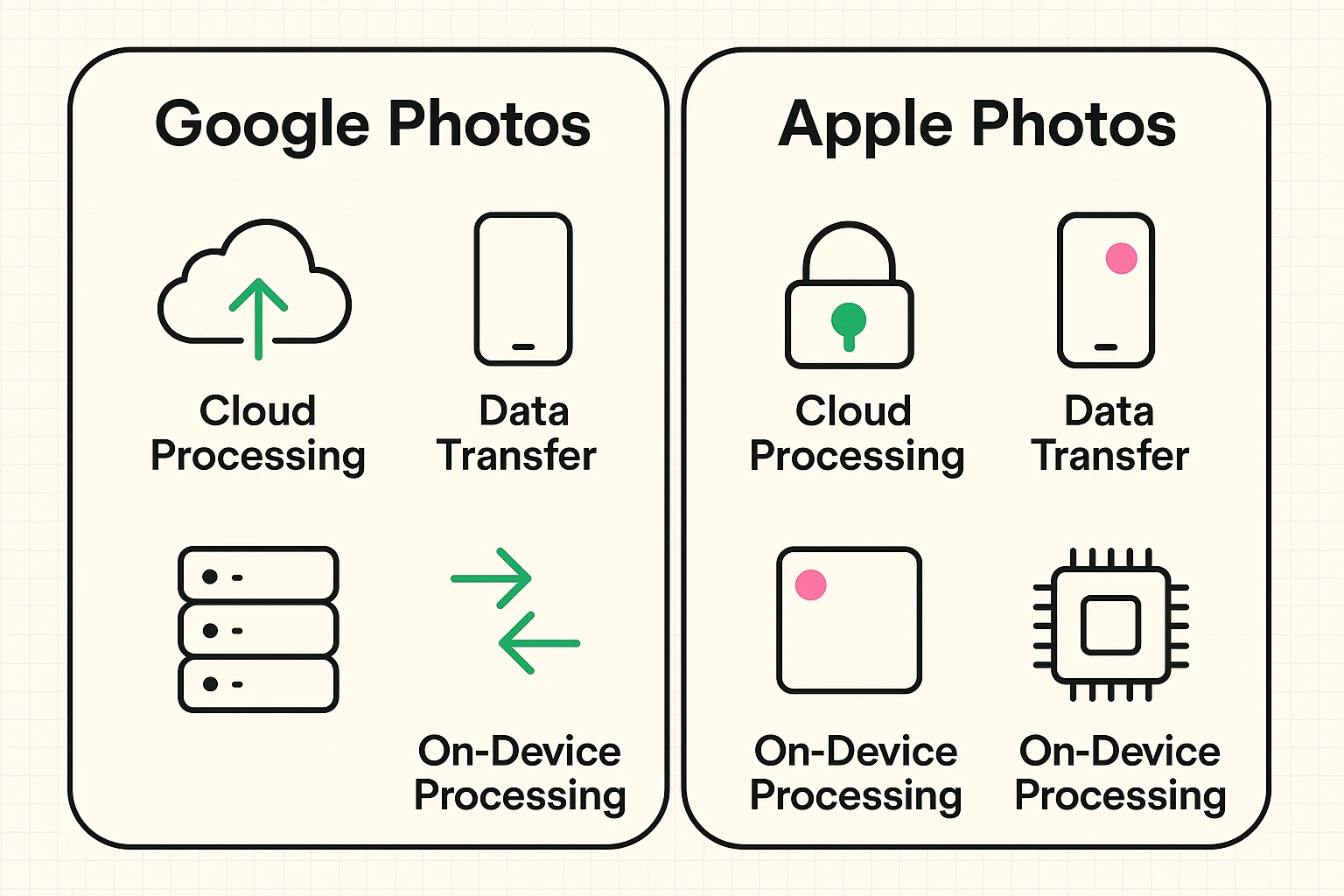
This is the most important part for seniors to understand because not all tech companies handle this the same way. Generally, there are two approaches: processing in the Cloud versus processing on the Device.
Services like Google Photos traditionally do the heavy lifting in the “Cloud.” This means your photos are uploaded to Google’s massive servers. Their super-computers analyze the images, figure out who is who, and organize them.
Apple takes a privacy-first stance. When your iPhone analyzes your photos to find faces, it does the work right there on the phone chip. The mathematical “faceprint” stays on your device.
As smart as this technology is, it’s not perfect. You might find that your photo app thinks your Uncle Bob is actually a potted plant in the background. Or, more commonly, it might confuse two siblings who look alike.
This happens because the “math” of the faces is too similar, or the lighting in the photo obscured a key measurement. The good news is that you can correct the teacher.
If you go into the “People” or “Faces” album on your phone and see a mistake, you can usually tap on the photo and tell the app, “No, that’s not Aunt Sally.” Every time you do this, you are actually helping the AI learn. You are refining the recipe it uses to identify your family.
Generally, no. Modern phones use 3D sensors (like FaceID on iPhone) that project invisible dots to measure depth. A photograph is flat, so the phone knows it’s a fake. It’s smart enough to know the difference between a face and a piece of paper.
For the average user, no. Your personal photo library organization is for your use. However, always be aware that if you post photos publicly on social media (like Facebook), those platforms have their own facial recognition software that plays by different rules.
Yes. Both Apple and Google allow you to turn off face grouping features in settings if you find it too intrusive. You lose the ability to search for “Dad” and find all his photos instantly, but you gain a little digital privacy peace of mind.
The “Digital Eye” inside your device isn’t there to judge your bad hair days (thank goodness). It’s a tool designed to turn the chaos of thousands of digital photos into an organized, searchable library of memories.
By understanding how it works—converting faces and objects into patterns and math—you can stop worrying about the “magic” and start using it to find that one great picture of the grandkids from three Christmases ago. And if it occasionally thinks your cat is a throw pillow? Well, just take it as a compliment to your cat’s ability to nap perfectly still.