Newsletter Subscribe
Enter your email address below and subscribe to our newsletter

Enter your email address below and subscribe to our newsletter

Remember the old family photo albums? The ones that weighed as much as a Buick and featured pages covered in that sticky magnetic plastic that permanently fused your Uncle Phil’s wedding photo to a picture of a 1974 Plymouth Volaré? Sharing those memories used to be easy. You just hauled the album out of the closet, dusted it off, and forced your captive audience to sit on the sofa while you narrated.
Today, your grandkids live three states away, and your photos are trapped inside a sleek rectangular piece of glass that occasionally rings. Trying to show a physical photo over a video call usually involves holding it up to your computer camera with trembling hands. The result is a blurry, glare-filled image that looks less like your graduation day and more like a confirmed UFO sighting.
If this sounds familiar, you are not alone. Technology has made it incredibly easy to talk to anyone, anywhere, at any time, but it somehow made sharing our actual history feel like assembling Swedish furniture blindfolded.
The good news? There is a wonderful, simple solution called a Virtual “Show and Tell.” By using a magical little feature called “screen sharing,” you can broadcast your old photos directly onto your family’s screens, crisp and clear. We are going to show you exactly how to do it, without requiring a degree in computer science.
Before we talk about which buttons to push, let’s talk about why this matters. Sharing old stories isn’t just a fun way to pass a Sunday afternoon; it’s actually incredibly good for your brain.
Researchers call this “Reminiscence Therapy.” When you actively recall and share positive memories, your brain releases a cocktail of feel-good chemicals that can lower stress, boost your mood, and improve cognitive health. It’s like a multivitamin for your memory.
For your family, it’s a chance to build a bridge across the digital divide. When you share the story behind the photo, you are giving your kids and grandkids a gift that a simple text message can never match. And here is the ultimate secret: the story matters far more than the photo quality.
To share a photo on your computer or tablet, it first needs to actually be on your computer or tablet. If your memories are currently sitting in a shoebox under the guest bed, we need to do the “analog-to-digital shuffle.”
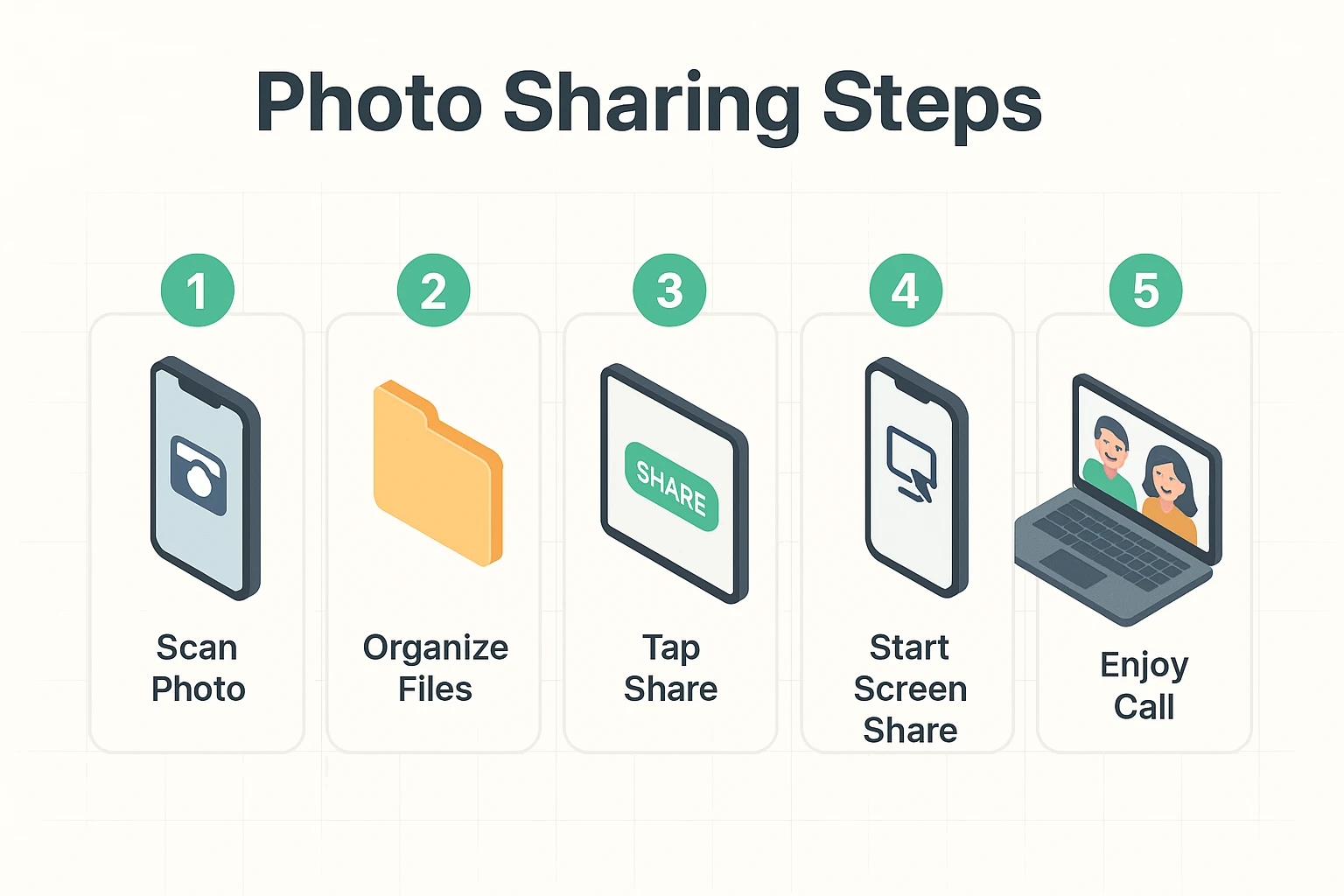
Don’t panic—you don’t need to buy an expensive scanner. You already own a portable scanner: your smartphone.
There are wonderful, free apps designed specifically for this, like Google PhotoScan. You simply lay your old photo flat on a table, point your phone’s camera at it, and the app automatically removes the glare and crops the edges. It’s like having a tiny, magical photo lab right in your pocket.
Once you’ve snapped a picture of the old photo, it lives in your phone’s photo gallery, right next to the 47 accidental pictures of your thumb. You are now ready for the main event.
The phrase “screen share” can sound intimidating, but it’s just a fancy way of saying, “Look at what I’m looking at.” Imagine taking a transparent copy of your photo and putting it on an overhead projector for the whole room to see. That’s all screen sharing is.
Whether you are using Zoom, FaceTime, or Skype, we like to teach the “3-Click Rule.” First, you click the video call app to join your family. Second, you look for the magic button—usually a bright green box with an arrow pointing up, or an icon that looks like two overlapping squares. Third, you click “Share Photos” or “Share Screen.”
That’s it. You won’t break the internet, and you won’t accidentally launch a satellite. If you ever get lost, just hit the “Stop Sharing” button, which is usually bright red and impossible to miss.
Pro Tip for families: If you have a younger relative helping you set this up, ask them to make you a “Printable Tech Placemat.” This is just a simple sheet of paper they can mail you with a big picture of exactly what the “Share” button looks like on your specific device.
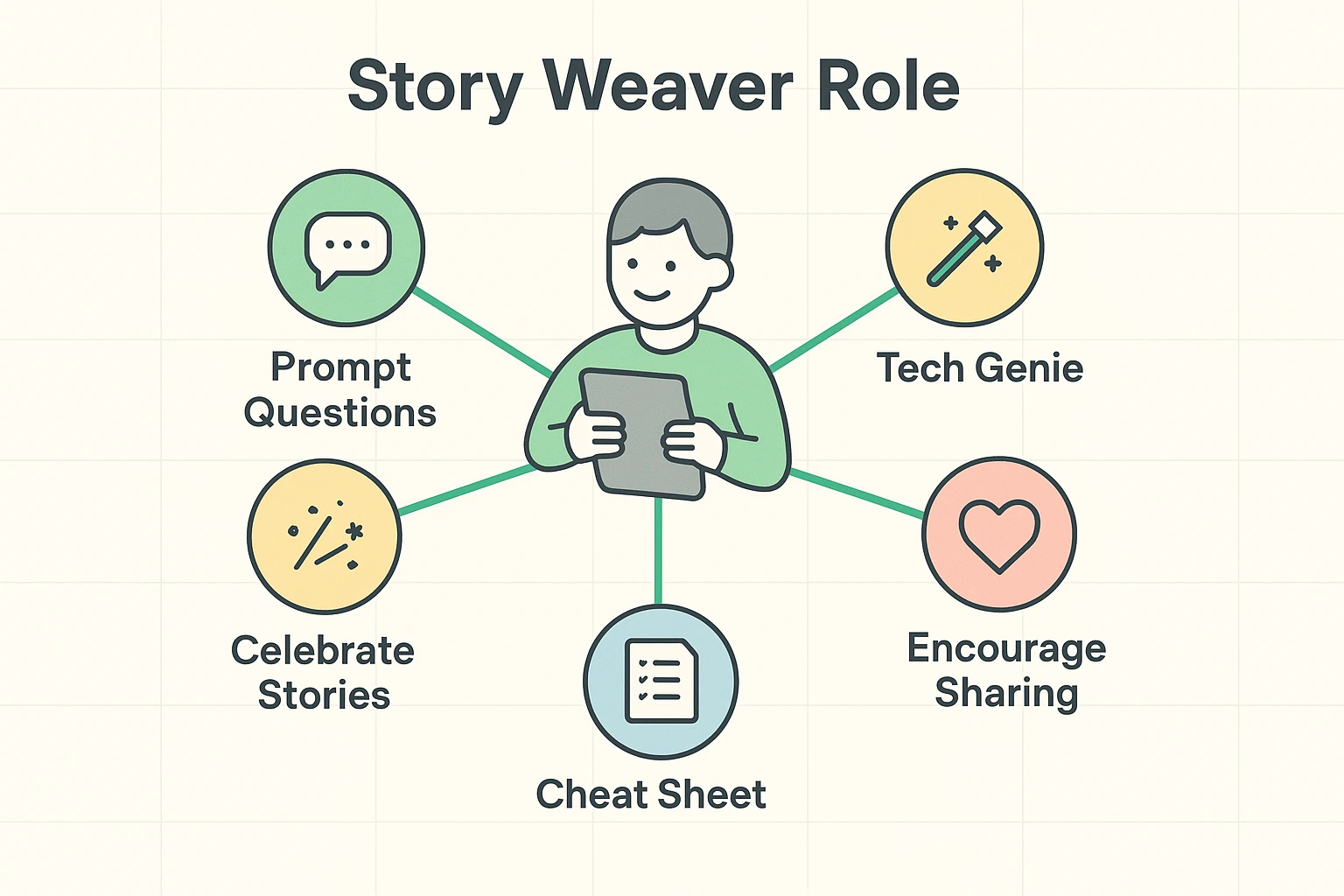
A great Virtual Show and Tell isn’t a one-way lecture; it’s a conversation. This is where a family member (maybe a tech-savvy grandchild) can step in as the “Story Weaver.”
The Story Weaver’s job is to ask the right follow-up questions to unlock the memories. Instead of just saying, “That’s a nice picture,” they can ask the “Magic Questions.”
Good Magic Questions include: “What was the weather like that day?” or “How much did that car cost back then?” or “Who was standing just outside the frame?” These prompts help bypass the simple facts and dive straight into the rich, emotional details of the past.
Staring at thousands of photos can feel overwhelming. To make things easy, don’t try to share your entire life story in one sitting. Pick a theme and choose just 3 to 5 photos to share. Here are a few great ideas to get you started:
This is a very common fear! The easiest way to stay safe is to use the “Share Photos” option rather than “Share Screen” if your app allows it. This ensures your family only sees the pictures you select, and not your email inbox or your bank website.
Absolutely not. You can use whatever video calling app you and your family already prefer. Whether you use Apple’s FaceTime, Zoom, Google Meet, or WhatsApp, they all have a built-in, free screen-sharing feature.
If your computer starts buffering or freezing like a deer in headlights, turn off your own camera’s video feed while you share the photo. This frees up your internet connection to focus entirely on transmitting the picture and your voice clearly.
You now have the blueprint to turn a standard, boring Sunday video call into a genuine family event. You understand the health benefits of nostalgia, how to get your physical photos onto your device, and the basic steps to beam them across the country.
Your homework is simple. Don’t try to digitize your entire basement today. Just pick one photo. Use your smartphone to take a picture of it. Then, call a family member, tell them you’re practicing a new tech trick, and hit that “Share” button.
You might just find that bridging the digital divide is the most fun you’ve had online in years.