Newsletter Subscribe
Enter your email address below and subscribe to our newsletter

Enter your email address below and subscribe to our newsletter

You’ve been there. Your grandchild is doing something impossibly cute—maybe attempting to put their own shoes on the wrong feet or explaining the profound philosophical implications of a Goldfish cracker. You whip out your phone, fingers fumbling, to capture this fleeting moment of pure gold for posterity. You tap the screen. You hold your breath.
And you get a perfect, crystal-clear photo of a blurry elbow rocketing out of the frame. The moment is gone, replaced by a digital smudge that whispers, “You tried.”
If this sounds familiar, you’re not alone. Choosing a smartphone today feels like trying to order coffee in a language you don’t speak. Megapixels? Aperture? Optical what-now?
Most phone reviews are written for tech wizards, not for people whose primary goal is to get a non-blurry photo of a toddler moving at the speed of light. That’s where comparison shopping for tech really pays off—taking the time to compare models side by side helps you spot which features are actually worth your money (and which are just marketing buzzwords).
But here’s the good news: you don’t need a degree in computer science to take great photos. You just need to know which one or two features actually matter for capturing those priceless family moments. Let’s cut through the jargon and figure this out together.
Forget the laundry list of specifications phone companies love to brag about. To capture stunning photos of your family, focus on just a handful of key features. Think of this as your secret cheat sheet.

Okay, now that you’ve seen the lineup, let’s talk about the All-Stars. While all those features are nice, three of them are absolute game-changers for photographing the little ones.
Imagine you’re at your grandson’s soccer game. He’s clear across the field, about to score a goal. You have two ways to get a closer shot:
The takeaway: If you want clear shots from a distance—whether it’s a graduation stage, a dance recital, or a soccer field—Optical Zoom is the single most important feature to look for.
Many of life’s best moments don’t happen in perfect, sunny conditions. They happen indoors, during birthday parties with the lights dimmed for the cake, or in a cozy, lamp-lit living room as you read a bedtime story.
This is where a camera’s “low-light performance” comes in. It’s determined by things like the size of the camera’s sensor and the lens’s aperture. Don’t worry about the terms—just think of it this way: a camera with good low-light performance has a bigger bucket for catching light.
When there isn’t much light to go around, a bigger bucket means your photos will be bright and clear, not dark and grainy. It’s the difference between a beautiful shot of your grandchild blowing out their candles and a photo that looks like it was taken in a cave.
Let’s be honest, grandkids are not known for holding still. They are basically tiny, adorable blurs of energy. Add to that the fact that none of us has hands as steady as a surgeon’s, and you’ve got a recipe for blurry photos.
Enter Optical Image Stabilization (OIS). This is a tiny, built-in mechanism that acts like a shock absorber for your hand. If you shake a little while taking the picture, OIS counteracts the movement. It helps ensure your photos are sharp, even if your subject (or you) is in motion. It’s the unsung hero of smartphone photography.
Having the right camera is half the battle. The other half is using a few simple tricks that pros use. You don’t need a fancy course; you just need to know where to tap.
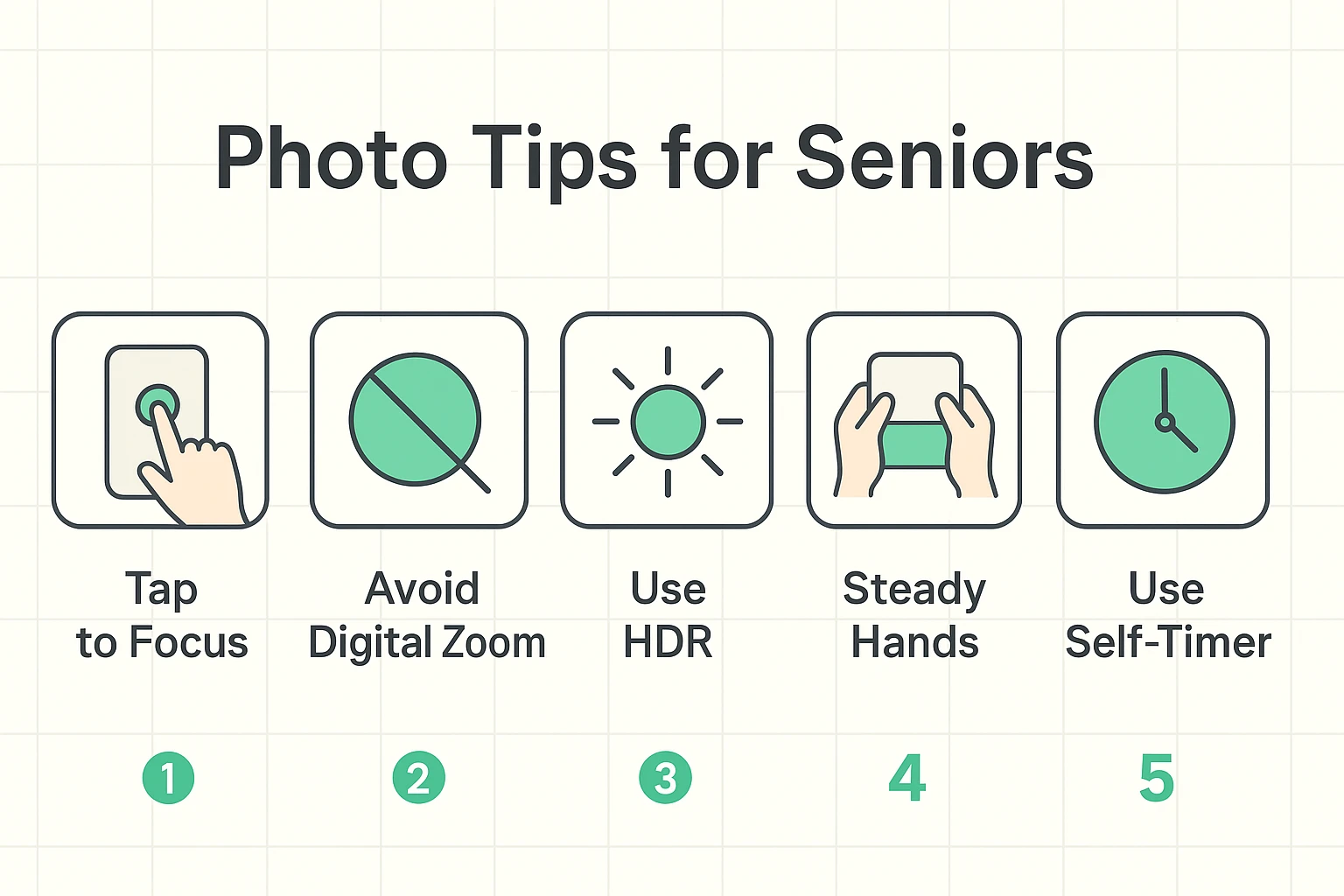
Here’s a little more on why these tips work wonders:
Okay, so which phone has all this stuff? As top reviewers like The New York Times’ Wirecutter and SeniorLiving.org often point out, the “best” phone is about balancing great features with ease of use. You need a camera that’s fantastic, but also a phone that doesn’t make you want to throw it out the window.
It’s less about brand names and more about matching the features we’ve discussed to a phone that feels comfortable in your hands. While we have a full guide dedicated to comparing key smartphone features beyond just the camera, the chart below gives you a head start on models known for being both great for photos and easy to use.
Absolutely not! This is one of the biggest myths in tech. Think of megapixels like sprinkles on a donut. Having a million sprinkles doesn’t matter if the donut itself is stale. A camera with great optical zoom and low-light performance will take far better photos than one that just crams in more megapixels.
The sweet spot is finding both. But if you have to choose, lean towards ease of use. A brilliant camera that’s buried under confusing menus is useless. The best camera is the one you’ll actually enjoy using.
For 99% of situations, yes. Modern smartphone cameras are incredibly powerful, especially with features like image stabilization and HDR that automatically improve your photos. Plus, the biggest advantage is that your phone is always with you, ready to capture a moment at a second’s notice.
The goal isn’t to become a professional photographer. It’s to stop wrestling with technology and start effortlessly capturing the memories that matter most. With a little knowledge about what to look for, you can finally win the war against blurry photos and fill your albums with the clear, beautiful faces you love.