Newsletter Subscribe
Enter your email address below and subscribe to our newsletter

Enter your email address below and subscribe to our newsletter

Have you ever found yourself in a digital staring contest with an online form? You’re trying to do something simple, like sign up for a newsletter or apply for a library card, but the form has other ideas. It demands your life story, your mother’s maiden name, your shoe size, and possibly a blood sample.
You type everything in perfectly, hit “Submit,” and are met with a furious red message: ERROR: FIELD 37B IS INVALID. You stare at Field 37B. It’s the “Country” field. You live in the United States. You typed “USA.” Is it supposed to be “U.S.A.”? “United States of America”? Perhaps it requires a yodel?
If this sounds familiar, you’re not just imagining things. Studies show that over 80% of people have abandoned an online form out of sheer frustration. It’s a universal experience that makes you want to throw your computer out the window and go back to using a carrier pigeon. But what if you had a helpful assistant to handle the busywork for you?

You’ve probably seen your web browser—whether it’s Chrome, Safari, or Firefox—offer to save your name and address. That’s called autofill, and it’s a handy little time-saver. Think of it as a rubber stamp. It knows one thing (your contact info) and stamps it wherever you tell it to. It’s nice, but it’s not exactly a genius.
Now, imagine its brilliant, tech-savvy cousin: the AI Form Assistant. This isn’t just a rubber stamp; it’s like having a personal secretary sitting next to you. This assistant doesn’t just blindly paste your info. It reads the form, understands the questions, and can even help you with the tricky parts.
It uses smart technology to recognize fields, whether it’s asking for a date, a phone number, or the name of your first pet. It can even pull information from a document you upload, like a driver’s license, and place it in the right boxes. It’s the difference between having a tool that saves you some typing and having a partner that saves you a headache.

So, how does this digital magic actually work? Let’s say you’re filling out a complicated application for travel insurance. Here’s how an AI assistant can help:
This technology isn’t just for signing up for cat video newsletters. Its real power shines when you’re faced with the Mount Everest of paperwork: government, medical, and financial forms. These are often long, confusing, and incredibly important to get right.
Imagine applying for Social Security benefits or filling out new patient paperwork for a doctor. An AI assistant can guide you through each section, helping to prevent the kinds of small mistakes that can cause major delays. For complex applications that require uploading documents, the AI can scan them and pull out the relevant information, saving you from manually typing every last detail.
Of course, this is where a little voice in your head might be whispering, “Is it safe to give an AI all my sensitive information?” That’s not a little voice; that’s a very smart voice, and you should listen to it.
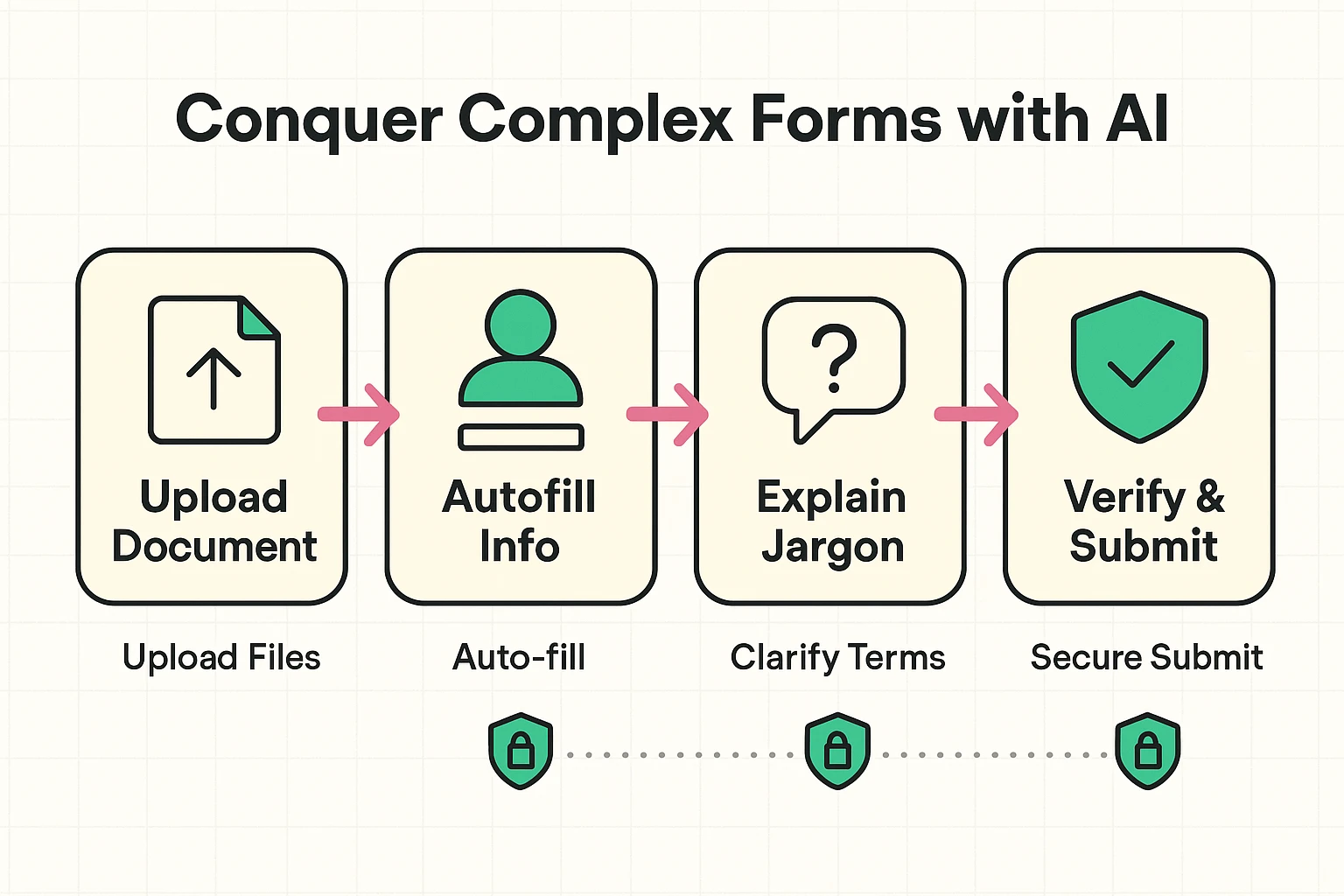
Not all AI tools are created equal. Handing your personal data over requires trust. Before you use any AI form-filler, especially for sensitive documents, run through this quick safety checklist:
Being careful with your data online is crucial, as scammers are always inventing new ways to trick people. To better understand the kinds of threats that are out there, you might find it helpful to review a guide on online scamming methods.
Not at all! The best ones are designed to be incredibly user-friendly. Most work as simple browser extensions that you install once, and they pop up automatically when they detect a form you need to fill out.
Many AI form assistants offer a free version that covers basic features. For more advanced capabilities, like filling out complex multi-page documents or unlimited form submissions, they might offer a paid subscription. You can get a lot of value from the free versions to start.
Yes, it’s possible. Technology is a wonderful helper, but it’s not infallible. That’s why you should always treat the AI as your “co-pilot,” not the pilot. Always give the form a final review before you hit that submit button to make sure everything is accurate.
Online forms aren’t going away, but the days of battling them alone are over. An AI assistant can turn one of the most tedious digital chores into a quick and painless task. It’s about more than just saving time; it’s about reducing stress and navigating the digital world with a little more confidence and a lot less frustration.
So the next time a form asks for your favorite color and the atmospheric pressure in a single, mandatory field, you won’t have to guess. You’ll have a smart assistant ready to help you conquer it.