Newsletter Subscribe
Enter your email address below and subscribe to our newsletter

Enter your email address below and subscribe to our newsletter

Have you ever looked at your credit card statement and found a charge from a company you vaguely remember, like “StreamyFlix” or “GourmetJellyOfTheMonth.com”? You squint, wrack your brain, and then it hits you: that seven-day free trial you signed up for last year to watch a documentary about competitive cheese rolling has been quietly nibbling away at your bank account ever since.
If this sounds familiar, you’re not just imagining it. This phenomenon, often called “subscription creep,” is the digital equivalent of finding dust bunnies under the sofa, except these bunnies cost you money. The average person spends hundreds of dollars a year on subscriptions they’ve completely forgotten about. It’s a silent budget drain, a sneaky pickpocket in the vast world of the internet.
But what if you could hire a tiny, digital detective to sniff out these forgotten fees and help you cancel them with a single click? Good news: you can. And no, it doesn’t involve a trench coat or a magnifying glass.

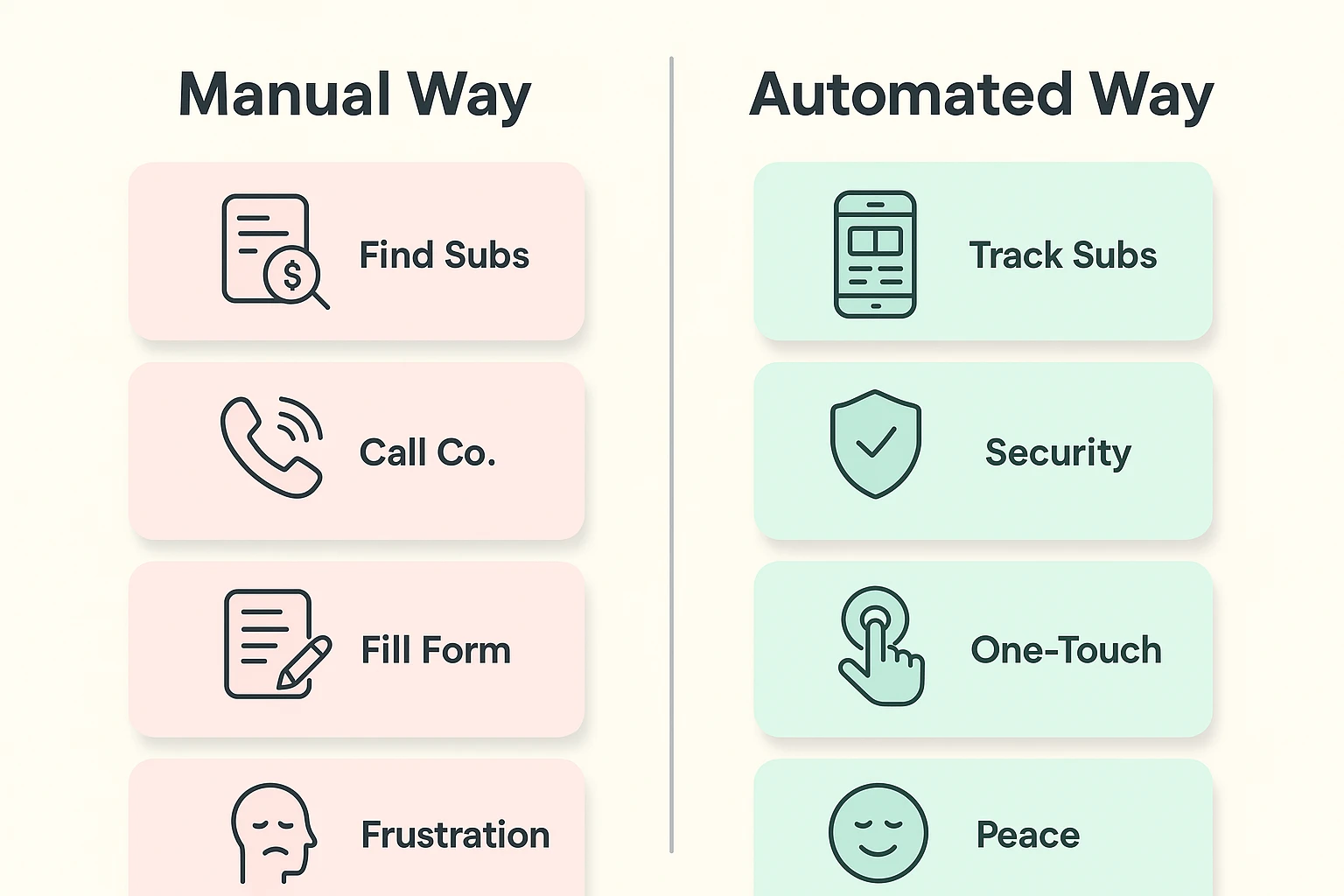
Before we unleash the high-tech bloodhounds, let’s cover the old-fashioned way of tracking down these pesky charges. Think of it as financial spring cleaning. It takes a little elbow grease, but it’s a great first step to understanding where your money is going.
Grab your last few bank and credit card statements, a good cup of coffee, and a highlighter. Go through them line by line, looking for any recurring charges. Some are obvious, like Netflix. Others might be more cryptic, using strange company names. Circle anything you don’t recognize or that looks like a regular payment.
Many subscriptions are sneakily managed through your phone’s app store. It’s like finding out your toaster has been ordering its own fancy bread behind your back.
Settings, tap your name at the top, and then select Subscriptions. You’ll see a list of all active and expired subscriptions tied to your Apple ID.Google Play Store app, tap your profile icon in the top right, and then select Payments & subscriptions. From there, tap Subscriptions to see your list.Found a subscription you want to cancel? Sometimes, you have to contact the company directly. Don’t worry, you don’t need to be a corporate lawyer. A simple, direct email often does the trick.
Here’s a handy template:
Subject: Subscription Cancellation Request
To Whom It May Concern,
I would like to cancel my subscription, effective immediately. Please do not charge my account for any future payments.
My account information is as follows: Name: [Your Name] Email: [Your Email Address] Account/Member Number (if you have it): [Your Number]
Thank you for processing my request. Please send a confirmation email once the cancellation is complete.
Sincerely, [Your Name]
Okay, the manual method works. But let’s be honest, it can be as tedious as sorting a giant jar of mixed nuts. This is where a little bit of modern technology comes in—not to replace your brain, but to act as a helpful assistant.
Forget the scary term “AI” or “Artificial Intelligence.” In this case, think of it as a “Subscription Detective.” It’s a smart app that does the tedious part for you. It’s like having a friendly bank teller who automatically circles all your recurring bills on a statement, so you don’t have to.

It’s surprisingly simple. These apps securely connect to your bank or credit card accounts (with your permission, of course) and scan your transaction history. They are programmed to recognize patterns—like a $9.99 charge that appears around the 15th of every month.
They then present you with a clean, simple list of all your recurring payments. From there, you can see everything in one place and decide what to keep and what to cancel. Many of these apps can even handle the cancellation process for you.
New technology can feel like visiting a foreign country where you don’t speak the language. It’s natural to be wary. Let’s tackle the most common concerns head-on.
While there are many options out there, a few stand out for their simplicity and strong security track records. A great example is Rocket Money.
Imagine opening the app and seeing a simple screen that says, “Here are your 12 recurring subscriptions.” You scroll down the list: Netflix, Newspaper Digital, Cloud Storage, and… aha! “Fit-Fab-Fun Fitness App,” which you downloaded during a fit of New Year’s inspiration and promptly forgot. Next to it is a big button that says “Cancel for me.” You tap it, and the app takes care of the rest. It’s that simple.
Ready to take control? Here’s a simple, printable checklist to get you started on your journey from subscription chaos to financial clarity.
Yes, the reputable ones are. They use bank-level security and connect to your accounts via trusted third-party services, so they never see your login credentials. Always choose an app with a long history and positive reviews.
This is where the automated apps shine. Because they scan all your transactions, they catch everything—even the $2.99/month charge you’ve been paying for five years without realizing it. The manual method works too, but it requires a very careful eye.
Look for apps with a clean, simple interface. Rocket Money is often recommended for its straightforward design. Before committing, watch a quick video tutorial online to see what the app looks like in action. If it looks like a cockpit from a 747, move on!
Scammers love to exploit this topic. Be on high alert for phishing emails that look like renewal notices. These emails will have urgent subject lines like “Your Subscription Has Expired!” and will ask you to click a link to enter your credit card information. Never click links in unexpected emails. Instead, go directly to the company’s official website to check your account status.
Managing digital subscriptions doesn’t have to be a chore or a source of anxiety. Whether you choose the trusty pen-and-paper method or enlist the help of a digital detective, taking control of your recurring payments is an empowering step.
It’s not just about saving a few dollars here and there; it’s about making technology work for you, not against you. By tidying up your digital life, you can ensure your hard-earned money is spent on the things you truly value—not on a cheese-rolling channel you forgot existed.