Newsletter Subscribe
Enter your email address below and subscribe to our newsletter

Enter your email address below and subscribe to our newsletter

Discover how AI assists in crafting sincere messages when you find the right words hard to say.
Have you ever stared at a social media post, finger hovering over the keyboard, completely stumped? Your granddaughter just posted a photo of her winning the science fair. Your old college roommate shared news of a successful surgery. Your nephew announced his engagement. You want to say something perfect—something more meaningful than a thumbs-up or a generic “Congrats!”—but your brain suddenly feels like it’s been replaced by a dusty box of old receipts.
The pressure is on. You want to be warm, funny, or sincere, but the words just aren’t coming. It can feel like trying to write a Hallmark card on the spot, with the whole internet watching. You end up typing “That’s nice!” and immediately regretting your lack of poetic flair.
If this digital stage fright sounds familiar, you’re not alone. The good news is, you don’t need to be Shakespeare to connect with your loved ones online. You just need a little help from a surprising new friend: Artificial Intelligence, or AI. Now, before you picture a scary robot from a science fiction movie, think of it more like a helpful, well-spoken assistant who’s great with words and always ready to offer a suggestion.

Let’s clear the air: AI writing assistants aren’t here to take over your brain or post on your behalf. Think of them as a super-powered suggestion box. At its core, an AI writing assistant is a computer program that has been trained on a massive amount of text—books, articles, websites, you name it.
Because it has “read” so much, it’s fantastic at understanding patterns in language. You give it a simple instruction, known as a “prompt,” and it generates a few options for you to use. It’s like having a friend who can brainstorm five different ways to say “Happy Birthday” in under five seconds.
The magic isn’t that it has feelings; the magic is that it recognizes what a heartfelt, funny, or formal message sounds like, based on the countless examples it’s learned from. This makes it an incredible tool for breaking through writer’s block and finding the perfect words when you need them most.
The real power of these AI tools is their ability to change their tone on a dime. You wouldn’t use the same language to congratulate a new graduate as you would to offer condolences. An AI assistant understands this, and you can guide it to match the occasion perfectly.
Let’s look at a few examples of how you can steer the AI:
By giving the AI context—who the message is for, what the occasion is, and the feeling you want to convey—you get a personalized starting point that feels much more genuine than a simple emoji.
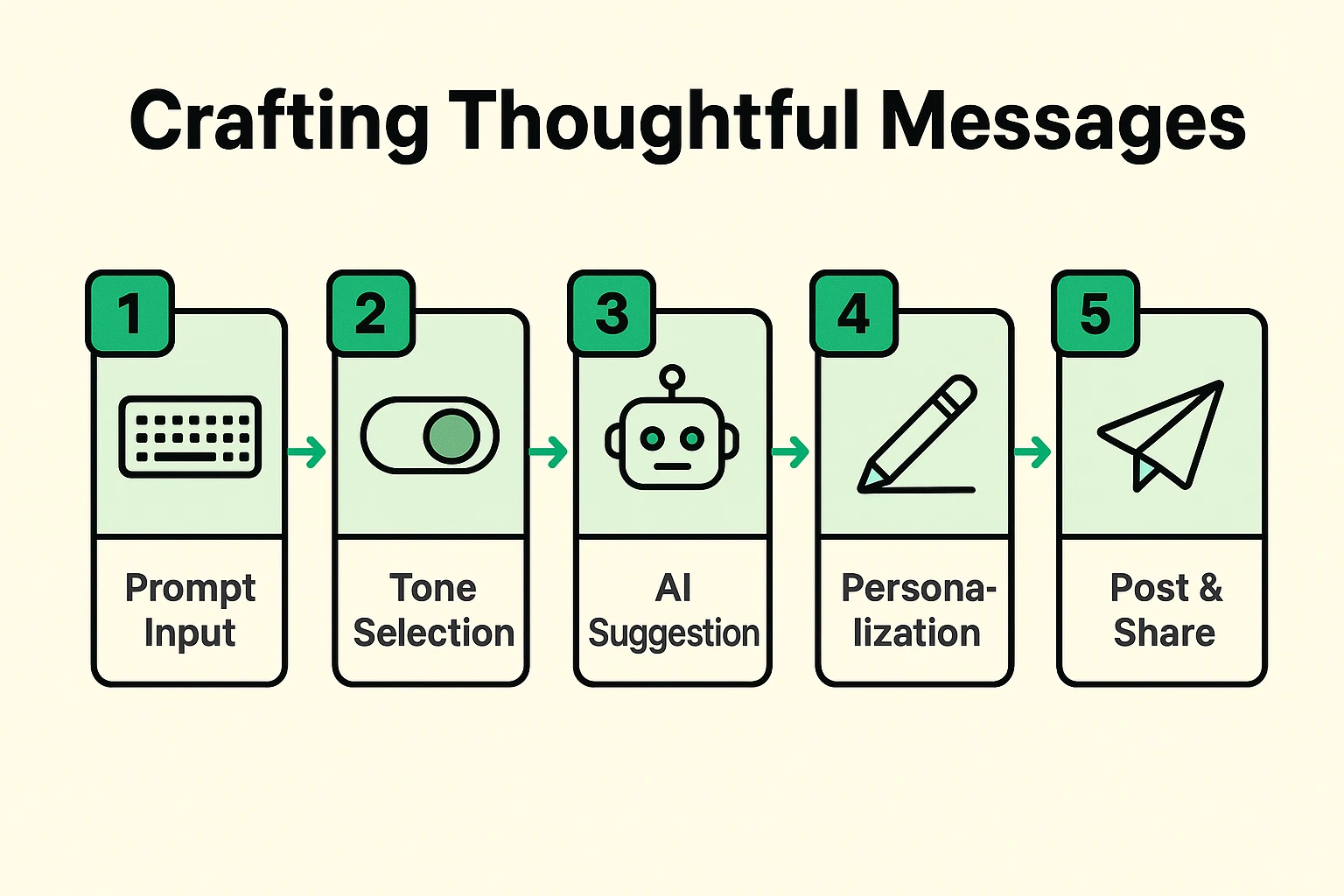
A common worry is, “Will this sound like a robot wrote it?” That’s a fair question. The secret to using AI effectively is to treat its suggestions as a first draft, not the final product. The AI gives you the clay; you still get to be the sculptor.
Here are a few tips for making sure your messages always sound like you:
Think of it less as a ghostwriter and more as a creative sidekick. This same technology can help you with all sorts of projects, from writing family stories to exploring new creative hobbies powered by AI for seniors. It’s a tool to enhance your own voice, not replace it.
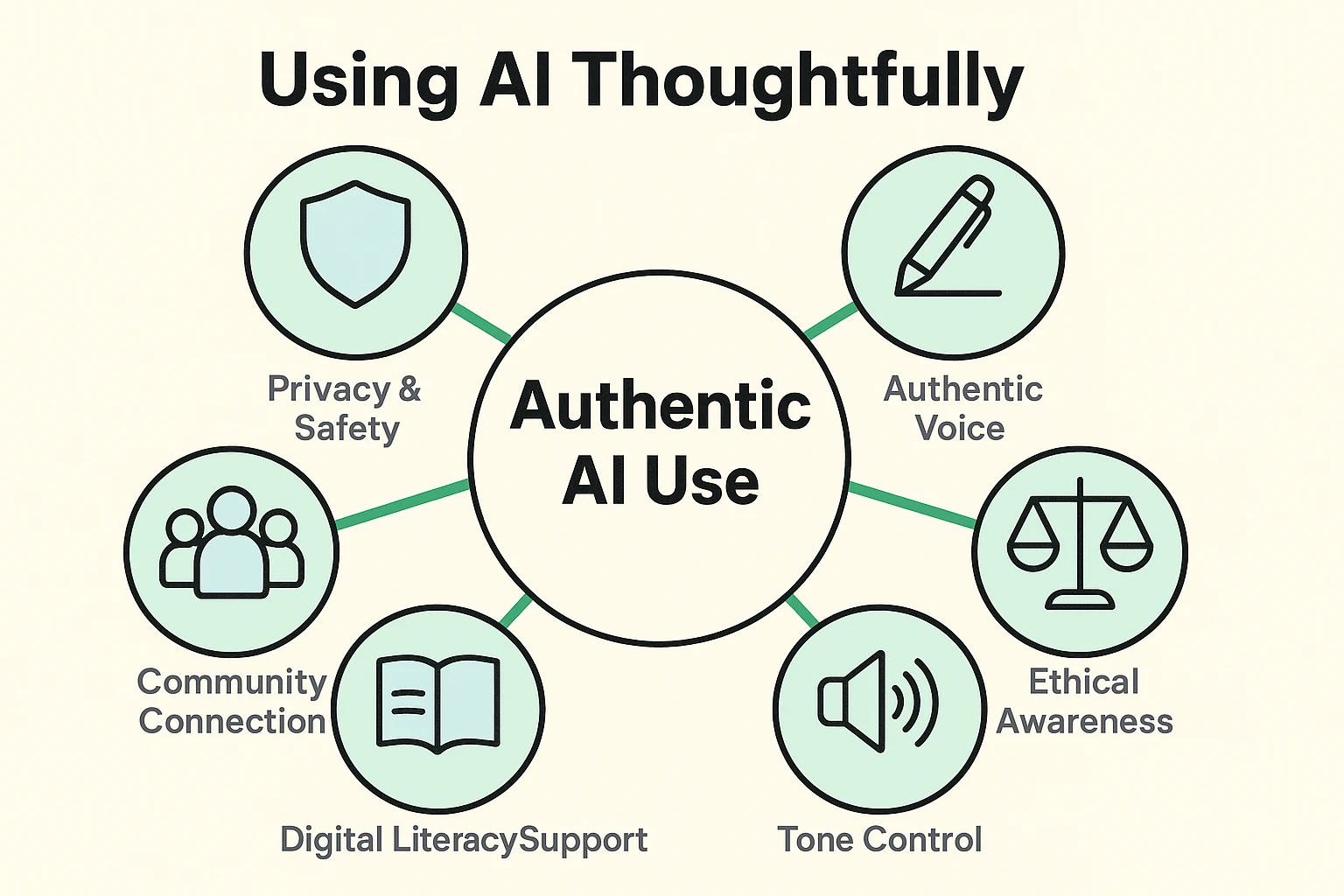
Not at all! Is it cheating to use a recipe to bake a cake or a calculator to do math? It’s simply using a tool to help you accomplish a task. The thought and intention behind the message are still yours, and that’s what matters most.
Many fantastic AI writing assistants are available for free. The AI built into search engines like Google and Bing is a great place to start, and there are other free websites you can use without even needing to sign up.
Yes, as long as you use common sense. The most important rule is to never share sensitive personal information in an AI prompt. Don’t include full names of children, addresses, phone numbers, financial information, or private medical details. Keep your prompts general, and add the specific personal details yourself after the AI has given you a draft.
Just try again! You can ask it to rewrite its suggestion, make it shorter, funnier, or more formal. Or you can slightly change your original prompt. It won’t get its feelings hurt, I promise.
The best way to get comfortable with this new technology is to just give it a whirl. The next time you see a birthday pop up on your social media feed, take an extra minute. Open up your favorite search engine’s AI tool and type something simple like:
“Help me write a warm and friendly birthday wish for my friend, Sarah.”
See what it comes up with. Pick your favorite, add a little personal flair, and post it. You might be surprised at how easy it is to go from a blank slate to a thoughtful message that brightens someone’s day. Technology, in this case, isn’t about being complicated or impersonal—it’s about helping us be more human and more connected.