Newsletter Subscribe
Enter your email address below and subscribe to our newsletter

Enter your email address below and subscribe to our newsletter

Learn if extended tech warranties make sense for seniors and how to decide with confidence and ease.
You’ve done it. After weeks of research, you’ve finally bought that shiny new tablet. It’s perfect. You can already picture yourself video-calling the grandkids and finally figuring out what a “TikTok” is. You get to the checkout counter, feeling triumphant, and then the salesperson leans in with a conspiratorial whisper: “Would you like to add our two-year extended warranty for just a few dollars more a month?”
Suddenly, your victory parade comes to a screeching halt. Your mind floods with questions. Is this a good deal or a high-tech version of a carnival game? If you say no, will the tablet self-destruct the day after the standard warranty expires? It feels like being asked to solve a long-division problem while a marching band plays directly in your ear.
If this high-pressure sales pitch makes you want to run for the hills, you’re not alone. Extended warranties are one of the most confusing parts of buying new technology. They promise peace of mind but often deliver a lighter wallet and a pile of fine print. So, let’s pour a cup of coffee, ignore the sales pressure, and have an honest chat about whether these plans are a brilliant safety net or just a clever way to separate you from your money.
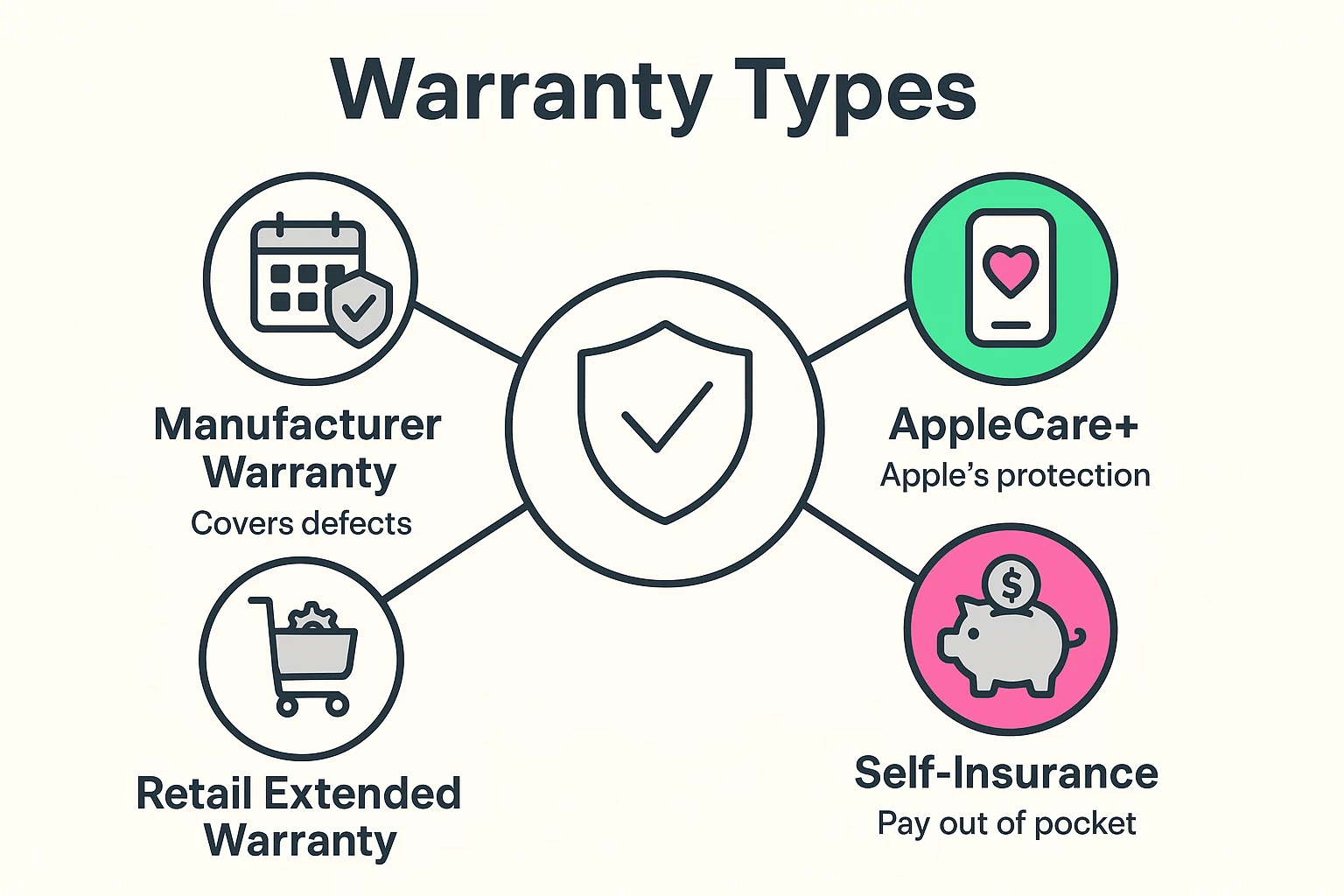
Before we can decide if an extended warranty is right for you, we need to know what we’re even talking about. The tech world loves its jargon, but it’s all pretty simple once you translate it.
This is the warranty that comes included with your new device, right out of the box. Think of it as the manufacturer’s promise that the gadget you bought wasn’t a dud to begin with. It typically lasts for one year and covers defects—like a screen that goes mysteriously blank or a battery that won’t hold a charge. It does not cover you dropping it in the sink.
This is the add-on they try to sell you at the store. It kicks in after the manufacturer’s warranty expires, extending your protection for another year or two. Some of these plans also add coverage for accidental damage, which is a major difference.
Financial gurus like Dave Ramsey swear by this method. Instead of paying a company for a warranty, you pay yourself. You take the money you would have spent on the warranty and stick it in a savings account. If your device breaks, you use that fund to fix it. If it doesn’t, congratulations—you just saved a nice chunk of change.
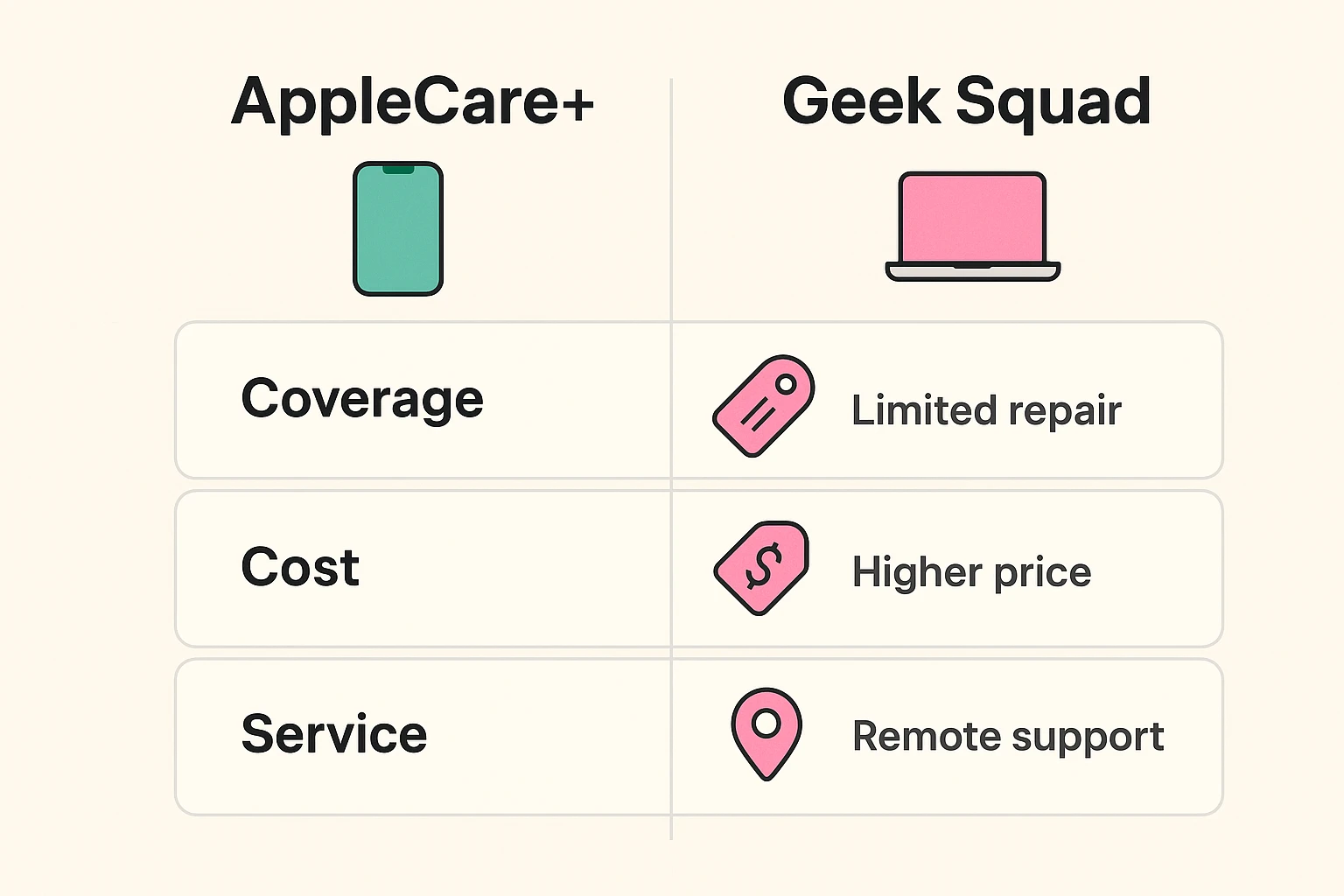
Two of the biggest names you’ll hear are AppleCare+ and Best Buy’s Geek Squad Protection. They’re often pitted against each other, but they’re designed for slightly different people.
Think of AppleCare+ as seeing a specialist. It’s run by Apple, for Apple products. If you’re a dedicated iPhone, iPad, or Mac user, their technicians know your device inside and out. You can get service at any Apple Store, which is great… if you live near one. They are the experts, but they only work on their own stuff.
On the other hand, Geek Squad is like a great family doctor. They can help with just about anything—your Apple phone, your Windows computer, your Samsung TV, and maybe even that smart toaster that’s been giving you grief. They offer convenience and cover a wide range of brands, making them a one-stop shop for all your tech troubles.
Here’s the honest truth the salespeople won’t tell you: most of the time, the answer is no. Organizations like Consumer Reports have done the math, and they’ve found that most products don’t break during the extended warranty period. And when they do, the repair often costs less than the warranty itself.
Despite the odds, there are a few situations where an extended warranty can be a smart move, especially for the “peace of mind” factor that AARP often talks about.
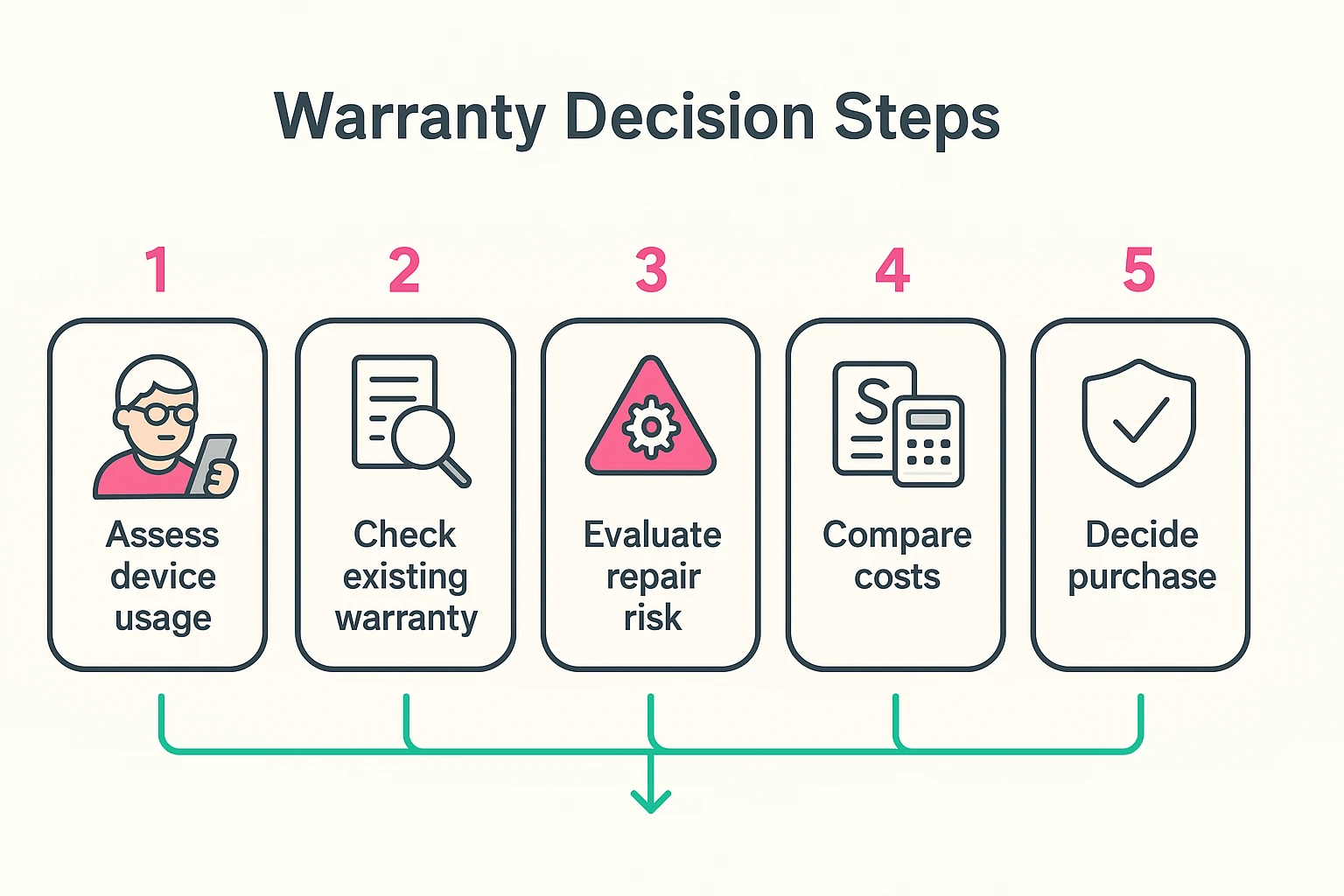
If you decide a warranty might be for you, don’t just say “yes” at the register. Take a moment to play detective.
The manufacturer’s warranty is free, comes with the product, and covers defects for about a year. An extended warranty is a paid plan that adds more time and sometimes covers accidents.
Usually, yes. Most companies, including Apple, give you a window of time (like 60 days) after your purchase to add a warranty. So you don’t have to decide under pressure at the checkout counter.
Sometimes. If you sell or give the device to someone, some plans like AppleCare+ can be transferred to the new owner, which can be a nice little bonus.
It typically covers sudden, unintentional events like drops and spills. It does not cover intentional damage (please don’t test this), theft, or simple cosmetic scratches.
There is no single “right” answer. The decision to buy an extended warranty is personal. It depends on the device, your budget, and how much you value knowing you’re covered if disaster strikes.
For many people, the “self-insurance” plan is the most financially savvy move. Create a small emergency fund for tech repairs. If you never need it, that money is yours to keep. But if you know that a broken screen would cause you a mountain of stress and financial worry, then a well-chosen warranty can be a worthwhile investment in your own peace of mind.
The most important thing is to make the choice with your eyes open, armed with knowledge instead of fear. Now go enjoy that new tablet—you’ve earned it