Newsletter Subscribe
Enter your email address below and subscribe to our newsletter

Enter your email address below and subscribe to our newsletter
Back in the day, a watch had one job: tell you if you were late for dinner. Maybe it had a calendar that was always wrong and a second hand that ticked louder than your conscience when you hit the snooze button. If you wanted to track your steps, you wore a plastic pedometer that clipped to your belt and rattled like a box of Tic Tacs. And if you had an emergency? You crossed your fingers and hoped there was a landline nearby—preferably one with a cord long enough to reach the couch.
Today, the gadget on your wrist can do more than a Star Trek communicator. It counts your heartbeats, tracks your sleep (and quietly judges your late-night snacking), and can even call for help faster than you can say, “I’ve fallen and I can’t get up.”
But walking into the world of smartwatches can feel like stepping into a car dealership where everyone’s speaking Klingon. There are endless models, features, and flashy promises—and prices that make you wonder if you accidentally wandered into a jewelry store. That’s why a little comparison shopping for tech goes a long way. Lining up options side by side helps you separate what’s truly useful from what’s just marketing sparkle.
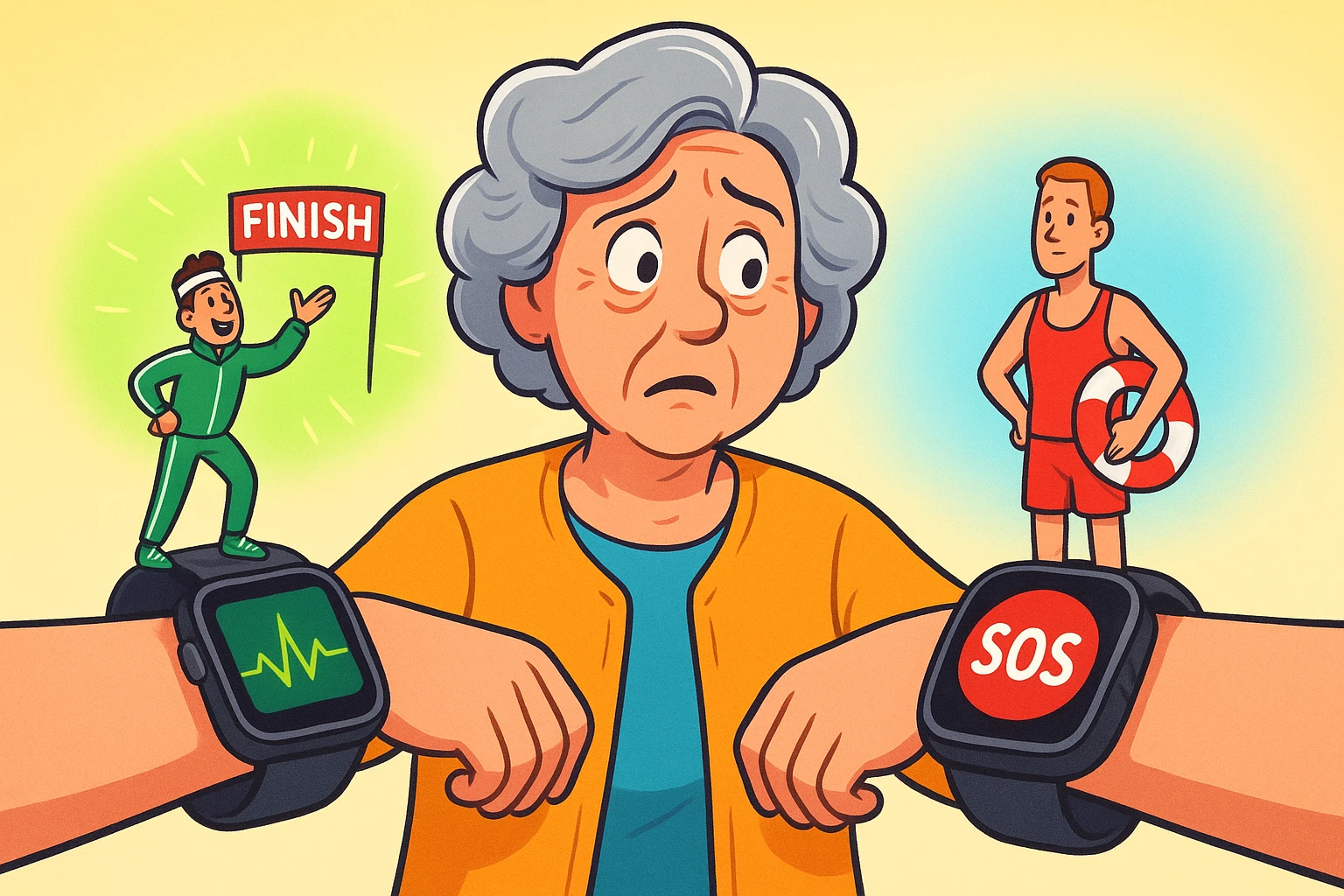
So, what do you actually need this thing to do? Are you aiming to conquer your next 5K or just want peace of mind knowing help is a button-press away? Let’s cut through the noise and figure out whether you need a personal fitness coach on your wrist or a 24/7 digital lifeguard.

Think of smartwatches for seniors as falling into two main camps. Choosing the right one is less about which is “best” and more about which one fits your life.
These watches are designed for active folks who want to monitor their health and stay motivated. They’re the digital equivalent of a friendly personal trainer who lives on your wrist and, thankfully, doesn’t yell at you for skipping a workout.
What they’re great for:
These are your Apple Watches, Fitbits, and Samsung Galaxy Watches. They are packed with features, connect seamlessly to your smartphone, and often look quite stylish.
These watches prioritize one thing above all else: your safety. They are simplified, purpose-built devices designed to get you help in an emergency, fast. Think of them as the modern, more discreet version of the emergency pendant.
What they’re great for:
Brands like Medical Guardian and Bay Alarm Medical specialize in these. They are built for peace of mind, both for you and your loved ones.
Okay, we’ve got the two main teams. But what about the nitty-gritty? When you’re comparing models, the details can make all the difference between a helpful tool and a frustrating piece of jewelry.
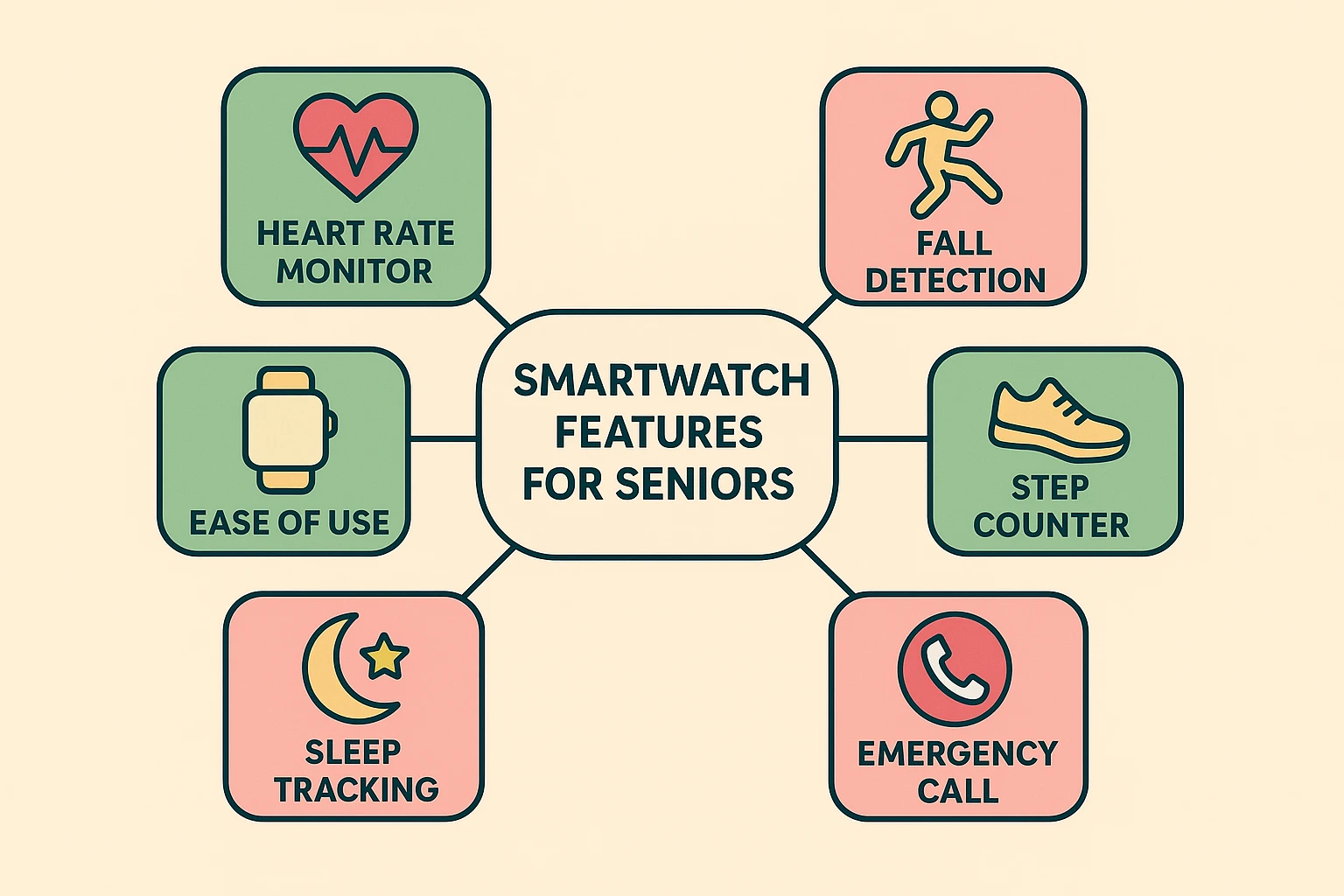
This feature is a game-changer, but it’s not magic. Research from places like SeniorLiving.org shows that accuracy can vary. High-end models are pretty good at telling the difference between an actual fall and you just flopping dramatically onto the couch. However, false alarms can happen. The best systems allow you to easily cancel a false alarm before the cavalry is dispatched to your living room.
When you press that SOS button, what happens next is crucial.
Many modern watches, especially the safety-focused ones, come with a companion app for caregivers. This lets a family member or friend check on your location, receive alerts if the SOS button is pressed or a fall is detected, and even monitor your activity levels. It’s a fantastic way to maintain your independence while giving your family peace of mind.
A smartwatch with a million features is useless if the screen is too small to read and the buttons are the size of a pinhead. Look for:
Ah, the million-dollar question. The price tag on the box is rarely the full story, especially with medical alert watches.
Feeling clearer? Good. Now it’s time to play detective and figure out which camp is right for you. Grab a notepad and ask yourself these questions.

Be brutally honest. Is your main priority getting in shape and tracking your health stats? Or is it the peace of mind that comes from knowing help is available at the press of a button? You can’t be both a marathon runner and a couch potato at the same time, and most watches are better at one job than the other.
Are you comfortable navigating apps and menus on a small screen? Or do you want something dead simple that does one thing perfectly? A fitness watch has a steeper learning curve, while a medical alert watch is designed to be almost foolproof.
Do you live alone? Do you have a history of falls or a medical condition that worries you? If so, a medical alert watch with professional monitoring is probably the smarter choice. If you’re active, healthy, and just want data to stay that way, a fitness tracker is a fantastic tool.
Are you prepared for a monthly subscription fee? Or do you prefer a one-and-done purchase? Add up the total cost over a year or two to see the real financial picture.
They can be, but manufacturers are getting much better at it. Medical alert watches are designed for simplicity from the get-go. Fitness watches might require a bit more help from a tech-savvy grandkid to get started, but daily use is often straightforward.
It depends! Many fitness watches rely on a Bluetooth connection to your phone to make calls or send texts. However, you can buy “cellular” models that work independently (for an extra fee from your cell provider). Most medical alert watches have their own cellular connection built in, so you don’t need a phone at all.
Yes, to an extent. The latest Apple Watches have excellent fall detection and an easy-to-use SOS feature. The main difference is who it calls. It contacts 911 directly, whereas a medical alert watch connects you to a private monitoring service that can better assess your specific situation.
Absolutely. Many smartwatches can be set up with medication reminders, which is incredibly useful. For even more robust options, you might look into a dedicated medication timer or app, but the on-wrist nudge is a great start.
Choosing a smartwatch isn’t about getting the one with the most bells and whistles. It’s about finding a reliable companion that fits your life, boosts your confidence, and helps you stay safe and healthy. Whether you choose a fitness coach or a lifeguard for your wrist, the right technology can be a wonderful tool for maintaining your independence.