Newsletter Subscribe
Enter your email address below and subscribe to our newsletter

Enter your email address below and subscribe to our newsletter
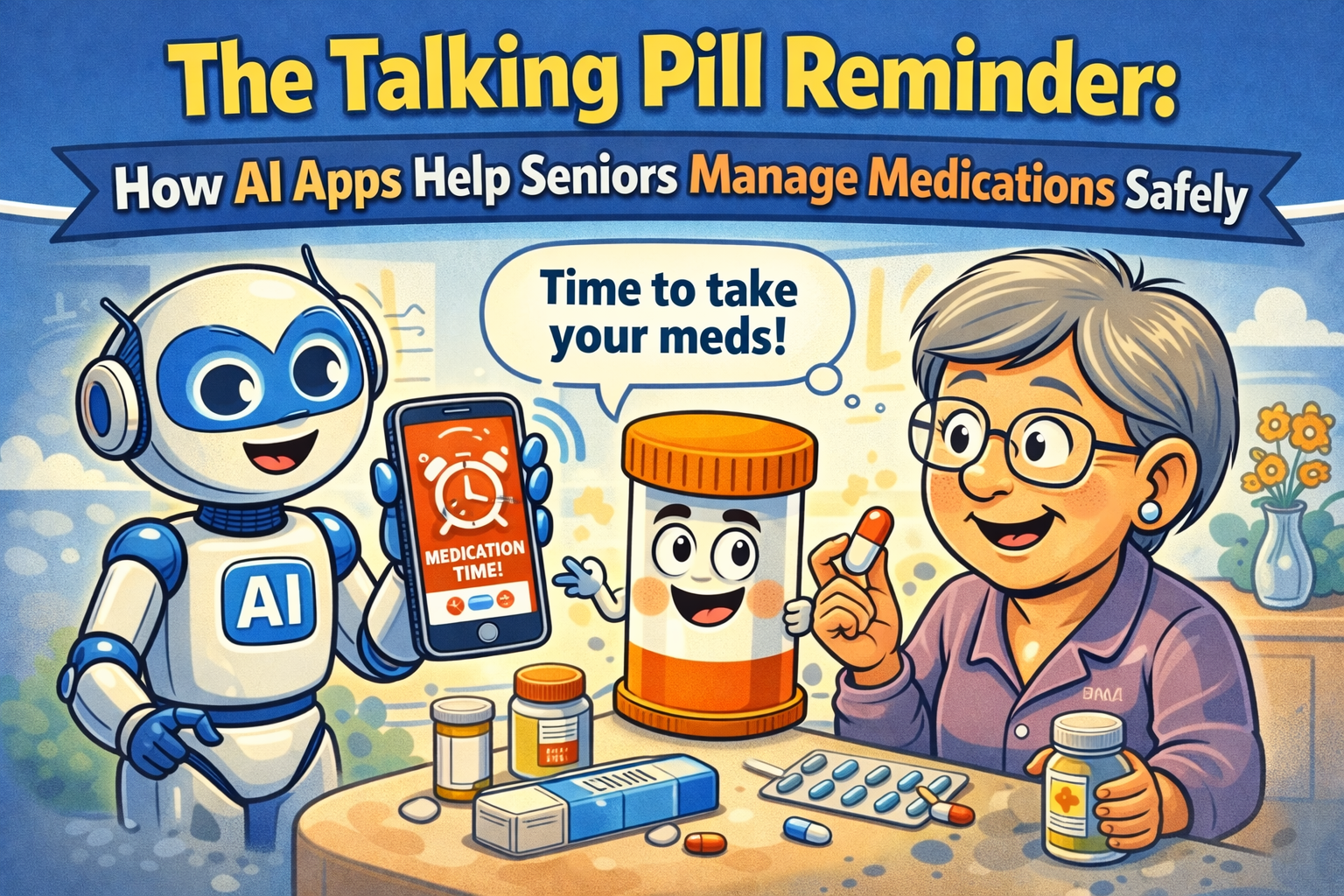
Have you ever played the “Did I or Didn’t I?” game with your morning pills? You stand there, staring at the little plastic organizer, trying to use forensic analysis to determine if the Tuesday AM slot is empty because you took the pills, or because you forgot to refill it last Sunday. It’s a daily mystery that would stump Sherlock Holmes himself.
This little ritual is a universal sign that managing medications can feel like a part-time job you never applied for. For seniors, it’s a crucial task. For their families, it’s a source of constant, low-grade worry. You want independence, but you also want peace of mind. What if your phone could do more than just show you pictures of your grandkids and could actually act like a friendly, persistent nurse?
Well, grab a cup of coffee, because that’s exactly what we’re going to talk about. We’re diving into the world of talking pill reminders and AI-powered apps—the digital helpers designed to take the guesswork out of your health routine, so you can get back to more important things, like figuring out who ate the last cookie.
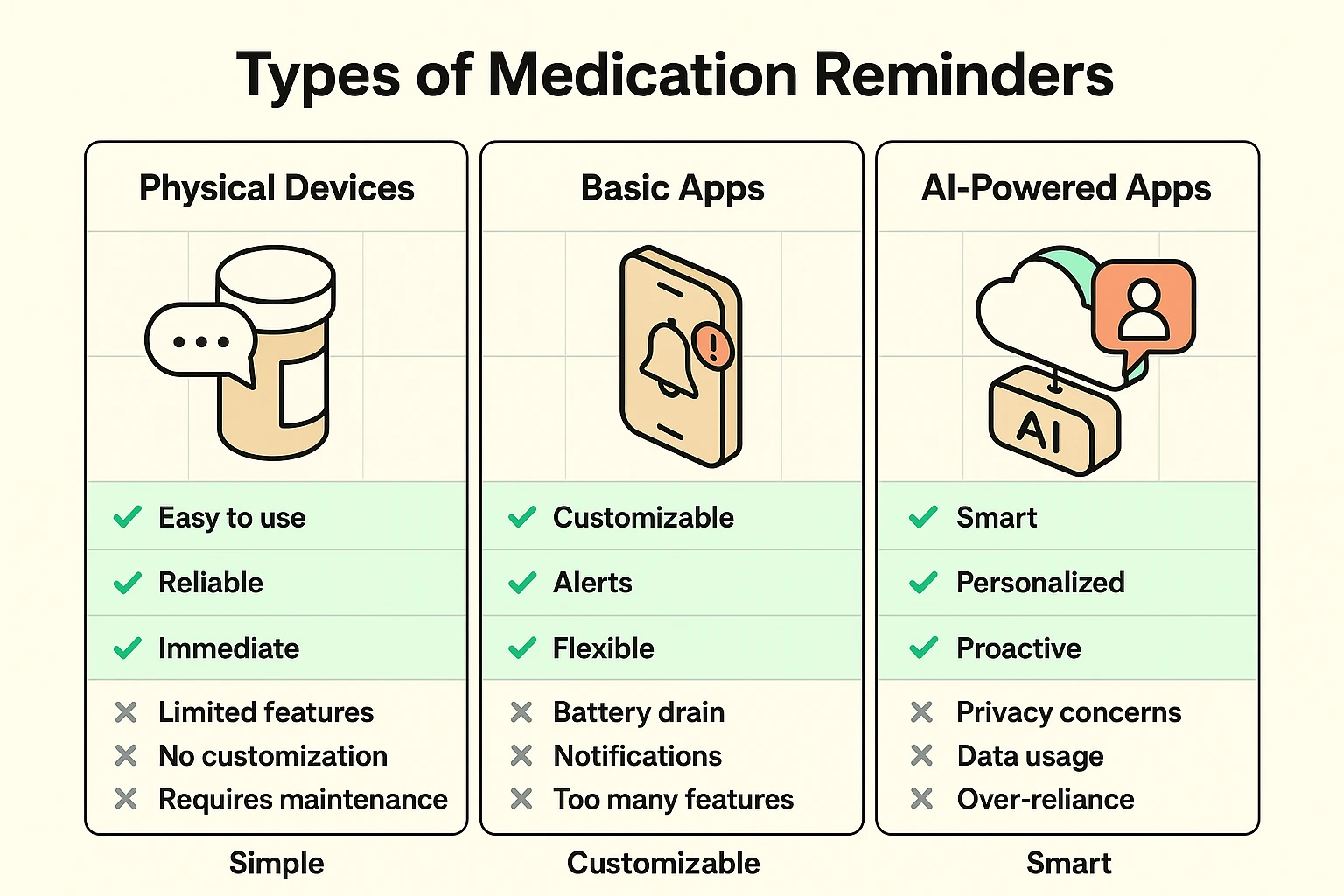
Before you dive into the app store, it’s helpful to know you’re looking at three different kinds of helpers. Think of it like choosing a car: do you need a simple golf cart, a reliable sedan, or a fancy self-driving vehicle?
This is the talking pillbox you’ve probably seen in catalogs. It’s a physical device, often with large buttons, that beeps and verbally tells you, “Time for your morning medication.”
These are simple apps on your smartphone that work like a glorified alarm clock. You manually enter your medications and schedules, and at the designated time, your phone buzzes and displays a notification like “Take your Vitamin D.”
This is where things get interesting. These apps don’t just remind you; they manage the entire process. They use a bit of artificial intelligence (AI) to be smarter and more helpful. Think of it as a personal health assistant living in your phone.
The real magic of AI for seniors is how it transforms a simple reminder into a comprehensive safety net, helping manage everything from prescriptions to important personal records.
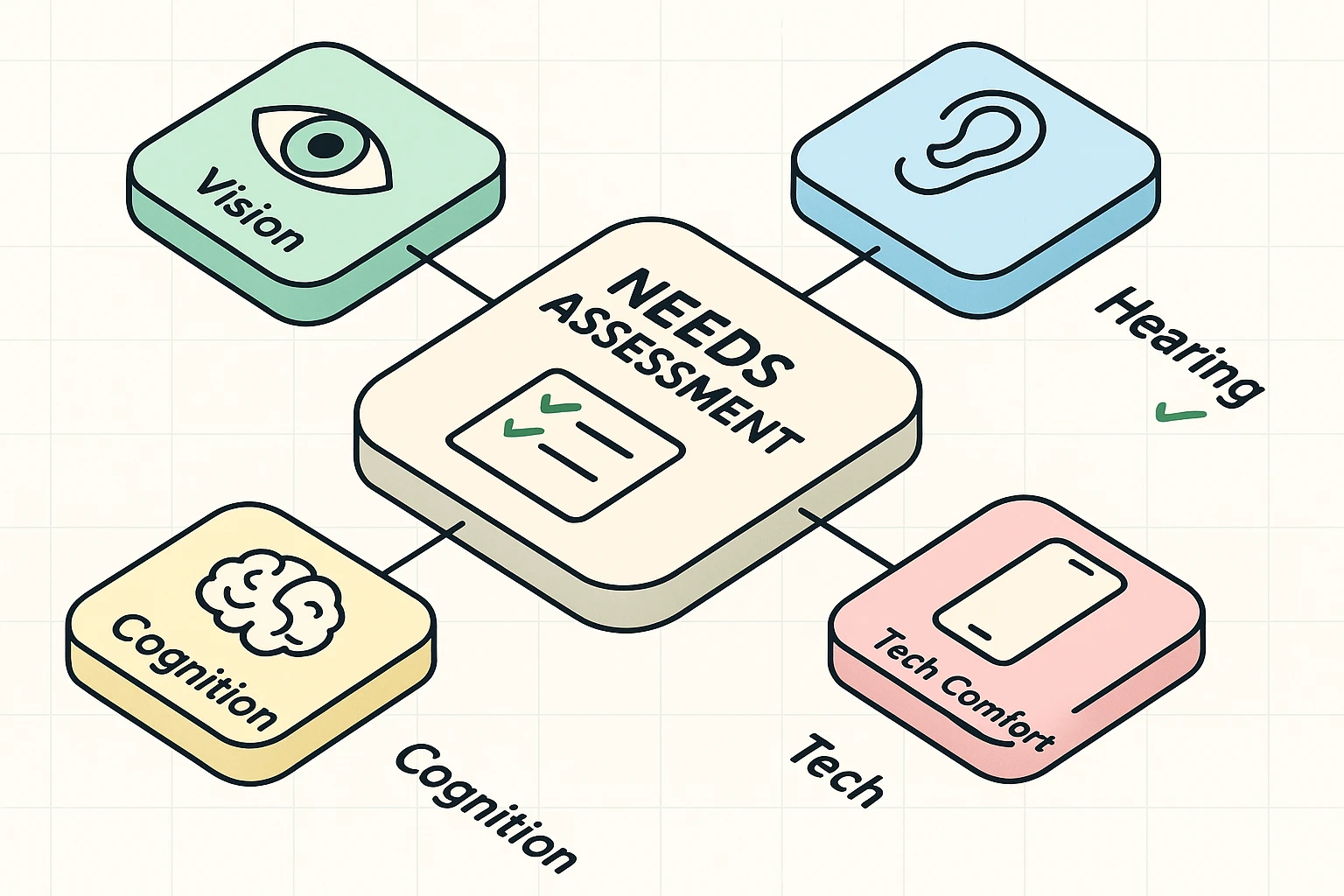
The “best” reminder isn’t the one with the most bells and whistles. It’s the one that actually gets used. Before picking a solution, have an honest chat and ask these questions. This isn’t a test; it’s about matching the technology to the person.
Okay, you’ve decided an AI app is the right fit. Don’t panic! Setting one up is easier than assembling a piece of IKEA furniture. Here’s the game plan.
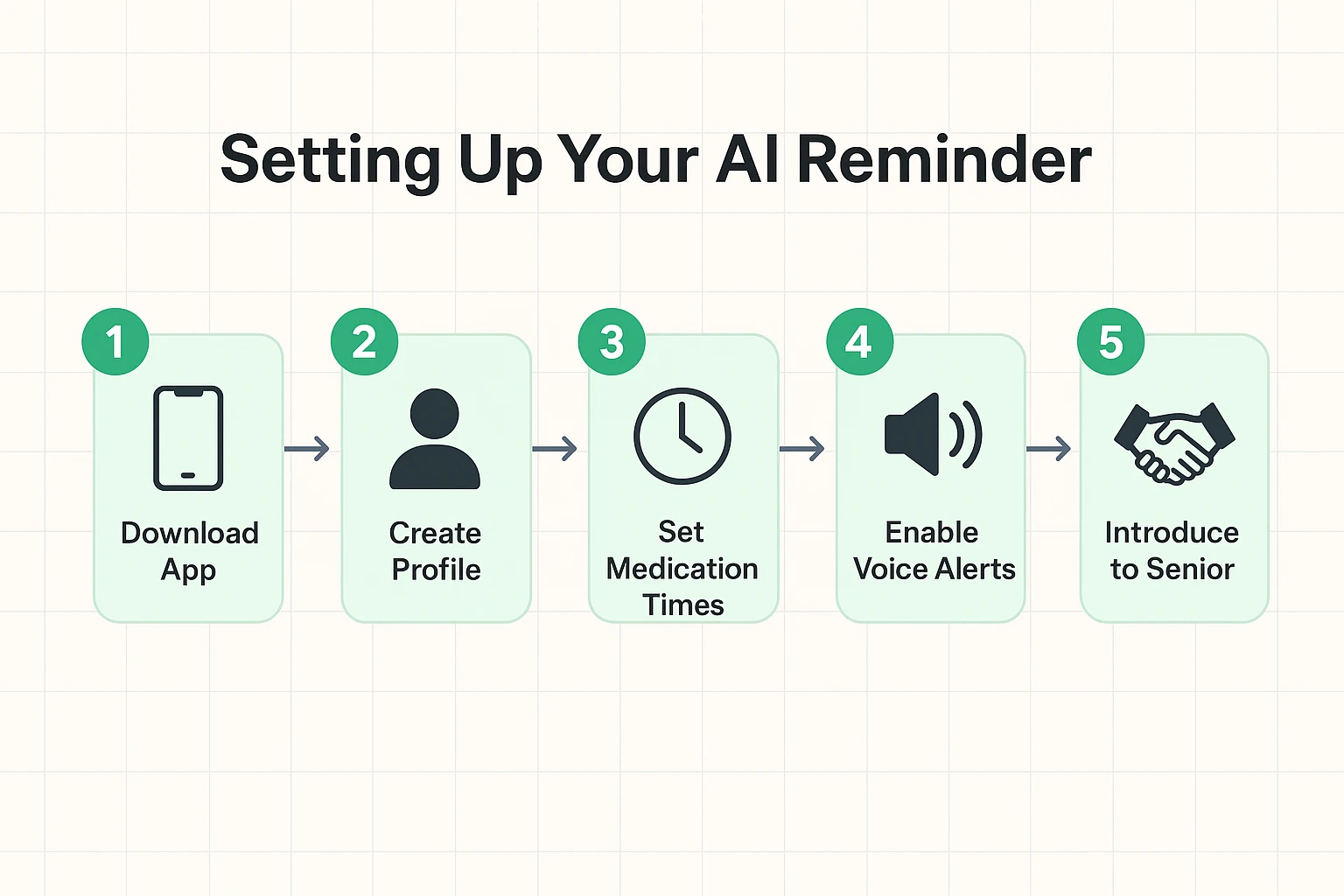
Pro-Tip: When introducing the app to your parent, frame it as a tool for their independence, not for your surveillance. Say something like, “This app can help us both worry less, so you don’t have me nagging you all the time!”
This is a great question. Technology isn’t foolproof. Most reminder apps work even without an internet connection once they are set up. However, for peace of mind, always have a backup, like a traditional pill organizer or a simple printed checklist on the fridge.
Legitimate medication apps take privacy very seriously. Look for apps that state they are “HIPAA compliant,” which is the legal standard for protecting sensitive patient health information. Avoid apps that seem shady or ask for information they don’t need.
Many of the best apps operate on a “freemium” model. The core features—reminders and tracking—are usually free. Advanced features, like unlimited caregiver connections or detailed health reports, might require a monthly or yearly subscription.
Yes! Most smart apps let you enter the number of pills you have in the bottle. They will then automatically remind you when it’s time to call the pharmacy for a refill, preventing that last-minute panic when you realize you’re out of a critical medication. Whether you need a simple medication timer or a full suite of management tools, there are great digital options available.
Let’s be honest: juggling multiple medications is a pain. But technology, when used correctly, can be a fantastic partner in managing your health and maintaining your independence.
The key is to move from worrying about memory lapses to building a smart, simple system that works for you. An AI-powered app isn’t about replacing personal responsibility; it’s about giving yourself—and your family—a powerful tool for safety, consistency, and most importantly, peace of mind. Now, about that cookie…