Newsletter Subscribe
Enter your email address below and subscribe to our newsletter

Enter your email address below and subscribe to our newsletter

Picture this: You’ve just finished a lovely Sunday family dinner. The roast was perfect, the pie was warm, and everyone is relaxed. Then, it happens. A smartphone is slowly slid across the table, followed by a sentence that strikes fear into the hearts of tech helpers everywhere: “I think my emails flew into the cloud, and now my Google is broken.”
Suddenly, you’re locked in a technological hostage situation. You start explaining data centers and server farms, but two minutes in, you realize you sound like an alien trying to explain quantum physics to a golden retriever. The frustration builds, eyes glaze over, and everyone secretly wishes they were just doing the dishes instead.
If this sounds familiar, you are not alone. Bridging the digital divide between generations is one of modern life’s great communication challenges. For most seniors, the issue isn’t a lack of intelligence; it’s a lack of a decent translation.
Throwing words like “algorithms” and “cookies” at someone who remembers when party lines were a physical wire shared by neighbors is a recipe for disaster. But don’t worry, you don’t need an IT degree to fix this. You just need a better script, and we’re going to swap out the jargon for some analogies that actually make sense.
Before we get into the nitty-gritty of internet terminology, we need to talk about tone. When we explain tech, it’s easy to slip into the “eye-roll” tone without even realizing it.
Research from top digital literacy studies shows that the number one barrier for seniors isn’t bad eyesight or stiff joints—it’s the “Fear of Breaking It.” They grew up in an era where pushing the wrong button on a machine could cause physical damage. Our first job is to reassure them that they can’t blow up the house by tapping the wrong app.
To do this, we need to ban a few words from our vocabulary. Erase “just,” “simple,” and “obviously” from your tech-support dictionary immediately. Saying “you just click here” minimizes their struggle and makes them feel inadequate. Imagine a mechanic saying, “you just rebuild the carburetor, obviously.”
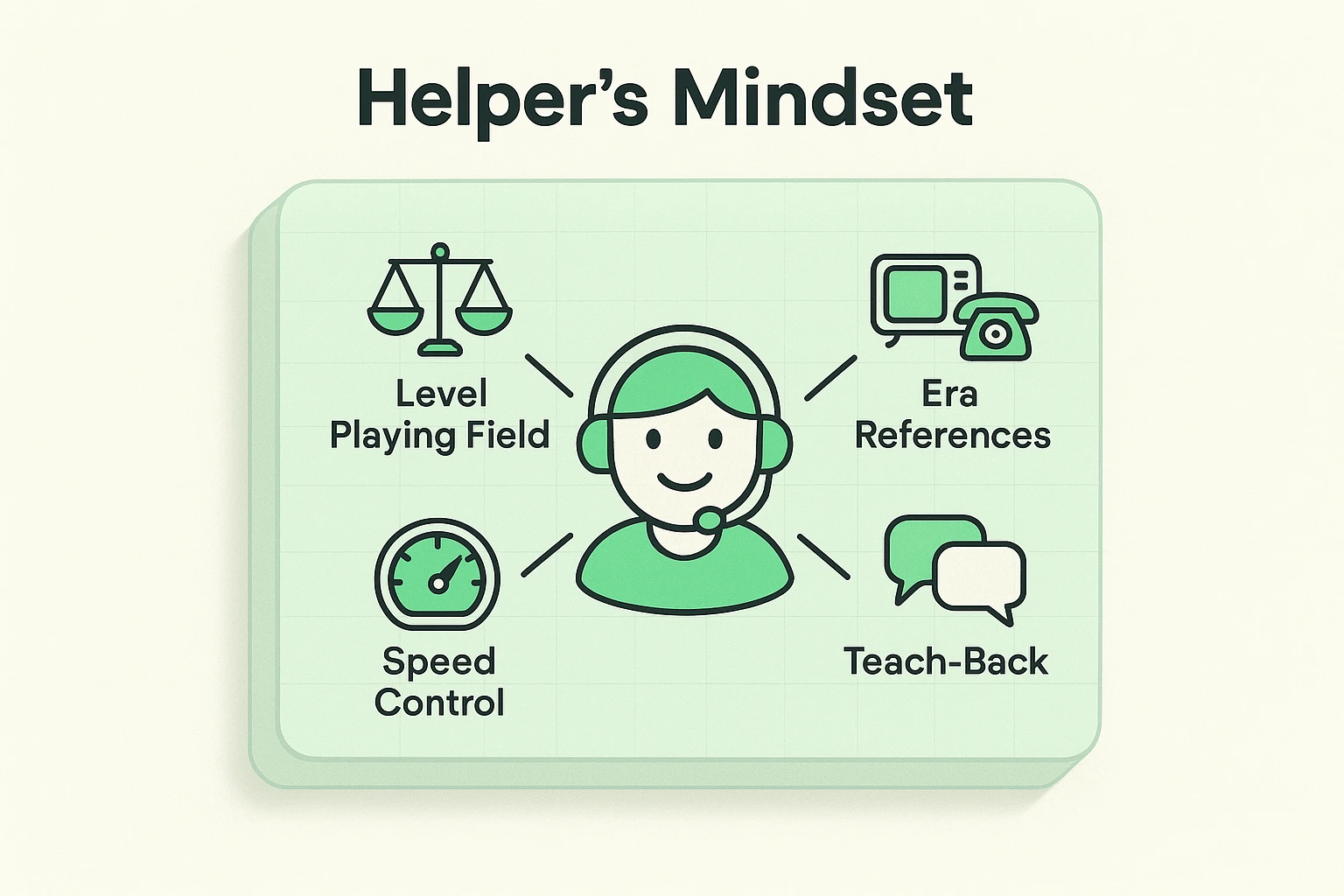
Instead, install a mental “Speed Control Widget.” Whatever speed you normally talk about technology, slow it down by 30%. Remember, they navigated a world without GPS, Google, or microwaves—they can handle a smartphone. They just need the right map.
Technical glossaries often fail because they use tech words to explain tech words. (e.g., “The Cloud is internet-based server storage.”) That creates a circular confusion loop. Instead, we use the “Retro-Tech Bridge”—mapping modern concepts to 1950s-1980s equivalents.
The Tech Definition: Physical components vs. digital programs.The Translation: Think of your tablet or computer as the kitchen stove (the hardware). It’s the physical machine that does the work. But a stove is useless without a recipe. The apps and programs are the recipes (the software) telling the stove exactly what to cook.
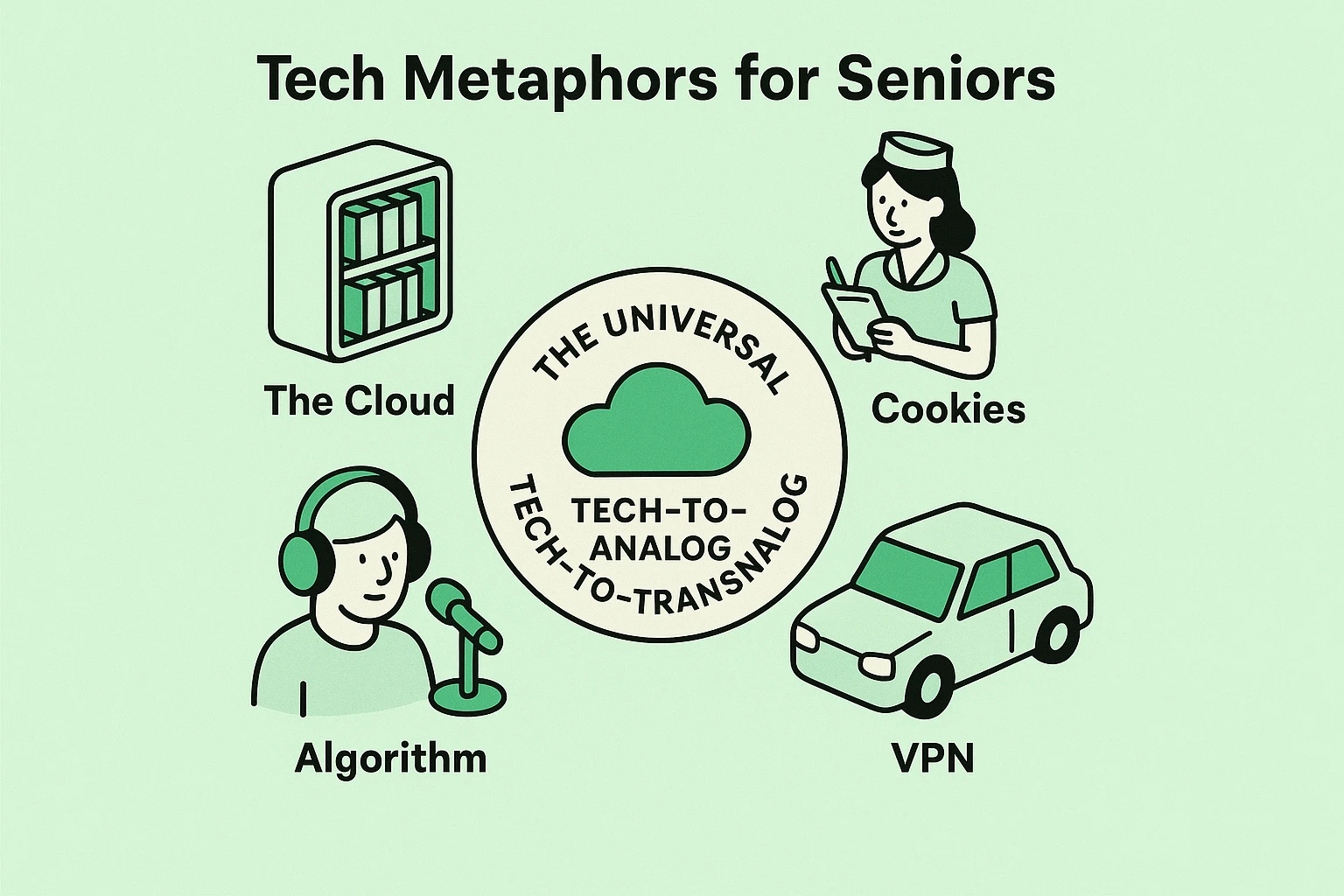
The Tech Definition: Data stored on remote servers accessed via the internet.The Translation: Forget the sky; “the cloud” is simply a giant Community Library. You don’t have to keep all the books in your living room taking up space. Instead, you leave them at the library. You can go to any branch, at any time, and ask the librarian to bring you your book.
The Tech Definition: Small files stored on your device to track web activity.The Translation: Imagine your favorite local diner. When you walk in, the waitress knows you like black coffee and a corner booth. She remembers “the usual” so you don’t have to order from scratch every single time. A digital “cookie” is just a website’s way of being that waitress, remembering your preferences for next time.
The Tech Definition: A set of rules a computer follows to calculate and present data.The Translation: Think of a really attentive Radio DJ. If you keep calling in to request Elvis, the DJ takes note. Soon, he starts playing more Elvis, and maybe some Buddy Holly, because he wants to keep you listening. Social media platforms use an algorithm like a DJ—it pays attention to what you “like” and serves up more of it.
The Tech Definition: An encrypted connection over the internet from a device to a network.The Translation: Surfing the internet is like driving on a public highway; people can see your car and your license plate. A VPN is like rolling up to the highway in a car with pitch-black tinted windows. You’re still on the same road, but nobody can peek inside to see who you are or what’s in your trunk.
Online safety is the most critical topic you’ll cover. According to the FBI’s elder fraud reports, scams are a billion-dollar industry. But telling a grandparent about “malicious hyperlinks” sounds like a bad sci-fi movie. Let’s ground it in reality.
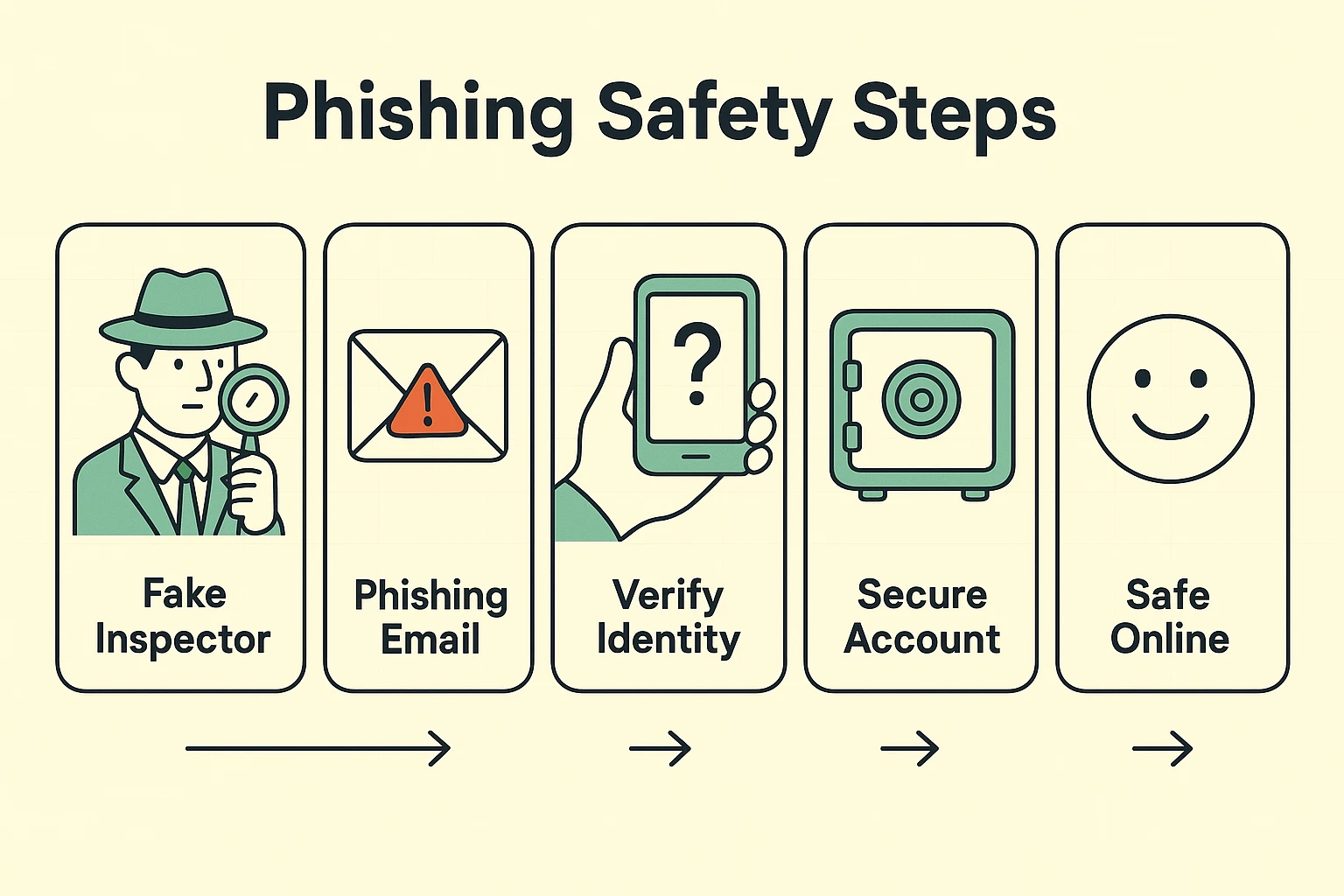
Phishing: The Fake Bank InspectorIn the mid-20th century, a common scam involved a man knocking on your door, flashing a fake badge, and claiming to be a “bank inspector” who needed to verify your cash. Phishing is the exact same scam, just delivered by email or text message instead of a knock on the door. They want you to panic and hand over the keys.
If they receive an urgent message saying an account is locked, tell them to stop and breathe. The golden rule is to never use the link provided. Instead, they should check their website directly by typing the address they already know into their browser. If they want an extra layer of defense, helping them install a bitdefender scam detector can act like a digital guard dog, sniffing out the fakes before any damage is done.
The biggest mistake tech helpers make is grabbing the phone out of the senior’s hand to “just do it for them.” Sure, it’s faster. But it teaches them absolutely nothing, and it reinforces the idea that technology is magic only younger generations can wield.
Instead, use the Socratic “Teach-Back” method. Guide them with words, but let them press the buttons. Studies show that “hands-on” learning is four times more effective than “watch me” learning.
Once you’ve walked them through a task—like setting up an apple emergency sos contact—don’t just walk away. Ask them, “If Martha from next door bought this phone tomorrow, how would you explain this step to her?” This cements the “Aha!” moment and builds massive confidence.
Write them down! A physical cheat sheet kept next to the computer or stuck to the fridge is a game-changer. Memory needs reinforcement, and having a tangible piece of paper bridges the gap between the physical and digital worlds perfectly.
Tell them it’s like “Cable TV without the Schedule.” You still have channels (Netflix, Hulu), but instead of rushing home for the 8:00 PM broadcast, the TV waits for you to sit down. You are the TV Guide now.
Imagine suddenly waking up in a country where you don’t speak the language, and all the road signs are blank. That’s what bad tech design feels like to a senior. The frustration isn’t usually aimed at you; it’s aimed at the feeling of losing independence. Deep breaths and a little humor go a long way.
At the end of the day, teaching technology to an older adult isn’t really about the technology. It’s about connection. It’s about ensuring they have the tools to see photos of their grandkids, pay their bills safely, and stay connected to a world that insists on moving a million miles an hour.
The next time that smartphone slides across the dinner table, don’t brace for impact. Put on your translator hat, bring out the Diner Waitress and the Community Library, and turn a frustrating tech chore into a moment of shared understanding. And who knows? They might just end up teaching you a thing or two in return.