Newsletter Subscribe
Enter your email address below and subscribe to our newsletter

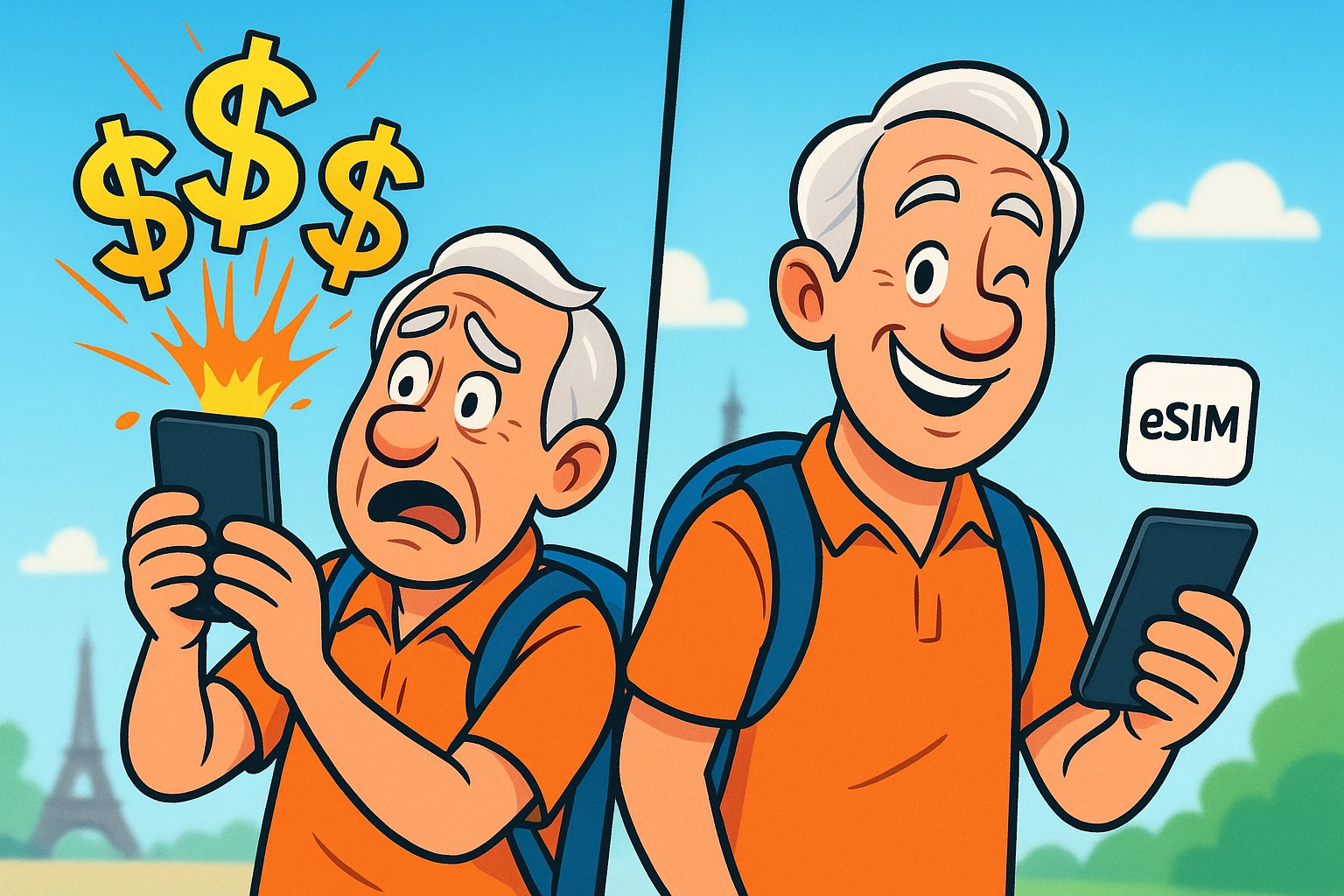
Imagine this. You’ve just landed in Rome. You’re jet-lagged, your knees currently sound like a bowl of Rice Krispies, and you’re desperately trying to remember the Italian word for “bathroom.”
You turn on your smartphone just to send a quick “we survived the flight” text to your kids. Ding. A text message arrives. Welcome to Italy! You are now paying $15 a day just for the privilege of leaving your phone turned on.
In the time it takes you to find baggage claim, your phone has quietly downloaded 47 spam emails, updated a weather app you never look at, and charged you enough in “roaming fees” to buy a very nice pasta dinner. If this sounds familiar, you are not alone.
For many travelers, international mobile data is a confusing maze of hidden fees and technological traps. But don’t worry, you don’t need an engineering degree to outsmart your phone company. Today, we’re going to translate the tech jargon into plain English and show you exactly how to stay connected overseas without draining your travel budget.
To understand why your phone bill skyrockets when you cross a border, you need to understand a dirty little word called “roaming.” Your home cellular company (like AT&T, Verizon, or Bell) doesn’t own cell towers in Paris or Tokyo. When you travel, they have to “rent” space on foreign cell towers so your phone can work.
Naturally, they pass that rental cost on to you, usually with a hefty markup. But here is the sneakiest part: the “Voicemail Trigger.” You might think, “I’ll just leave my phone on, but I won’t answer any calls.”
Think again! If your phone is on and a call comes in, it pings that expensive foreign cell tower. Even if you let it go to voicemail, you can be charged international roaming rates. That means you could pay $3 just to have a robot leave you a voicemail about your car’s extended warranty.
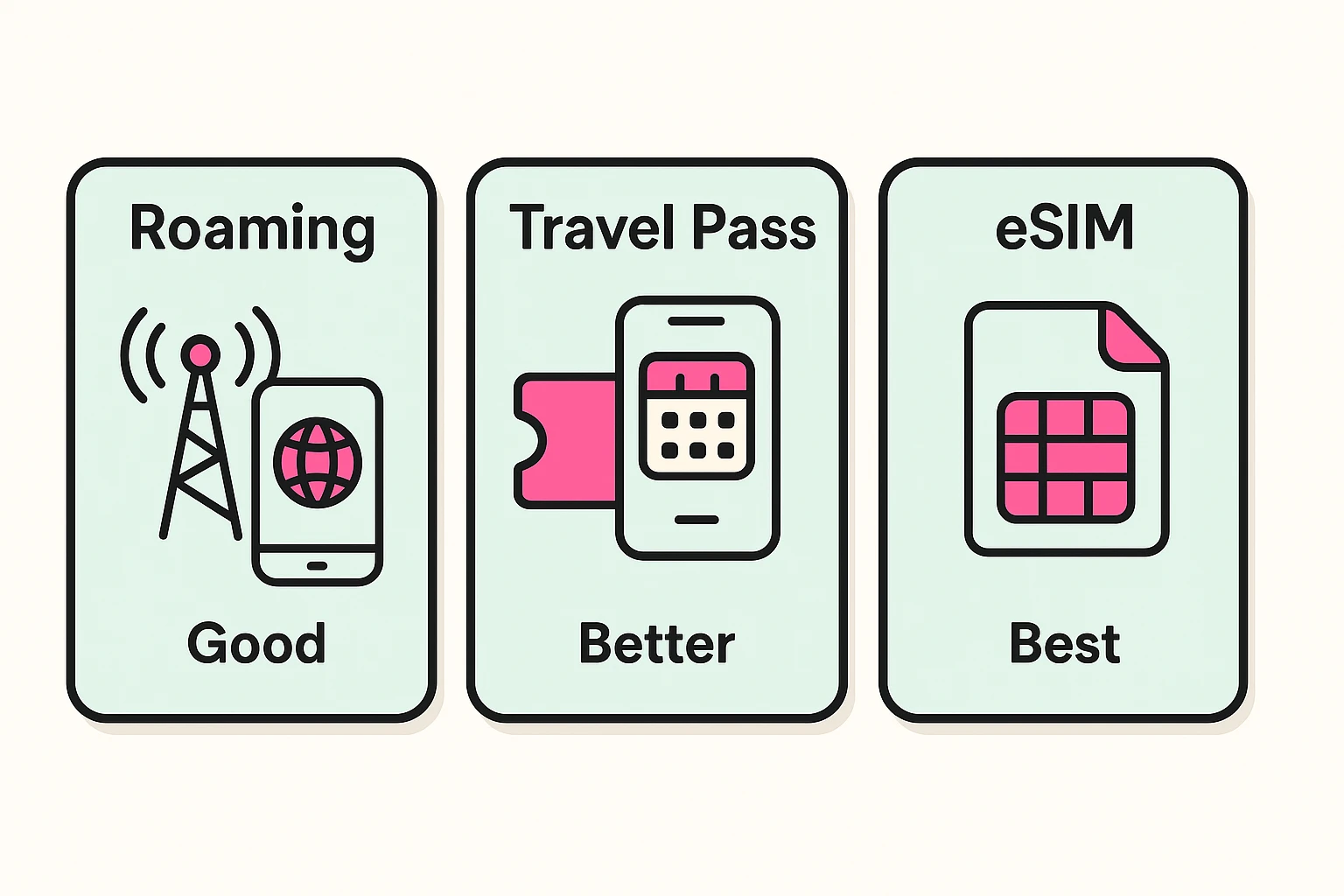
When it comes to using your phone abroad, you essentially have three choices. Let’s break them down from the cheapest (but most annoying) to the smartest modern solution.
This is the old-school method. You put your phone in Airplane Mode for the entire trip and only use it when you find free Wi-Fi at a cafe or your hotel. It costs absolutely nothing.
However, it also means you can’t pull up a map when you’re lost in a cobblestone alleyway. You are entirely dependent on buying cups of coffee just to get the Wi-Fi password. It’s cheap, but it’s not exactly convenient.
Most major phone companies now offer a “Travel Pass” or “Roam Better” plan. For a flat fee—usually around $12 to $16 per day—you can use your phone exactly like you do at home.
This is incredibly easy because you don’t have to change any settings. But it is a massive “convenience tax.” If you are traveling for a two-week vacation, that daily fee easily adds up to over $150 per person!
Enter the eSIM. The “e” stands for embedded, but you can just think of it as a digital sticker. In the old days, to get a cheap local phone plan, you had to pop out your tiny plastic SIM card with a paperclip and put a new one in.
An eSIM does the exact same thing, but entirely through software. You just download a digital “sticker” to your phone’s internal antenna before you leave home. It gives you an entirely separate, temporary data plan for your trip at a fraction of the cost.
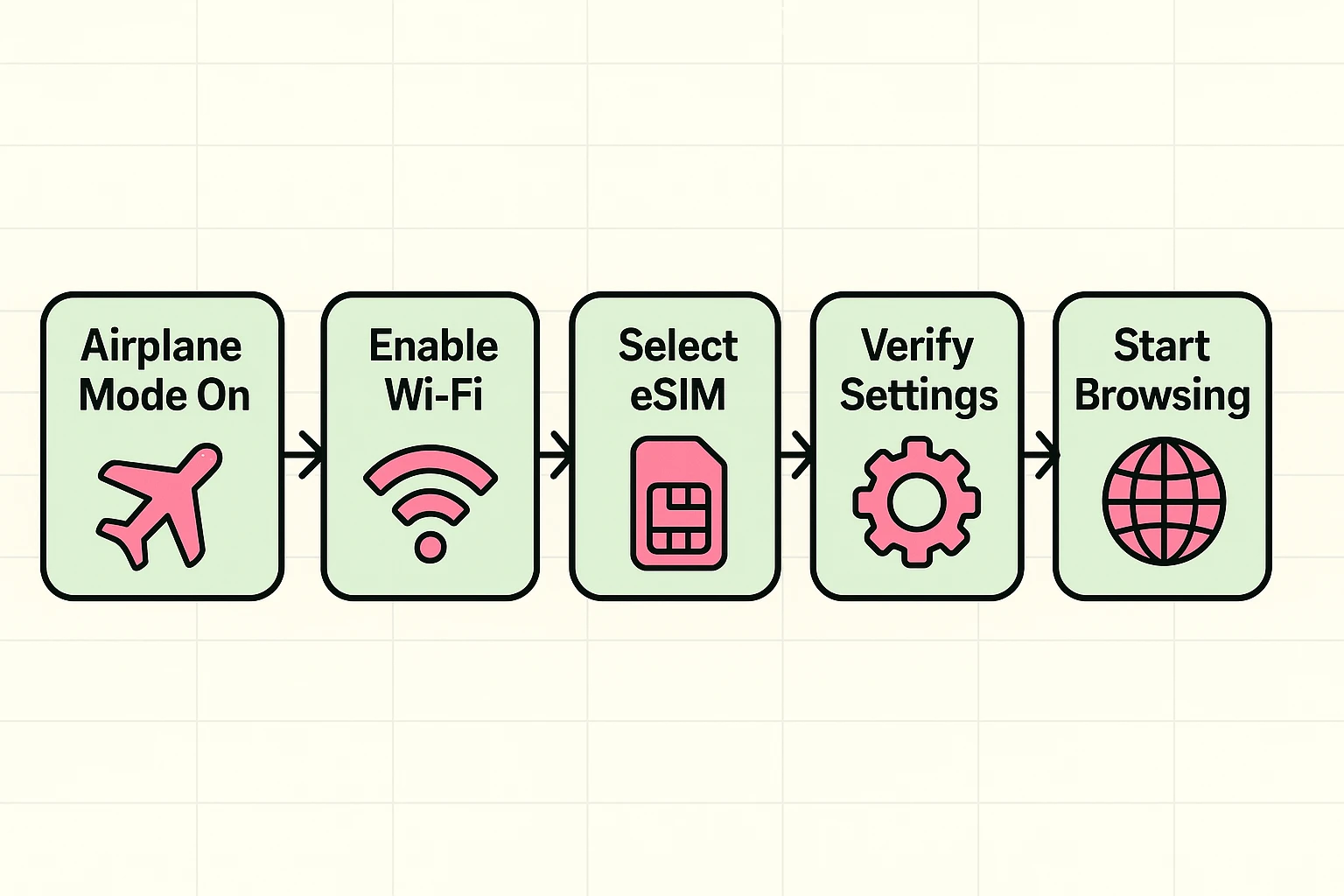
The most dangerous time for your phone bill is the moment the airplane wheels touch the tarmac. Here is your fail-proof, step-by-step protocol to follow while the plane is taxiing to the gate.
First, leave your phone in Airplane Mode. Airplane Mode is your digital shield; it completely blocks your phone from connecting to those expensive foreign cell towers. As long as the little airplane icon is showing at the top of your screen, you cannot be charged for roaming.
Second, while still in Airplane Mode, you can manually turn your Wi-Fi back on. This allows you to connect to the airport’s free Wi-Fi to text your family.
Here is a brilliant secret: the “Wi-Fi Calling Hack.” If your phone has Wi-Fi Calling enabled in the settings, you can make and receive calls over the airport Wi-Fi just like you were sitting in your living room back home. It uses the internet instead of cell towers, meaning those calls are completely free!
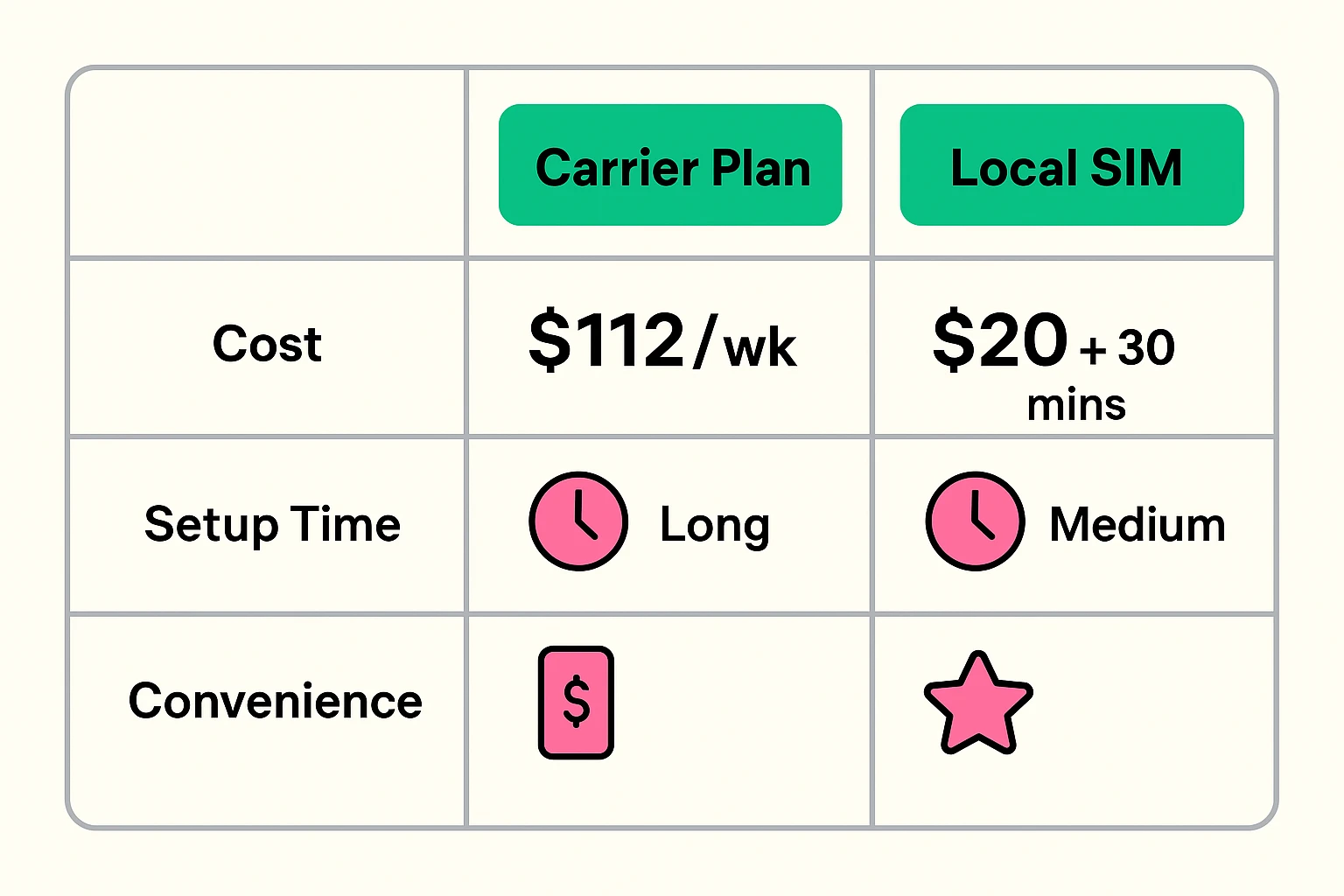
Let’s look at the cold, hard math for a typical 7-day trip to Europe.
If you use your home carrier’s daily travel pass at $16 a day, you will pay $112 for the week. If you try to buy a physical local SIM card at the airport, you’ll pay about $20, plus you’ll spend 30 minutes playing charades with a clerk who doesn’t speak English.
If you buy a travel eSIM from a company like Airalo or Holafly before you leave, a week’s worth of data will cost you about $15 total. You get to skip the lines, keep your original phone number active in the background for emergencies, and save nearly a hundred dollars.
Most modern phones are! If you have an iPhone 11 or newer, a Samsung Galaxy S20 or newer, or a Google Pixel 4 or newer, your phone likely has eSIM superpowers. You can usually check this by going to your phone’s Settings, tapping “Cellular” or “Network,” and looking for an option that says “Add eSIM” or “Add Cellular Plan.”
Not at all! Think of your phone as a house with two front doors. Your home phone number uses one door, and your new eSIM uses the other. Apps like WhatsApp are tied to your phone, not your cellular plan. You can continue texting your grandkids exactly as you always do.
This is where dual-SIM technology shines. You can actually set your phone to use the cheap eSIM for all your internet browsing, while keeping your home phone number active only for receiving emergency texts—like those security codes from your bank. As long as you don’t answer incoming voice calls, receiving texts while roaming is almost always free.
Technology doesn’t have to be a travel hazard. By understanding the difference between expensive carrier passes and budget-friendly eSIMs, you take the power away from the phone companies and put it back in your own wallet.
Before your next trip, don’t wait until you’re at the airport to figure this out. Grab your phone, sit in your favorite comfortable chair, and check your settings to see if you have an “Add eSIM” option. Practice turning Airplane Mode on and off.
A little bit of preparation at home means that when you finally land in that foreign country, the only thing you’ll need to worry about is finding the nearest bakery. Safe travels!