Newsletter Subscribe
Enter your email address below and subscribe to our newsletter

We’ve all done the “Panic Macarena.” It starts when you reach into your pocket or purse, and your fingers meet nothing but lint. You pat your left pocket, then your right, then your back pockets, moving with the frantic energy of a confused tap dancer. Your heart drops into your shoes as you realize the terrible truth: your phone is missing.
Before you start planning a funeral for your digital life, take a deep breath. Losing a device is a universal irritant, right up there with trying to open a plastic clamshell package without a blowtorch. The good news is that you are not powerless, and your phone isn’t necessarily gone forever.
The absolute worst thing you can do right now is panic. The second worst thing is immediately calling your phone over and over, which only drains the battery or annoys whoever found it. Instead, we are going to bridge that terrifying gap between realizing your phone is gone and taking control of the situation.
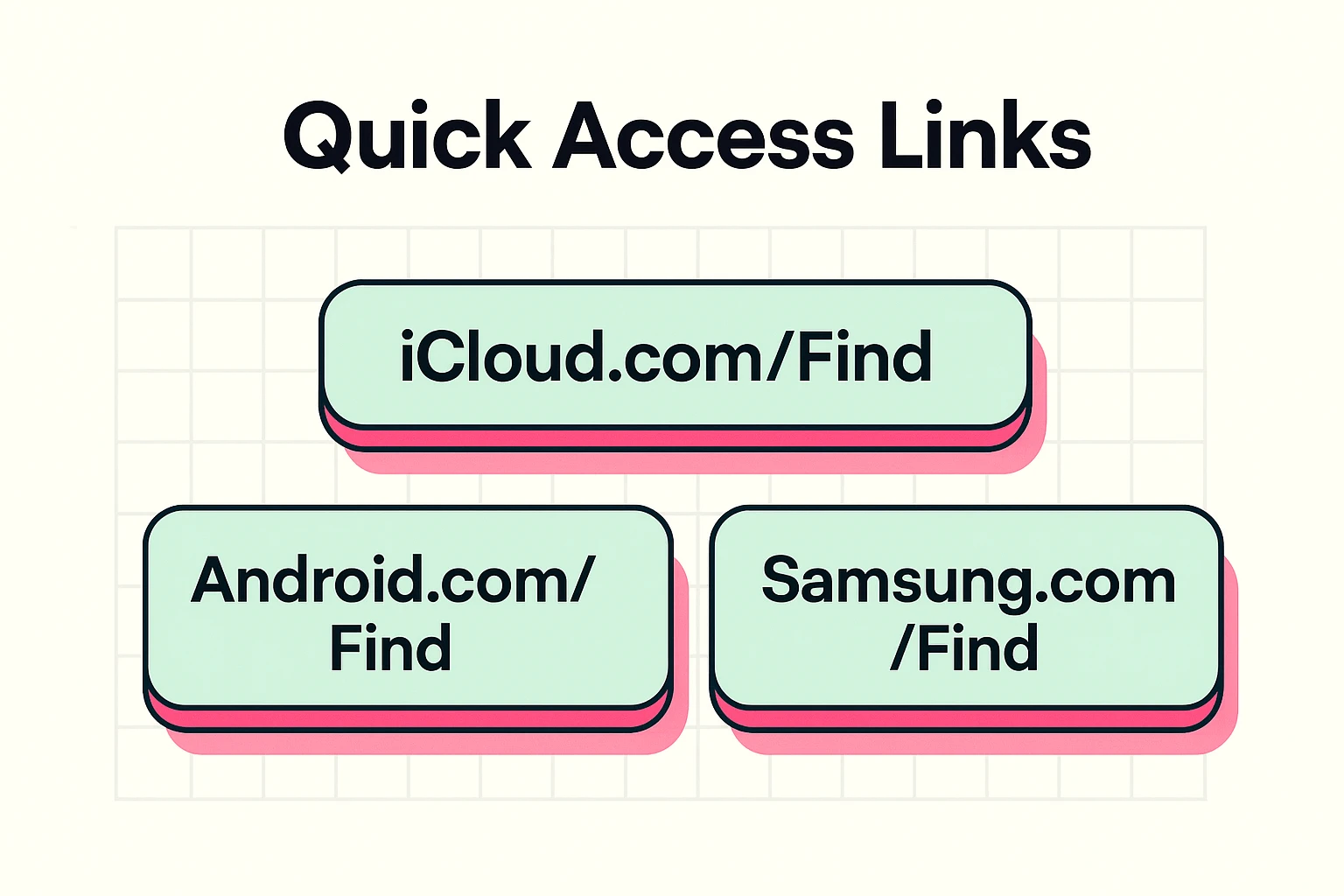
You don’t need your actual phone to find your phone. You just need a web browser, which means you can use your computer, a tablet, or even your neighbor Bob’s smartphone. It doesn’t even matter if Bob has an Android and you have an iPhone; the internet doesn’t play favorites.
All you need to do is go to the official tracking website for your device. Think of these websites as a magical homing beacon for your misplaced gadget. You will need to log in with your account information, which is usually your Apple ID email or your Google/Gmail address, plus your password.
Here are the only three magic links you need to know:
Once you log in, a map will appear showing your phone’s last known location. If the map shows that your phone is sitting right inside your own house, congratulations! You can cancel the police search.
However, knowing it’s in the house doesn’t tell you if it’s under the dog bed or buried in a pile of laundry. This is where you click the “Play Sound” button. Your phone will start ringing at maximum volume, even if you left it on silent mode.
Many folks worry that playing a sound will alert a thief to their phone. But if the map says the phone is at your home address, there is no thief. It’s just you, your messy living room, and a ringing phone begging to be found.
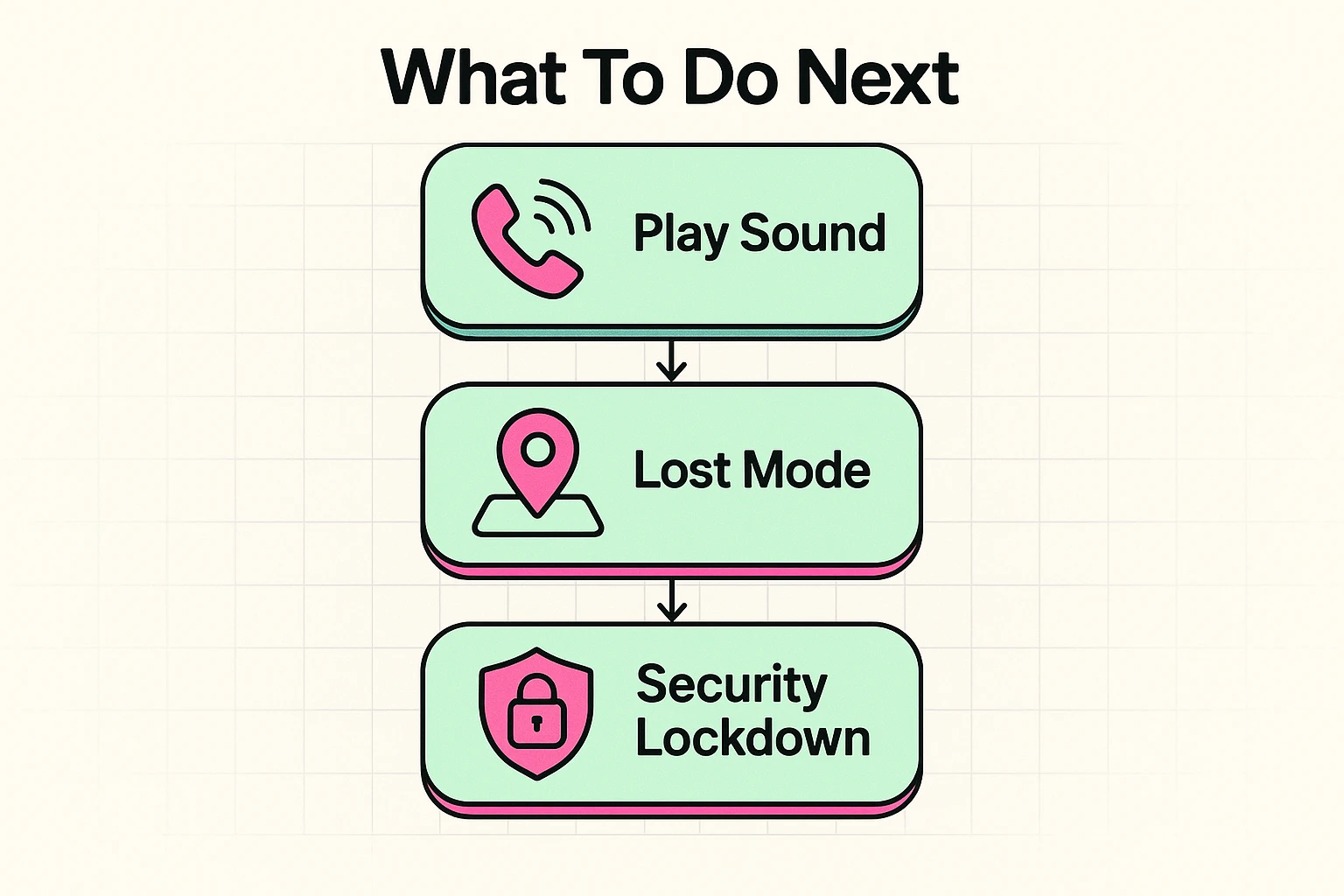
If the map shows your phone sitting at the local coffee shop or grocery store, it’s time to use “Lost Mode” (Apple) or “Secure Device” (Android). This is a brilliant feature that locks your phone down instantly with a passcode so nobody can snoop through your photos or emails.
Better yet, this mode allows you to type a custom message that will appear on your locked phone’s screen. You can write something like, “This phone belongs to a very nice senior citizen. Please call this alternate number to return it.”
This is the “Safe Zone” of device recovery. You know where it is, you’ve locked the front door to your data, and you’ve left a polite note for the finder. Now you can drive over and politely ask the barista if anyone turned in a phone.
Sometimes, the map shows your phone moving rapidly down the interstate, or perhaps it has vanished completely and you know your purse was stolen. This is the “Danger Zone,” and it’s time to protect your identity over your hardware.
Do not try to play amateur detective and track down a stolen phone yourself. Your safety is worth infinitely more than a piece of glass and metal. Instead, use the nuclear option: “Erase Device” (or Remote Wipe).
Think of a remote wipe as an instant digital shredder. It sends a signal to your phone to permanently delete all your photos, emails, banking apps, and text messages. While it breaks your heart to lose the phone, it guarantees that the thief gets nothing but a blank, useless piece of plastic.
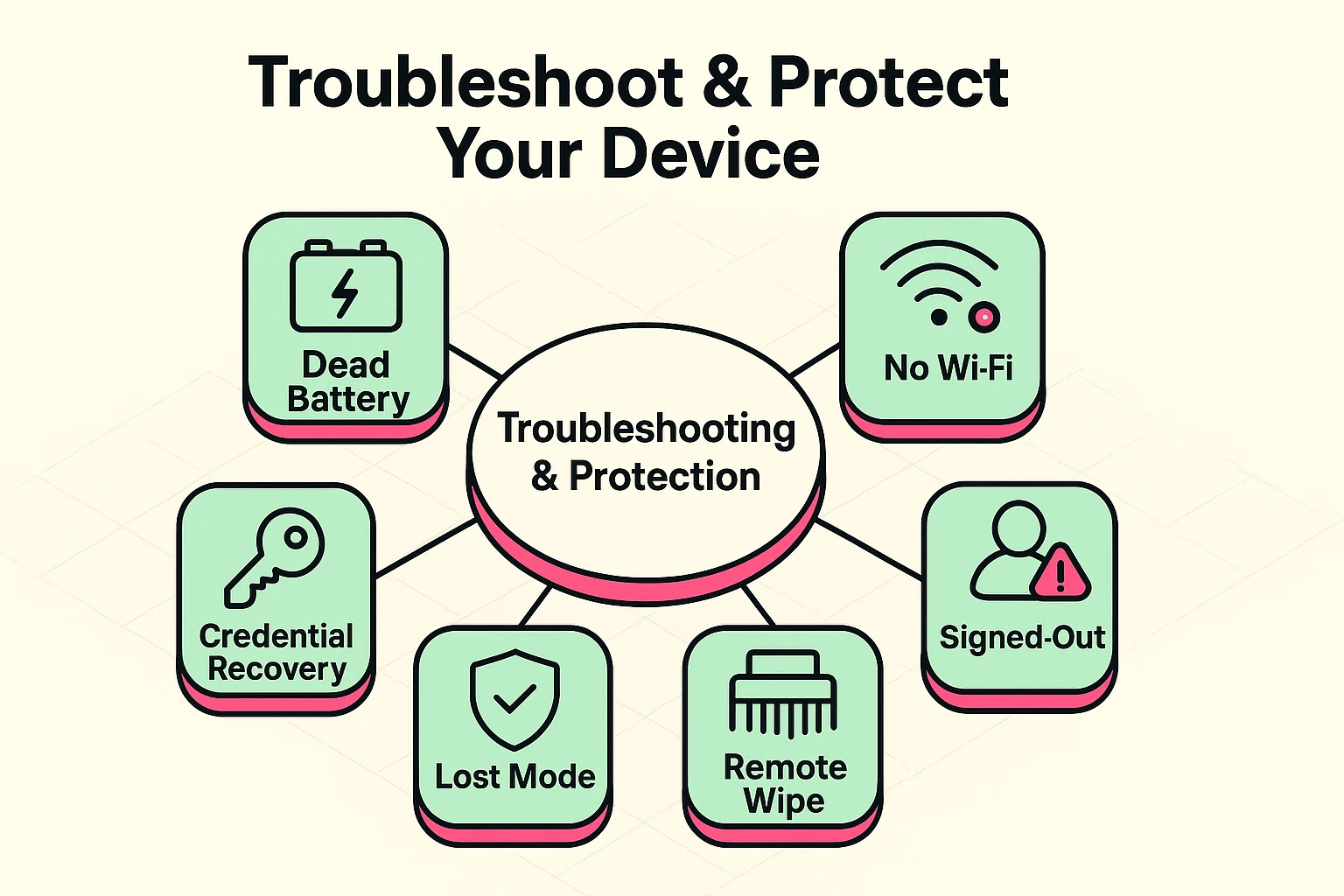
If you log into the command center and your phone isn’t showing up, don’t panic. There are a few common culprits. The most likely issue is that you are typing in the wrong password for your Apple or Google account. Take a breath, check your secret password notebook, and try again.
Another common myth is that a dead phone is a lost phone. In the old days, if your battery died, tracking stopped. But today, newer devices (like iPhone 11s or Google Pixel 8s and up) use a clever “Neighborhood Watch” system.
Even if your phone is dead or turned off, it quietly sends out a tiny Bluetooth whisper. Other strangers’ phones walking by will hear that whisper and securely relay the location back to your map. It’s like a massive, invisible search party working for you automatically!
A lost phone is stressful, but a compromised digital identity is a nightmare. If you suspect your phone was stolen, immediately contact your cellular provider to freeze your service so the thief can’t make international calls on your dime.
You should also change the passwords to your most sensitive accounts, starting with your email and banking apps. Scammers love a lost phone because it often gives them the keys to your digital kingdom. To arm yourself against these kinds of tricky tactics, we highly recommend checking out this online scamming methods pdf free download that explains exactly what criminals are looking for.
Remember, hardware can be replaced. Your memories should be backed up to the cloud, and your peace of mind should be your top priority.
Not at all! These are official, built-in safety features created by Apple, Google, and Samsung. They are completely free and already exist on your phone to protect you. You never have to pay to use them.
This is the biggest hurdle for most folks. If you forget your password, you will need to use the “Forgot Password” link on the login screen. This is why we highly recommend writing these specific passwords down and keeping them in a safe physical place at home.
Yes. If you are certain your phone was stolen and you can see it on the map at an unfamiliar residential address, call the police non-emergency line. Give them the location data, but never go knock on a stranger’s door yourself.
The absolute best time to learn how to find a lost phone is before you actually lose it. Think of it like a fire drill for your gadgets.
Tonight, sit down at your computer or tablet, go to your respective tracking website, and log in. Make sure you know your password. Verify that you can see your phone on the map.
Once you see exactly how easy it is to locate your device, you’ll sleep a little sounder. And the next time you do the “Panic Macarena,” you’ll know exactly what tune to dance to.