Newsletter Subscribe
Enter your email address below and subscribe to our newsletter

Walking into an electronics store to buy a new phone or laptop can feel like stepping onto an alien planet. You’re surrounded by sleek, shiny objects, and a friendly-looking employee approaches, speaking a language that sounds suspiciously like English but contains words like “gigahertz,” “terabytes,” and “OLED display.” You nod politely, trying to look like you understand, while your brain is screaming, “I just want to check my email and see pictures of my grandkids, not pilot a spaceship!”
It’s a modern-day gauntlet. You’re afraid of buying a device that’s more powerful than a NASA supercomputer (with a price tag to match) or, even worse, a glorified paperweight that can’t even load a simple webpage. This feeling of being overwhelmed is completely normal. It’s the digital equivalent of trying to order coffee in a shop where the smallest size is called a “venti-grande-macchiato-whip.”
But what if you had a secret weapon? A simple, no-nonsense checklist that cuts through the jargon and helps you focus on what actually matters. Think of this as your personal tech translator, turning confusing specs into plain English so you can buy with confidence, whether you’re eyeing a brand-new gadget or a money-saving refurbished one.
Before you even think about brands or models, you need to have a heart-to-heart with the most important person in this transaction: you. Nailing down these answers first will save you a world of headache (and a wallet full of cash).
Be brutally honest. Are you planning to write the next great American novel, or do you just want to browse Facebook, video chat with family, and look up recipes for meatloaf? The tasks you do most often determine the power you need.
Answering this honestly prevents you from buying a Ferrari just to drive to the grocery store once a week.
Decide on a firm number you’re comfortable spending and stick to it. It’s easy to get upsold on fancy features you’ll never use. Remember, the goal is to find the best device for you, not the most expensive device in the store. A solid budget is your best defense against a salesperson’s siren song of “for just a little more…”
The operating system (OS) is the main software that runs your device. It’s the conductor of the orchestra. You’ve likely already used one of them.
There’s no “best” one—just the one that feels most comfortable to you. Sticking with what you know can make the transition to a new device much smoother.
Are you planning to toss this in a purse and carry it around all day, or will it live permanently on your desk? A giant, beautiful screen is great for watching movies at home, but it’s a pain to lug through an airport.
Think about where you’ll use it most. A smaller, lighter device is great for portability, while a larger screen is easier on the eyes for at-home use.
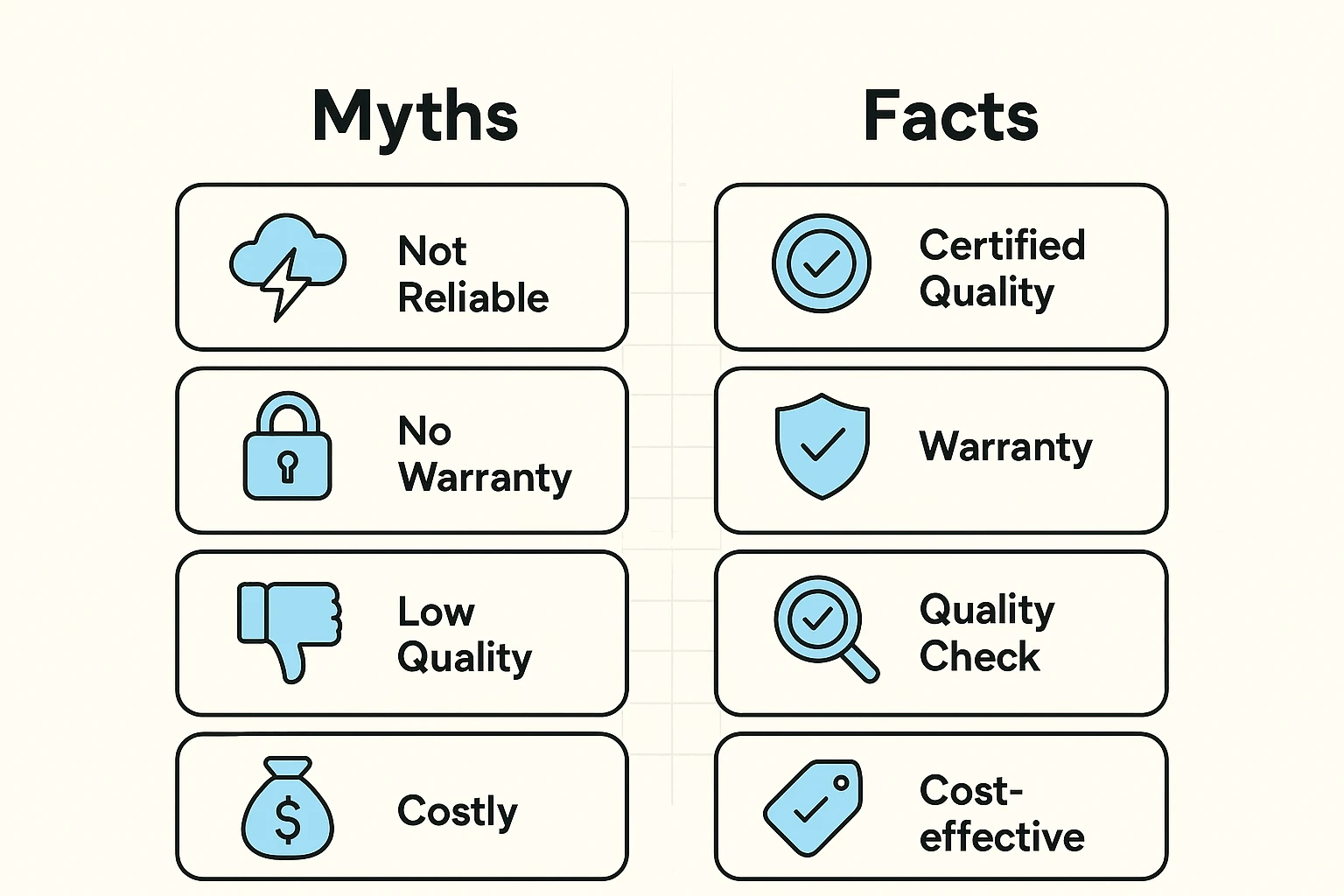
The word “refurbished” can sometimes sound like a polite way of saying “dented gizmo someone found in a ditch.” But in reality, it’s one of the smartest ways to get high-quality tech without paying a premium price. The key is understanding what you’re actually getting.
A “used” device is sold as-is, with all its imperfections. A “certified refurbished” device, on the other hand, has been returned, inspected, repaired, and tested by the manufacturer or a certified seller to ensure it works like new. They often come with new batteries and always include a warranty.
Once you’ve found a potential contender, it’s time to play detective. Whether you’re in a store or online, these questions will help you uncover the truth about the device.
This is non-negotiable. A warranty is your safety net if something goes wrong. For new devices, it’s usually one year. For refurbished, it can range from 90 days to a full year. Make sure you get it in writing.
Equally important is the return policy. What if you get it home and just plain don’t like it? A good seller will offer at least a 14-day, no-questions-asked return period. If they don’t, walk away.
A device is only as good as its battery. For a new device, the battery health should be 100%. For a refurbished one, you should ask for a guarantee that it’s at least 85% of its original capacity. Anything less, and you’ll find yourself constantly tethered to a wall outlet, which sort of defeats the purpose of a portable device.
Does it come with the original charger and cable? Some companies have started selling phones without chargers, which is like selling a car without tires. Make sure you know exactly what’s in the box so you don’t have to make another trip to the store for essential accessories.
Technology moves fast. A model that’s more than 3-4 years old might be nearing the end of its life for receiving crucial security updates. These updates are what protect you from viruses and scammers.
Ask the seller, “For how many more years is this model expected to receive software updates?” A reputable seller should be able to answer this. If they can’t, it’s a red flag.
If you’re buying in person, give the device a thorough once-over. This is your chance to spot any deal-breakers before you hand over your money.
Buying from a well-known retailer, the manufacturer itself (like Apple’s certified refurbished store), or a highly-rated seller on a site like Amazon gives you protection. Buying from a stranger on a classifieds site is a gamble. Look up reviews for the seller. A long history of happy customers is a great sign. A company with a hard-to-find phone number is not.
Think of it this way: RAM is your desk space. The more you have, the more projects you can have open at once without everything getting cluttered and slow. Storage is your filing cabinet. It’s where you keep all your files, photos, and apps for the long term.
For most people using their device for email, photos, and a handful of apps, 64GB to 128GB is a comfortable amount. If you plan to download lots of movies or take thousands of high-resolution photos, aim for 256GB or more.
For everyday tasks, not really. Almost any modern processor is fast enough for browsing, email, and streaming. It’s like worrying about the top speed of a car you’ll only ever drive in the city. Don’t pay extra for a super-fast processor unless you know you’ll be doing demanding tasks like video editing.
Buying a new piece of technology doesn’t have to be a stressful exam you didn’t study for. By focusing on how you’ll use it and asking a few smart questions, you can turn a confusing process into a confident decision. You’re not just buying a gadget; you’re buying a tool to connect with loved ones, explore hobbies, and make your life a little easier.
Now, armed with your checklist, you can walk into that electronics store, look that salesperson in the eye, and know exactly what you’re looking for. Go get ’em.