Newsletter Subscribe
Enter your email address below and subscribe to our newsletter

Enter your email address below and subscribe to our newsletter

Remember the old days of budgeting? It usually involved a shoebox, a mountain of crinkled receipts, and a kitchen table that looked like it had been attacked by a paper monster. You’d spend a Sunday afternoon trying to decipher a faded gas station receipt, wondering if “$27.50 – Misc” was for essential car maintenance or a desperate, middle-of-the-night donut run.
The process was so tedious you’d rather volunteer to assemble your grandkid’s 5,000-piece LEGO Death Star.
Then came the spreadsheet, a supposed “upgrade” that turned your financial life into a grid of tiny boxes. One wrong formula and suddenly your mortgage payment was categorized under “hobbies,” and your grocery bill was apparently funding a small nation. The result was often the same: you’d give up, push the spreadsheet into a forgotten folder, and go back to just hoping for the best.
If this sounds painfully familiar, take a deep breath. Technology has finally caught up to our collective hatred of manual budgeting. Artificial intelligence, or AI, is no longer just a sci-fi concept. It’s a practical tool that can act as your personal financial assistant—one that never gets tired, never judges your donut runs, and does all the boring work for you.
Before you imagine a tiny robot accountant living in your phone, let’s break down what “AI budgeting” really means. It’s not magic; it’s just a set of very smart tools designed to do the tedious tasks we all dread. Think of it less like hiring a Nobel Prize-winning economist and more like getting a super-efficient helper who loves sorting things.
Here are the main jobs your new AI assistant can handle:

This is the big one. When you link your bank or credit card accounts to a budgeting app, the AI reads the incoming data. It sees a charge from “Kroil ‘n’ Go” and instantly knows, “Aha! That’s gasoline.” It sees “The Coffee Beanery” and correctly files it under “Dining Out.”
Over time, it learns your specific habits. It will even recognize that the $15 you spend at the local farmers market every Saturday is for groceries, not entertainment (unless you find heirloom tomatoes particularly thrilling).
For those times you still have to deal with paper receipts—especially from cash purchases—this tool is a lifesaver. You just take a picture of the receipt with your phone. The AI uses OCR to read the text, just like a scanner, and automatically pulls out the store name, date, and amount. No more manual entry. The shoebox can finally be retired to holding old photos, as it was always meant to.
Remember that free trial for a streaming service you signed up for two years ago? The AI does. It scans your recurring payments and flags all your subscriptions, from newspapers to movie services to that “Jelly of the Month” club you forgot you joined. This alone can save you a surprising amount of cash by highlighting services you no longer use.
Okay, let’s address the elephant in the room. The idea of connecting your financial accounts to an app can sound about as safe as leaving your front door wide open with a giant “Come On In!” sign. It’s a completely valid concern.
Here’s the good news: reputable financial apps take security very, very seriously. They typically use:
Not all budgeting apps are created equal, because not all people budget the same way. The best tool is one that matches your personality. Generally, AI budgeting apps fall into two camps.
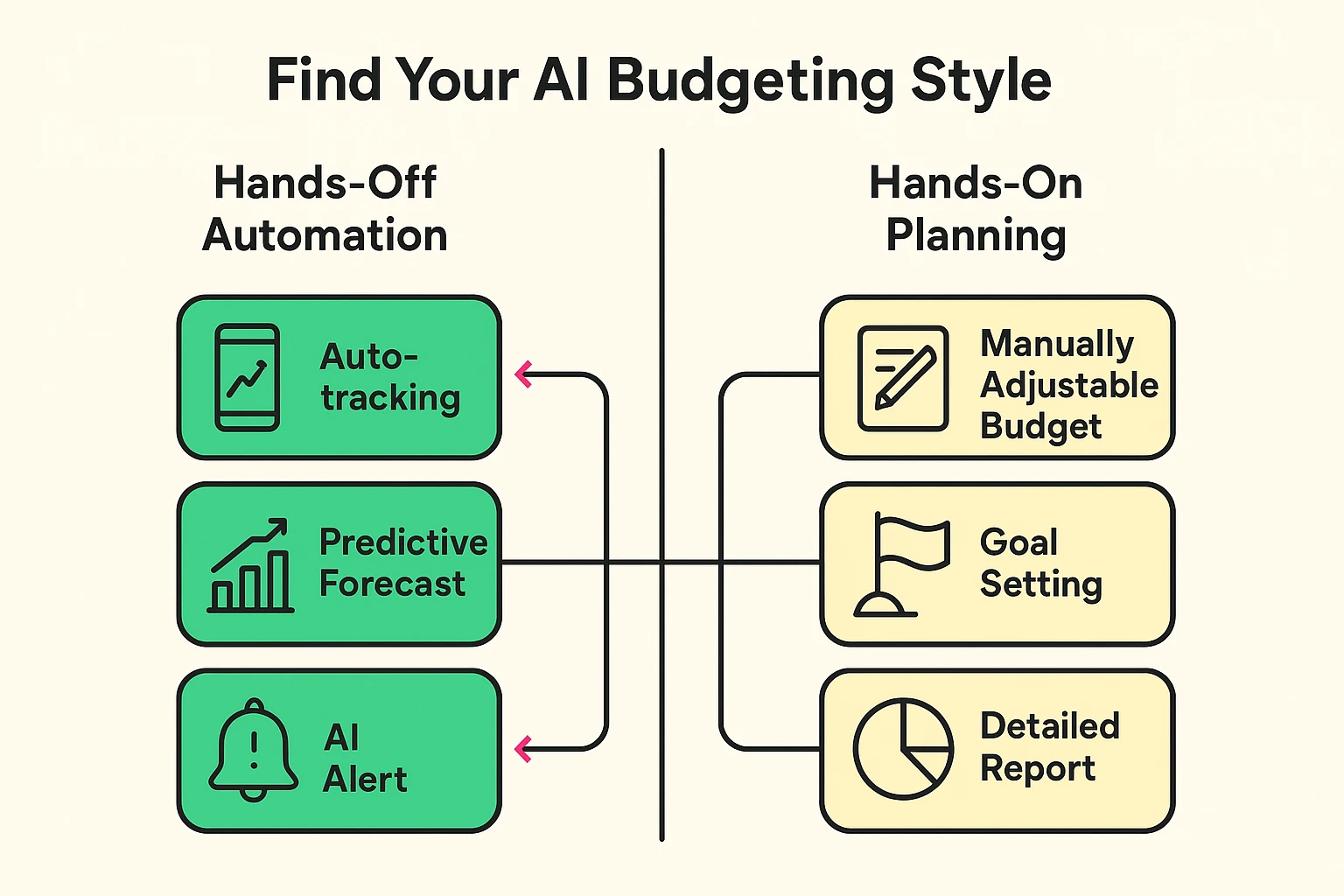
Neither is better than the other. The right choice is simply the one you’ll actually stick with.
Dipping your toes into the world of AI budgeting is easier than you think. You don’t need a degree in computer science—you just need a plan.

It’s a smartphone or web application that automatically tracks your income and expenses by securely connecting to your financial accounts. It uses smart technology to categorize transactions and provide insights into your spending habits without manual data entry.
Nope. Reputable apps use a secure, third-party connector (like Plaid) that acts as a protected middleman. The app never sees or stores your login details.
Absolutely not. The AI is a powerful calculator and organizer, not a financial advisor. It presents you with clear data and insights, but you are always the one who makes the final decisions.
It happens! All you have to do is tap on the transaction and change the category. The best part is that the AI learns from your corrections. If you change a specific store from “General Merchandise” to “Groceries,” it will remember to do that in the future.
The goal of technology should be to make our lives easier, and that’s exactly what AI-powered budgeting does. It takes one of the most dreaded financial chores and automates it, giving you back your time and reducing your stress.
It won’t magically make you a millionaire, but it will give you a crystal-clear picture of where your money is going. And with that knowledge, you’re in a much better position to make it go where you want it to. So go ahead, retire that shoebox—your wallet’s new best friend is ready to get to work.