Newsletter Subscribe
Enter your email address below and subscribe to our newsletter

Enter your email address below and subscribe to our newsletter

Have you ever visited a new city, unfolded a paper map the size of a tablecloth, and tried to figure out the bus system? You stand there, squinting at tiny lines that look like a plate of spaghetti designed by a spider, while locals whiz by with the confidence of people who actually know where they’re going. The bus schedule, meanwhile, seems to be written in a secret code that requires a decoder ring and a degree in advanced astrophysics.
It’s enough to make you want to stay in your hotel room and order a club sandwich. Exploring a new place should be an adventure, not an advanced orienteering course. The fear of getting lost, missing a bus, or ending up on a poorly lit street can zap the fun right out of a trip.
But what if you had a personal guide in your pocket? One that not only knows the city like the back of its hand but also understands your needs—like finding a walking route without steep hills or a bus stop with a bench. That’s the magic of the new, smarter map apps on your phone, powered by something called Artificial Intelligence (AI). Don’t let the fancy name scare you; it’s just a techy way of saying your map is now a genius.

Think of the old-style GPS as a simple calculator. You punch in an address, and it spits out a single answer. AI, on the other hand, is like having a team of experts—a city planner, a traffic cop, and a friendly local—all working together just for you. As PBS NewsHour and Google’s own blog have pointed out, this technology is changing everything about how we find our way.
Here’s what that team of experts is doing behind the scenes:
Let’s be honest, our internal compass isn’t always what it used to be. Remembering if you need to turn left or right after four other turns in a new neighborhood can feel like a memory test you didn’t sign up for. Cognitive scientists call this “spatial cognition,” and it’s perfectly normal for it to change over time. AI maps act as a backup brain. They provide clear, step-by-step instructions, vibrating in your pocket before a turn, so you can focus on the sights around you instead of memorizing the route.
A paper map can’t tell you that a street is closed for a farmer’s market or that a bus is running 15 minutes late. An AI-powered map can. It processes billions of pieces of real-time information to see what’s happening in the city right now. This means it can reroute you around unexpected traffic jams or tell you if a subway station is unusually crowded, helping you avoid stressful situations.
This is where it gets really clever. The AI can create a path that fits your specific needs. Don’t like hills? It can find a flatter route. Want to stick to well-lit streets after dusk? It can prioritize those. It transforms a one-size-fits-all map into your personal travel concierge.
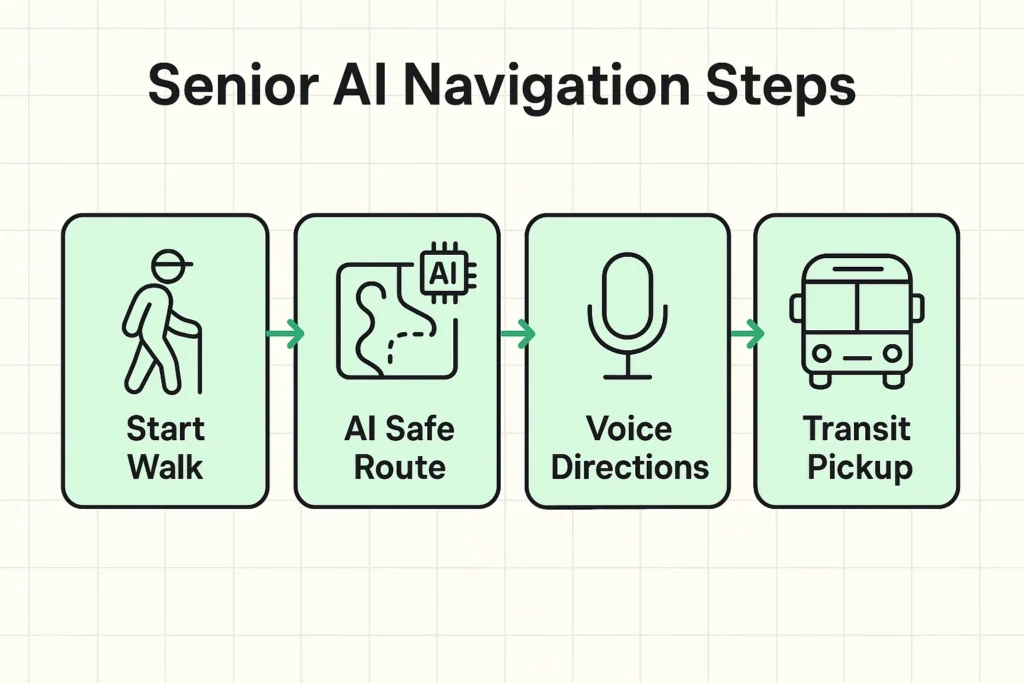
Knowing the technology is there is one thing; using it to make your life easier is another. Here’s how you can put these features to work on your next trip, whether it’s across the country or just across town.
Sometimes the shortest route isn’t the best one. AI maps are getting better at understanding what makes a walk pleasant and safe. When you ask for walking directions, look for options or filters that can help you find:
This isn’t just about convenience; it’s about giving you the confidence to explore on foot without worrying about your safety.
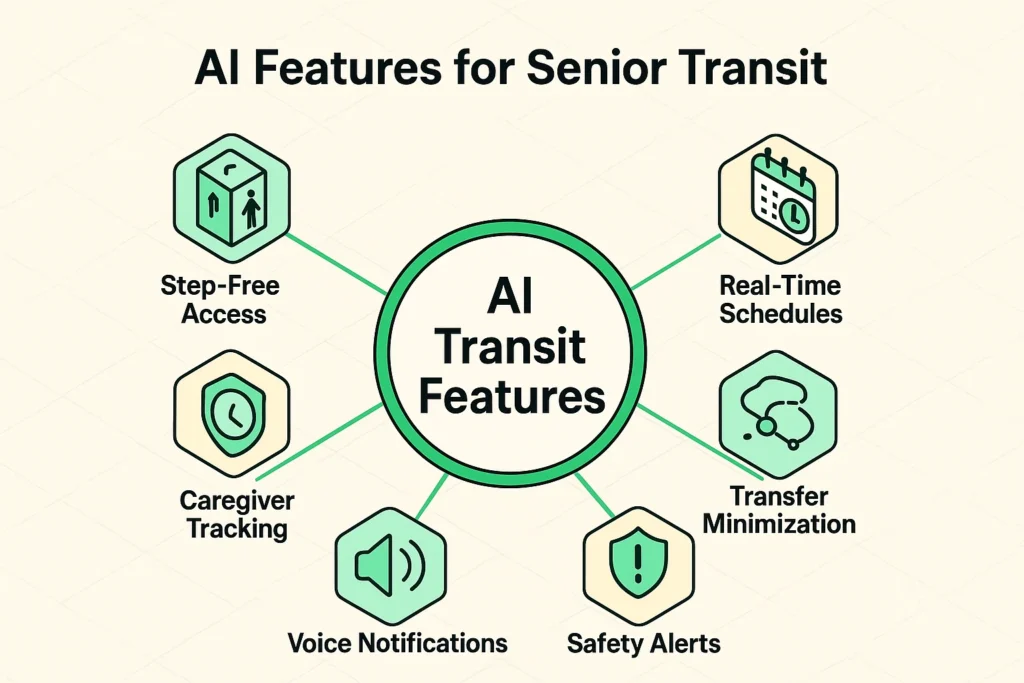
Public transportation is a fantastic way to see a city, but it can be intimidating. Between stairs, confusing transfers, and crowded platforms, it’s easy to get overwhelmed. As organizations like Senior Planet have highlighted, AI is a game-changer for accessibility.
Here’s how to use your map app to master buses and trains:
Once you’re comfortable with the basics, there are a few other tricks that can make your travels even smoother.
Trying to type a destination while walking down a busy sidewalk is a recipe for bumping into a lamppost. Instead, use your voice. Simply activate your phone’s assistant (like Siri or Google Assistant) and say something like:
It feels a bit like science fiction, but it’s an incredibly practical tool for getting information without having to stop and fiddle with your phone.
Now, it’s fair to ask: if the map knows where I am, who else does? This is a valid concern. Map apps work by using your location. The trade-off for all this convenience is that companies like Google and Apple collect location data.
The good news is that you have control. Dive into your phone’s settings under “Location Services” and “Privacy.” You can decide whether apps can see your location all the time or only when you’re using them. You can also regularly clear your location history. It’s about finding a balance that makes you feel comfortable and secure.
Absolutely! Most smartphones have fantastic accessibility features. You can increase the font size, switch to a high-contrast mode to make the map easier to read, or rely entirely on the turn-by-turn voice guidance so you don’t even have to look at the screen.
It can use a fair bit, but there’s a great workaround. Before you leave your hotel or home Wi-Fi, you can download the map of the city you’re visiting for offline use. The GPS will still work perfectly, but it won’t need to use your cellular data to load the map.
The two biggest players are Google Maps and Apple Maps. Both are excellent and have many of the AI features we’ve discussed. Google Maps often has a slight edge with public transit details and information about businesses, but Apple Maps is known for its clean, easy-to-read interface. The best one is the one that feels most comfortable to you!
Like any new tool, it takes a little practice. But these apps are designed to be as user-friendly as possible. The key is not to try to learn everything at once. Start with a simple task, like getting directions to a local coffee shop, and build from there.
Technology shouldn’t be a source of frustration. It should be a tool that opens up the world, fosters independence, and gives you the confidence to say “yes” to new adventures. AI-powered maps are one of the best examples of this—a pocket co-pilot ready to help you navigate, explore, and enjoy every moment of your trip.
So next time you’re planning a visit to a new city, don’t pack that giant paper map. Just pack your phone. Your club sandwich can wait—there’s a whole city out there to see. A great next step is to get comfortable with your phone’s basic settings, then try planning a route in your own neighborhood to see how it works. You’ll be a navigating pro in no time.