Newsletter Subscribe
Enter your email address below and subscribe to our newsletter

Enter your email address below and subscribe to our newsletter
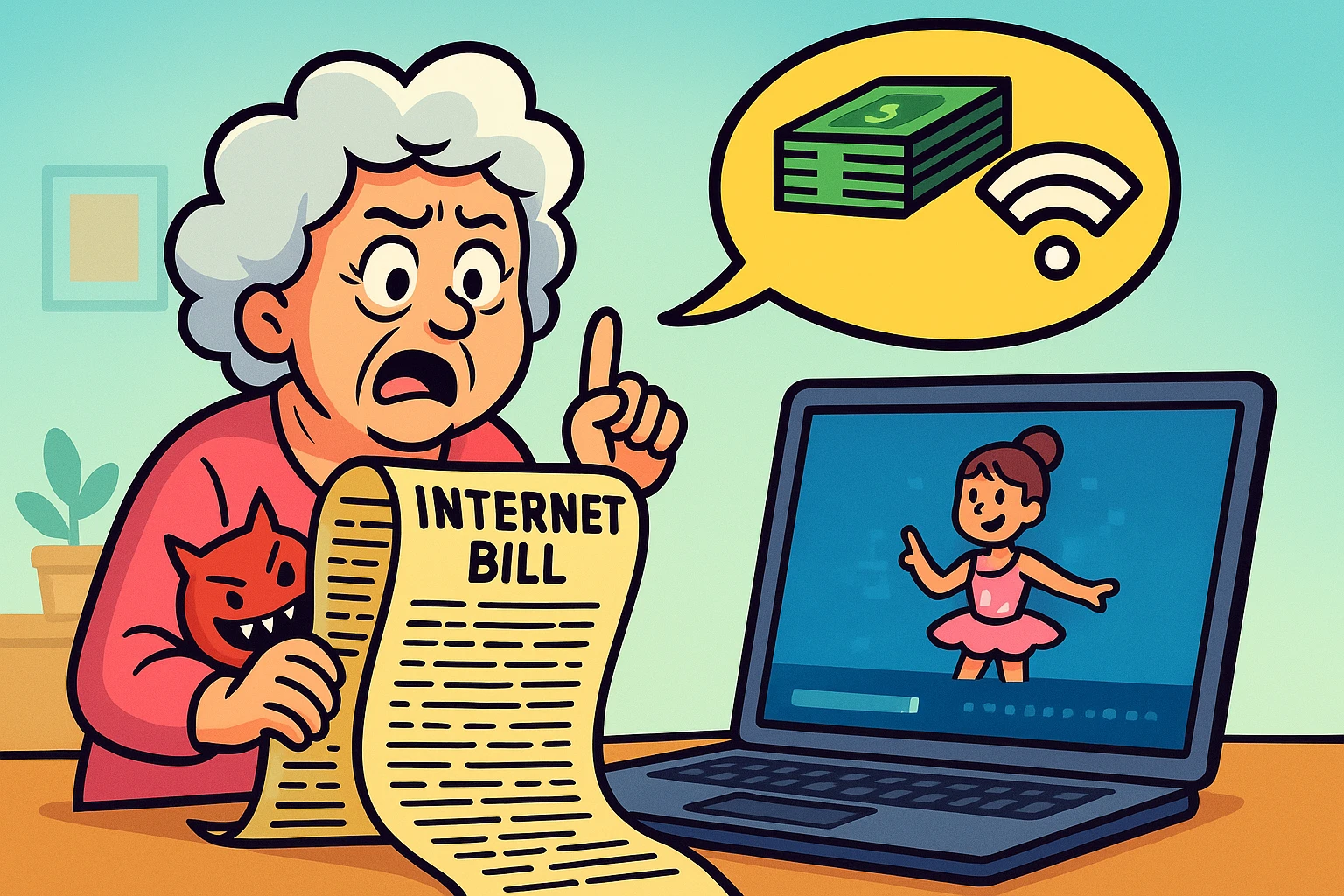
Have you ever opened your internetThe Internet is a vast network of computers and other electronic devices connected globally, allowin... More bill and felt like you were trying to decipher an ancient scrollScrolling is what you do when you move up or down on a screen to see more of a webpage, email, or do... More written in a language known only to lawyers and robots? You see charges for “administrative recovery,” “equipment rental,” and perhaps a “because we felt like it” fee.
Meanwhile, your actual internet connection seems to have the energy of a sleepy tortoise. You click on a video of your adorable granddaughter, and the screen freezes in a pixelated blur while a little circle spins, mocking your desire to see her dance recital.
If this sounds familiar, you aren’t alone. Navigating the world of Internet Service Providers (ISPs) often feels like buying a used car in a foreign country where you don’t speak the language. The companies use acronyms like Mbps and GHz to confuse you, hoping you’ll just sigh, pay the bill, and assume this is as good as it gets.
But here is the secret they don’t want you to know: You are in charge. With a little bit of knowledge and a dash of confidence, you can find a plan that is faster, cheaper, and doesn’t require a degree in computer science to understand. Let’s turn you into a savvy internet shopper.
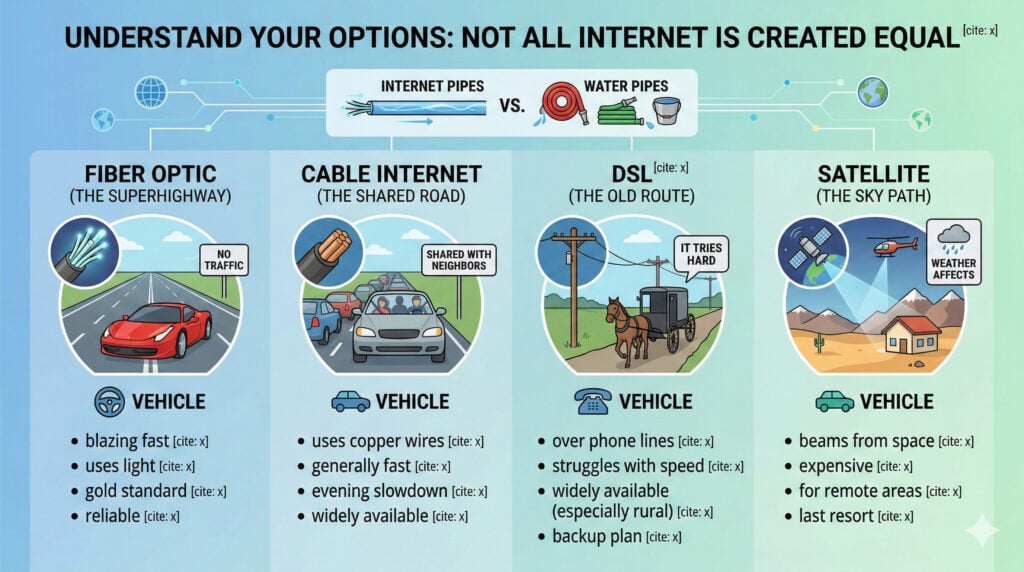
Before we talk about saving money, we need to talk about the “pipes” that bring the internet into your house. Imagine you want to get water to your garden. You could use a high-tech fire hose, a standard garden hose, or a bucket brigade. They all get things wet, but the experience is very different.
Internet works the same way. Here are the four main types you’ll encounter:
This is the gold standard. It uses light to send data through glass cables. It is blazing fast and reliable. If you have a choice between fiber and anything else, pick fiber. It’s like driving on a private superhighway where there is no traffic.
This uses the same copper wires as your cable TV. It is generally fast and widely available. However, it can slow down in the evenings when everyone in your neighborhood gets home and starts watching Netflix simultaneously. It’s a good option, but you are sharing the road with your neighbors.
DSL runs over old telephone lines. It is widely available, especially in rural areas, but it struggles with modern speeds. If fiber or cable are options, DSL should usually be your backup plan. It tries hard, but it’s tired.
If you live on top of a mountain or in the middle of a desert, this is for you. It beams internet from space. The downside? It can be expensive, and weather can affect it. It’s a miracle if you have no other options, but a headache if you do.
ISPs love to sell you the “Gigabit” plan (1,000 Mbps). They will tell you that you need it to check your email. This is like a car salesman telling you that you need a semi-truck to bring home a loaf of bread.
Speed is measured in Mbps (Megabits per second). Here is a realistic breakdown of what you actually need:
Pro Tip: If an ISPAn Internet Service Provider, or ISP, is the company that gives you access to the internet. You pay ... More tries to sell you 1,000 Mbps for just two people, politely decline. You likely won’t notice the difference, but your wallet certainly will.
Comparison shopping for internet isn’t just about looking at the sticker price. It’s about reading the fine print that is usually written in a font size visible only to ants.
You’ve seen the ads: “$29.99 a month!” What they whisper is, “…for 12 months, then it jumps to $79.99.” This is the promotional rate. When you are comparing plans, always ask what the “standard rate” will be after the first year.
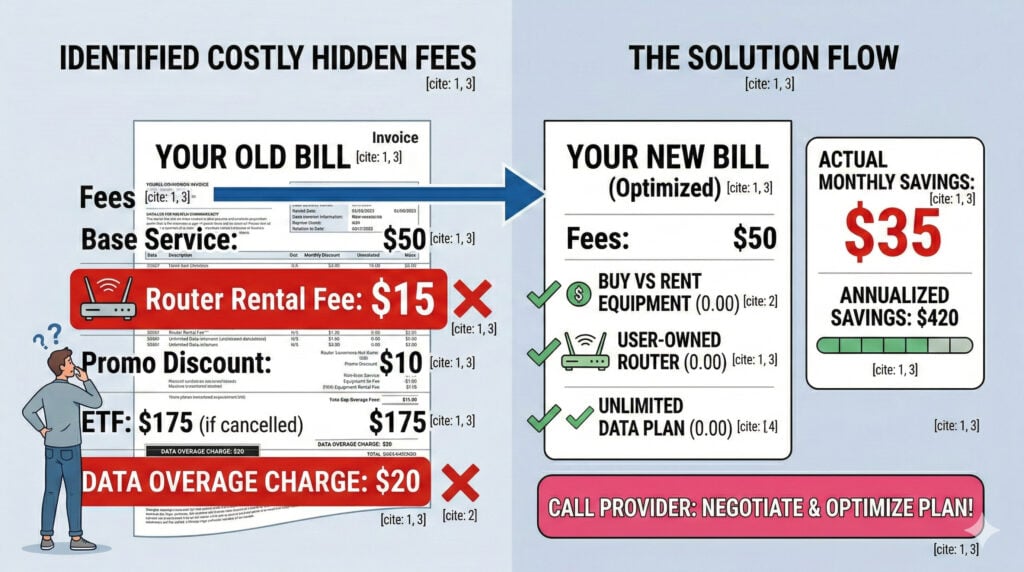
Some providers want you to sign a 1 or 2-year contract. If you leave early, they hit you with an Early Termination Fee (ETF) that can range from $175 to $300. In 2024, many providers are moving away from contracts. Look for “no contract” options so you can fire them if they misbehave.
Already have internet but paying too much? You have power. ISPs hate losing customers (it’s called “churn”). Call them up. Be polite, but firm.
Try saying this:“I’ve been a loyal customer for years, but my bill has gone up. I see that [Competitor Name] is offering a plan for $40 a month. I’d prefer to stay with you, but I need you to match that price.”
If the first person says no, ask to speak to the “Retention Department.” These people have the secret power to lower bills that the regular support agents do not.
Your internet bill is often padded with fees that offer you zero value. It’s like going to a restaurant and paying a “chair rental fee.” Let’s decode the most common offenders.
ISPs love to rent you their equipment for $10 to $15 a month. That’s $120 to $180 a year! You can buy a perfectly good modemA modem, short for modulator-demodulator, is a device that enables computers and other digital devic... More and routerA router is a device that helps connect all your gadgets, like computers, smartphones, and smart hom... More for about $100, and it will last you for years.
Some plans have a limit on how much internet you can use. If you go over, they charge you extra. It’s like an all-you-can-eat buffet that kicks you out after three plates.
If you are on a fixed income, you shouldn’t have to choose between groceries and staying connected. While the federal Affordable Connectivity Program (ACP) has ended, many ISPs have their own internal low-cost programs specifically for seniors or low-income households.
Programs like Xfinity Internet Essentials, Spectrum Internet Assist, or Access from AT&T offer reliable internet speeds for roughly $10 to $30 a month.
You usually need to show proof of participation in programs like SNAP, Medicaid, or SSI. Don’t let pride stop you from asking about these—connectivity is a utility, not a luxury.
Proceed with caution. In the old days, bundling saved money. Today, it often locks you into a contract where the price skyrockets after year one. Often, buying internet separately and using a streaming service (like Netflix or YouTube TV) is cheaper than a massive cable bundle.
Don’t trust your gut; trust the data. Go to a site like Speedtest.net and click “Go.” If you are paying for 100 Mbps and only getting 10 Mbps, you have a problem. Call your ISP and demand they fix it.
You might see ads from T-Mobile or Verizon for “5G5G is the latest technology that powers your mobile phone’s ability to make calls, send texts, and... More Home Internet.” This uses cellular networks (like your phone) instead of wires. It can be a great, simple option usually costing around $50/month with no contracts. If you have a good cell signal at your house, it’s worth investigating.
Choosing an internet provider doesn’t have to be a nightmare. Remember: you are the customer. You have the money. They want it.
Start by checking what is available in your specific zip code. Compare the “sticker price” against the “real price” (including equipment fees). Don’t buy more speed than you need. And never be afraid to threaten to leave if they treat you like a number.
You’ve navigated life this far—you can certainly handle a telecom company. Now, go get that better deal. Your granddaughter’s dance recital video is waiting.