Newsletter Subscribe
Enter your email address below and subscribe to our newsletter

Enter your email address below and subscribe to our newsletter

Imagine buying a brand new refrigerator. You paid good money for it. You open the shiny stainless steel door, expecting pristine, empty shelves waiting for your groceries. Instead, you find three jars of expired pickles, a stack of brochures for a timeshare in Florida, and a guy named “Norton” who jumps out and screams that your milk is arguably unsafe unless you pay him a monthly subscription fee.
You would, quite reasonably, demand a refund. Or perhaps an exorcist.
Yet, this is exactly what happens when we buy a new computer today. You take it out of the box, peel off that satisfying plastic film, and press the power button. But before you can even type “how to make a pot roast,” your screen is cluttered with pop-ups for games you’ll never play, trials for software you didn’t ask for, and notifications for things you don’t understand.
This, friends, is the world of “bloatware.” It is the technological equivalent of finding out your new car came with a trunk full of clowns.
The good news? You don’t have to settle for a digital clown car. By knowing what to look for before you hand over your credit card, you can find a “clean” laptop that actually runs like a new machine should. Let’s clean up this mess.
In the tech world, this junk is officially called “bloatware.” It refers to the pre-installed software that comes on your computer when you buy it.
Think of it like junk mail. When you buy a house, you expect the mailbox to be empty. But computer manufacturers have made deals with software companies (the digital junk mailers). These companies pay the laptop maker to put their software on your machine before it ever leaves the factory.
Why do they do this? To keep the price of the laptop down. It’s a subsidy. The manufacturer sells you the hardware a little cheaper because the software companies paid for the privilege of annoying you later.

You might be thinking, “Well, I’ll just ignore the icons.” That’s a noble strategy, but unfortunately, bloatware isn’t just ugly wallpaper. It has real consequences:
Not all laptops are created equal. Some manufacturers act like thoughtful hosts, giving you a clean room. Others act like hoarders who need a place to store their old newspapers.
If you want a hassle-free experience, you need to look for devices that prioritize the “clean” experience.
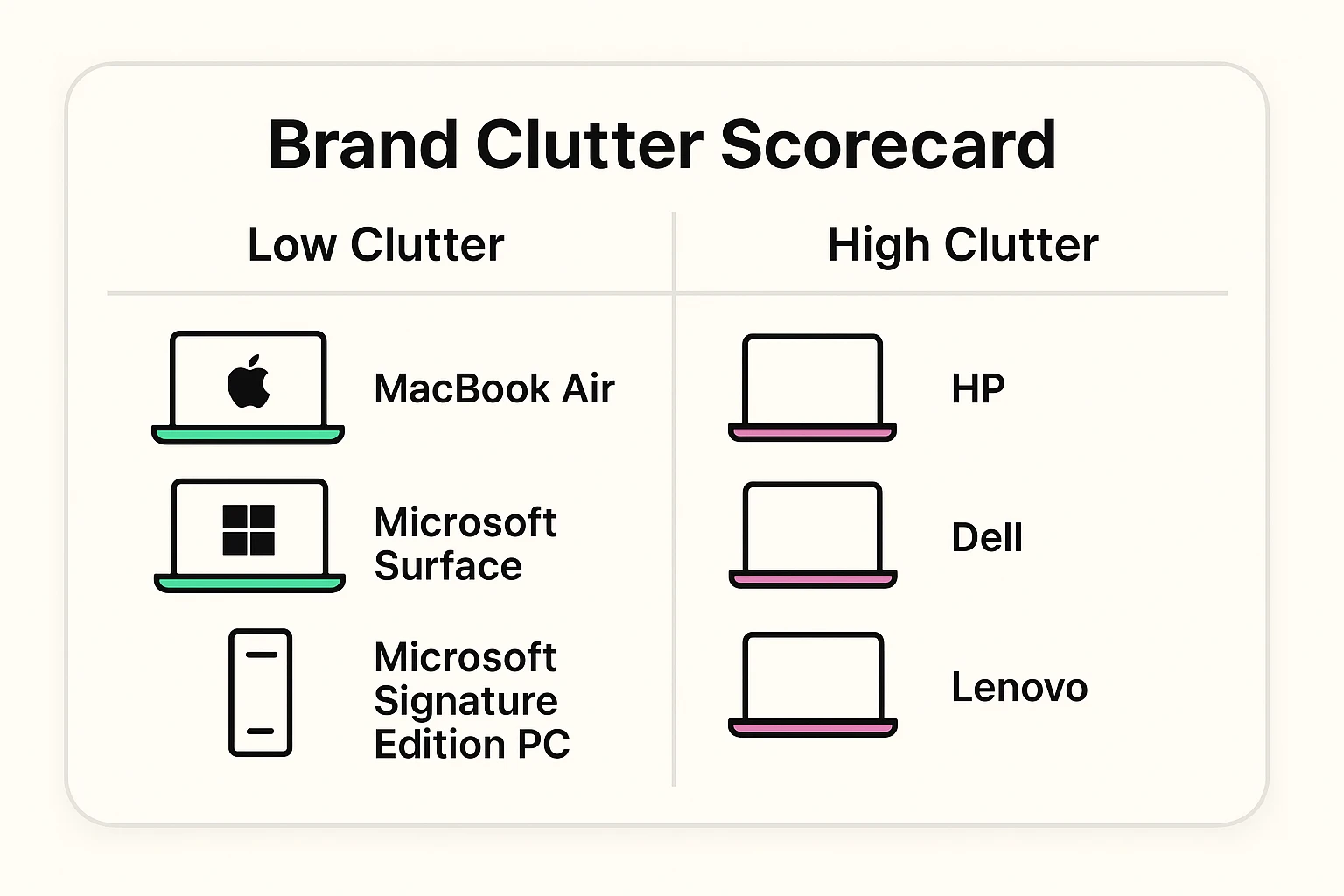
Generally speaking, Apple (MacBooks) and Microsoft (Surface Laptops) are the gold standard here.
Why? Because they make both the hardware (the laptop) and the software (the operating system). They don’t need to clutter up the machine with third-party junk to make a profit. When you buy a MacBook or a Surface, you mostly just get… the computer. It’s a refreshing concept.
Brands like HP, Dell, Lenovo, and Acer make excellent hardware, but they are often the worst offenders for bloatware. However, they are getting better. Their higher-end “business” laptops (like the Dell XPS or Lenovo ThinkPad) are usually cleaner than their budget “home” laptops.
The rule of thumb: The cheaper the laptop, the more bloatware it likely has. If a deal seems too good to be true, you are probably paying for it with your patience.
You don’t need to be a computer engineer to buy a clean machine. You just need to know the secret passwords to whisper to the salesperson (or type into the search bar).
In the Windows world, look for the term “Microsoft Signature Edition.” This is a label Microsoft puts on laptops sold through their store that guarantees no third-party junk. It’s like buying organic vegetables—you know they haven’t been sprayed with anything weird.
If your computer needs are simple—email, browsing the web, and video calling the grandkids—consider a Chromebook.
Chromebooks run on Google’s operating system. They are incredibly simple, very secure, and notoriously difficult to clutter up with junk. They are practically immune to traditional bloatware.
If you are buying a Windows laptop, look at the business lines (like Dell Latitude or HP ProBook) rather than the consumer lines. Businesses have IT departments that refuse to deal with bloatware, so manufacturers ship these laptops much cleaner. Yes, they might cost a few dollars more, but think of it as paying for peace of mind.
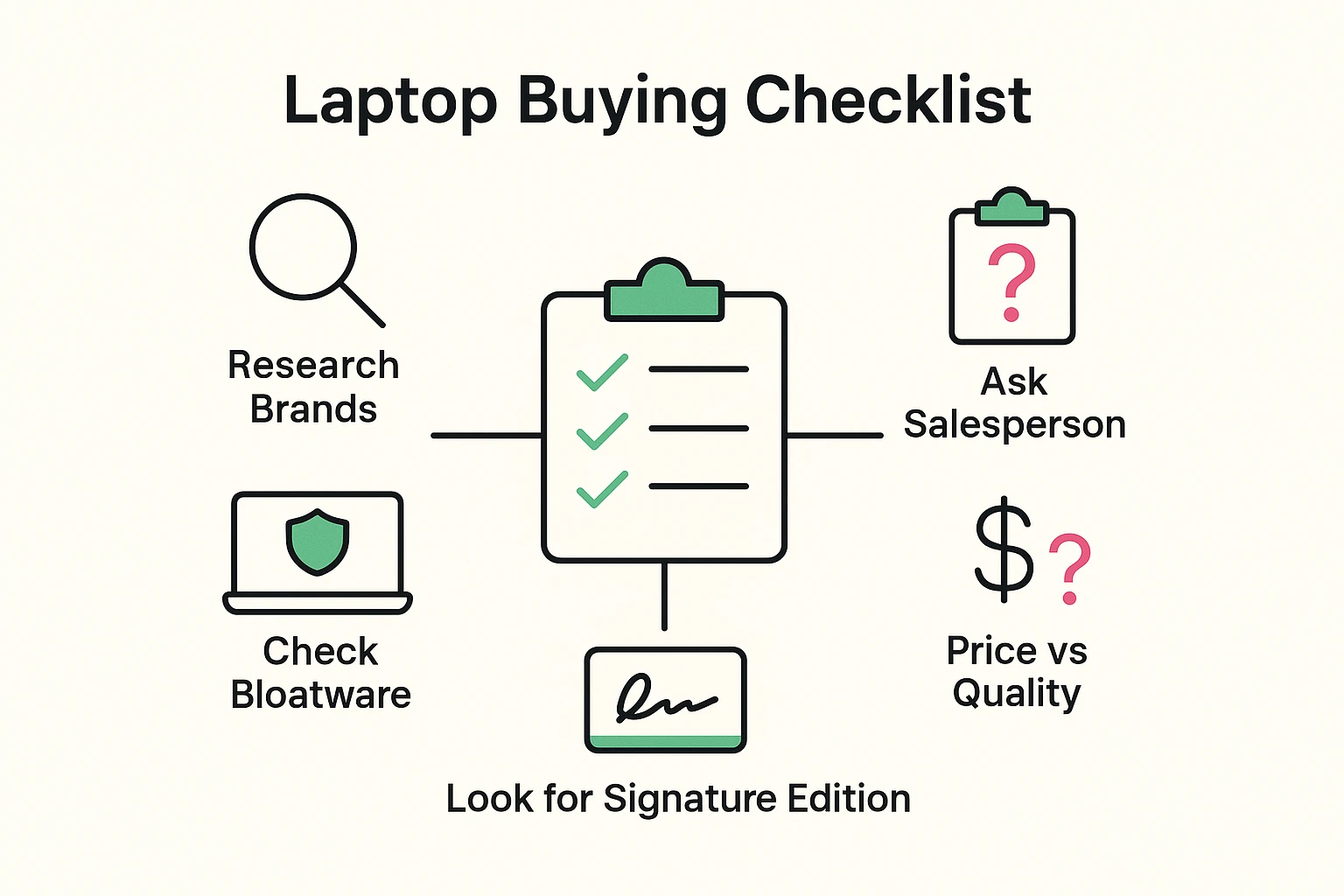
Heading to the store or browsing Amazon? Don’t go in unarmed. Here is a simple checklist to keep you focused on finding a clean machine.
Don’t panic. You didn’t ruin anything. You just have a little spring cleaning to do.
You can remove bloatware. The key is to take it slow. Go to your Settings, click on Apps, and look at the list.
If you see a game like “Candy Crush Saga” and you hate candy, click Uninstall. If you see a “Trial” for an antivirus you don’t want to pay for, you can uninstall that too (just make sure you enable the free, built-in Windows Defender security first).
The Golden Rule: If you don’t know what a program does, leave it alone. It’s better to have a slightly cluttered computer than one that doesn’t know how to connect to the internet because you accidentally deleted the driver.
No! Some of it is vital. Things like “Realtek Audio” or “Intel Graphics Command Center” help your computer’s parts talk to each other. “Bloatware” specifically refers to the marketing stuff—trials, games, and shopping links.
For most seniors, the built-in Windows Security (formerly Windows Defender) is excellent. It is free, updates automatically, and doesn’t nag you to upgrade to a “Pro” version every Tuesday.
Because you paid the full price for the hardware. On cheaper laptops, the manufacturer uses the payments from software companies to lower the price tag on the shelf.
A computer should be a tool that helps you connect with the world, not a billboard that screams at you in your own living room.
By taking a few extra minutes to research a “clean” laptop, you aren’t just buying a device; you are buying a frustration-free future. You’re buying a machine that starts when you want it to, listens to you, and leaves the clown car at the circus where it belongs.