Newsletter Subscribe
Enter your email address below and subscribe to our newsletter

Enter your email address below and subscribe to our newsletter
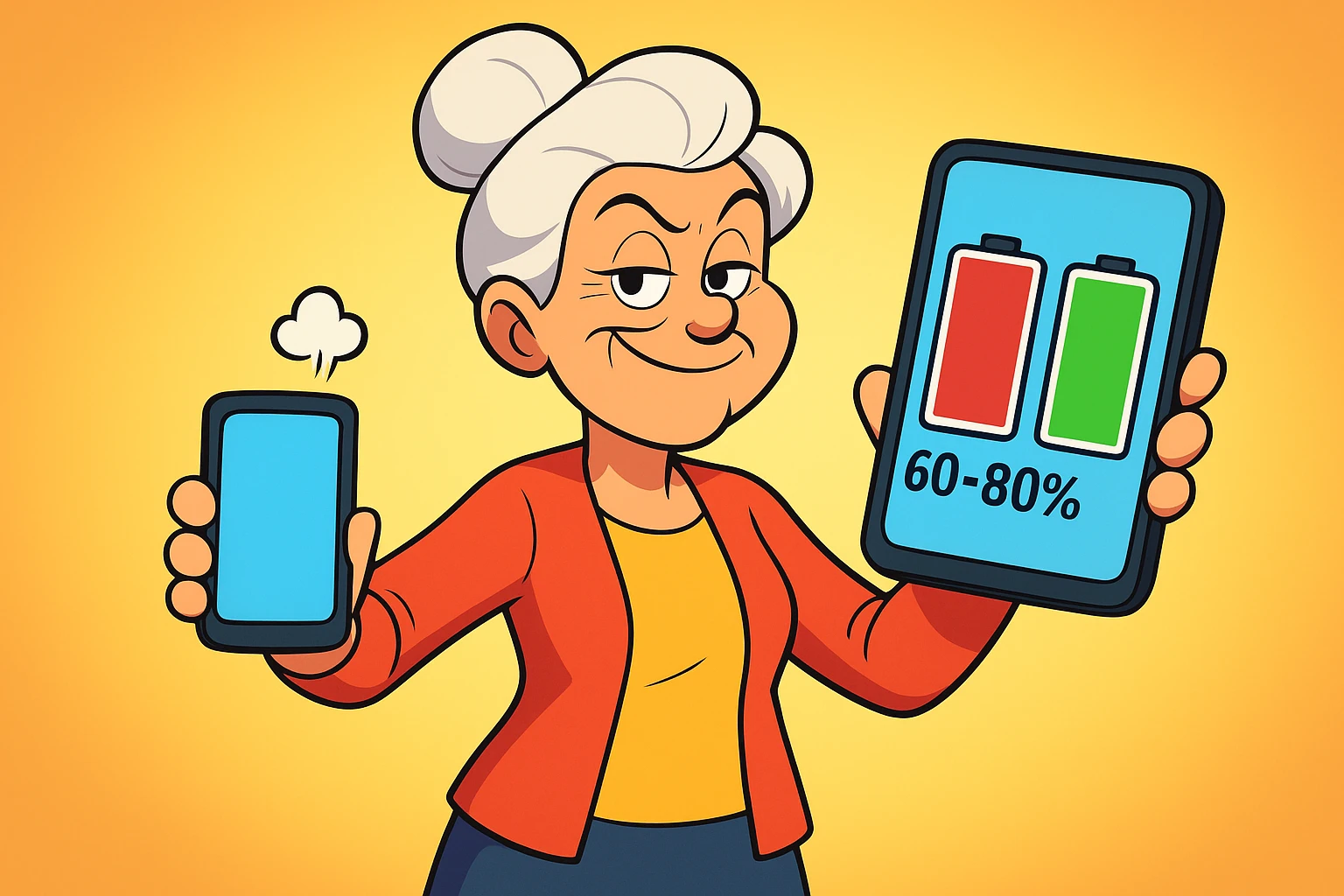
Learn proven tips to extend your device battery life and health with effective charging habits and simple daily tweaks.
You’ve been there. You’re about to capture a picture of your grandchild’s first magnificent finger painting—a masterpiece of smeared peas and artistic vision—when your phone screen goes black. The dreaded low-battery symbol flashes once, like a final, sad wink, and then vanishes. Your phone is now as useful as a chocolate teapot. The moment is gone, lost to the great digital abyss.
If your device’s battery life feels shorter than a commercial break, you’re not imagining things. That little power pack inside your phone or laptop is working harder than ever, and like all of us, it gets tired over time. But here’s the good news: you don’t need an engineering degree to give it a longer, happier life.
Think of your battery not as a mysterious black box, but as a tiny, rechargeable powerhouse that needs a little TLC. We’re going to bust some myths, learn a few simple tricks, and turn you into the boss of your battery.
Inside your sleek phone is a lithium-ion battery. The best way to picture it is like a tiny gym. When you charge it, little energy particles (ions) run from one side of the gym to the other. When you use your phone, they run back. This marathon happens every time you charge and discharge.
But just like a marathon runner, these particles get a little worn out after a while. After about 500 of these full “laps,” or charge cycles, a typical battery can only hold about 80% of its original charge. For most people, that’s roughly two to three years of use before you start noticing a real difference. It’s not your fault; it’s just science.
You’ve probably heard all sorts of advice on charging. “Let it die completely!” your neighbor insists. “Never charge it overnight!” your nephew warns. It’s enough to make you want to go back to a rotary phone. Let’s clear things up with what actually works.
The golden rule for modern batteries is the 20-80 Rule. The idea is to keep your battery’s charge level between 20% and 80% most of the time. Letting it drop to zero or constantly pushing it to 100% puts stress on the battery’s chemistry, like forcing a marathon runner to sprint the whole way. Keeping it in that happy middle zone can significantly prolong its lifespan.
Another battery-killer is heat. Remember that stat about 85% of us using our phones while they charge? Doing that, especially with power-hungry apps, generates heat, which is the ultimate enemy of battery health. A warm phone is a stressed phone.
This simple chart shows the difference between common habits and the healthier 20-80 approach.
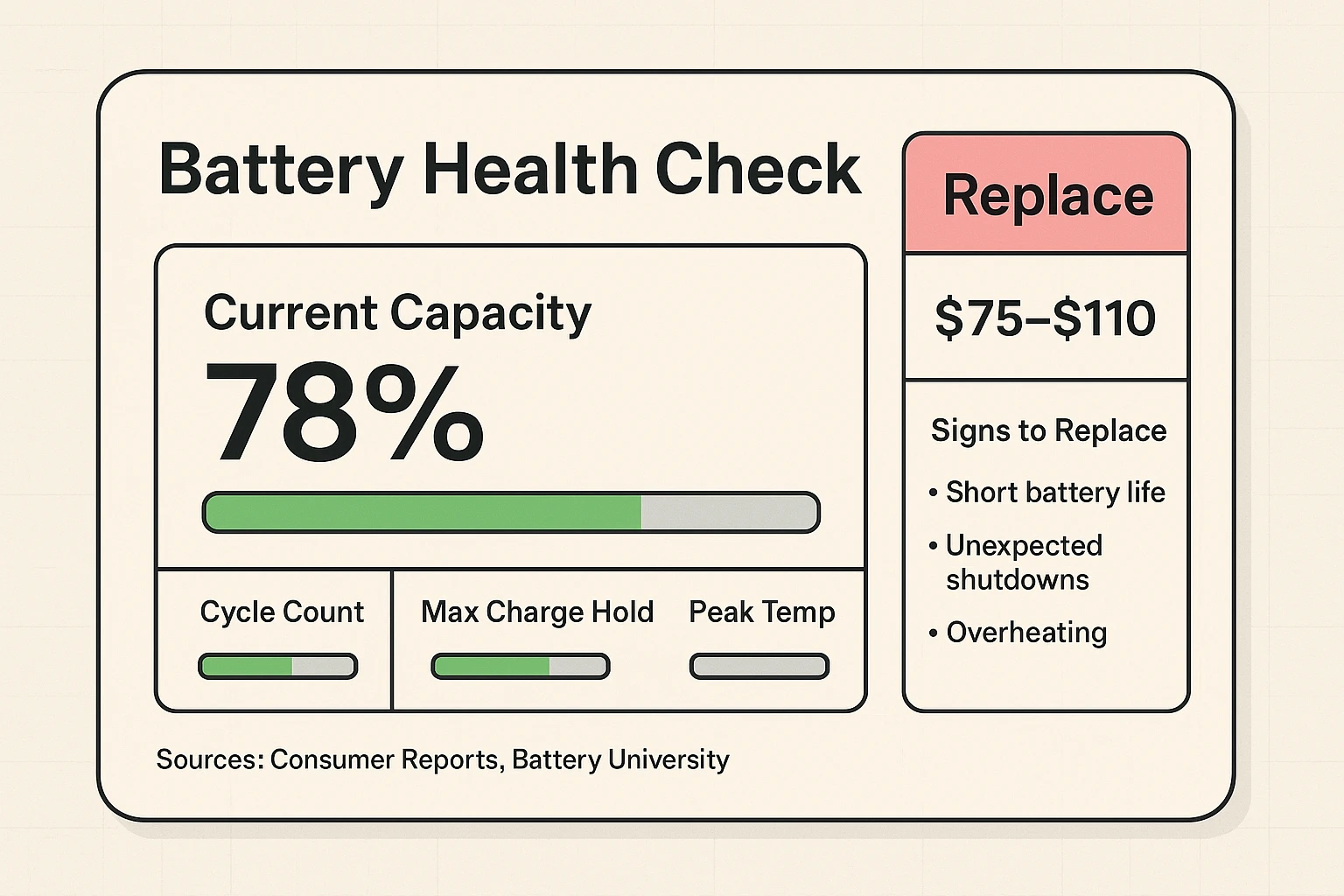
So how do you know if your battery is just having a bad day or if it’s ready for retirement? Your device will give you some pretty clear warning signs.
You might notice it drains faster than a bathtub with the plug pulled. Or maybe your phone suddenly shuts down even when it says it has 30% battery left. Sometimes, it might even feel unusually warm to the touch. In the worst-case scenario, a failing battery can swell up, causing the phone’s case to bulge. If you see that, get it looked at immediately!
Most modern phones have a “Battery Health” setting (on iPhones, it’s under Settings > Battery > Battery Health & Charging). This gives you a percentage of its original capacity. If it’s below 80%, you’ll likely feel the decline in performance.
Deciding whether to replace the battery can feel like a big decision. This little diagnostic card can help you weigh the signs.
You don’t have to overhaul your entire digital life to save battery. A few small tweaks can make a huge difference, both for your daily usage and the battery’s long-term health. Modern phones with AI-powered charging can even reduce battery wear by 10-15% on their own, but you can help them along.
Think of these as the simple stretches you do before a workout. They’re easy, they don’t take much time, and they prevent a lot of pain later. Turning down screen brightness, for example, is one of the single biggest battery-savers. Another is using Wi-Fi instead of cellular data whenever possible, as it uses less power.
Here’s a quick cheat sheet with some of the most effective settings to adjust.
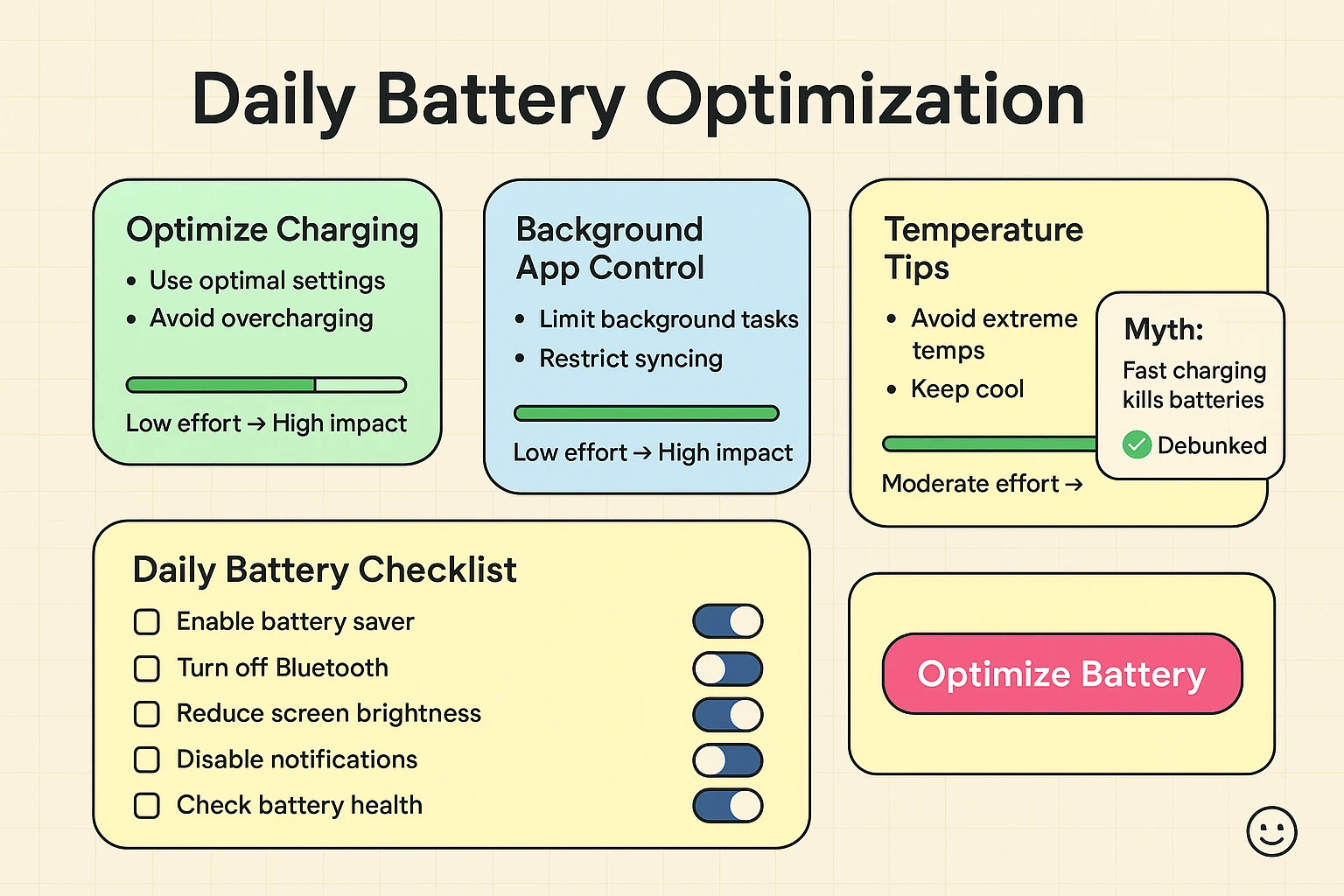
The world of technology is full of old wives’ tales, and batteries are no exception. Let’s put a few of the most stubborn ones to rest for good.
This was true for old nickel-cadmium batteries, which could develop a “memory” effect. Modern lithium-ion batteries have no such problem. In fact, as we’ve learned, they’re much happier when you don’t let them drain completely.
Your smartphone is smarter than that. Once it hits 100%, it automatically stops charging the battery and just draws enough power to stay on. It’s perfectly safe.
This one seems logical, but it can actually do the opposite. When you close an app, your phone has to use more power to reload it from scratch the next time you open it. It’s better to let your phone’s operating system manage the apps in the background.
It can be risky. While many work fine, some aren’t built to the same safety standards and can deliver inconsistent power, which isn’t great for your battery. It’s always safest to use the charger that came with your device or one from a reputable brand.
Absolutely. Your phone’s battery has an ideal comfort zone, just like you do. Extreme cold can temporarily reduce its capacity, while high heat (like leaving it in a hot car) can cause permanent damage.
It depends. According to Consumer Reports, a professional battery replacement can cost anywhere from $50 to $100. If your phone is otherwise in good shape and you’re happy with it, replacing the battery can be a great way to get another year or two out of it for a fraction of the cost of a new device.
See? You don’t need to be a tech wizard to keep your battery in tip-top shape. By adopting a few healthy habits—like following the 20-80 rule, keeping your device from overheating, and tweaking a few settings—you can extend its daily life and its overall lifespan.
You are now officially in control. The next time you’re about to capture that priceless photo, you can do so with confidence, knowing your phone won’t bail on you at the critical moment. Go ahead, take that picture. Your battery is ready.