Newsletter Subscribe
Enter your email address below and subscribe to our newsletter

Enter your email address below and subscribe to our newsletter
Have you ever stared at your credit card statement and realized you are currently paying for enough streaming services to entertain a small country? You have Netflix for the movies, Hulu for the TV shows, Disney+ because the grandkids visited three months ago (and you forgot to cancel), and something called “Peacock” that you’re pretty sure you only signed up for to watch one specific football game.
It’s the modern version of cable clutter, but instead of a dusty box on your TV, it’s a slow leak in your bank account.
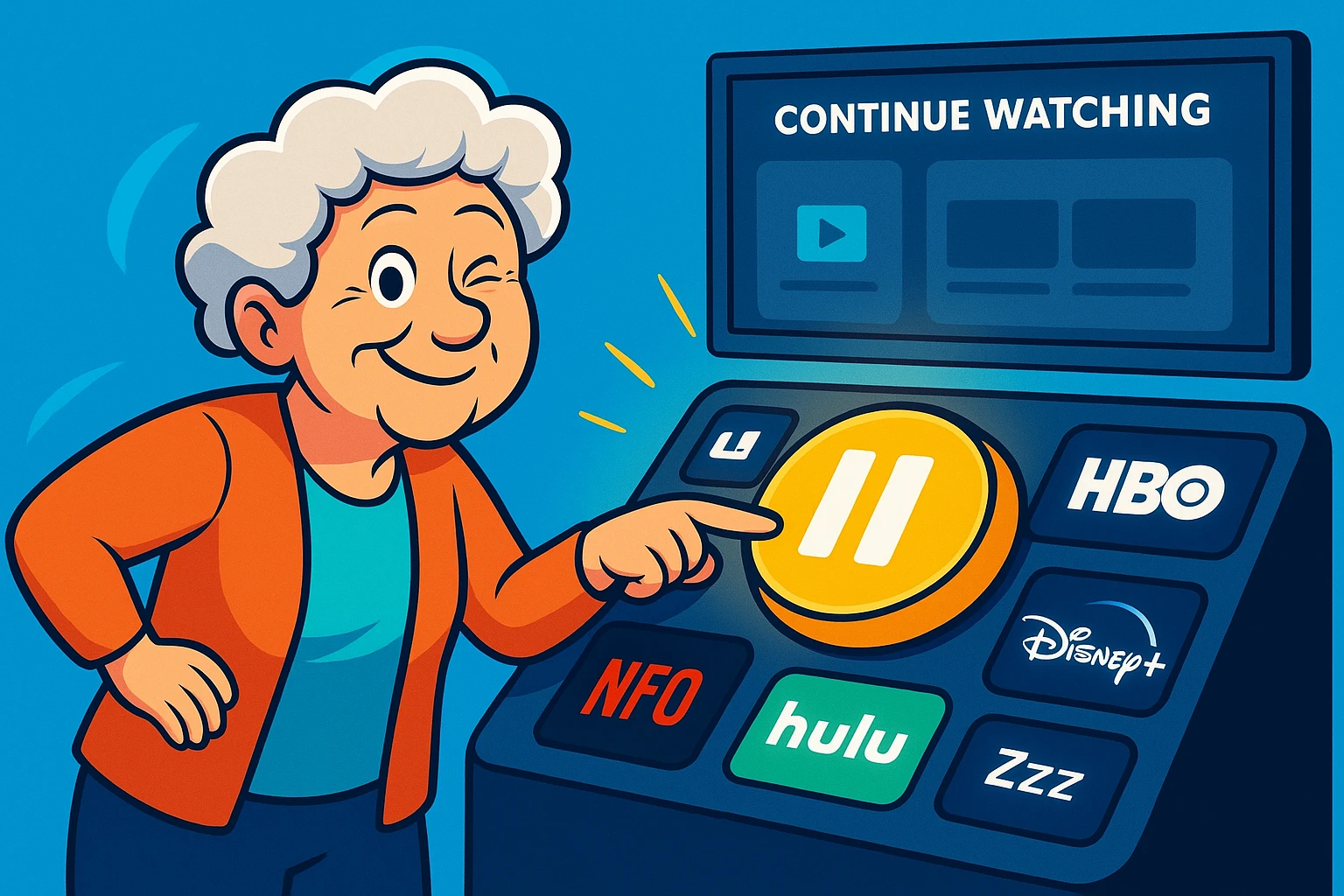
Here is the dilemma: You want to stop paying for a few months—maybe you’re going on a long vacation, or maybe you just want to save $50 a month. But you are terrified that if you hit “Cancel,” the streaming service will burn your permanent record. You worry that your “Continue Watching” list will vanish, and the algorithm that finally learned you prefer The Great British Baking Show over Chainsaw Massacre 4 will reset to zero.
The good news? You don’t have to choose between your wallet and your watch history. It is entirely possible to take a break from these services without blowing up your digital profile. Welcome to the art of the “Strategic Pause.”
In the old days, if you canceled a magazine subscription, the publisher stopped sending magazines and promptly forgot you existed. Streaming works differently. These companies are desperate to get you back, so they treat “canceling” less like a goodbye and more like a “see you later.”
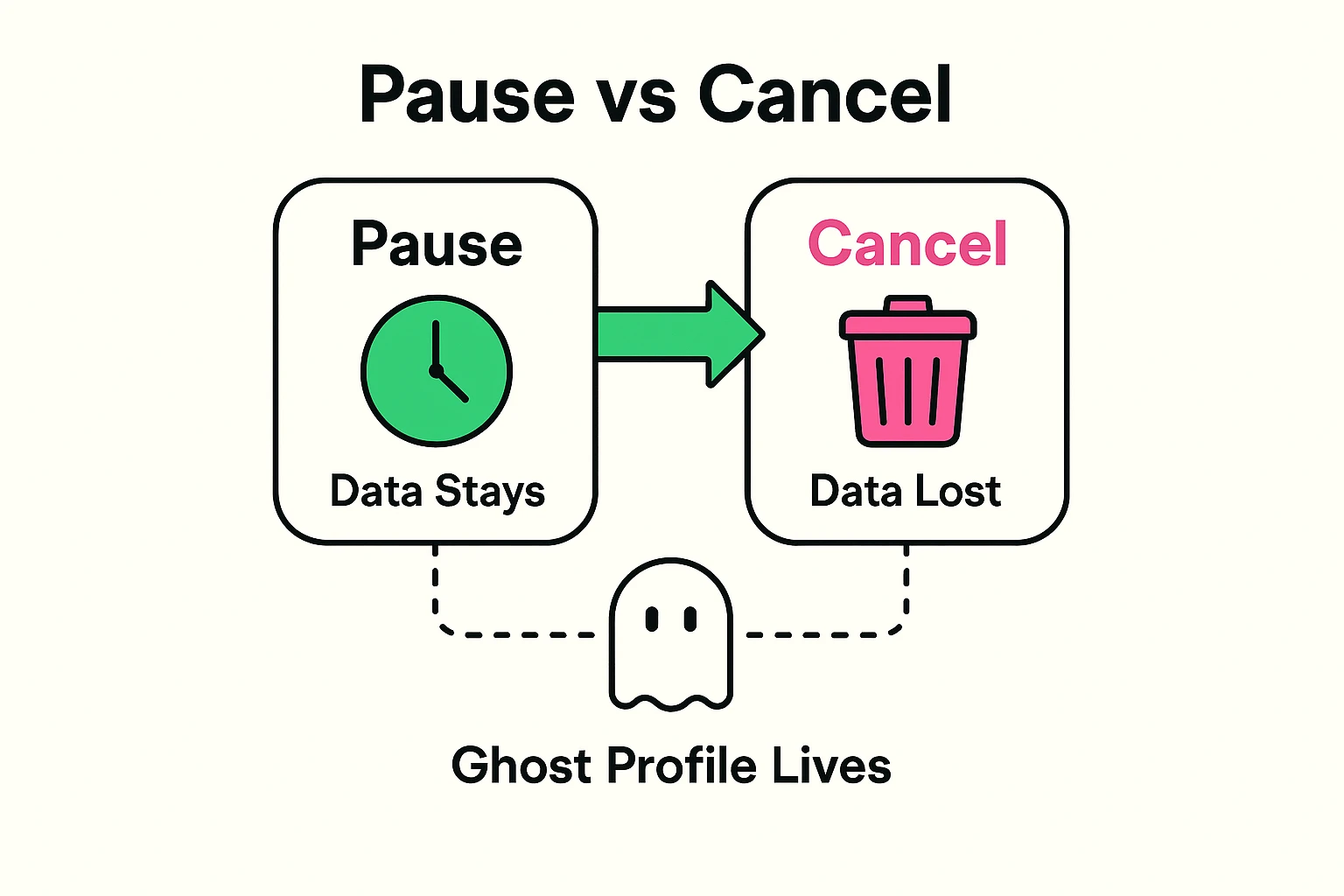
When you stop paying for a service like Netflix or Max (formerly HBO Max), you are essentially putting your account into hibernation. You lose access to the movies, but your “Ghost Profile” remains on their servers.
This means your “My List,” your viewing history, and your profile preferences are preserved in a digital deep freeze. The goal isn’t to delete your account (which wipes everything); the goal is to stop the billing cycle while keeping your profile alive.
Instead of paying for five services every month, many savvy seniors are moving toward Strategic Rotation. This means you subscribe to Netflix for three months to watch your favorite dramas, then “pause” it to switch to Hulu for the spring.
By the time you rotate back to Netflix, your profile is exactly where you left it, but you’ve saved hundreds of dollars in the process.
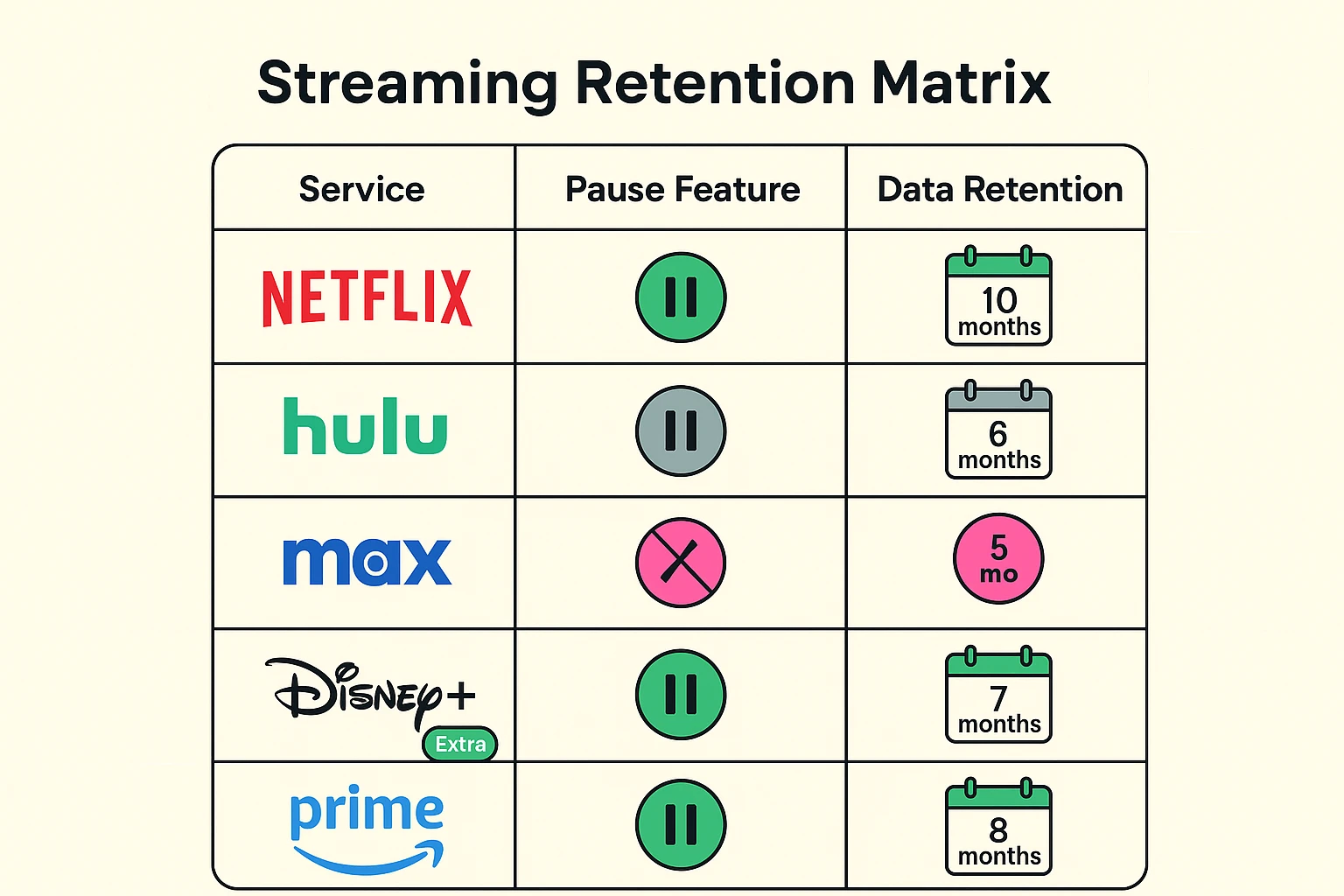
Not all services treat your data the same way. Some have a formalized “Pause” button, while others require you to cancel to stop billing, promising to hold your data for a specific time. Here is the breakdown of the major players.
Hulu is one of the few services that actually understands the definition of the word “Pause.” They have a built-in feature that allows you to put your subscription on hold for up to 12 weeks.
During this time, you are not charged, and you can’t watch anything. But the moment the 12 weeks are up (or if you manually reactivate earlier), everything is exactly as you left it. This is perfect for snowbirds or long vacations.
Netflix does not have a “Pause” button. To stop paying, you have to hit “Cancel Membership.” However, Netflix has a very generous memory.
They keep your viewing history, “My List,” and recommendations for 10 months after you stop paying. If you restart your membership anytime within that window, it’s like you never left. If you wait 10 months and one day, however, you are starting from scratch.
Disney+ and Max operate similarly to Netflix—you must cancel to stop billing. However, their policies on data retention are much looser (and in your favor).
Currently, these services tend to keep user profiles indefinitely, provided you use the same email address when you sign up again. They want to reduce the “friction” of you coming back, so they hold onto your data hoping for your return.
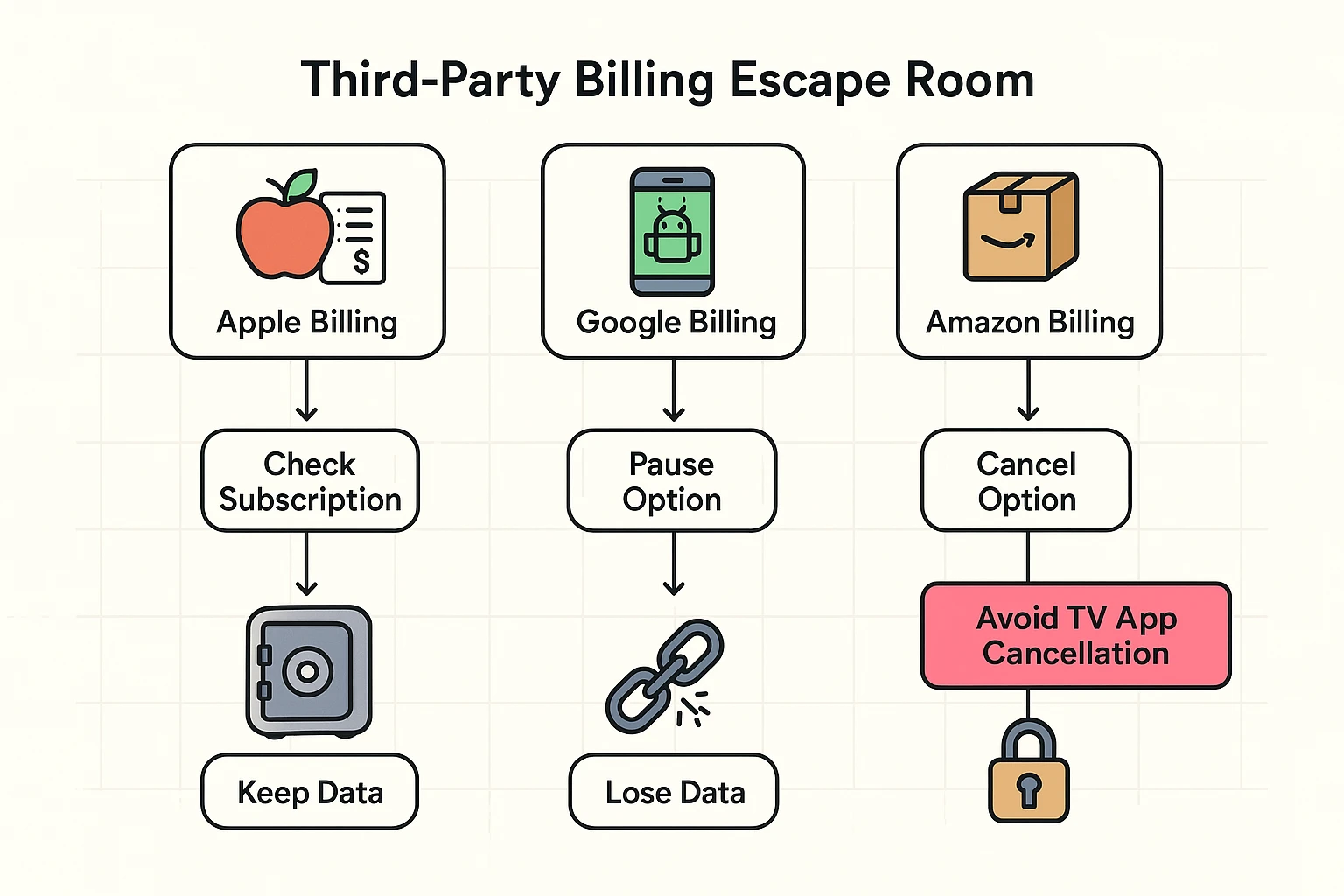
Here is where things get sticky. You might decide right now, “I’m going to pause Hulu!” You open the app on your iPad or your Smart TV, look for the button, and… it’s not there.
This usually happens because of Third-Party Billing. If you signed up for Hulu through your iPhone (Apple), your Amazon Fire Stick, or your Roku, those companies are the ones charging your credit card, not Hulu directly.
To pause or cancel these, you often have to go into the subscription settings of your device, not the streaming app itself. It is a digital maze designed to make you give up and just keep paying.
The Golden Rule: Always try to manage your subscriptions through a web browser on a computer (like Chrome or Safari) rather than the app on your TV or phone. It gives you the most control.
You might be worried that taking a break will ruin your recommendations. If you stop watching for three months, will Netflix think you’re a different person?
The short answer is: No. Your algorithm is based on what you watched, not when you watched it.
However, you might miss out on the “New & Trendy” wave. When you return after a three-month break, your “Recommended for You” section might look a little dated until you watch a show or two. This is actually a good thing—it breaks the echo chamber and might help you find something you missed while you were away.
Yes. If you are the primary account holder and you cancel or pause, everyone on your plan loses access immediately at the end of the billing cycle. You might want to warn them before they sit down for movie night!
Bundles are harder to pause. Usually, the “Pause” feature (like the one on Hulu) is disabled for bundle subscribers. You typically have to cancel the whole bundle and resubscribe later.
It might. This is the one risk of pausing. If you are on a “Legacy Plan” (an old price they don’t offer anymore), canceling means you lose that price forever. When you sign up again, you have to pay the current market rate.
You likely won’t get a warning email saying “We are about to delete your history.” If you are using the strategic rotation method, set a reminder in your calendar for 9 months out to log back in (even for just one month) to reset the clock.
Technology often feels like a runaway train, but remember: you are the one paying the bill. You are the conductor.
By treating your streaming subscriptions like a utility that you can turn on and off, rather than a lifetime commitment, you keep your digital life decluttered and your bank account happy. So go ahead, hit that pause button. Your shows will be right there waiting for you when you get back.