
Newsletter Subscribe
Enter your email address below and subscribe to our newsletter

Enter your email address below and subscribe to our newsletter
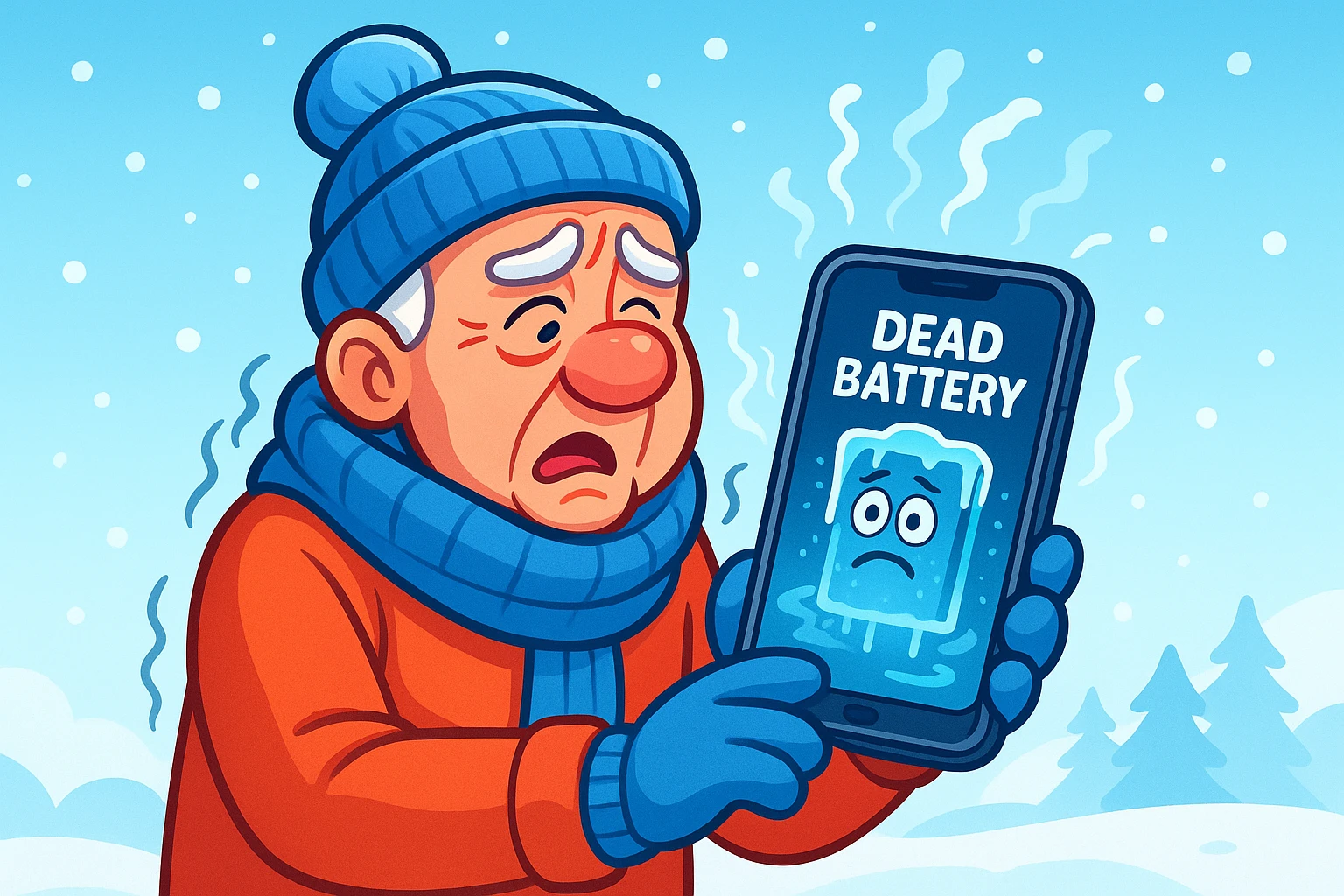
Picture this: You are enjoying a crisp winter walk, feeling very hardy and outdoorsy. You spot a cardinal sitting on a snow-covered branch—a perfect photo opportunity. You reach for your smartphone, which showed a respectable 40% battery just ten minutes ago. You frame the shot, tap the screen, and… nothing.
The screen goes black. It has decided, quite suddenly, to take a nap.
It’s the digital equivalent of your car deciding to stop in the middle of the highway because it “just doesn’t feel like it right now.” You press the power button frantically. You plead. You may even use language that would make the cardinal blush. But the phone remains a dark, expensive brick until you get back inside and plug it in, where it miraculously jumps back to life showing 35% battery.
What just happened? Did your phone lie to you? Is it broken?
Good news: Your phone isn’t broken, and you aren’t crazy. Your device is just experiencing the technological version of shivering. Cold weather is kryptonite to modern electronics, and for seniors who rely on phones for maps, medical alerts, or staying in touch with grandkids, a sudden shutdown isn’t just annoying—it’s a safety issue.
Let’s dive into the chilly science of why this happens and, more importantly, the three-step protocol to stop it.
To understand why your phone quits on you in February, you have to understand what’s happening inside that slim metal case.
Inside your smartphone is a Lithium-Ion battery. Think of the electricity inside it not as a magical cloud, but as a team of tiny runners (ions) passing a baton back and forth between two ends of a pool. When it’s warm, the liquid they swim through (the electrolyte) is like water. The runners are fast, zippy, and energetic.
But when the temperature drops below freezing, that liquid chemically changes. It becomes thick and sluggish—like honey or molasses.
Suddenly, those little runners are trying to wade through sludge. They are still there, and they still have energy, but they can’t move fast enough to power the screen, the GPS, and the cellular radio all at once.
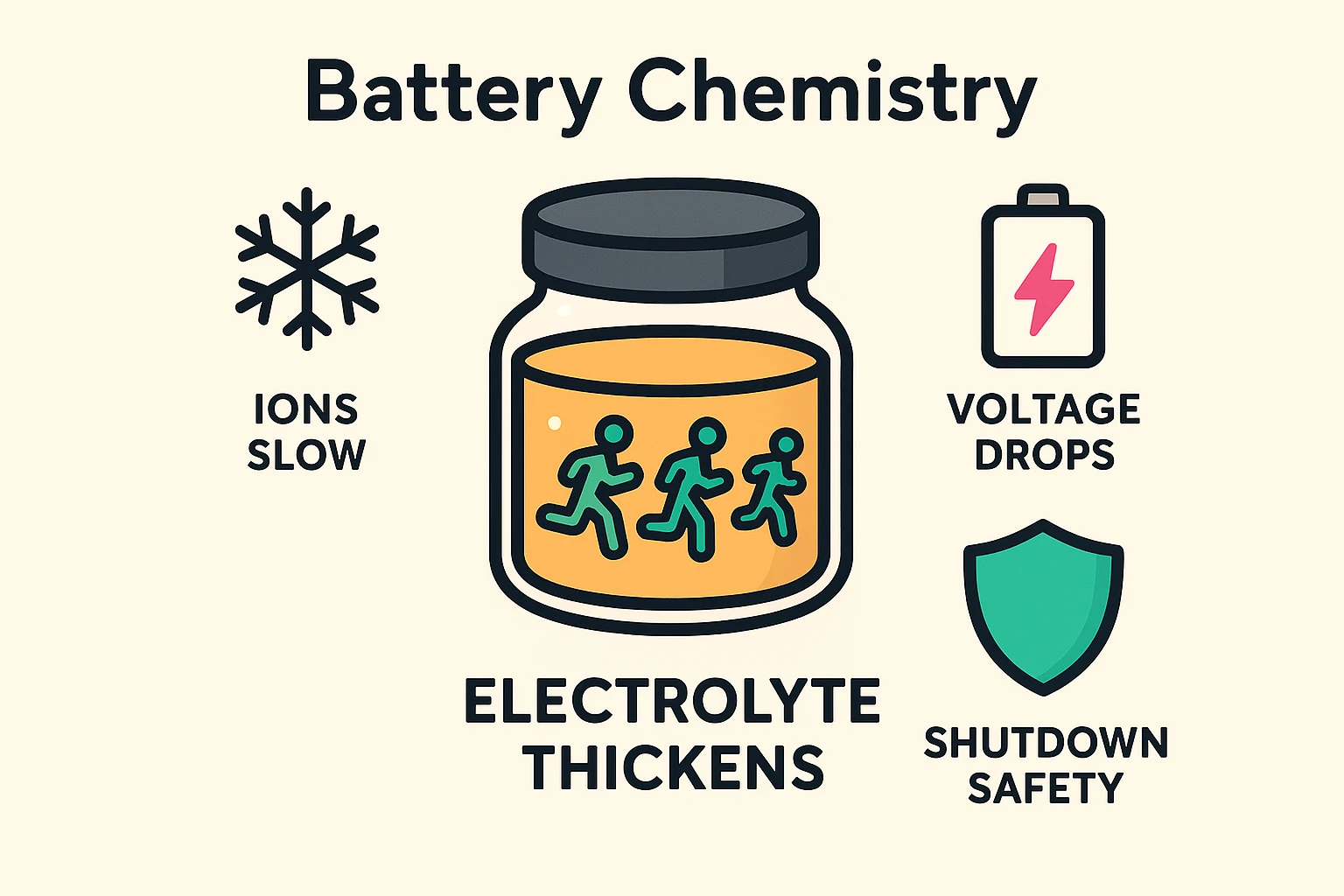
Here is the “aha” moment: Your phone is programmed to protect itself. When the “runners” slow down, the voltage drops. The phone’s brain sees this sudden drop, panics, thinks the battery is empty, and initiates an emergency shutdown to prevent damage.
It didn’t run out of power; it just couldn’t reach the power it had. It’s like having a full tank of gas in your car, but the fuel line is frozen.
Now that we know the enemy is physics, how do we defeat it? We have developed a simple Three-Phase Protocol specifically for seniors who want to stay safe and connected when the temperature plunges.
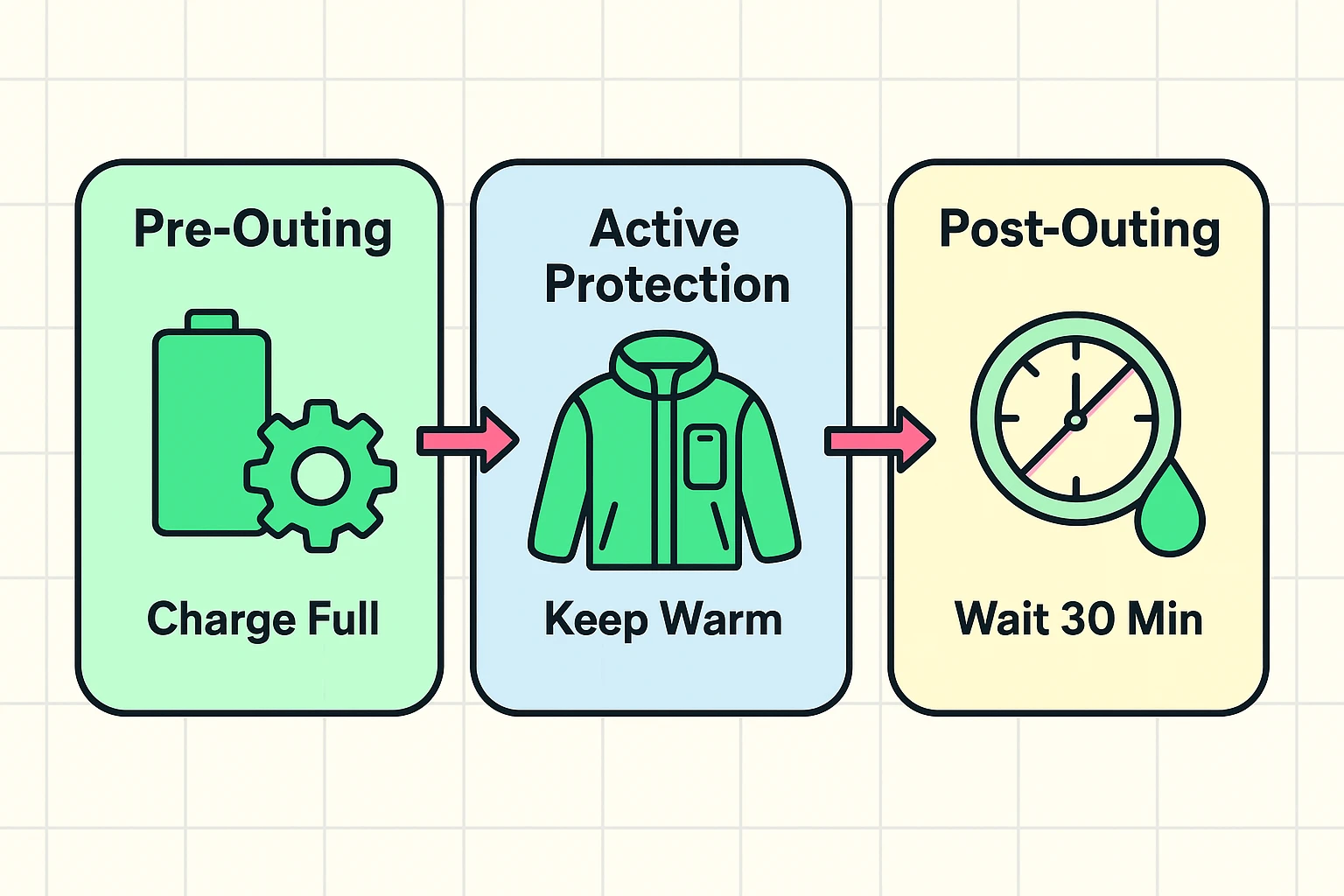
Before you even put on your boots, you need to prep your digital companion.
This is where most people make a mistake. They toss the phone in their purse or the outer pocket of their puffy coat.
You’ve returned home. You are cold, the phone is cold. You walk into your warm house and immediately plug the phone into the charger.
STOP! Do not pass Go. Do not collect $200.
This is the “Dew Point” Danger. Have you ever noticed how your glasses fog up instantly when you walk into a warm building after being outside? That is condensation—water vapor turning into liquid.
That same “sweating” happens inside your phone if you warm it up too fast. If you plug electricity into a phone that has moisture inside it, you can short-circuit the motherboard.
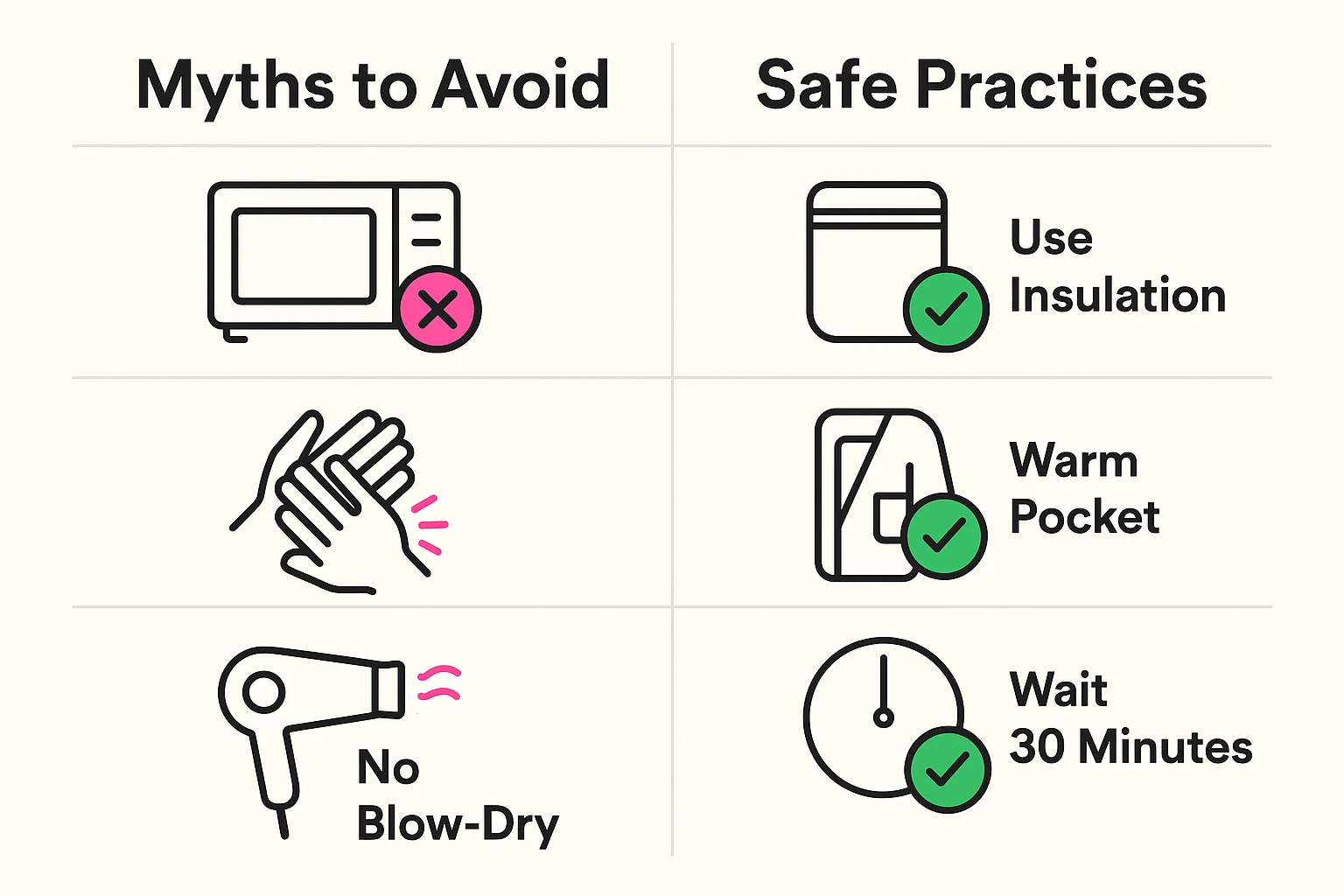
The Golden Rule of Re-Entry: Let your phone sit on the kitchen counter for at least 30 minutes before plugging it in. Let it warm up to room temperature naturally.
In the panic of a dead phone, people do strange things. Let’s debunk a few dangerous ideas before you try them.
If you use assistive technology, the cold raises the stakes.
Usually, no. Once the battery returns to room temperature, the “molasses” turns back into liquid, and the ions flow normally again. However, repeatedly freezing and thawing a battery can shorten its lifespan over time.?
In winter? Absolutely not. A car acts like a refrigerator. An hour in a freezing car can drop the battery temperature enough to cause a total shutdown. Take it with you.
If you spend a lot of time outdoors (skiing, long walks), yes. Products like the “Phoozy” are essentially space-suit sleeping bags for your phone. But for most people, an inner coat pocket works just fine.
Technology is wonderful, but it is also a bit of a diva when it comes to the weather. It likes the same temperatures you do: not too hot, not too cold.
By keeping your device charged, keeping it close to your body heat, and letting it warm up slowly when you get home, you avoid the frustration of the “black screen of death.” You stay connected, you stay safe, and you can get back to photographing those frozen squirrels.





