Newsletter Subscribe
Enter your email address below and subscribe to our newsletter

Enter your email address below and subscribe to our newsletter
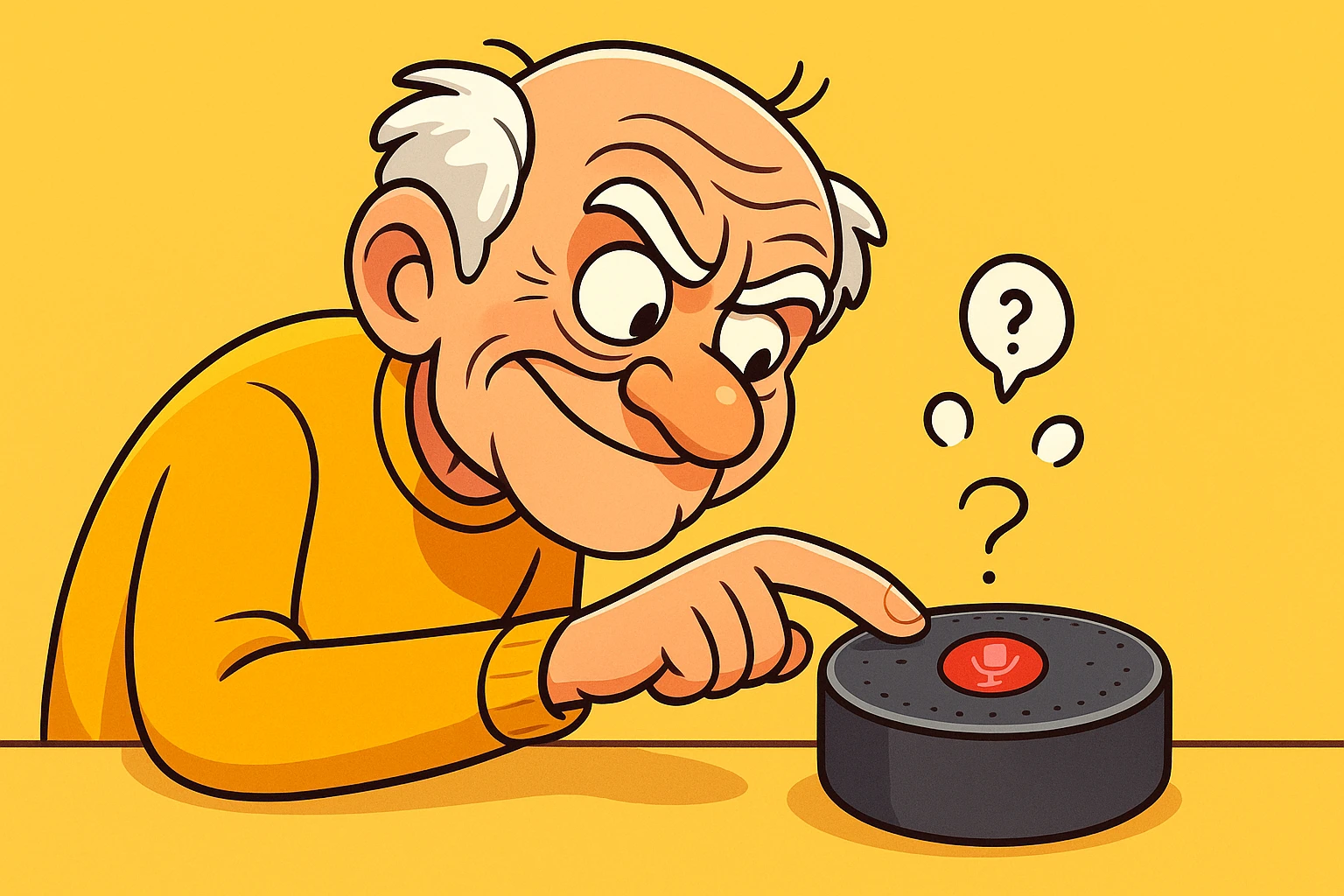
Have you ever been sitting in your comfortable recliner, discussing something incredibly specific with your spouse—like how your left knee makes a concerning clicking sound when it rains—only to open your computer ten minutes later and see an advertisement for “Knee-Be-Gone” herbal supplements?
It is enough to make you want to wrap your entire house in aluminum foil and communicate strictly via carrier pigeon.
If you own a smart speaker like an Amazon Echo (Alexa) or a Google Nest, that feeling of being spied on is a common side effect. We invite these little plastic pucks into our homes to play Sinatra and set egg timers, but in the back of our minds, there is a nagging question: Is this thing taking notes on my entire life?
You aren’t paranoid; you’re just paying attention. The good news is that the reality is less “international spy movie” and more “bored robot.” However, there are real privacy trade-offs you need to understand. Let’s pull back the curtain on how these devices actually work and, more importantly, how you can make sure you remain the master of your digital domain.
To understand your smart speaker, it helps to stop thinking of it as a high-tech computer and start thinking of it as a very well-trained, slightly napping dog.
Imagine you have a dog named “Rover.” Rover is sleeping by the fireplace. His ears are perked up. He hears the television, the tea kettle whistling, and you complaining about the weather. But he doesn’t care. He is effectively ignoring everything—until you say the magic word: “Rover.”
Suddenly, his eyes open, his tail wags, and he is ready for action.
Smart speakers work the exact same way. They have a microphone that is technically “on,” but it is in a state of passive listening. It is listening specifically for a “Wake Word” (like “Alexa,” “Hey Google,” or “Siri”).
Here is the important part: Until it hears that magic wake word, the device is usually processing sound locally within its own plastic shell. It isn’t sending your conversation about the neighbors to the “Cloud” (the giant computers owned by Amazon or Google). It listens in a loop of a few seconds, constantly deleting the audio if it doesn’t hear its name.
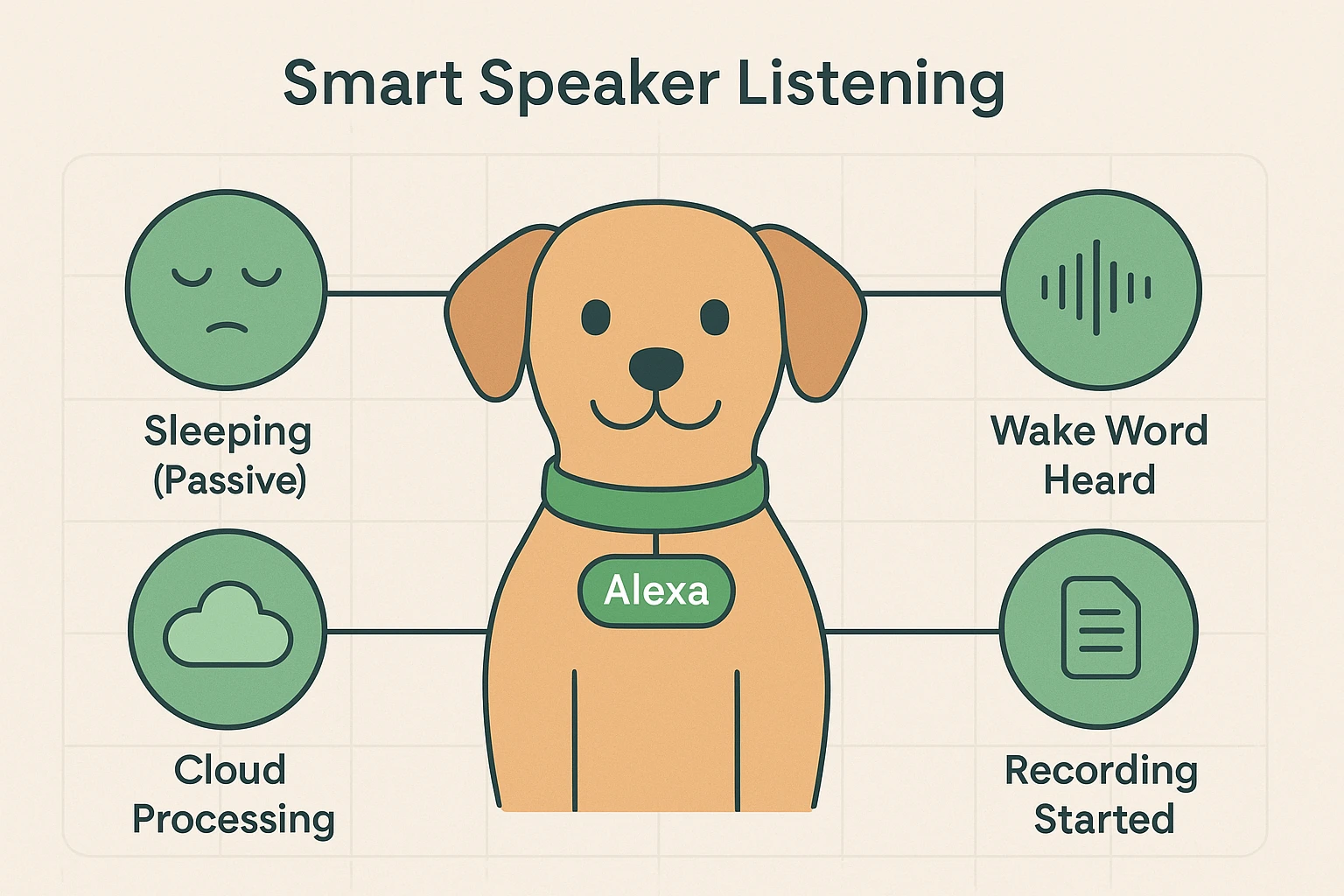
However, once you say “Alexa,” the dog wakes up. The device records what you say after the wake word and sends that specific command to the internet to get you an answer.
Sometimes, the dog thinks it heard its name, but you actually said “Alexandria” or “I like a” sandwich. This is a “false wake.” The device lights up, records a snippet, realizes you weren’t talking to it, and goes back to sleep. This is usually the source of those creepy moments where the speaker chimes in uninvited.
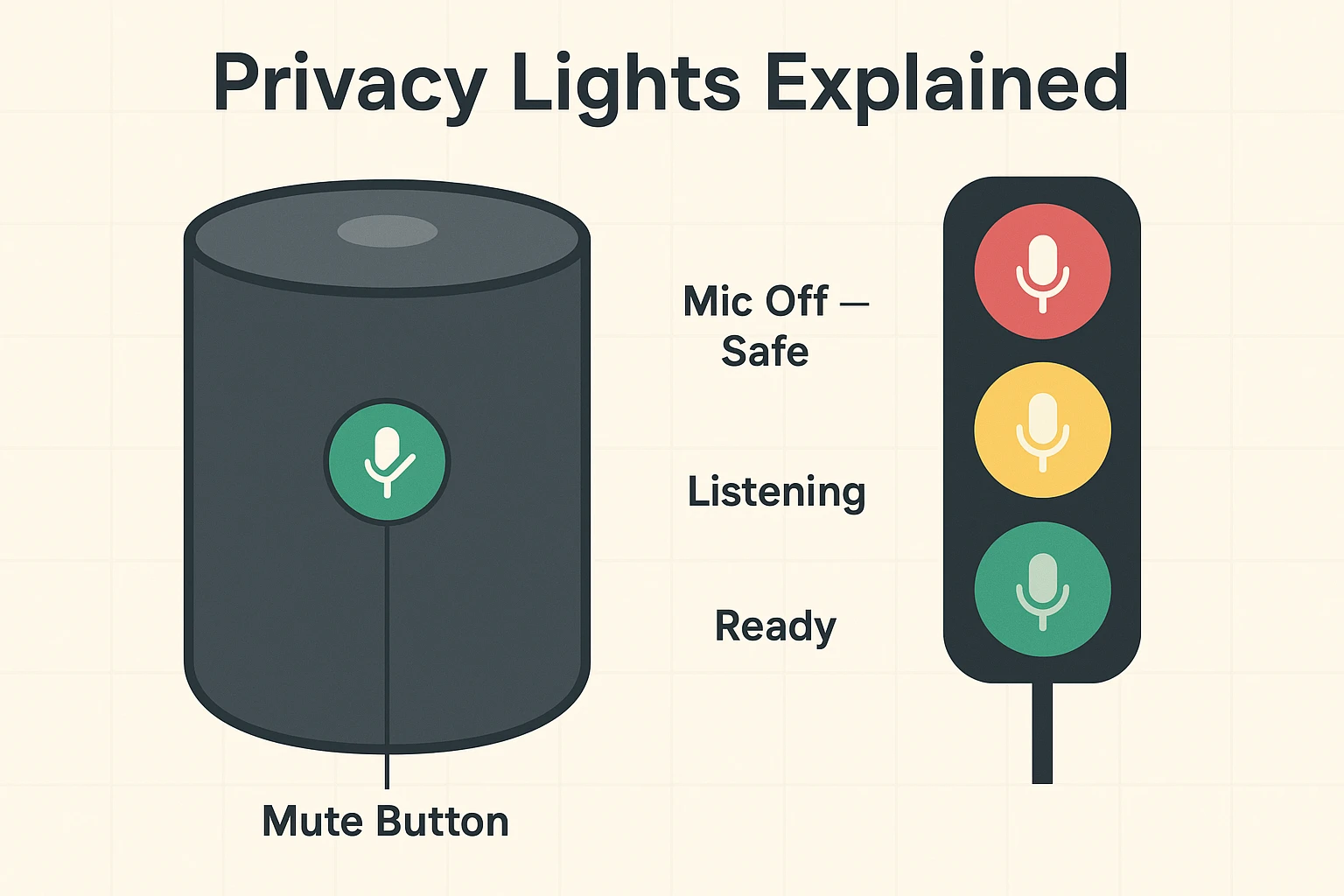
In the world of traffic, red means stop. In the world of banking, red means you’re in debt. But in the world of smart speakers, Red means Safe.
One of the biggest misconceptions seniors have is that they are helpless to stop the listening unless they unplug the device entirely. While unplugging works (it’s hard to spy without electricity), it also means you have to wait two minutes for the thing to reboot just to ask for the weather.
Every reputable smart speaker has a physical “Mute” button. It usually looks like a circle with a slash through it, or a simple microphone icon.
When you press this button, you are physically cutting the power to the microphones. It isn’t just a software request; it is a hardware disconnect. It is the equivalent of putting soundproof earmuffs on that sleeping dog.
You don’t need to keep it muted all day (otherwise, what’s the point of having it?), but we recommend hitting that button during:
The Traffic Light Rule:
Here is a detail the tech giants don’t advertise on the box. To teach these computers to understand human speech better—accents, slang, and mumbling included—companies like Amazon and Google sometimes use human reviewers to listen to a tiny fraction of anonymous voice recordings.
They claim this helps the robot learn. We claim it feels a little too much like someone eavesdropping on a party line.
The good news? You can opt out. The bad news? They bury the setting deep in the menus, and when you try to turn it off, they might show you a scary warning message.
When you try to delete your voice history or turn off human review, you might see a pop-up that says: “Warning: This may degrade your experience” or “Alexa may not understand you as well.”
Translation: “If you don’t let us study your voice, our computer might take a millisecond longer to understand you, or we might not improve as fast.”Our Advice: Ignore the warning. Your privacy is worth more than saving a millisecond.
You don’t need a degree in computer engineering to secure your living room. Here is a simple “Privacy Audit” you can do right now.
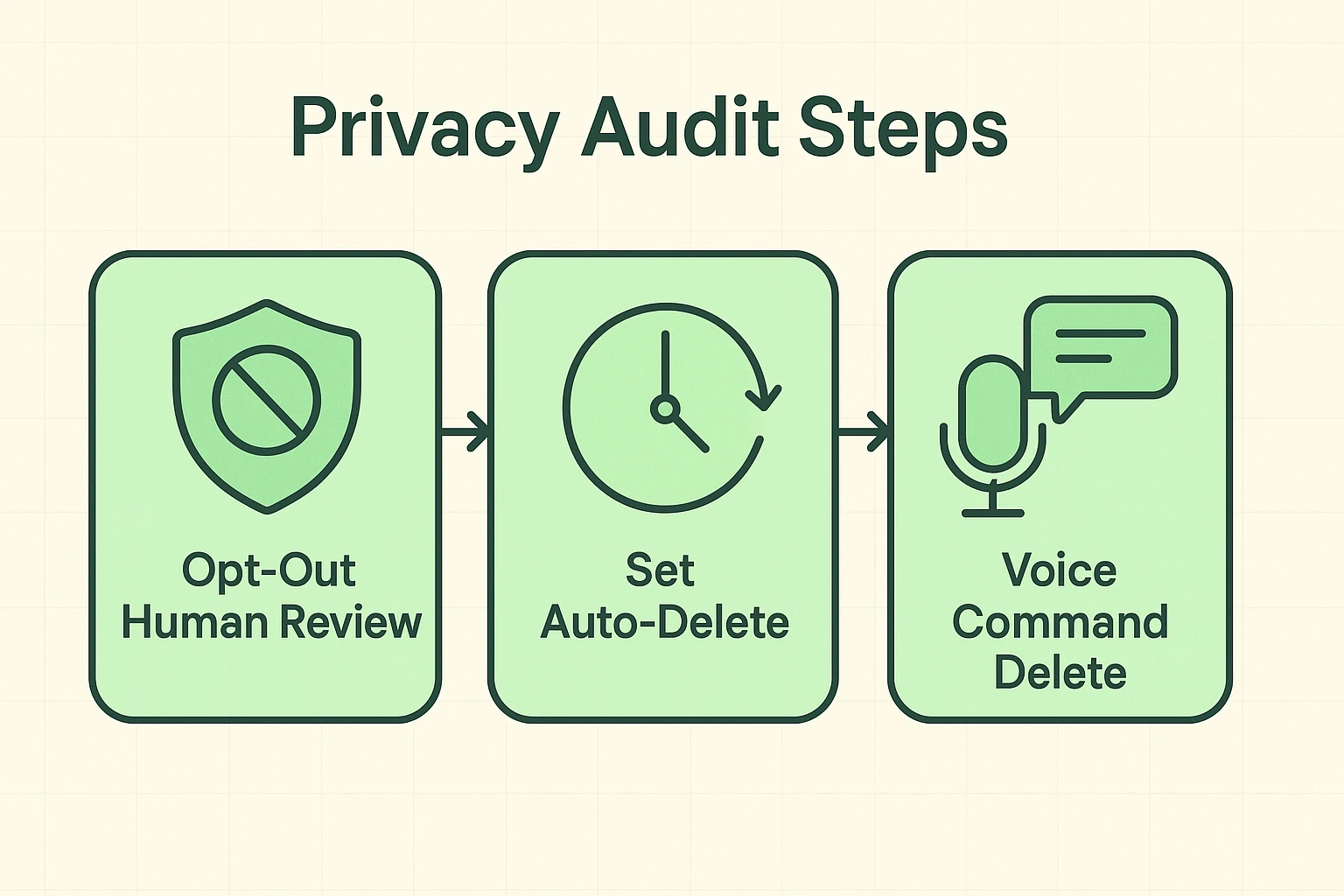
Did you know you can tell your speaker to forget what it just heard? If you accidentally trigger the device, or if you just feel weird about a question you asked, say this immediately:
Why keep a record of the weather you asked about in 2019? Go into your Alexa or Google Home app settings and look for “Privacy.” You can set your voice recordings to automatically delete every 3 months. This is a “set it and forget it” way to keep your digital footprint small.
Once you have your privacy settings locked down, you can go back to enjoying the benefits of the device without looking over your shoulder.
Smart speakers are actually wonderful tools for aging in place. They can remind you to take medication, turn on lights so you don’t trip in the dark, or call a family member if you can’t reach the phone.
It is technically possible but highly unlikely for the average person. The bigger risk isn’t a hacker in a hoodie; it’s the company using your data for advertising. Following the privacy steps above is your best defense.
This is usually a “False Wake.” The TV or a conversation sounded enough like “Alexa” to wake the dog. Check your app’s “Voice History” to see what it thought it heard. It can be quite funny!
You can’t start the music with your voice because it can’t hear you. However, you can use your smartphone app to select music and “cast” it to the speaker, even if the microphone is muted.
Technology should serve you, not scare you. By understanding the difference between the “sleeping dog” and the “recording robot,” and by using that handy red mute button, you can keep your smart speaker in the house without feeling like you’ve invited a spy to dinner.
Now, go ahead and ask Alexa for that banana bread recipe. Just remember to tell her to delete it afterward if you want to keep your secret ingredient… well, secret.