Newsletter Subscribe
Enter your email address below and subscribe to our newsletter

Enter your email address below and subscribe to our newsletter
Is there anything more universally dreaded than calling your internetThe Internet is a vast network of computers and other electronic devices connected globally, allowin... More provider? It ranks right up there with a root canal, an audit by the IRS, or trying to fold a fitted sheet. You dial the number, listen to forty-five minutes of smooth jazz saxophone that sounds like it’s being played underwater, and finally reach a human being whose sole job is to convince you that canceling your service will cause the earth to stop spinning on its axis.
Many of us stay with our current provider not because we like them, but because we fear the “breakup.” We worry about losing that email address we’ve had since 1999. We worry about hidden fees that pop up like whack-a-moles. We worry that if we switch, the new internet simply won’t work, and we’ll be cut off from Netflix, emailEmail, or electronic mail, is a digital communication tool that allows users to send and receive mes... More, and photos of the grandkids forever.
But here is the secret the cable companies don’t want you to know: You are in charge. Switching providers isn’t nuclear physics; it’s just paperwork. And with a little preparation, you can save money, get better service, and keep your sanity intact.
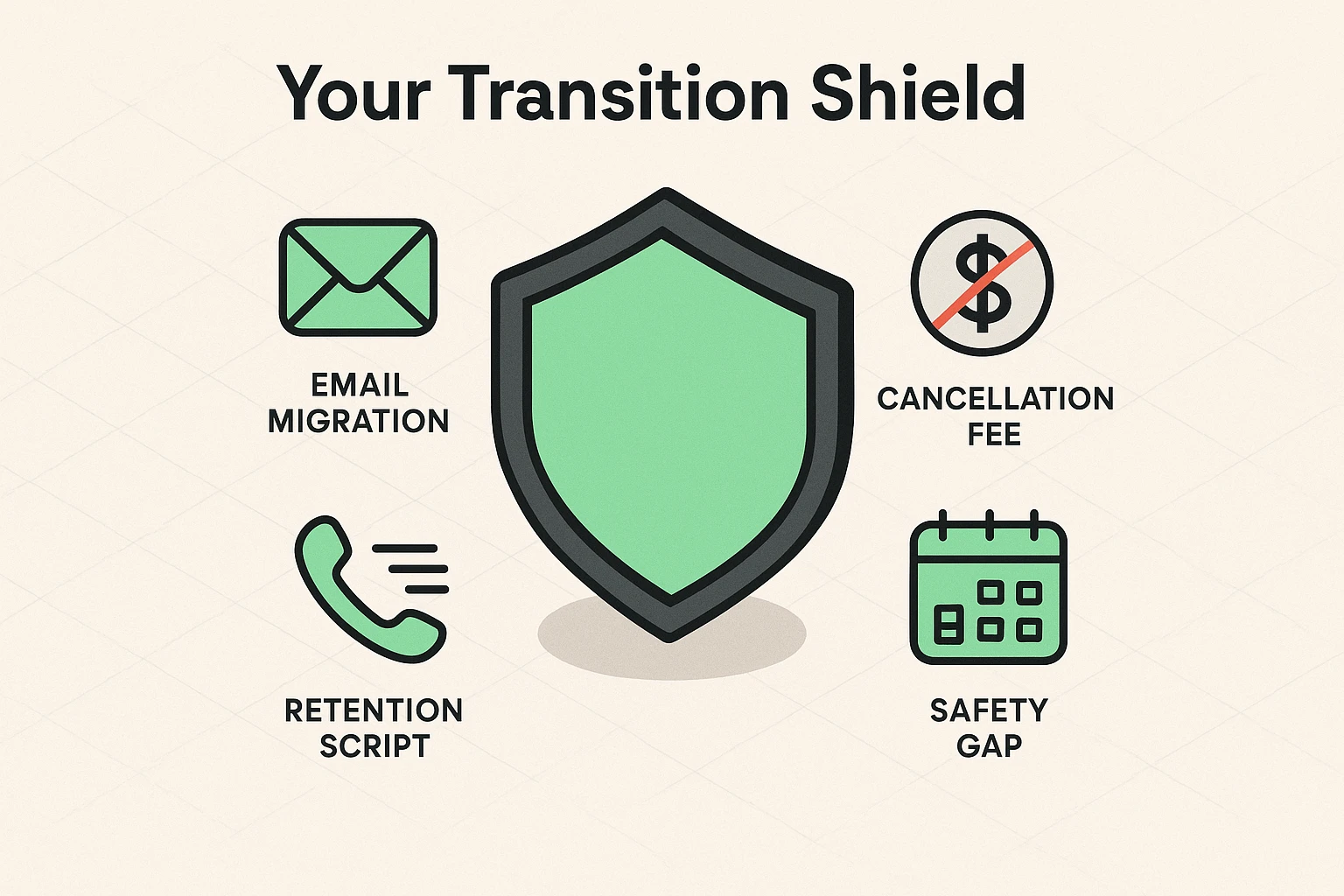
We have built this guide to be your “protective shield.” We aren’t just going to tell you to switch; we are going to give you the script, the strategy, and the confidence to do it.
First, let’s take a deep breath. You are not betraying a loved one by switching to a cheaper internet plan. You are simply changing utility providers. It is no different than switching from one brand of milk to another because the first brand suddenly raised the price to $15 a gallon.
However, internet companies love to make you feel like you are locked in a “contractual handcuff.” They use terms like “early termination fee” to scare you. But the landscape has changed. Many new providers are offering to buy out those contracts just to get your business.
The goal here isn’t just to save a few dollars (though that is nice). It’s about ensuring your connection is reliable enough for your needs—whether that’s a ZoomZoom is a versatile video conferencing platform that enables users to connect and collaborate remote... More call with the doctor or streamingStreaming refers to the process of transmitting or receiving multimedia content, such as audio, vide... More an old movie. At Senior Tech Cafe, we believe technology should serve you, not scare you.
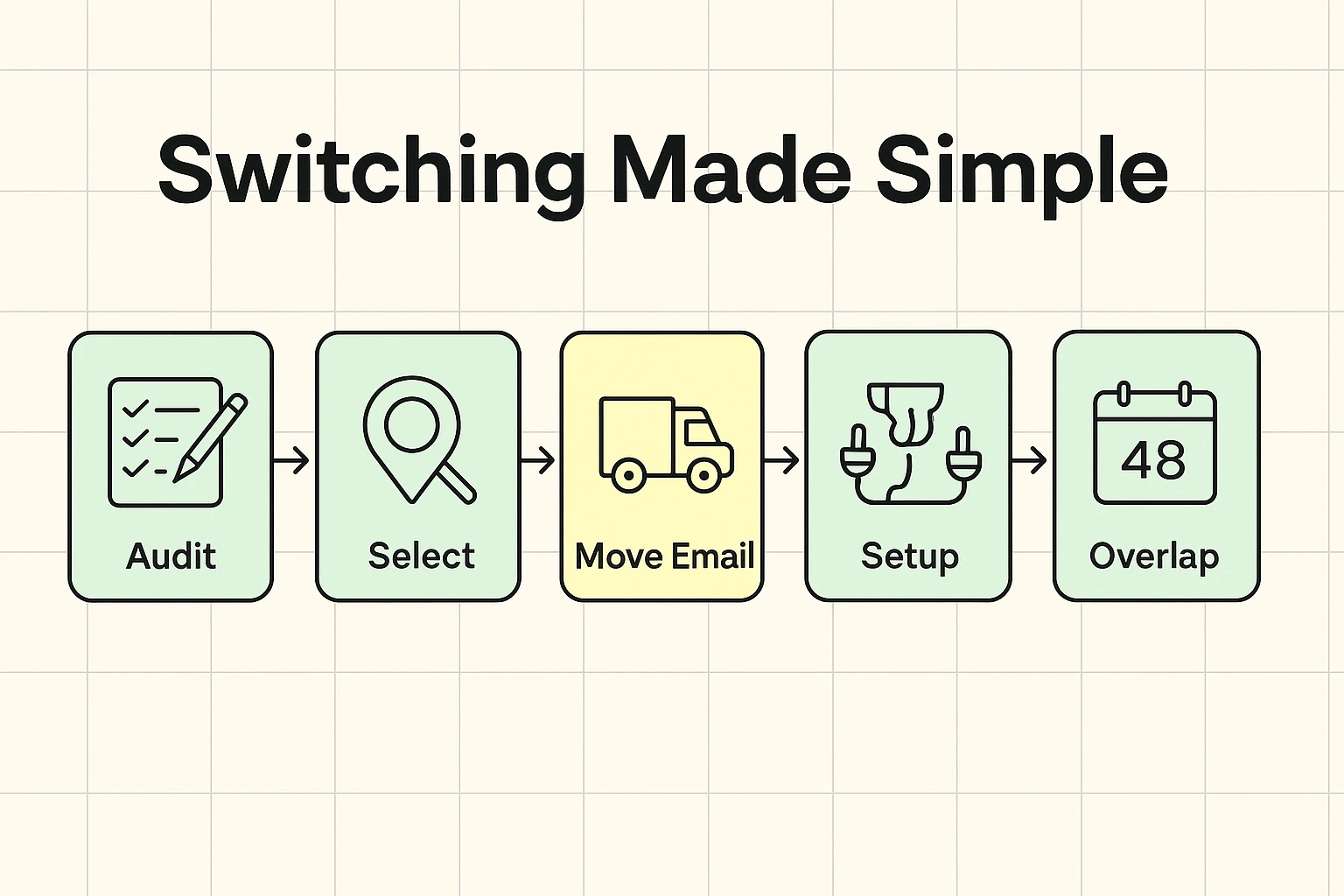
Before you call anyone to cancel anything, you need to look around your house. Over the years, our internet connection has become the invisible extension cord powering our lives. You need to identify your “Digital Anchors”—the things that will break if the internet goes down for five minutes.
Check these three things first:
This is the number one reason seniors don’t switch: “But I’ll lose my @comcast.net or @verizon.net email address!”
Here is the hard truth: You likely will lose it eventually, or they will charge you a fee to keep it. ISP-provided emails are like renting an apartment. You only get to live there while you pay rent.
The Solution: Create a “Forever Home” for your mail.Before you switch internet providers, set up a free Gmail or Outlook account. These are “owned” by you, regardless of who provides your internet connection. Think of this as your Digital Moving Van.
Start forwarding your old emails to this new address today. Notify your contacts. It takes a little time, but once it’s done, no cable company can ever hold your email hostage again.
Don’t just pick the first flyer that shows up in your mailbox. You need to do a little reconnaissance. When you are looking for a new provider, check their websiteA website is a collection of interconnected web pages or digital content that are accessible via the... More to ensure they are a legitimate service and not a third-party reseller adding a markup.
How to Search Like a Pro:Don’t just search “internet.” Search by your specific location. For example, if you live in Colorado Springs, searching “Internet providers 80908” will give you the specific local menu.
Understanding the Menu:
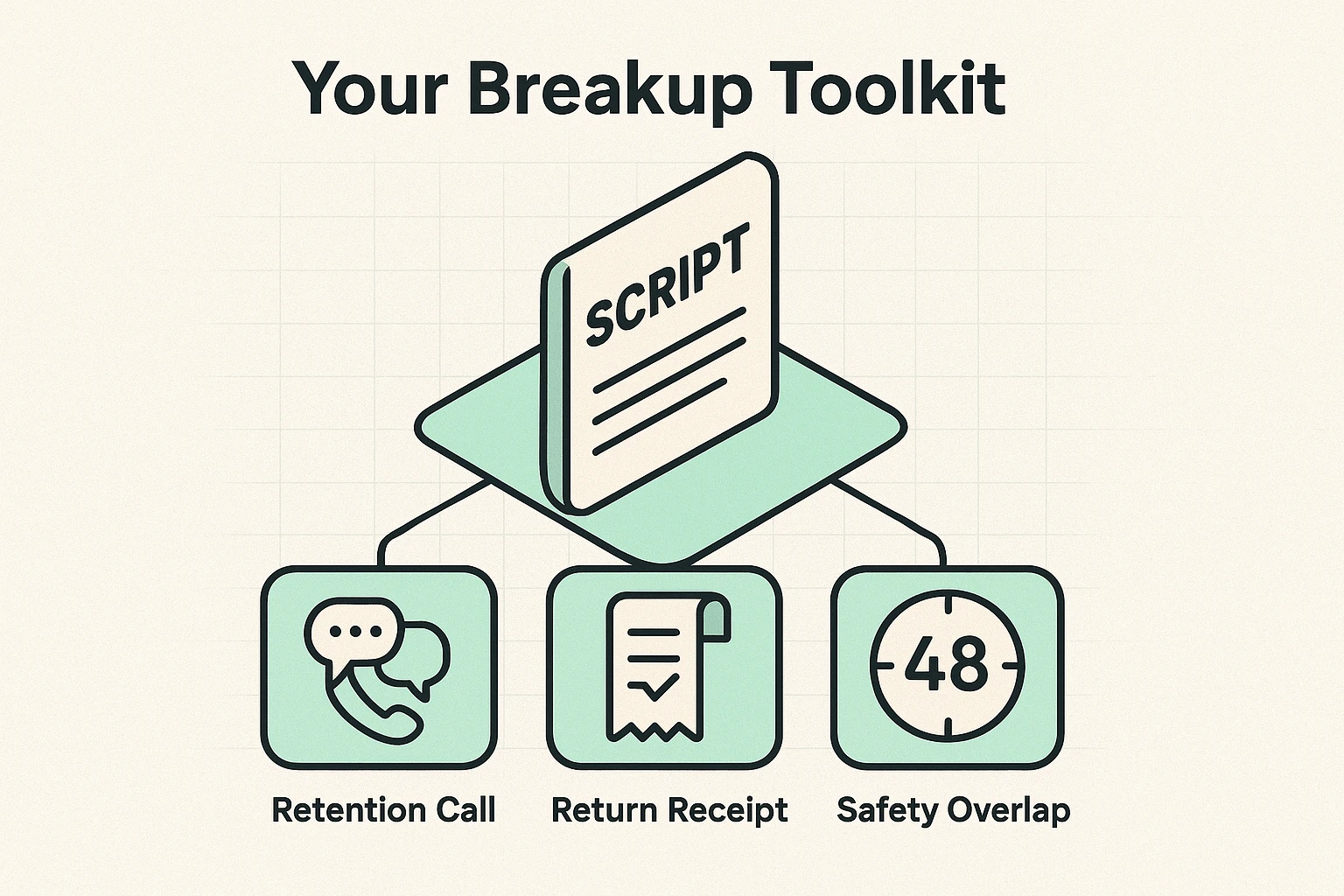
Now, the part you dread. You have picked a new provider, you have set up your new email, and now you must call your old provider to cancel.
You will likely be transferred to a “Retention Specialist.” Their job is to keep you from leaving. They will offer you free HBO. They will offer to lower your bill by $5. They will ask why you are unhappy.
Do not engage in a debate. The moment you give them a reason (e.g., “It’s too expensive”), they have a script to counter it. Instead, use the “Magic Script” that stops them cold.
The Magic Script:“I am moving to a location where you do not have service.”
That’s it. Even if that location is just a state of mind. If they think they can’t provide service to you, they stop trying to sell you things. It cuts a 20-minute argument down to a 3-minute transaction.
Never cancel your old service on the same day the new service starts. Always schedule an overlap of about three days.
Why? Because sometimes the technician doesn’t show up. Sometimes the new modemA modem, short for modulator-demodulator, is a device that enables computers and other digital devic... More is faulty. If you have a medical alert system, you cannot afford 24 hours of darkness. Pay for the extra three days of dual service—it is the cheapest insurance you can buy.
Expect to be quoted between $100 and $200 for a professional install. If your home is already wired for that provider, insist on a ‘Self-Install Kit,’ which is often free.
It usually involves three plugs:
If you can plug in a toaster, you can usually “self-install” modern internet.
When you return your old equipment (modem/router), do not just drop it off. Get a receipt that lists the serial number of the device. Keep that receipt in a fireproof box, or frame it and hang it on the wall.
Internet companies are notorious for sending a bill for “unreturned equipment” three years after you canceled. That receipt is your “Get Out of Jail Free” card.
Think of the Modem as the front door that brings the internet into your house from the street. The RouterA router is a device that helps connect all your gadgets, like computers, smartphones, and smart hom... More is the hallway that directs that traffic to your iPad, your TV, and your phone. These days, most companies give you a “GatewayA gateway is a networking device that connects two or more networks, allowing data to flow between t... More,” which is just a fancy box that combines both the front door and the hallway into one plastic unit.
The federal ACP ended in 2024. Today, look for the Lifeline program or provider-specific plans like Xfinity Internet Essentials ($9.95) or Spectrum Internet Assist ($14.99), but be aware these have strict income or government-assistance requirements.
Yes, this is called “Porting.” If you have a landline bundled with your internet, tell the new provider you want to keep your number. They will handle the transfer. Important: Do not cancel your old service until the phone number has successfully moved to the new company, or you might lose the number.
Switching providers feels like a chore, but it is one of the fastest ways to lower your monthly expenses. You don’t need a degree in computer science; you just need a plan, a script, and a refusal to listen to smooth jazz while on hold.
Ready to take control of your digital life? Start by auditing your current bill, and remember to visit Senior Tech Cafe for more tips on navigating the digital world with confidence and a sense of humor.