Newsletter Subscribe
Enter your email address below and subscribe to our newsletter

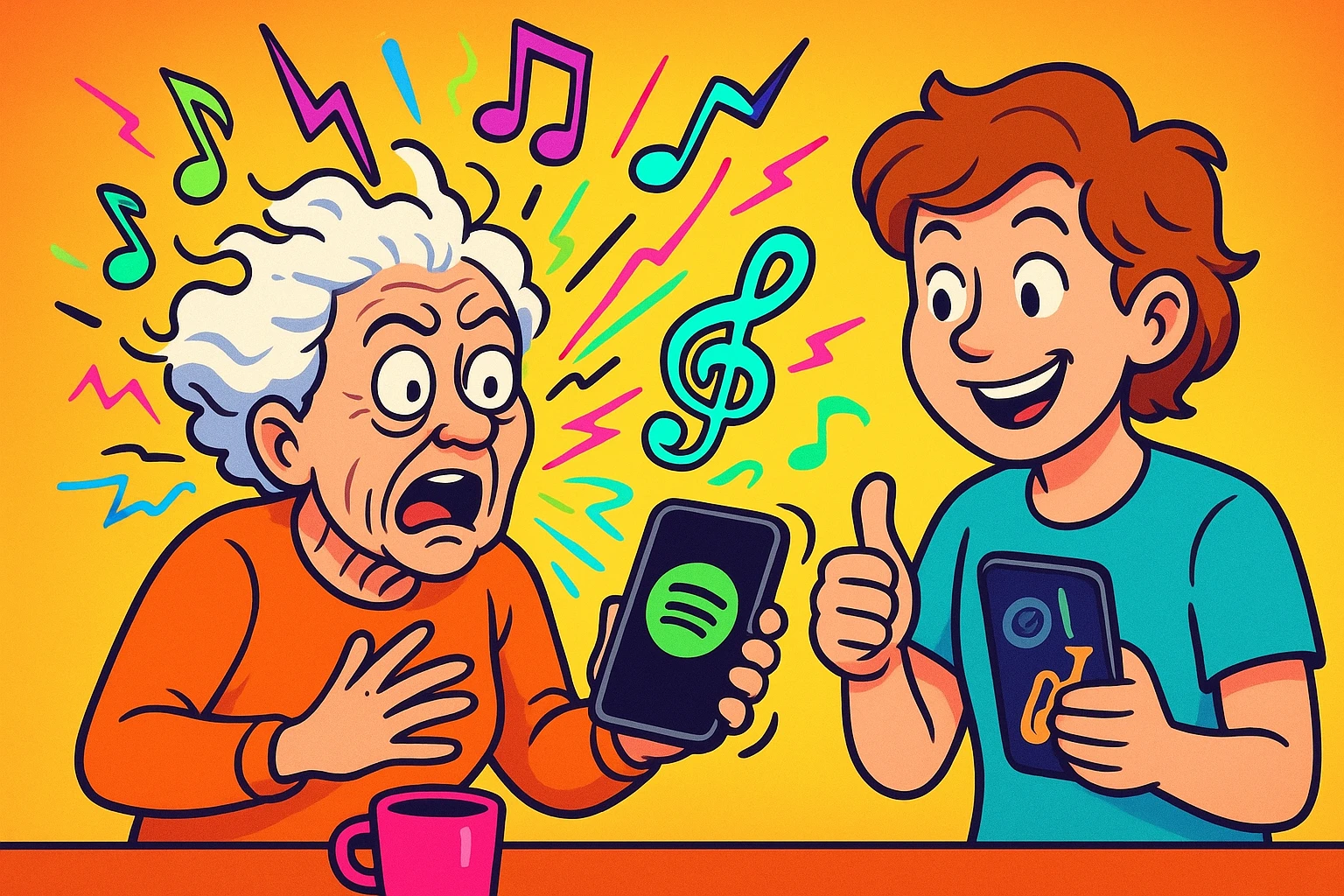
Picture this: You’re riding in the car with your teenage grandchild. You offer to turn on the radio, maybe find a nice Beatles tune or some classic Motown. They look at you like you just offered to churn some butter on the dashboard. Instead, they connect their phone, and suddenly the car is vibrating to a sound that resembles a dial-up modem fighting a drum set.
You smile, nod, and silently wonder if you should pull over and check the engine. If this sounds familiar, you are not alone. The generational music gap is a tale as old as time, right up there with teenagers rolling their eyes at curfews and the mystery of why modern jeans come pre-ripped.
But what if I told you that this digital “noise” is actually a golden ticket to connecting with your grandkids? Enter Spotify, the digital jukebox of the modern age. By setting up a shared digital playlist, you can bridge the gap between their modern hits and your timeless classics, turning a confusing car ride into a genuine bonding experience.
Before we start mixing Elvis with whoever “Chappell Roan” is, let’s talk about the two main ways to share music on Spotify. First, you just need a Spotify account. The free version works perfectly fine, though the Premium (paid) version lets you skip songs when you’ve heard enough auto-tune for one day.
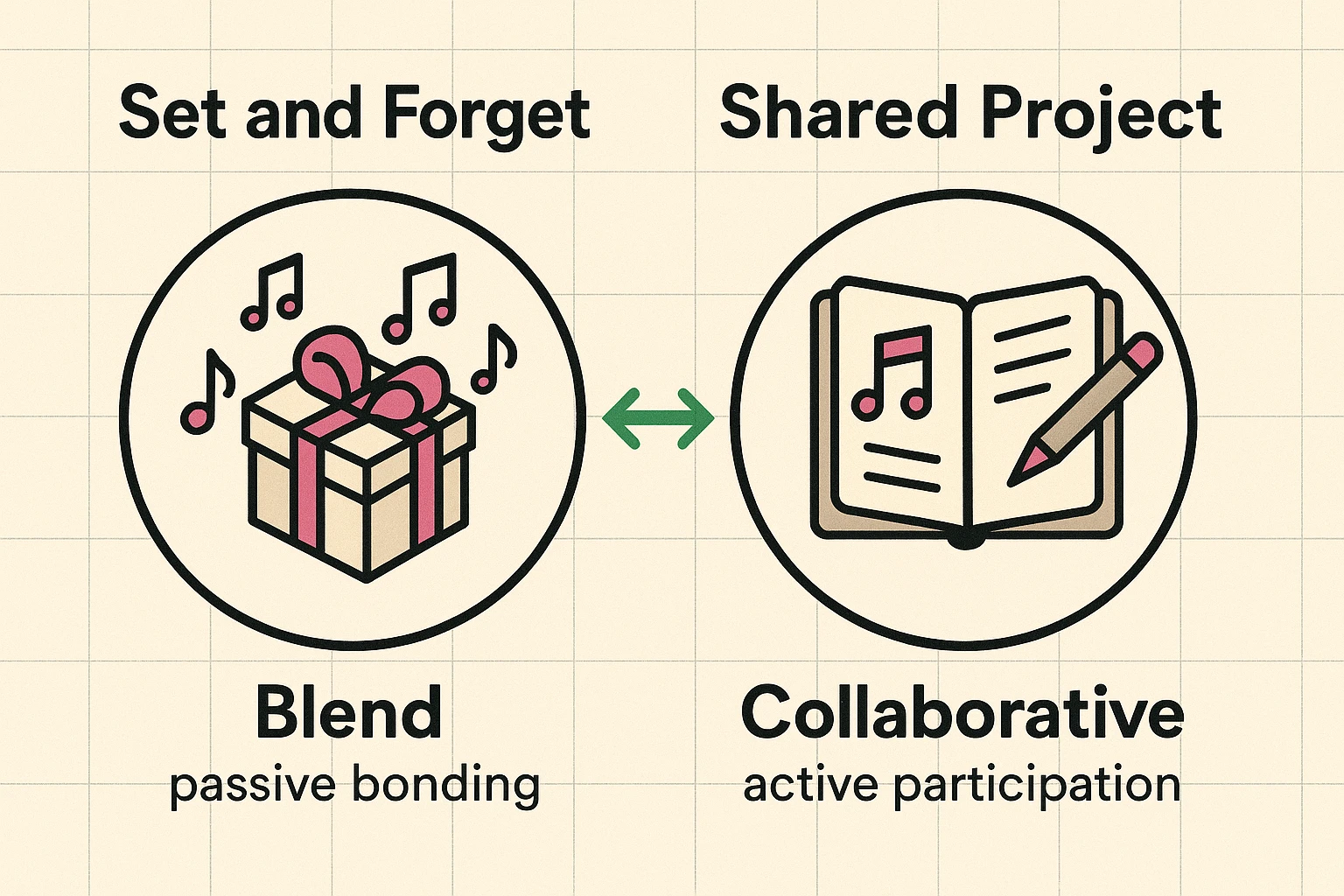
Spotify gives you two magical ways to connect: The “Blend” and the “Collaborative Playlist.” Think of a Spotify Blend as a passive surprise gift. You send a link, they click it, and Spotify’s computer brain automatically mashes your musical tastes together into one playlist that updates daily. It’s perfect for busy grandkids because it’s a “set it and forget it” feature that requires zero daily effort.
Then there’s the Collaborative Playlist, which is more like an active digital scrapbook. You create a playlist, invite your grandkid, and both of you can manually add specific songs to it over time. The best part? Spotify puts a little profile picture (an “avatar”) next to each song, so you can see exactly who added what. It’s a hilarious and fun way to say, “I see your loud techno song, and I raise you a Dolly Parton classic.”
Now comes the scary part: the actual music. When you look at your grandkid’s favorite songs, you might feel like you’re reading a foreign language. What on earth is “Phonk”? Is “PluggnB” a new type of plumbing fixture?
Don’t panic. Everything old is new again, just wrapped in a different, highly digital package.
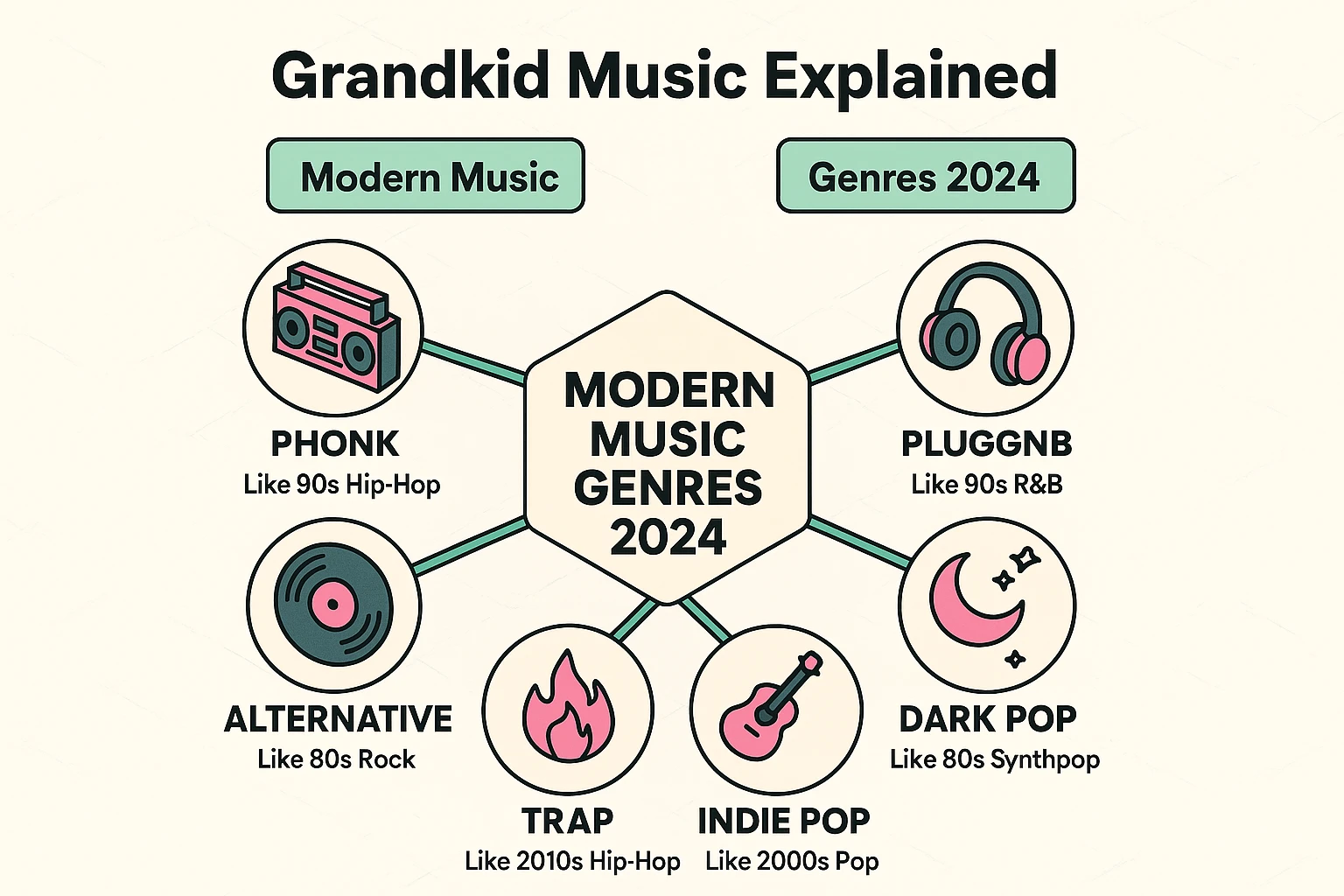
“PluggnB” is really just modern-day ’90s R&B with a dreamier, floaty sound. “Phonk” is just high-energy instrumental music with heavy bass—think of it as the modern equivalent of a really intense jazz drum solo, just played on a computer. And artists like Tommy Richman or Artemas? They’re basically making the 2024 version of the upbeat, danceable pop you’ve been tapping your foot to for decades.
To survive this musical wilderness and impress your grandkids, you need to speak the language. Here is your quick Grandkid-Speak Glossary:
Ready to become the coolest grandparent on the block? Here is your completely painless instruction manual. To start a Blend, open your Spotify app on your phone, tap the “Search” magnifying glass at the bottom, and type “Blend.”
Tap the first result that pops up, then look for the button that says “Create a Blend.” Spotify will give you an “Invite” button. Tap it, and it will let you send a text message directly to your grandchild with a special link.
Not sure what to say in the text? Feel free to copy and paste this exact message: “Hey! I’m trying to figure out this Spotify thing and want to see how our music tastes match up. Click this link so we can make a Blend playlist together!”
Of course, technology wouldn’t be technology if it didn’t occasionally throw a wrench in the gears just to keep us humble. One of the biggest hurdles seniors face is trying to join a Spotify “Family Plan” so everyone in the family can share the ad-free Premium features.
Spotify is incredibly, unnecessarily picky about street addresses. If your grandkid’s dad set up the Family Plan using “123 Main Street” and you type in “123 Main St.”, Spotify will panic, assume you are an international jewel thief, and lock you out of the plan.
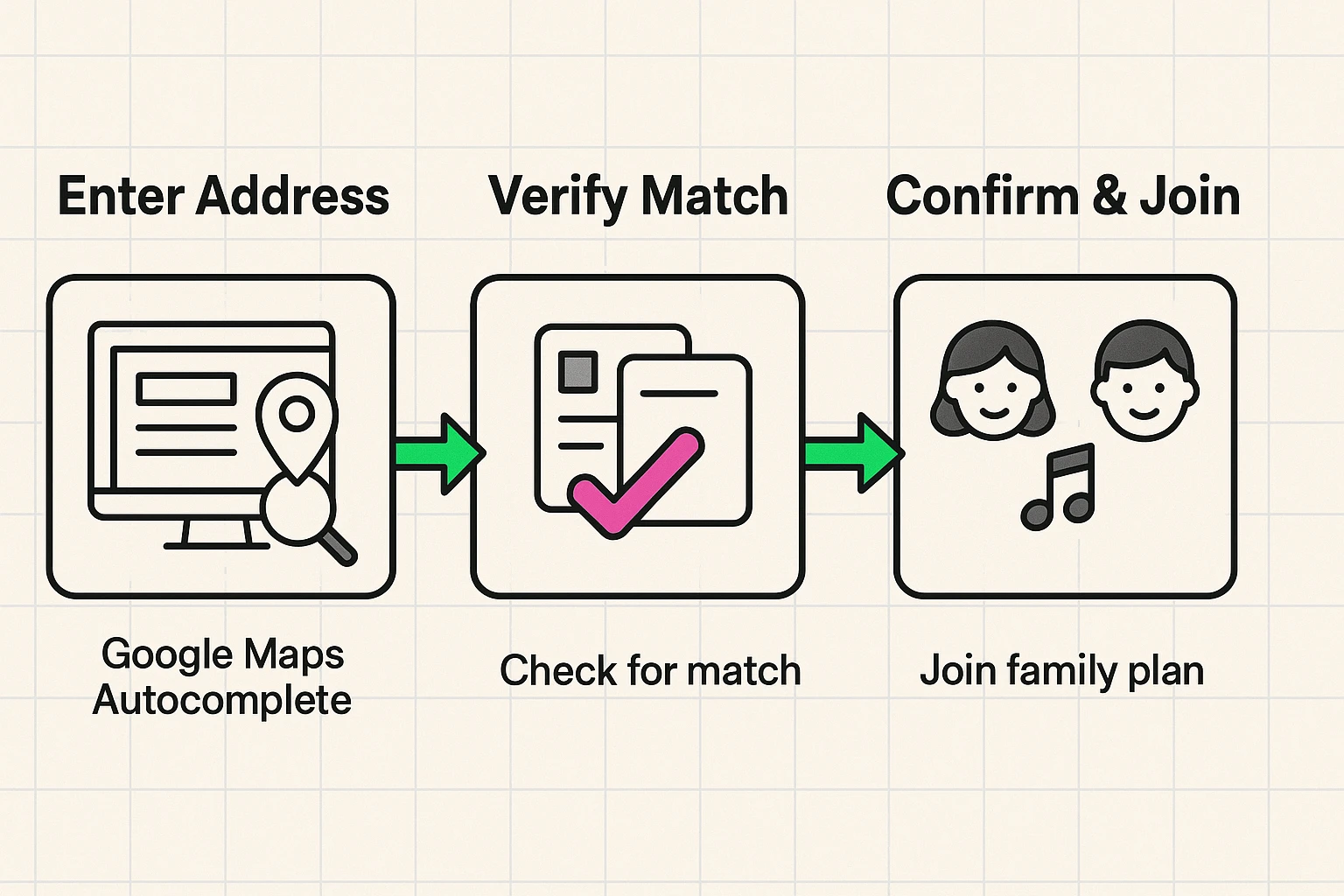
The magic trick here is to use the Google Maps autocomplete suggestion that pops up when you start typing your address into Spotify. Make sure your address matches the plan manager’s address exactly, down to the very last period and abbreviation.
Another common concern is the lyrics: “What if the songs my grandchild adds have bad words?” Spotify has an “Explicit Content” filter in the settings menu (look for the little gear icon). You can toggle it off so you don’t hear any spicy words, but remember not to scold your grandkids for their unedited music tastes—we want to be the cool grandparent, not the music police!
Nope! Both Blend and Collaborative playlists work perfectly fine on the free version of Spotify. You’ll just have to listen to a few commercials about car insurance between your songs.
Both of you do! Anyone who has been invited to the playlist can add songs, remove songs they added, and change the order. Just practice good digital etiquette: try not to delete the songs your grandchild adds, even if it sounds like a robot falling down the stairs.
Yes, but this requires a Premium (paid) feature called a “Jam.” If you just stick to the free Collaborative Playlist, you can both listen to the list whenever you want on your own time, which is usually easier for everyone’s schedule.
Now that you have the tools, it’s time to take action. Set up your Collaborative Playlist and challenge your grandchild to the “First Song” game.
Your mission is to add a song from your youth that you think secretly influenced the modern music they love today. Try adding something groovy from Fleetwood Mac, a high-energy Queen anthem, or some smooth Marvin Gaye.
You might just be surprised to find out that your favorite classic is exactly what they consider a total “bop.” Happy listening!