Newsletter Subscribe
Enter your email address below and subscribe to our newsletter

By Chris Clark, founder of Senior Tech Cafe
AI companion privacy for seniors comes down to one question. What happens to what you say to it?
These devices are marketed as company: something to chat with, remind you about pills, or answer questions. Most of what you say to them leaves the device, gets processed somewhere else, and gets stored.
That doesn’t mean don’t use one. It means checking what it does with your voice and your data before you rely on it for anything sensitive.
The seven checks below cover what actually matters. None of them require technical skill, just a few minutes in a settings menu.
Do these once at setup, then again every so often.
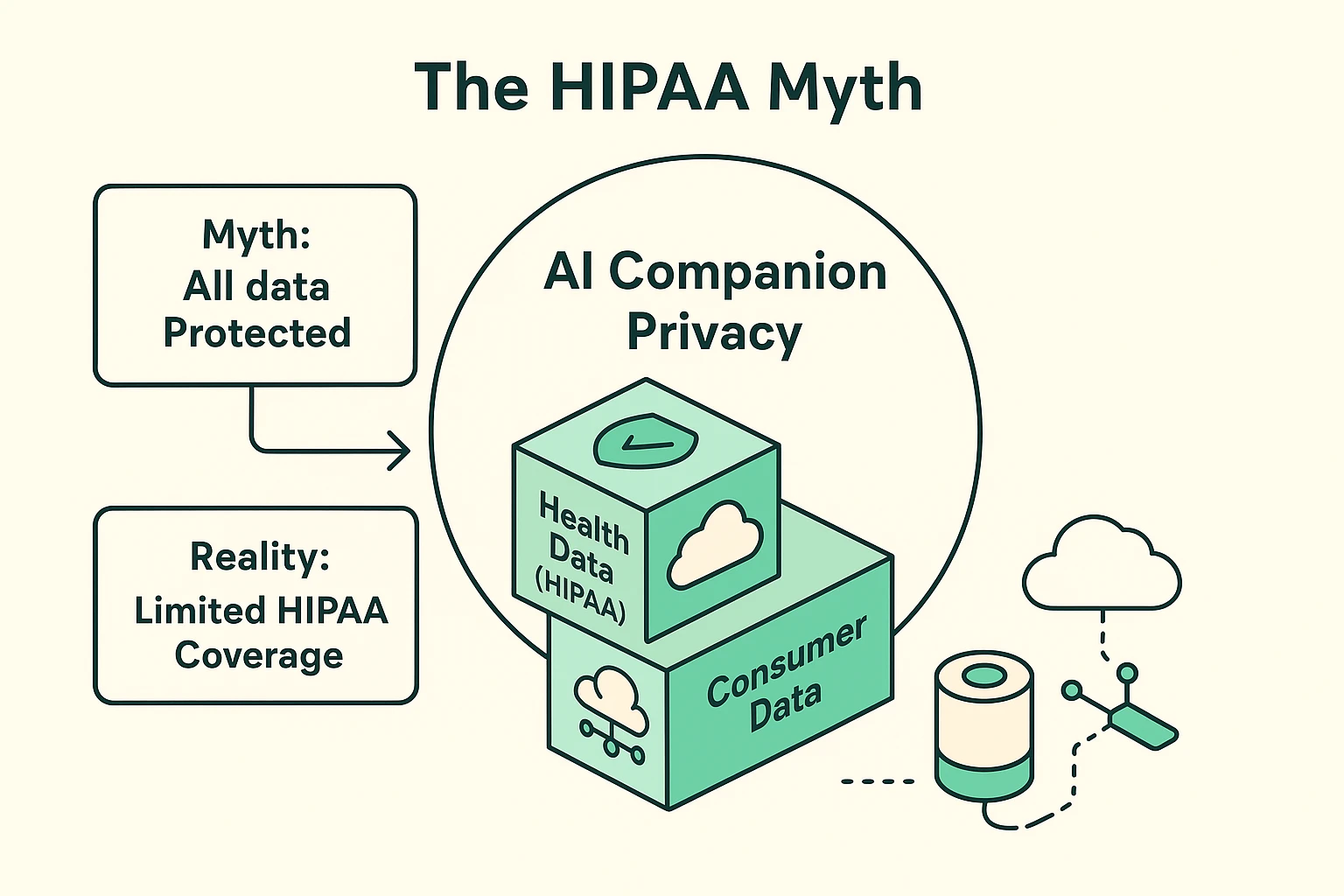
One. Don’t assume HIPAA protects what you tell it. Most AI companions aren’t medical devices, so health details you share are usually treated as ordinary consumer data.
Two. Find out whether it processes your voice locally or sends it to the cloud. Local processing means less of what you say leaves the device.
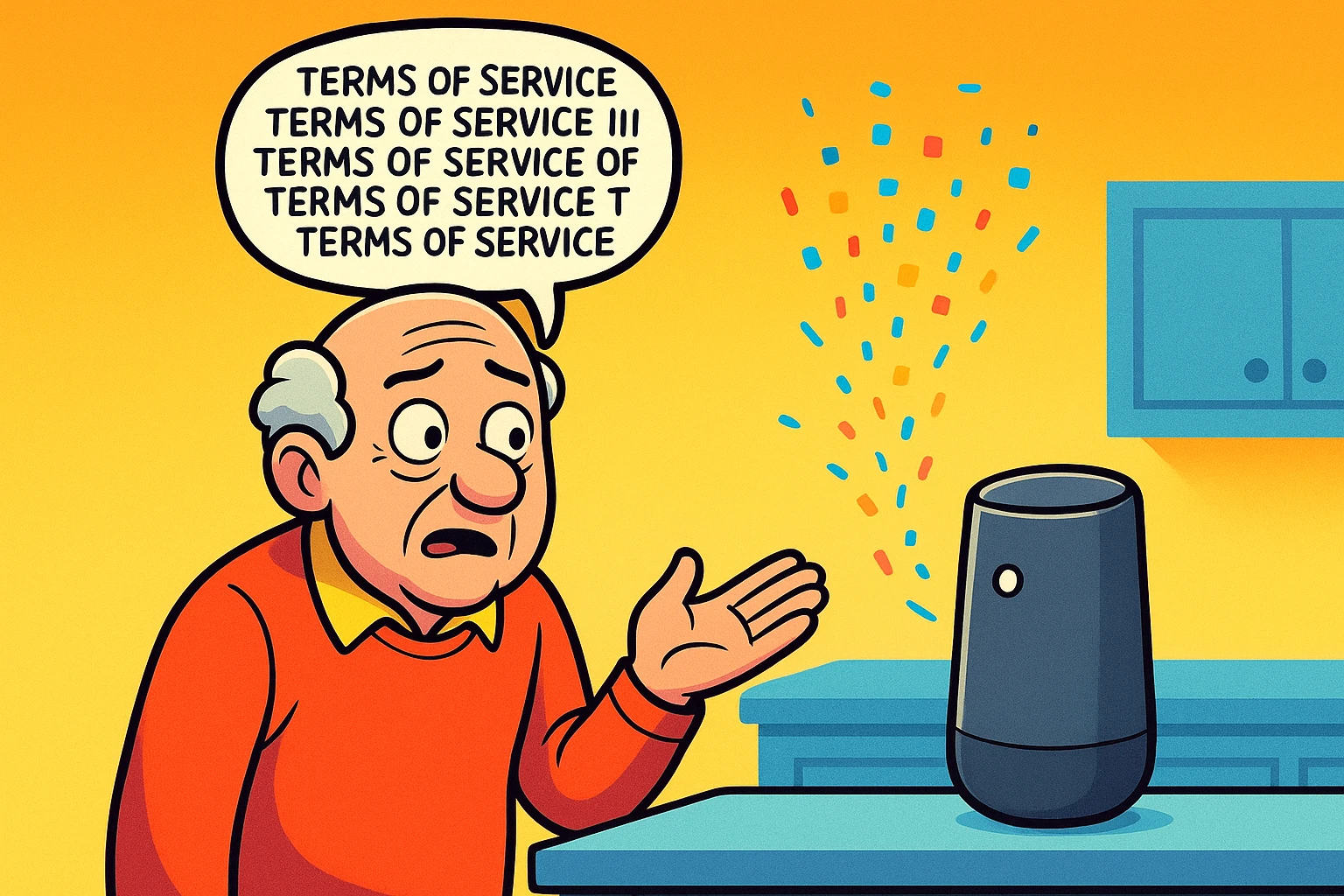
Three. Read the terms of service for phrases like shared with partners or aggregated data, both of which mean your information can travel further than you’d expect.
Four. Turn off data-sharing and voice-history settings you don’t need, usually found under Privacy or Account in the companion’s app.
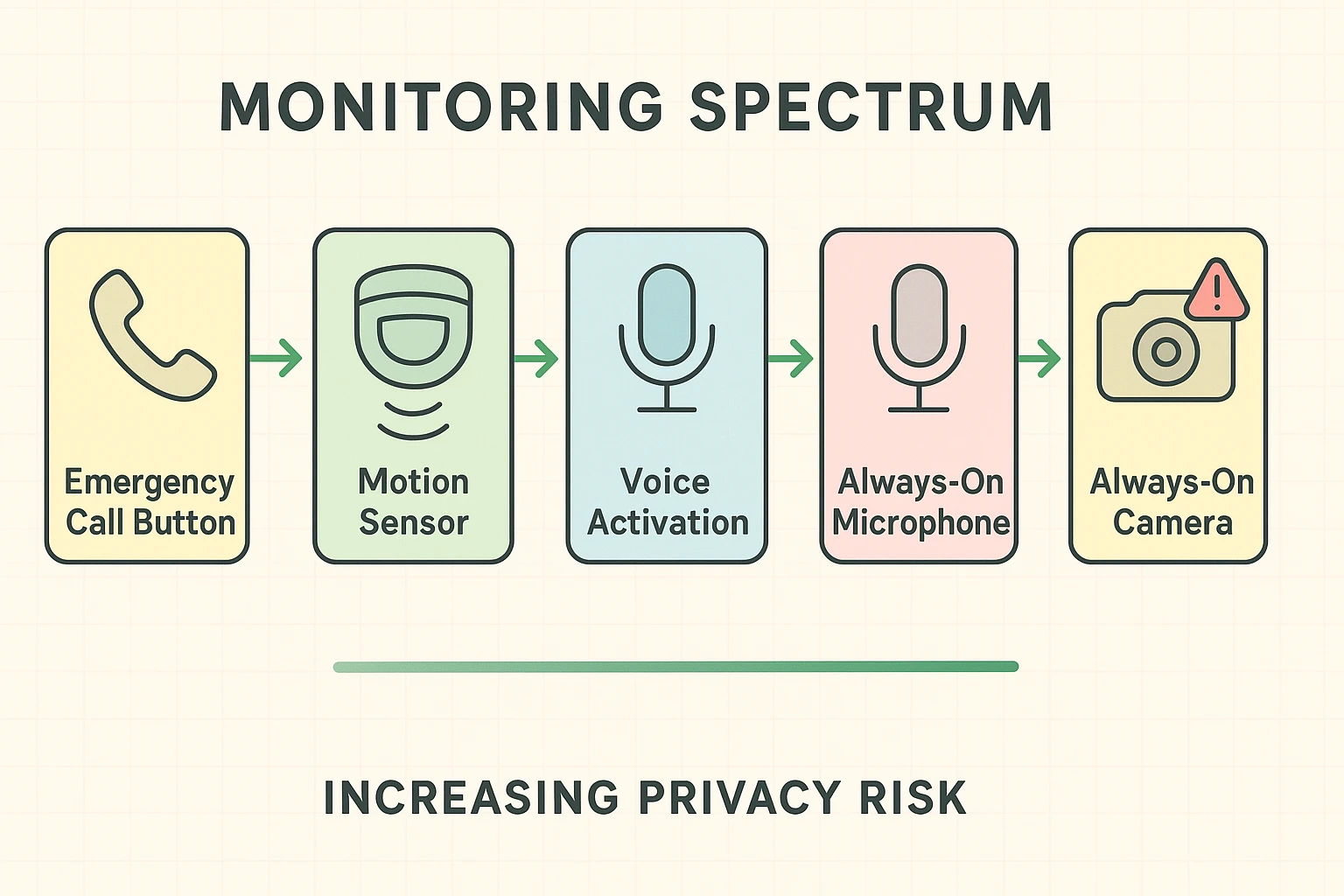
Five. Choose active listening (press a button to talk) over passive listening (always on for a wake word) if the option exists.
Six. Put a reminder on the calendar to review these settings every six months, and any time a caregiver, household, or software update changes.
Seven. Treat the microphone like an open window. Never say a password, a verification code, or a full account number out loud near it, since a cloned voice is now enough to convince a relative on the phone.
These checks work alongside the general habits in our online safety tips for seniors guide, which covers account security beyond just AI devices.
HIPAA protects health information held by specific organizations: doctors, hospitals, health plans, and the vendors that handle data on their behalf.
A consumer AI companion is almost never one of those. Even one that reminds you to take medication is typically classified as a general consumer device, not a medical one.
That means a health detail you mention to it is usually treated the same as any other piece of consumer data. Something the company can use, analyze, or share with partners under its own terms of service, not under its patients’ privacy law.
Share health details with an AI companion the way you would with a friendly stranger. Useful for small talk, not for anything you’d want kept confidential.
When you talk to an AI companion, that audio has to go somewhere to get understood.
Cloud processing sends your voice to the company’s servers, gets it analyzed, and sends the answer back. It’s usually faster and more capable, but your words leave the house.
Local, sometimes called edge, processing keeps that work on the device itself. Your voice doesn’t need to leave the room to get a response.
Local processing is the stronger privacy option when a product offers a genuine choice between the two. Check the product’s own privacy page rather than assuming from marketing language alone, since “processes on-device” and “stores nothing” are two different claims.
The same logic applies to any other smart home device on the same network. Our guide on smart home privacy settings covers router and device-level settings in full.
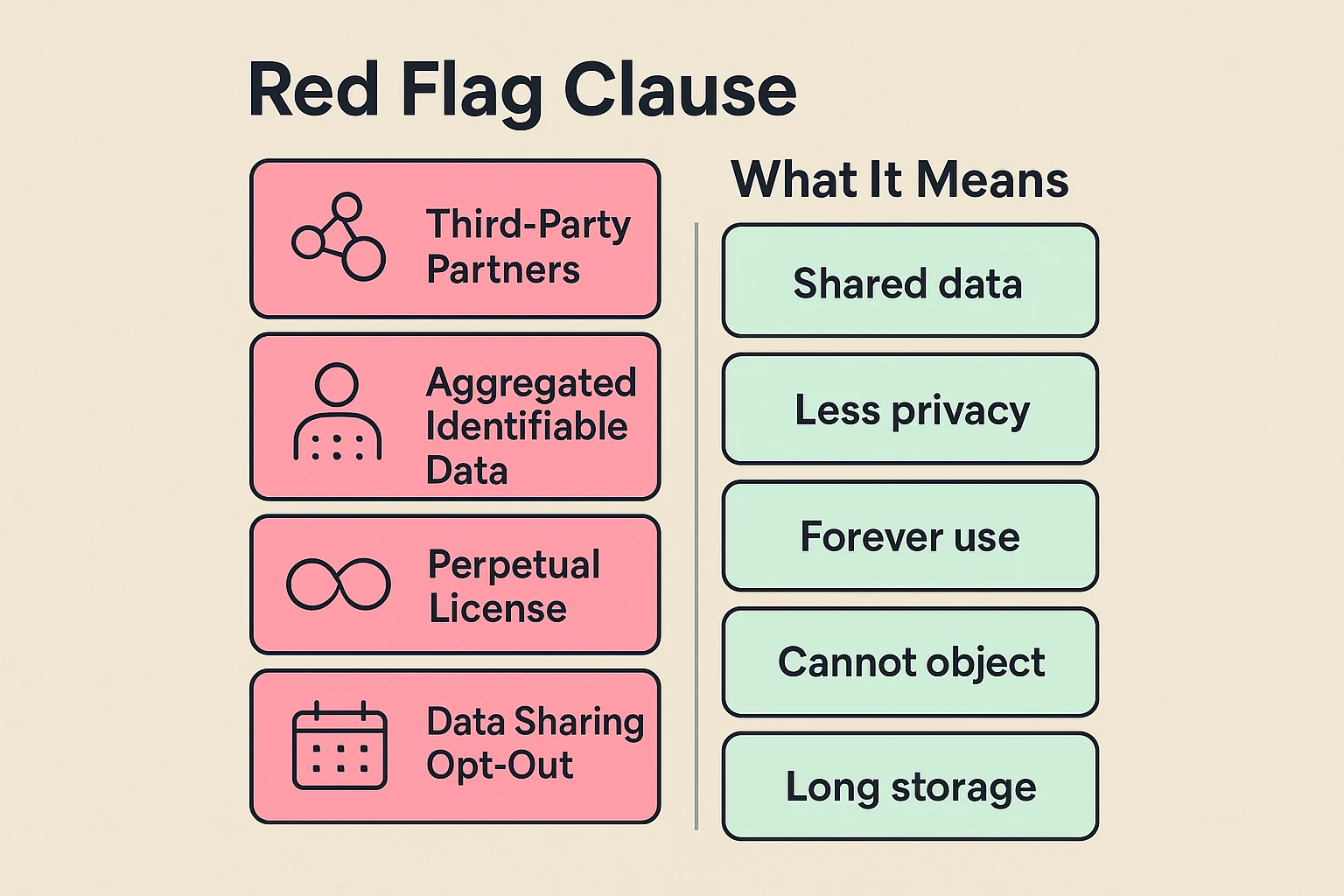
Nobody reads the whole thing, and that’s fine. A few phrases are worth searching for specifically.
“Shared with third-party partners” usually means your data can be passed to advertisers or other companies, not just used internally.
“Aggregated but identifiable” means your data is combined with other people’s, but specific details could still be traced back to you.
“Perpetual license” means the company keeps the rights to use your data even after you stop using the product or return the device.
None of these phrases are unique to any one company. They show up across most consumer tech, so treat them as a prompt to check the specific product’s settings, not a reason to panic about this one.
Some assistants now offer a memory feature that saves screen activity, conversations, files, locations or app usage so it can find things for you later.
It’s genuinely handy when you can’t remember where you saved something.
It also builds a detailed record of sensitive moments, shared devices and other people’s information, which is a rather different proposition.
So decide whether you need it at all. If you do, limit which apps or folders it can capture, shorten how long it keeps things, and exclude private sessions.
Then confirm a deletion actually deleted. Deleted should mean deleted, and it’s worth checking that it did.
Most of what a companion device collects beyond the basics is optional, even when it’s turned on by default.
For mainstream devices like Amazon Alexa or Google Home, open the privacy settings in the companion phone app and turn off options like “help improve our products” or “save voice recording history.”
For senior-specific companions like ElliQ, decide with a family member whether you want active listening (you press something to talk) or passive listening (it’s always listening for a wake word), and set it accordingly.
Review this list with whoever helps you with the device, since a setting one person turns off can get switched back on by an update or a shared account.
Privacy settings aren’t a one-time setup. They need to change as the person using the device does.
If someone begins to trust the AI companion as though it were a real person, the risk changes too. They may share a Social Security number, banking details, or a family secret with something that isn’t equipped to protect any of it.
Family caregivers can help by treating this as an ongoing check rather than a single decision. As a senior’s needs change, settings that once made sense may need to be tightened, sometimes down to a locked, limited mode.
It’s also worth knowing that a device’s interaction history isn’t necessarily private forever. In a legal dispute over guardianship, some elder law attorneys note those recordings could potentially be requested as evidence, which is one more reason to keep a light hand on what gets said to it.
Reviewing the device together isn’t snooping. It’s the same care you’d put into checking on any other part of a loved one’s safety.
Keep this next to the device, and run through it at setup and every six months after.
Confirm whether the device processes locally or in the cloud.
Read the terms of service for data-sharing and license language.
Turn off voice-history saving and “help improve” style settings.
Set listening mode to active if you’d rather it not always be on.
Agree with family on what never gets said out loud near it: passwords, codes, full account numbers.
Put a six-month reminder on the calendar to redo this list.
For more on getting the most out of these tools safely, our AI for seniors guide covers the basics beyond privacy too.
Not automatically. HIPAA covers specific health organizations and certain partners, not every consumer device or app that talks about health. A friendly voice asking how you slept isn’t your doctor’s office. Read the product’s privacy terms, and hold back unnecessary sensitive details until you know who can see them.
No. Local processing reduces what goes to the cloud, but account details, diagnostics and optional features can still leave the device. Fewer trips to the cloud isn’t the same as no trips at all. Check each product’s actual data flow and settings before deciding it all stays home.
Never share passwords, verification codes, Social Security numbers, full financial logins, or private information about somebody else. Go easy on detailed medical information too, unless you’ve properly checked the service and why it needs it. Treat the microphone like an open window, and say the sensitive things somewhere else.
At least every six months, and after major software updates, a change in caregivers or household members, a new feature, or a revision to the company’s privacy terms. Updates can switch new features on by default, so a quick check twice a year is enough to catch them.