Newsletter Subscribe
Enter your email address below and subscribe to our newsletter

Enter your email address below and subscribe to our newsletter
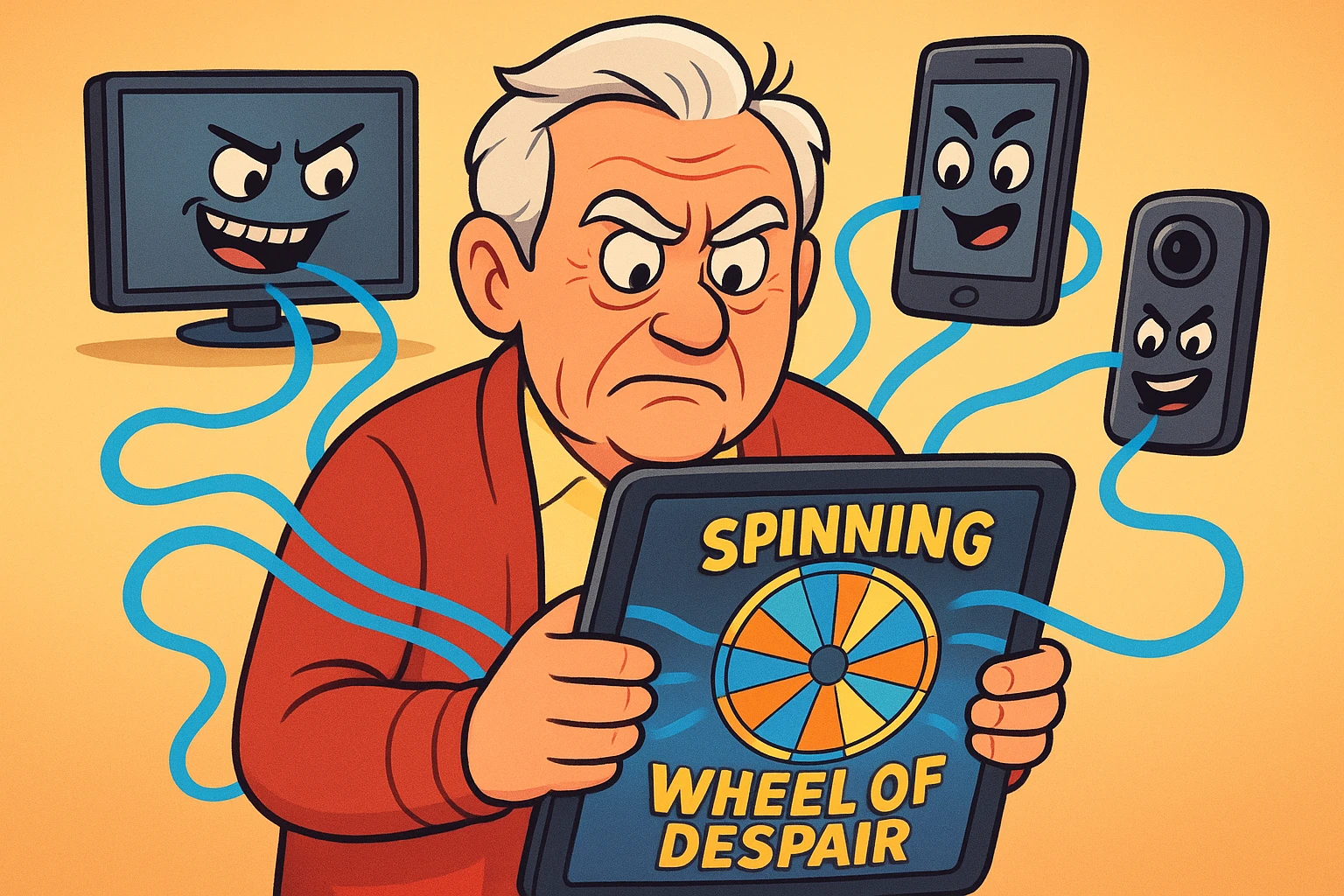
Have you ever settled into your favorite chair, tablet in hand, ready to watch a pleasant video of a golden retriever adopting a duckling, only to be met with the dreaded Spinning Wheel of Despair? You sit there watching the little circle go round and round. In the time it takes the video to load, that duckling has probably grown up, gone to college, and started a family of its own.
If this sounds familiar, you are not losing your mind, and you don’t necessarily need to throw your computer out the window. You are likely the victim of “bandwidth hogs”—invisible gremlins in your house gobbling up your internet speed while you’re just trying to read an email. Let’s figure out what’s going on, and I promise, no computer science degree is required.
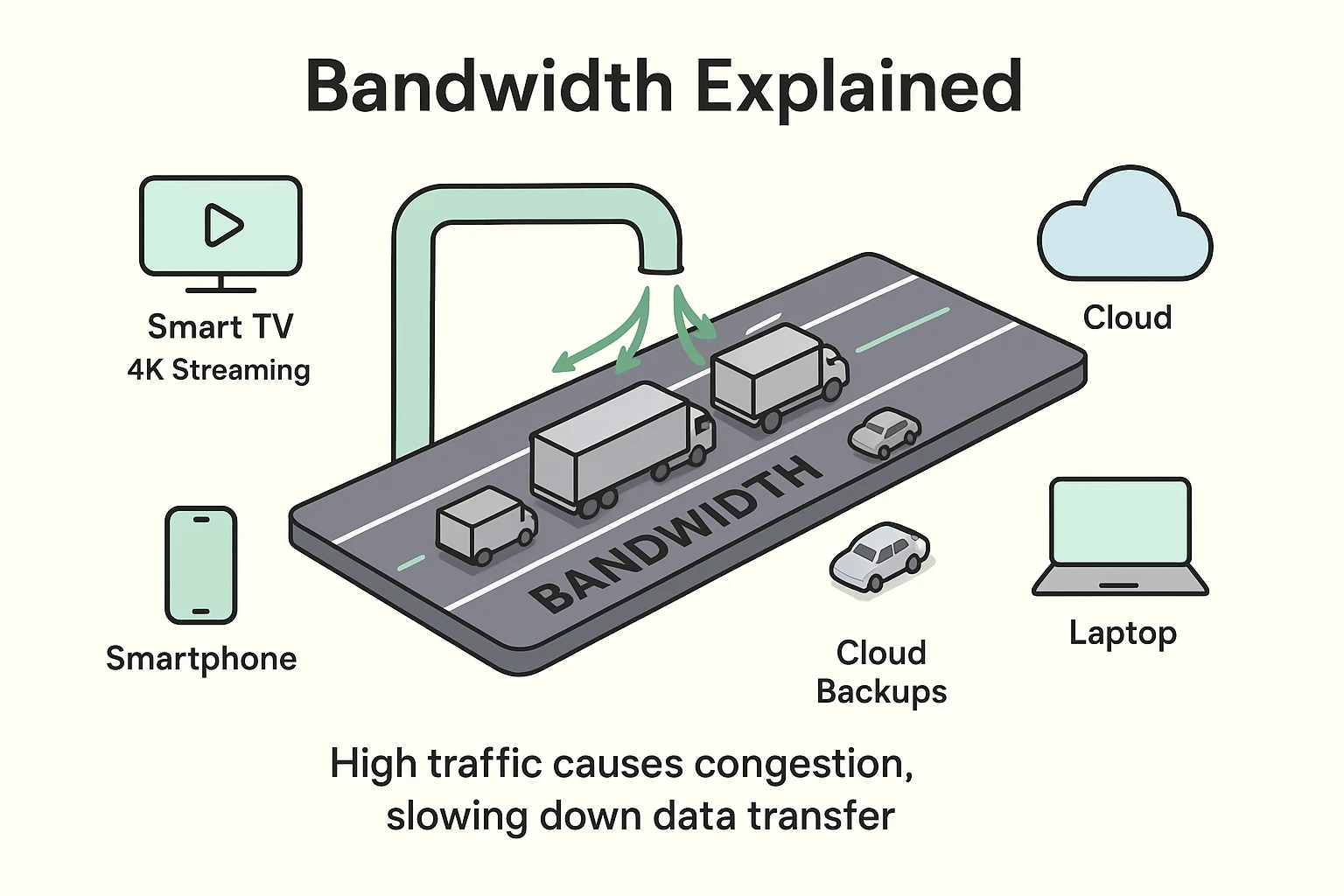
To understand a bandwidth hog, we first have to understand what “bandwidth” actually is. Think of your home internet connection like a multi-lane highway leading directly into your living room. The wider the highway, the more cars (or data) can travel on it at the exact same time.
If you’re just reading an email, that’s like sending a single bicycle down the highway. It takes up almost no space. But if your grandson is playing a flashy video game while your spouse streams a movie in the other room? Suddenly, you have a fleet of massive semi-trucks roaring down your digital highway.
When all the lanes get blocked by these massive trucks, traffic grinds to a halt. The bicycle carrying your email can’t get through. Those massive data trucks? Those are your bandwidth hogs, and they are the reason your golden retriever video is currently frozen in time.
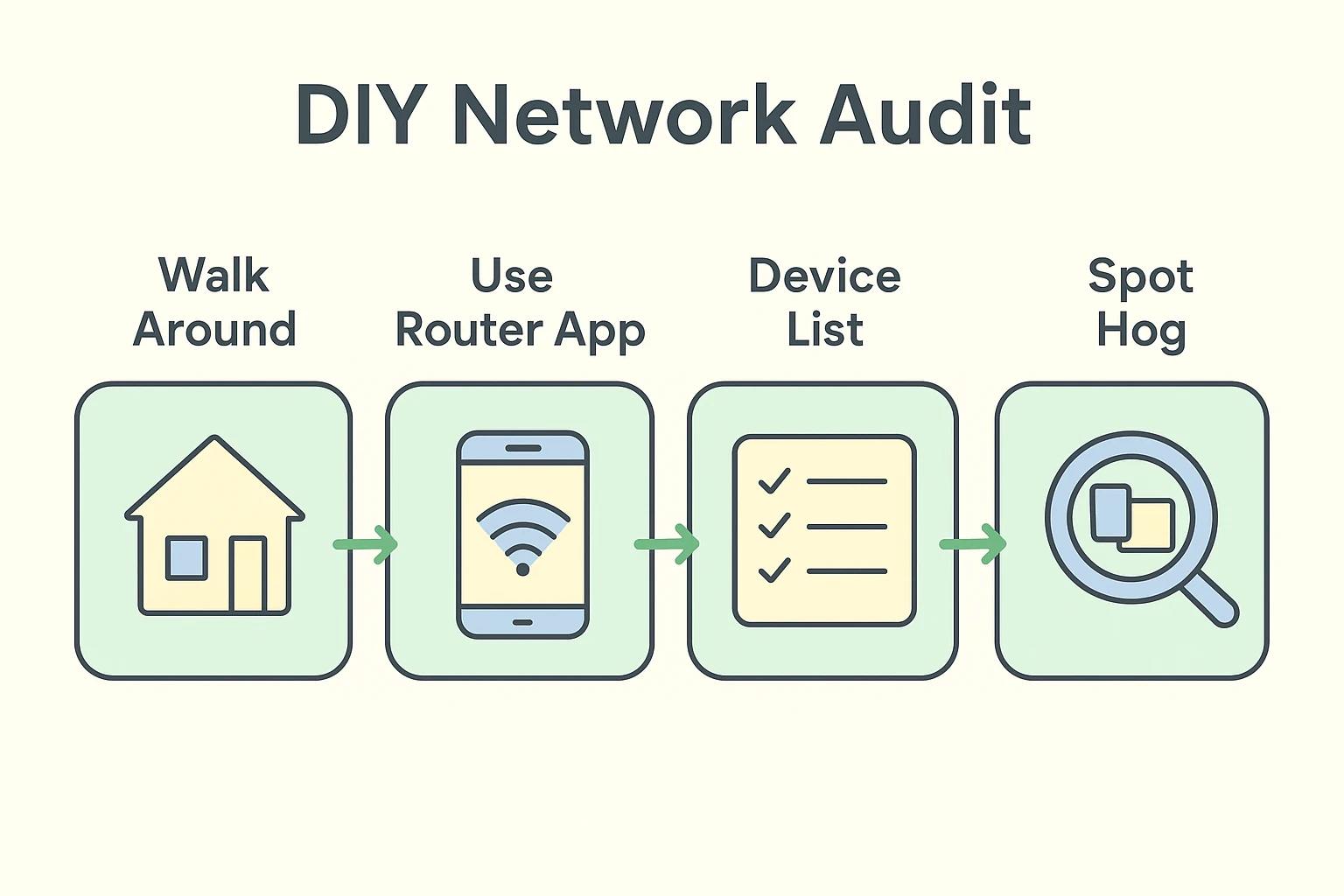
Before we blame your internet service provider (though complaining about them is a highly respected pastime), let’s do a physical audit of your house. You don’t need any special tech tools for this. Just grab a pen, a piece of paper, and take a stroll through your home.
Write down absolutely everything that is plugged in and connects to your Wi-Fi. You might be shocked at how long the list gets. It’s not just your computer and smartphone anymore.
Your list probably includes the smart TV in the living room, the tablet on your nightstand, the video doorbell on the porch, and maybe even that fancy new refrigerator that insists on knowing tomorrow’s weather. Each of these devices takes up space on your digital highway, even when you aren’t actively using them.
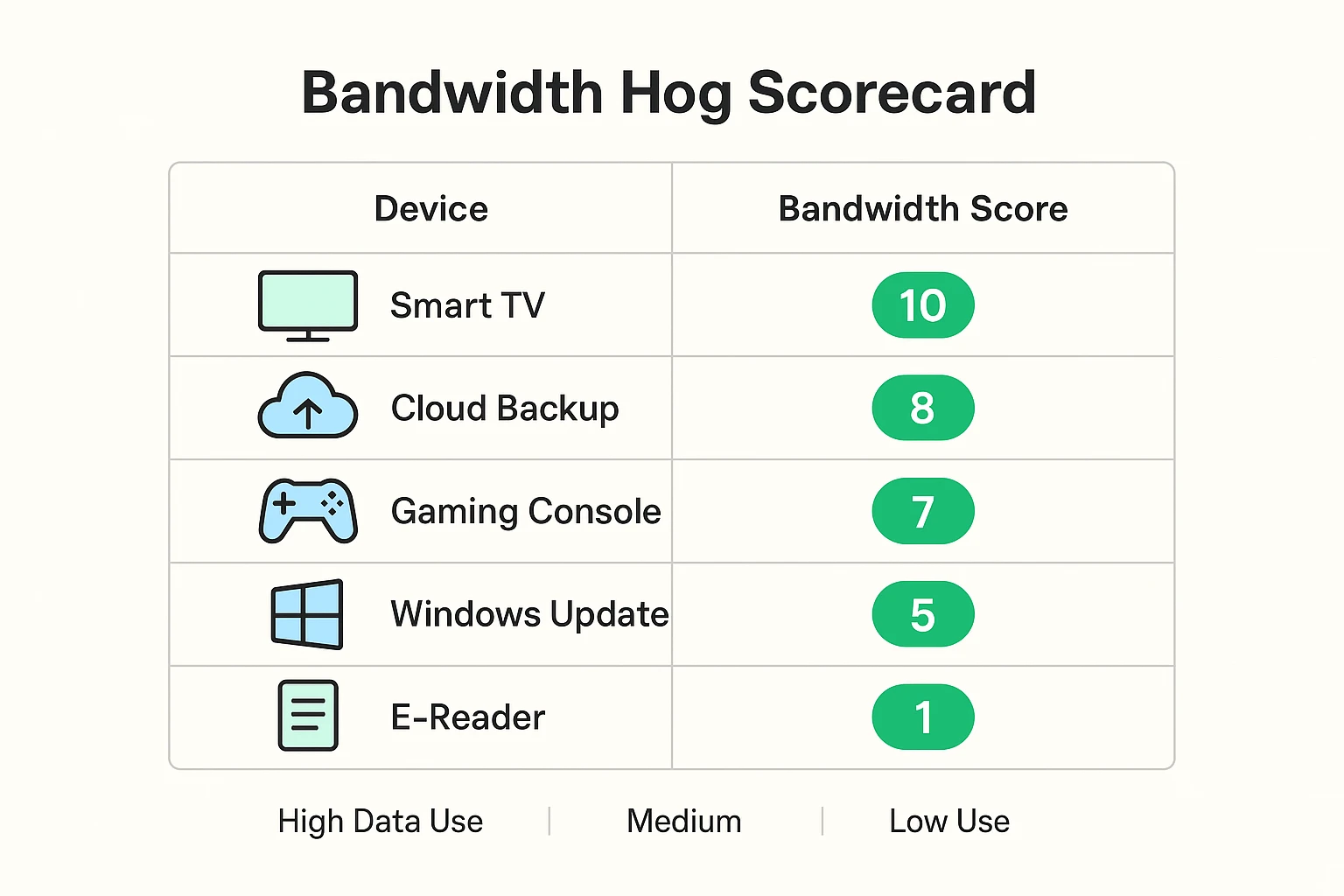
Not all devices are created equal. As we learned, reading an email is a tiny bicycle. Streaming a movie is a gigantic truck. To help you spot the hogs, we’ve created a little scorecard to show you who is eating all your data.
10 Points: The Heavyweight Hogs. Streaming video in “4K” or Ultra High Definition is the biggest culprit. This includes watching Netflix, Hulu, or YouTube on a big smart TV. It uses roughly four times the data of a regular, high-definition broadcast.
8 Points: The Sneaky Syncers. Did you know your smartphone is probably uploading all 47 of those blurry pictures you took of your cat straight to the internet? Cloud photo backups (like Apple iCloud or Google Photos) often run in the background, quietly eating your bandwidth without you lifting a finger.
5 Points: The Watchful Eyes. Smart video doorbells and security cameras are incredibly handy, but they are constantly sending live video to the internet just in case a squirrel walks across your lawn.
1 Point: The Light Snackers. Checking email, reading the news, and browsing Senior Tech Cafe. These barely make a dent in your internet speeds.
“But my internet is lightning fast in the morning! It only slows down at 8 PM!” Ah, yes. The dreaded evening slowdown. You might think your internet router is just tired and needs a nap, but the real culprit is your neighborhood.
Think of your internet provider’s main community line as the local freeway. At 8 PM, everybody in your neighborhood is done with dinner. They all sit down on their couches and turn on their favorite streaming shows at the exact same time. It’s digital rush hour, and there are suddenly too many cars on the freeway for anyone to drive the speed limit.
If your provider claims there are zero outages in your area during this time, you might be tempted to log into your account to investigate your bill. Just remember, whenever you search for your internet provider’s login page, it’s always smart to safely check their website to ensure it’s not a cleverly disguised scam.
Now that you know who the hogs are, how do you put them on a diet? You don’t need to call an expensive technician or threaten your router with a hammer.
First, turn off what you aren’t using. If the grandkids leave an iPad playing a cartoon in the spare bedroom, turn it off. Second, check your TV’s video quality. If you have the option, switch from “4K” down to standard High Definition (HD). I promise the actors will look just as good, and your internet will breathe a sigh of relief.
Finally, when in doubt, perform the classic “5-Minute Network Refresh.” Unplug your internet router’s power cord from the wall. Go make a cup of coffee or tea. Come back, plug it back in, and wait for the lights to turn green again. It’s like a quick power-nap for your internet equipment, clearing out digital cobwebs and giving everything a fresh start.
Nope! This is one of the biggest tech myths out there. The little Wi-Fi “bars” on your phone or tablet just show how strong the wireless connection is between your device and your router. You could have perfect, full bars but terrible internet speed—just like having a perfectly good, wide garden hose hooked up to a completely dry faucet.
Not necessarily. If your monthly internet plan only gives you a small “highway” to work with, buying a fancy new router won’t magically give you more lanes. Always check what speed you are actually paying your provider for before you spend money on new gadgets!
Yes, it certainly can! Many modern smart TVs quietly download software updates in the background while they are “asleep.” It’s generally a small amount of data, but it all adds up if every smart device in the house is secretly updating at the same time.
Taming your home network doesn’t require an engineering degree or a stressful phone call to customer service. It just takes a little bit of detective work and a willingness to unplug a few cords.
The next time the Spinning Wheel of Despair interrupts your video, you’ll know exactly which digital pigs are at the trough. Start by completing your physical walk-around audit this week. You might be surprised at how many devices are secretly hitching a ride on your digital highway!