Newsletter Subscribe
Enter your email address below and subscribe to our newsletter

Enter your email address below and subscribe to our newsletter

Picture this: You are standing in your kitchen, hands covered in biscuit dough. You boldly announce to the room, “Alexa, set a timer for 15 minutes.”
Suddenly, from the living room, a blue ring lights up. From the bedroom down the hall, a faint voice replies, “Timer set.” Meanwhile, the device right in front of you—the one you were actually talking to—stays dark and silent, acting like a teenager ignoring a request to take out the trash.
Now, instead of a kitchen timer, you have a bedroom timer. When it goes off, you won’t hear it over the sound of the oven fan, and your biscuits will turn into hockey pucks.
If this sounds familiar, welcome to the club. As we add more “smart” helpers to our homes, things can get a little… crowded. It’s like having three butlers who all have hearing problems and are constantly trying to outdo each other.
But fear not. You don’t need a degree in acoustics or computer science to get your digital household in order. You just need a little strategy to turn that cacophony into a symphony.
Why did the living room speaker answer when you were standing in the kitchen? It’s not because the living room speaker likes you more. It’s usually because of “acoustic confusion.”
Smart speakers are incredibly sensitive. They are designed to hear a whisper across a crowded room. However, sound bounces off walls, refrigerators, and tile floors like a pinball.
To fix this, we use what experts call The Six-Inch Rule.
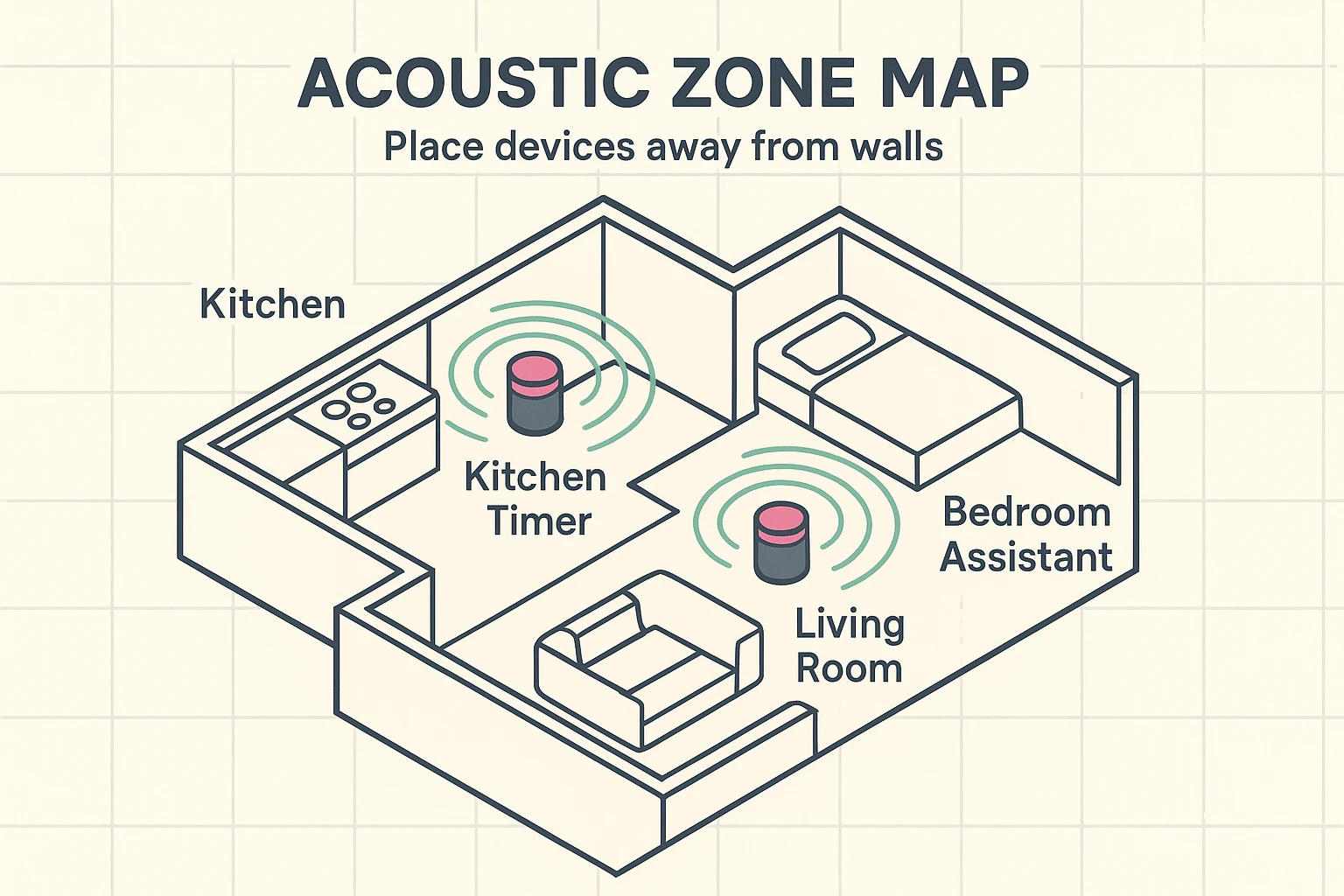
If you shove your smart speaker into a corner or flush against a wall, the sound of your voice bounces off that wall and confuses the microphone. It creates a “dead zone” for the device closest to you, while the device in the next room gets a clear line of hearing.
The Fix: Pull your devices at least six inches away from walls and corners. Also, try to keep them away from noise sources like the TV or the dishwasher. Think of it as giving them a little “personal space” so they can hear you better.
If you have an Echo in the kitchen and an Echo in the living room, and you call them both “Alexa,” you are asking for trouble. It’s like naming both your dogs “Spot”—confusion is inevitable.
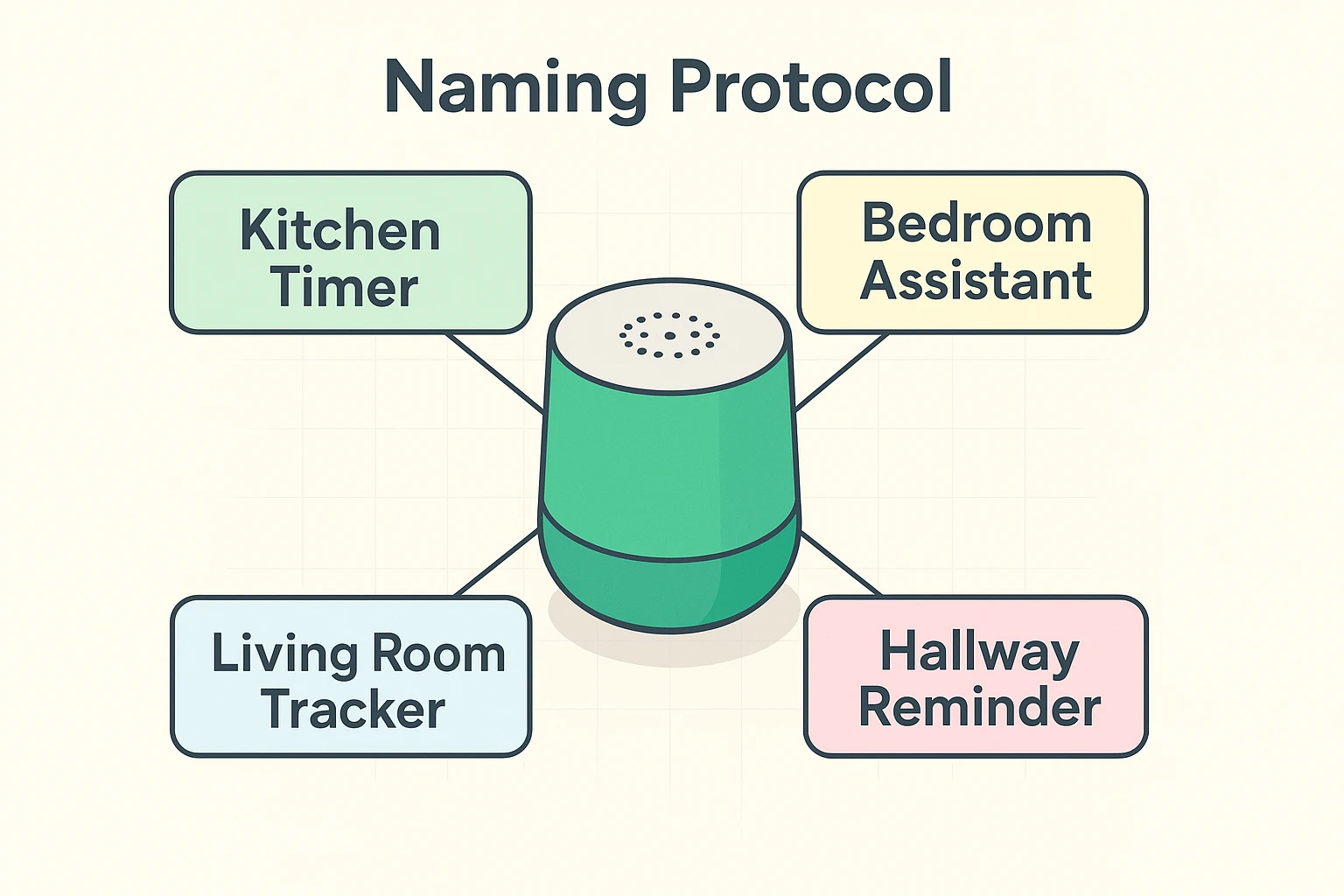
You can actually change the “Wake Word”—the name the device listens for—to create what we call Acoustic Silos. This is a fancy way of saying “giving them different names so they don’t get confused.”
Here is a setup that works wonders for many homes:
By changing these settings in your app, you ensure that when you ask for a medication timer in the kitchen, the bedroom speaker doesn’t wake up.
When you first set up a device, the app usually suggests names like “John’s 3rd Echo Dot.” Six months later, you will have absolutely no idea which device that is.
Instead of just naming them by room, try naming them by function. This helps your brain remember which device controls what.
This is especially helpful for health-related tasks. If you use a device specifically as a medication reminder, you might simply name that device “Pill Helper” or “Health Station” in your mind, ensuring you direct your requests to the right place.
Now that your devices aren’t fighting over who gets to answer you, let’s make them work together. One of the greatest joys of having multiple speakers is “Whole House Audio.”
Imagine walking from the kitchen to the bedroom while listening to Frank Sinatra, without the music fading away. You can group your speakers to play the same thing at the same time.
Now, you simply say, “Play The Beatles Everywhere,” and your house instantly becomes a concert hall.
Another benefit of multiple devices is that you no longer have to scream up the stairs to tell your spouse that dinner is ready. However, there is a big difference between “Drop-In” and “Announce,” and confusing them can be awkward.
This is for one-way messages. You say, “Alexa, announce that dinner is ready.” The device records your voice and plays it on every speaker in the house. It’s perfect for herding cats (or grandchildren).
This opens a two-way line. If you “Drop-In” on the bedroom, you can hear what is happening in that room immediately.
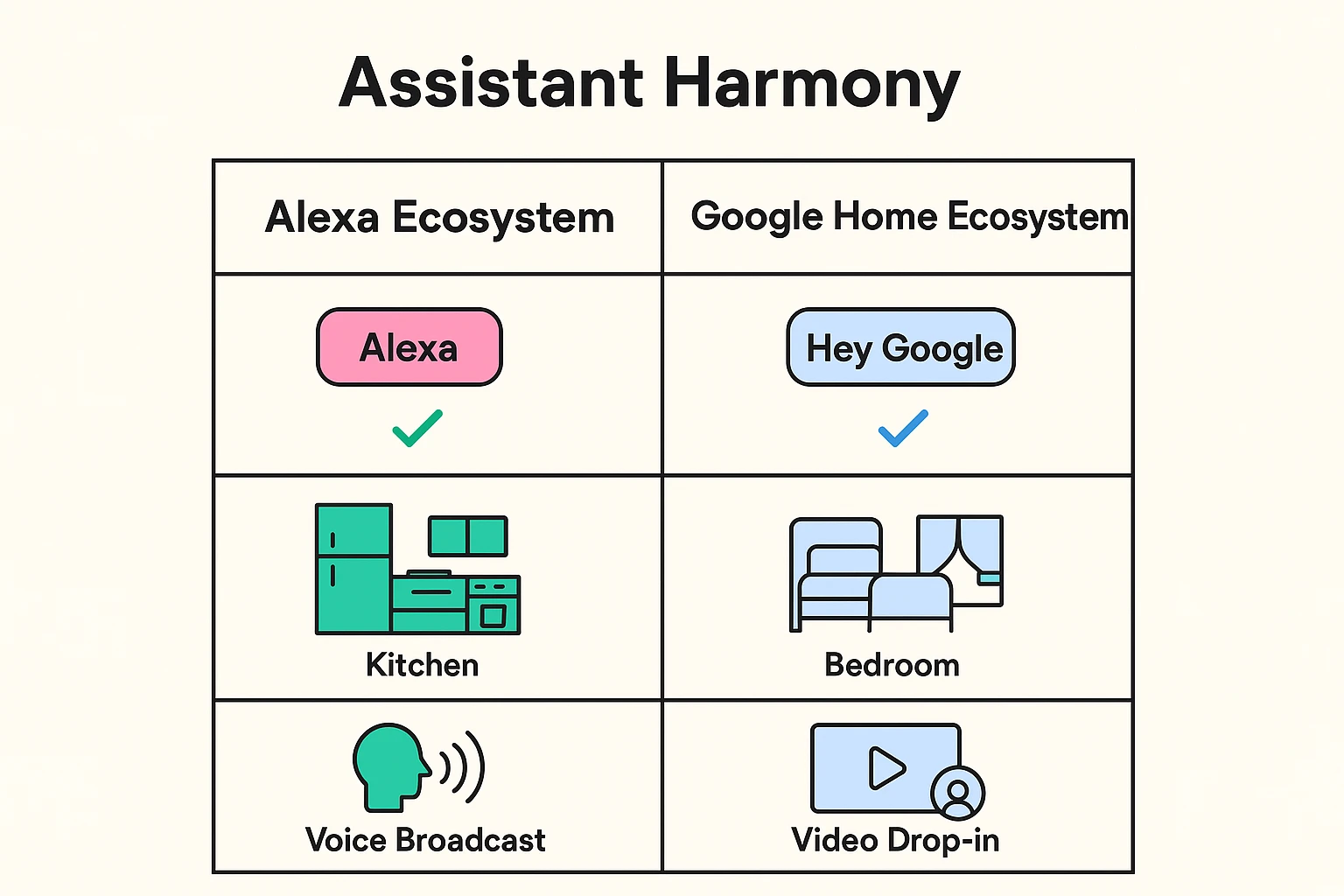
Maybe your kids bought you a Google Nest for Christmas, but you already had an Amazon Echo. Can they live together?
Absolutely. But like roommates with different political views, it helps to give them separate jobs to avoid arguments. This is the “Assistant Liaison” strategy.
By mentally assigning them “jobs,” you won’t get frustrated when you ask Alexa a complex question, and she says, “Hmm, I don’t know that.”
Volume levels can get messed up easily. You might have turned the volume down for a quiet evening and forgot to turn it back up. Create a “Morning Routine” in the app. Set it so that every day at 8:00 AM, all your devices automatically reset to volume level 5. This prevents the “I can’t hear you!” frustration.
Generally, no. Voice assistants use very little data when they are just waiting for a command. However, if you are streaming music on five speakers while watching Netflix and video calling the grandkids, you might notice a hiccup.
That sound is a “Request Sound,” confirming the device heard you. In a multi-device home, it can get annoying. You can turn this off in the device settings under “Sounds,” so the assistant listens silently until you finish your command.
Managing a smart home doesn’t have to feel like herding digital cats. By giving your devices a little personal space, distinct names, and clear jobs, you can enjoy the convenience without the confusion.
If you are ready to dive deeper, try setting up that “Everywhere” music group this afternoon. Put on your favorite album, walk from room to room, and enjoy the harmony.