Newsletter Subscribe
Enter your email address below and subscribe to our newsletter


Have you ever experienced that heart-stopping moment? You’re tidying up your inbox, feeling productive, deleting junk mail with the satisfying click, click, click of a digital conqueror. Then, a split second too late, you realize the email confirming your flight, your granddaughter’s brilliant school essay, or the secret family recipe for banana bread has just vanished into the ether.
The panic sets in. It’s a specific kind of digital dread, like realizing you’ve just used salt instead of sugar in your coffee. Your finger hovered over the delete button for a nanosecond too long, and now a vital piece of information is gone forever. Or is it?
Take a deep breath. In the world of email, “deleted” rarely means “obliterated.” Think of it less like shredding a document and more like tossing it into the wastebasket next to your desk. More often than not, you can simply reach in and pull it right back out, provided you know where to look and act before the digital garbage truck comes.
Before we start our rescue mission, let’s pull back the curtain on what actually happens when you hit “delete.” It’s not as dramatic as it feels. Your email provider (like Google or Microsoft) doesn’t immediately vaporize your message. Instead, it begins a little journey.
Stage 1: The Soft Delete. When you first delete an email, it’s just moved to a special folder. This is usually called “Trash,” “Deleted Items,” or something similar. The email is out of your inbox, but it’s safe and sound, just waiting in the digital dugout. This is a “soft delete.”
Stage 2: The Hard Delete. This happens when you manually “empty the trash” or when the email provider automatically cleans it out after a set period (say, 30 days). At that point, the message is no longer sitting in the easy-to-recover Trash or Deleted Items folder. For many home email accounts, this is where recovery gets much harder — and sometimes impossible.
Stage 3: The Server’s Secret. aka the “Maybe, But Don’t Count On It” Zone. Some email services offer one last recovery window after a message leaves the Trash or Deleted Items folder. Outlook, for example, may let you recover recently removed messages through a special “Recover deleted items” option. Some work or school accounts may also have extra recovery options through an administrator. But don’t assume this exists everywhere. With many personal accounts, once the final recovery window closes — or once you choose “delete forever” — the message is gone for practical purposes.
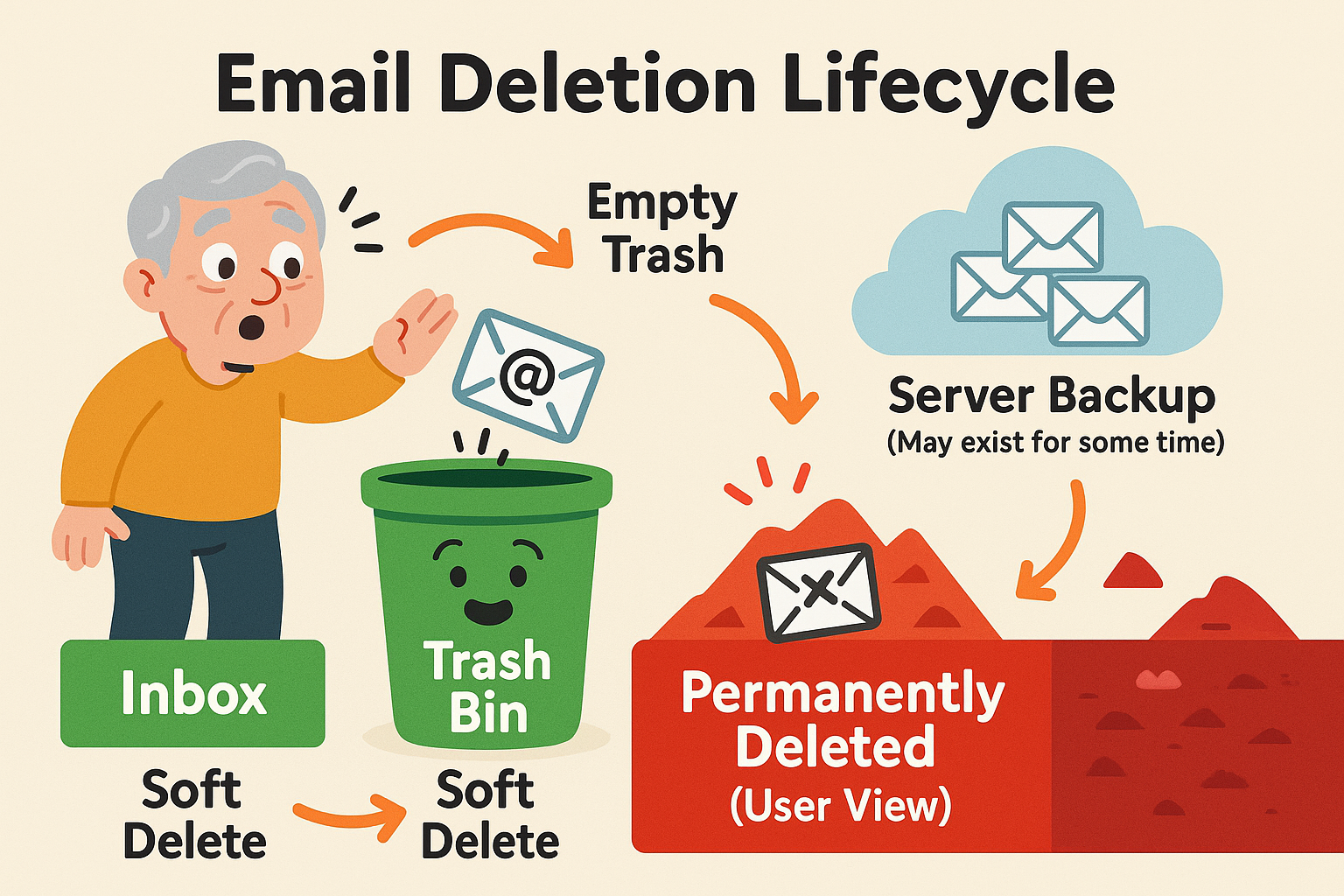
The stages of email deletion.
Alright, let’s put on our detective hats. Finding a deleted email is a little different depending on your provider, kind of like how every rental car seems to hide the button for the gas cap in a new and exciting place.
The most important rule is to act fast. The longer you wait, the more likely that digital garbage truck is to make its final run.
Gmail gives you up to 30 days to recover a deleted message from Trash. After that, Gmail says the message is permanently deleted and can’t be recovered. Also, if you manually choose “Delete forever,” you are skipping the waiting period.
Microsoft offers a useful second-chance feature that many people don’t know about. It’s especially helpful if the email is no longer sitting in Deleted Items.
Yahoo is the speed demon of email deletion. Trash is automatically cleared after 7 days, so you need to act quickly — quicker than a squirrel spotting a dropped peanut.
If the message is no longer in Trash, Yahoo has a restore request option for emails that went missing or were deleted within the last 7 days. It is not guaranteed, and it will not help much if the email disappeared weeks or months ago.
So, you’ve checked Trash or Deleted Items, looked in Outlook’s Recoverable Items area if you have one, and your email is still missing in action.
Before declaring it gone, also check Spam/Junk, Archive/All Mail, and Sent Mail. Use the search box to look for the sender’s name, a word from the subject line, or a phrase you remember from the message.
If it still doesn’t appear, the provider’s recovery window may have passed, and the email may no longer be recoverable by you.
At this point, your best bet is a low-tech solution: contact the person who sent you the email (or the person you sent it to) and politely ask if they can send it again. It’s surprising how often this simple step works!
The best way to deal with a deleted email is to not accidentally delete it in the first place. Here are a few habits that can save you a lot of future grief.
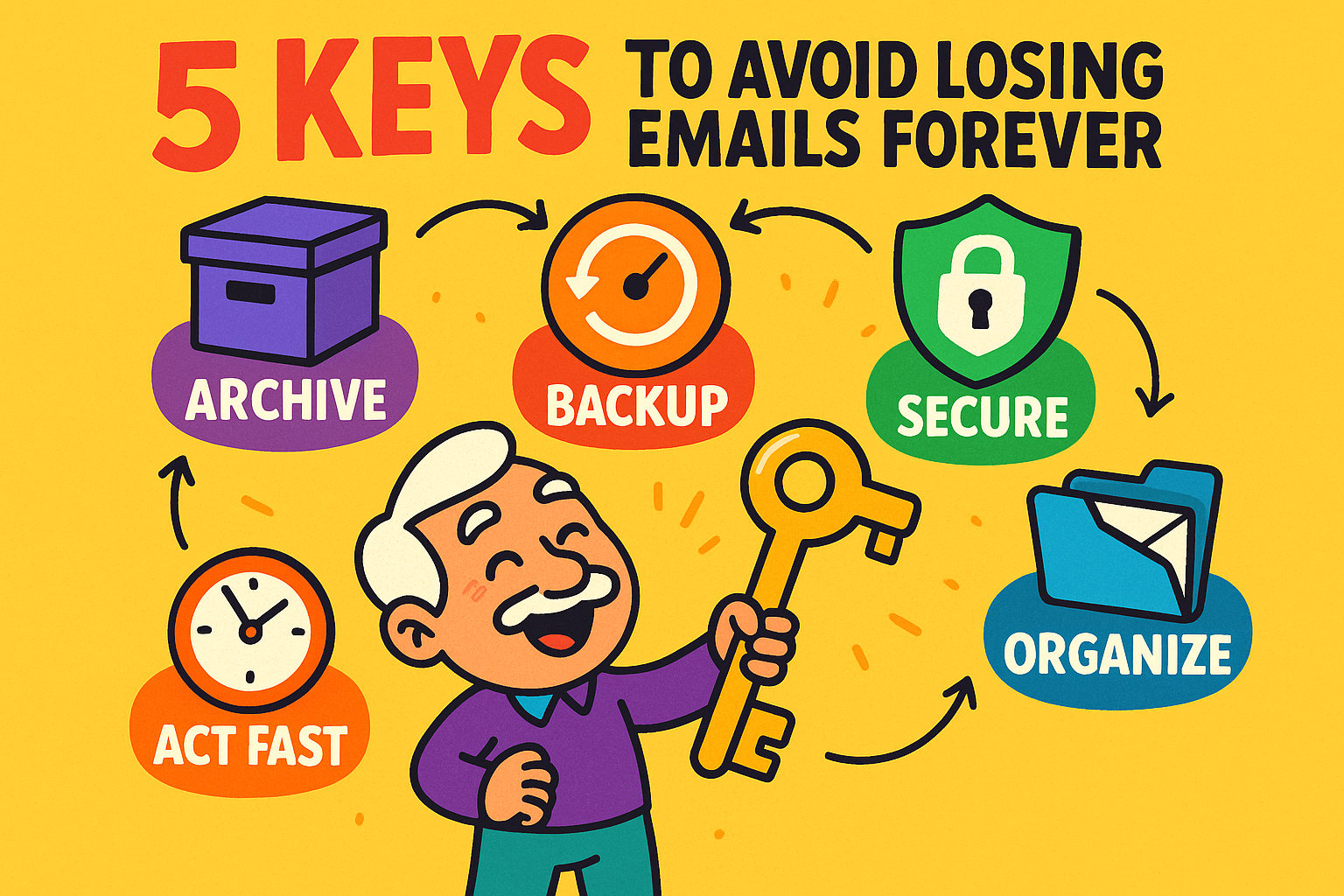
Most email services have an “Archive” button right next to the “Delete” button. They are not the same!
Rule of thumb: If it’s junk, delete it. If it’s something you might need again someday (like a receipt or a confirmation), archive it.
For truly irreplaceable emails — like that message from your son with photos of the new baby — don’t leave the only copy buried in your inbox. Save the photos to your computer or cloud storage.
For the message itself, you can print it, save it as a PDF, or copy the important details into a document. Think of it as making a photocopy of a precious document before someone sets the original next to a cup of coffee.
It depends! Gmail gives you 30 days in the Trash. Yahoo gives you only 7 days. Outlook keeps them in “Deleted Items” until you empty it, but the “Recoverable Items” folder usually clears out after 14 to 30 days.
Almost certainly not. Once an email passes the provider’s final recovery window, it’s considered gone for good from a user’s perspective. The digital trail has gone cold.
Don’t worry! When you delete a folder, most email providers simply move all the emails that were inside it to the Trash folder. You can go into the Trash, select all of them, and move them back to your inbox or a new folder.
For all practical purposes, yes. Once you empty the trash, you’ve told the system you’re really sure you don’t want those emails. This is the point of no return for easy, self-service recovery.
So next time your finger slips, remember not to panic. Take a breath, check the trash, and more often than not, you’ll be able to rescue your email and bring it safely back to your inbox. You’ve got this