Newsletter Subscribe
Enter your email address below and subscribe to our newsletter


You finally caved. After months of your kids nudging you, there is now a sleek, blinking cylinder sitting on your kitchen counter. It looks like a fancy, high-tech thermos, but instead of holding coffee, it suddenly chirps, “Good morning! Would you like to hear today’s weather?” Your immediate instinct is to throw a kitchen towel over it and back away slowly. You could have just looked out the window to see the weather, but now you have a talking air freshener trying to make conversation.
If your first thought was, “Great, now my appliances are spying on me,” you are not alone. Introducing a home robot—whether it’s a smart display, a roaming vacuum, or a companion bot like ElliQ—can feel like inviting a tiny, know-it-all alien to move in with you. It doesn’t help that every sci-fi movie we grew up with ended with the robots taking over the neighborhood. But the reality is far less dramatic, much less sinister, and a whole lot more useful.
Today, we’re going to walk through how to introduce a home robot into your life without tearing your hair out. We’ll cover how to protect your privacy, how to stop it from talking when you’re trying to watch Jeopardy!, and how to train your new digital roommate so it actually makes your life easier.
According to research from groups like AARP, the number one barrier to older adults embracing new technology isn’t a lack of intelligence. It is a very healthy, very normal concern about privacy and security. We want to know: Will this thing spy on me? Is it recording my conversations with my cat?
The secret to overcoming this “tech anxiety” is changing how we view the device. A home robot is not a replacement for human connection, nor is it a complicated computer that requires an engineering degree to operate. Think of it as a highly obedient, slightly robotic golden retriever. It’s an “external memory aid” designed to fetch information, remind you to take your pills, and occasionally tell a terrible dad joke.
Getting comfortable with this technology requires a “Three-Way Training Contract.” This involves the manufacturer who built the tech, the “Trainer” (usually an adult child or caregiver helping set it up), and you, the “Learner.” If everyone isn’t on the same page, the robot usually ends up unplugged in a closet.
If you are the adult child or caregiver reading this, please listen closely. Teaching someone to use a new technology requires patience, not a race to see how fast you can connect to the Wi-Fi. It is incredibly stressful to have someone reach over your shoulder and rapid-fire tap a screen while speaking in tech jargon.
First, practice the “Hands-Off Rule.” Never grab the device or the tablet out of your parent’s hands. Guide them verbally, point if you must, but let them do the tapping. This tactile learning builds muscle memory, which is crucial for older adults who might be dealing with arthritis or the dreaded “fat finger” syndrome on touchscreens.
Second, embrace cognitive load management, which is a fancy way of saying: stick to the “One Skill Per Day” rule. Do not teach them how to check the weather, call Aunt Mildred, set a medication reminder, and order groceries all in one afternoon. You will fry their circuits before the robot even boots up.
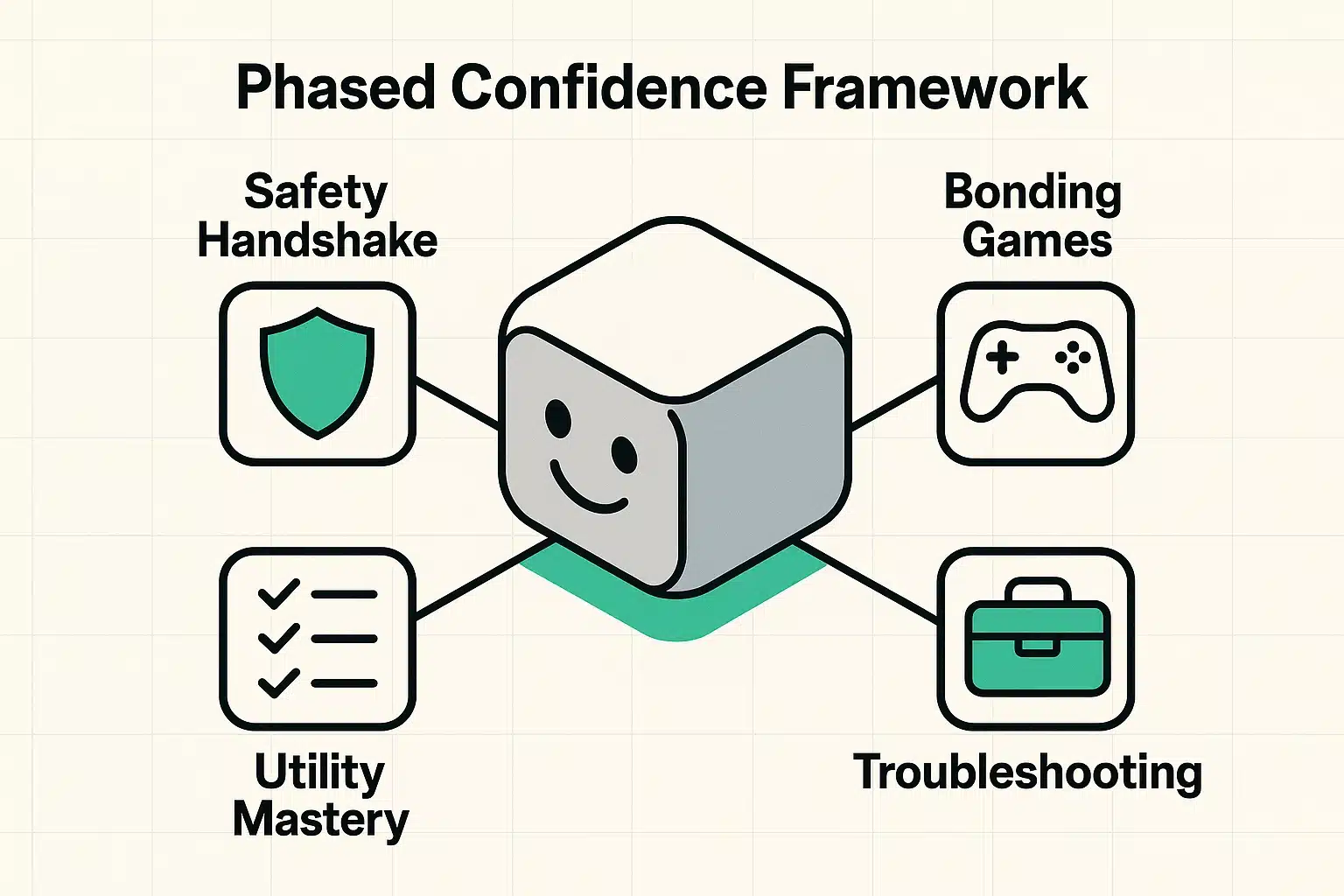
To turn this scary gadget into a supportive household companion, we recommend following a Phased Confidence Framework. It’s a step-by-step approach that starts with safety and ends with you being the boss of the machine.
Before we ask the robot to do anything, we need to learn how to make it stop. Your very first lesson should be locating the physical “Mute” switch and the camera shutter (if it has a screen). Knowing how to physically cut off the robot’s ability to hear or see you puts you in total control. It’s the digital equivalent of locking your front door, and it instantly reduces anxiety.
Now we start gamified onboarding. Don’t start by syncing your bank accounts or setting up complex medical alerts. Start with fun, totally useless tasks. Ask the robot to tell you a joke. Ask it to play a song from 1965. Ask it for the weather in Hawaii just because you can. This low-stakes interaction builds confidence without any fear of “breaking” something important.
Once you realize the robot isn’t going to bite, it’s time to put it to work. This is when you learn to set a simple timer for the oven, or have it remind you to take your evening medication. A great tip here is to create a “Large-Print Cheat Sheet.” Write down the three to five voice commands you actually want to use on a physical index card and tape it next to the device.
Eventually, the robot is going to misunderstand you. It might play heavy metal when you asked for the weather, or it might just freeze. This is where we learn “Robot Etiquette,” which is to say: there is none. You are allowed to interrupt the robot. You can firmly say, “Stop” or “Cancel,” and it will not get its feelings hurt. If all else fails, simply unplug it from the wall, wait ten seconds, and plug it back in.
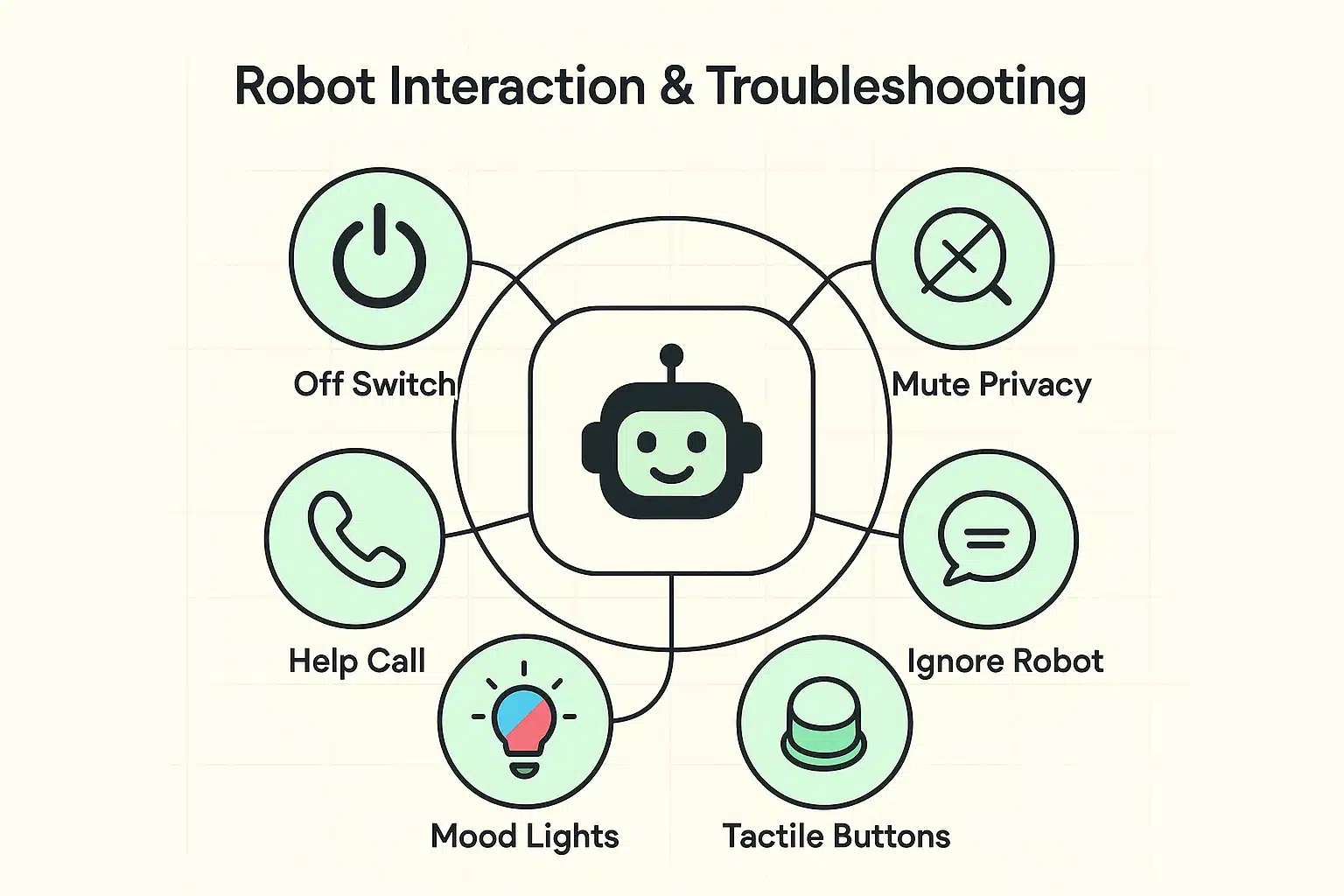
Most home robots communicate through a series of colored lights, which can feel like trying to decipher Morse code from a firefly. While every brand is slightly different, here is a general universal guide to what those glowing rings usually mean:
No. These devices are designed to listen only for their specific “wake word” (like “Alexa” or “Hey Siri”). Until it hears that exact word, it is not recording or transmitting your conversations to the internet. If you want absolute privacy, simply press the physical mute button.
Absolutely not. A home robot is a tool to supplement your independence, not replace human interaction. It can remind you to take your pills so your daughter doesn’t have to nag you about it, which actually leaves more time for you and your daughter to have enjoyable, normal conversations.
You cannot break a home robot with your voice. The worst thing that will happen is the robot will say, “I’m sorry, I don’t understand.” You can experiment, ask it silly questions, or tell it you love it. It’s practically indestructible when it comes to conversation.
Not at all. The robot does not have feelings, a soul, or a fragile ego. If it starts rambling on about the history of the tomato and you are bored, simply say, “Stop” or “Cancel.” You don’t even have to say “please,” though if you do, your mother would be proud.
Adopting new technology later in life is a marathon, not a sprint. You don’t have to master every single feature your new home robot offers. If you only ever use it to play your favorite Frank Sinatra playlist and set a timer for your hard-boiled eggs, that is a massive victory.
Take it one day at a time, use your physical cheat sheets, and remember that you are the one in charge. The next time that little blinking cylinder lights up, don’t throw a towel over it. Ask it to tell you a joke. You might just find yourself smiling at a machine, and realizing the future isn’t quite as scary as Hollywood made it out to be.