Newsletter Subscribe
Enter your email address below and subscribe to our newsletter

By Chris Clark, founder of Senior Tech Cafe
Incognito mode stops your browser from saving your history, cookies and anything you type into forms on your own device once you close the window. That’s what Incognito mode does, and nearly all it does: the websites you visit, your internet provider and whoever runs the Wi-Fi can still see your activity.
You’re on the shared family computer, trying to look up a surprise anniversary gift for your spouse. Or maybe you’re trying to figure out why your left knee makes a noise like a rusty gate every time you stand up. You’d really rather not have ads for velvet Elvis paintings or joint supplements following you around the internet for the next six months.
So you click “New Incognito Window.” The screen goes dark. A little icon of a spy in a hat and glasses appears. Suddenly, you feel like James Bond. You’re completely invisible to the digital world, right?
Well, not exactly. Incognito mode is genuinely useful, but expecting it to hide everything is like closing your eyes and believing nobody in the room can see you. Here’s what it actually does, who can still see you, and when it’s worth using.
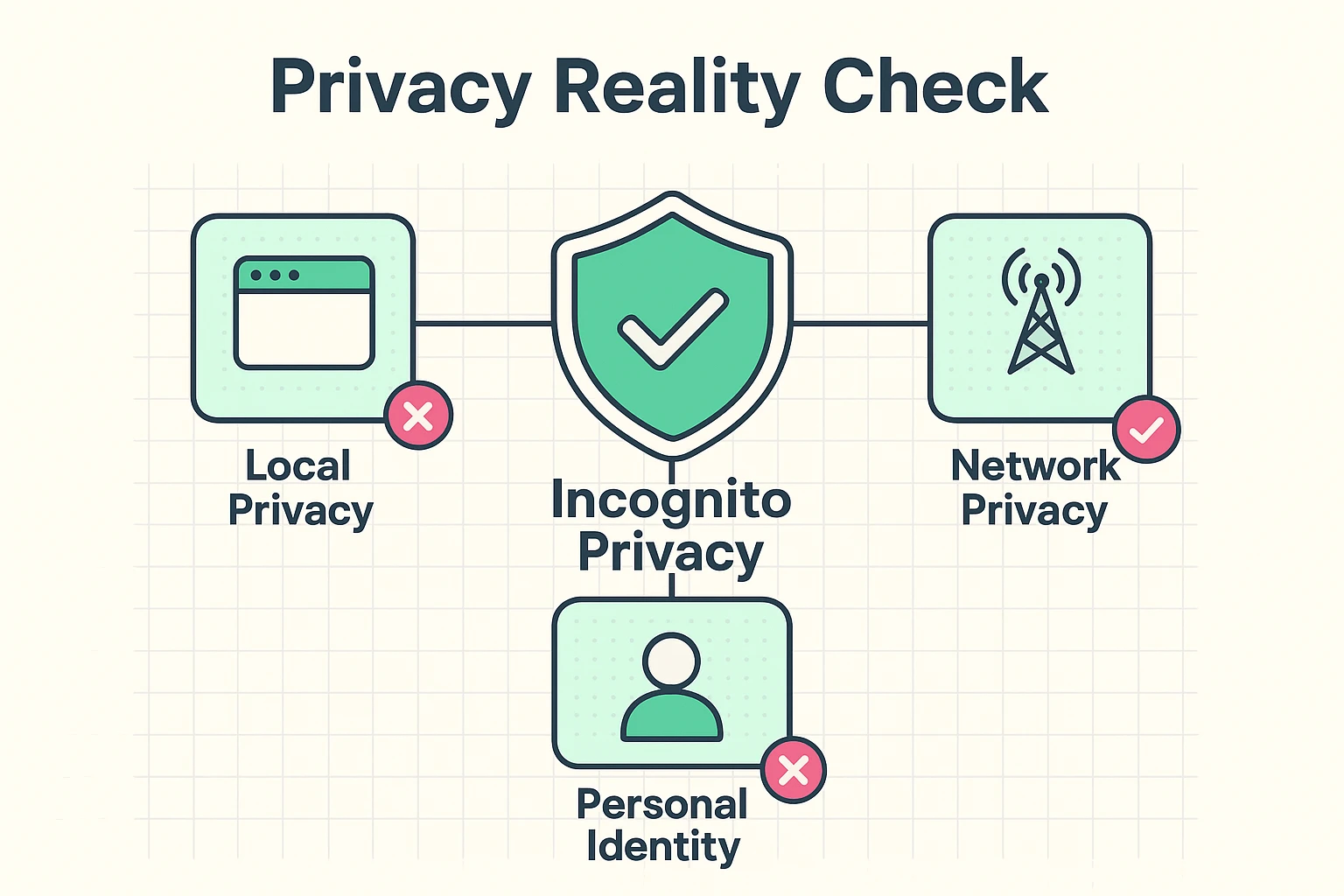
To understand private browsing, you need to separate two things: your own computer, and the network that connects it to everything else. A hotel room makes the difference easy to see.
Using Incognito mode is like renting a hotel room and being meticulous about cleaning up before you leave. You wipe down the counters, take the trash with you, and make the bed perfectly. When the next guest (say, your spouse using the computer after you) walks in, there’s no evidence you were ever there. Your browsing history is wiped the moment you close the window.
But the front desk still has a record of you checking in, and the hallway cameras still saw you walk to your room. Online, your internet provider (like Comcast, AT&T or Spectrum) is the front desk. It can still see which websites you visited, even after your computer has forgotten all about them. On secure sites, the ones with an address starting “https,” it sees the site’s name but not the pages you read or what you type.
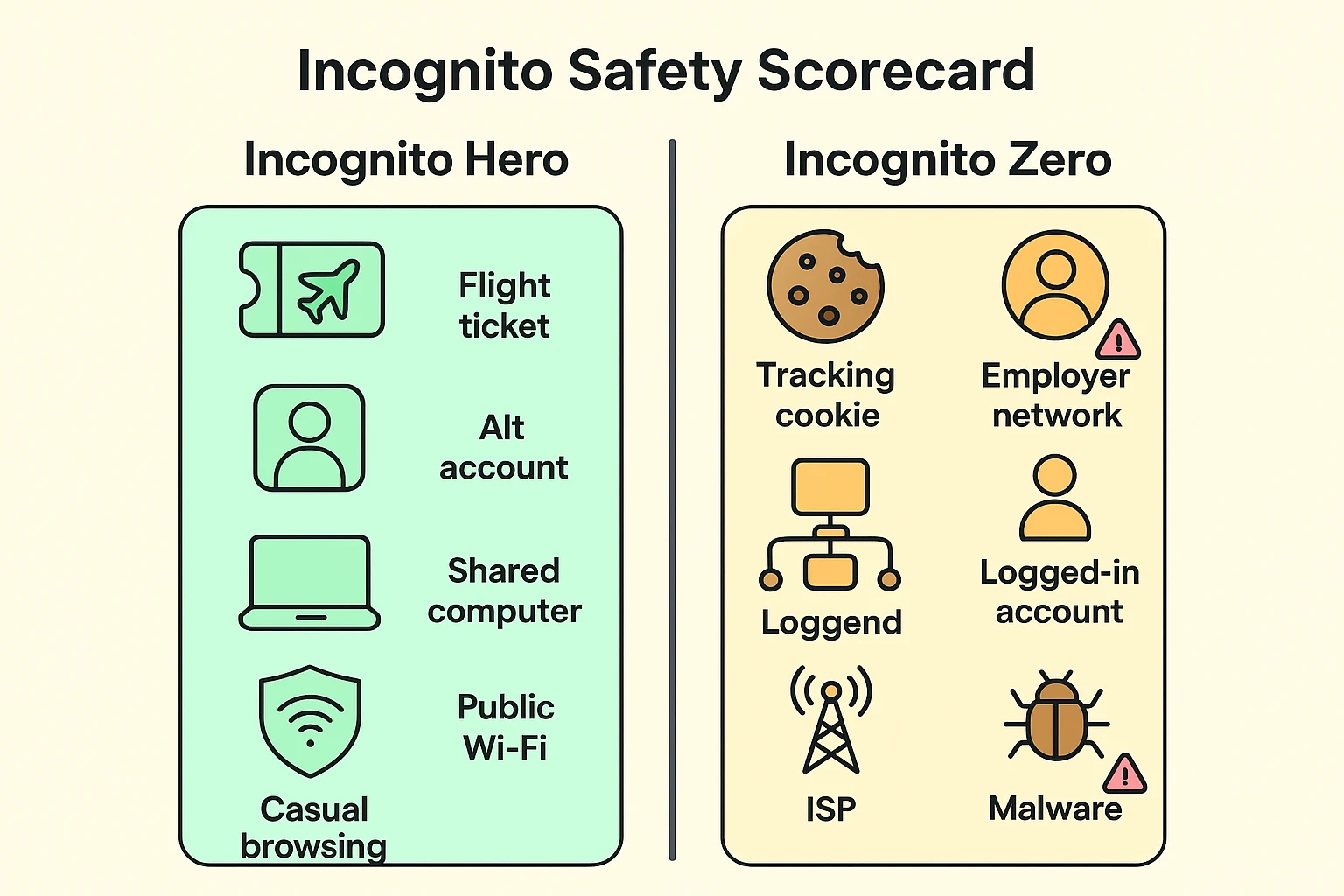
In Incognito mode, the only people who can’t see what you did are the ones using the same device after you. Everyone between you and the website, and the website itself, can still see your activity. Here’s how it breaks down:
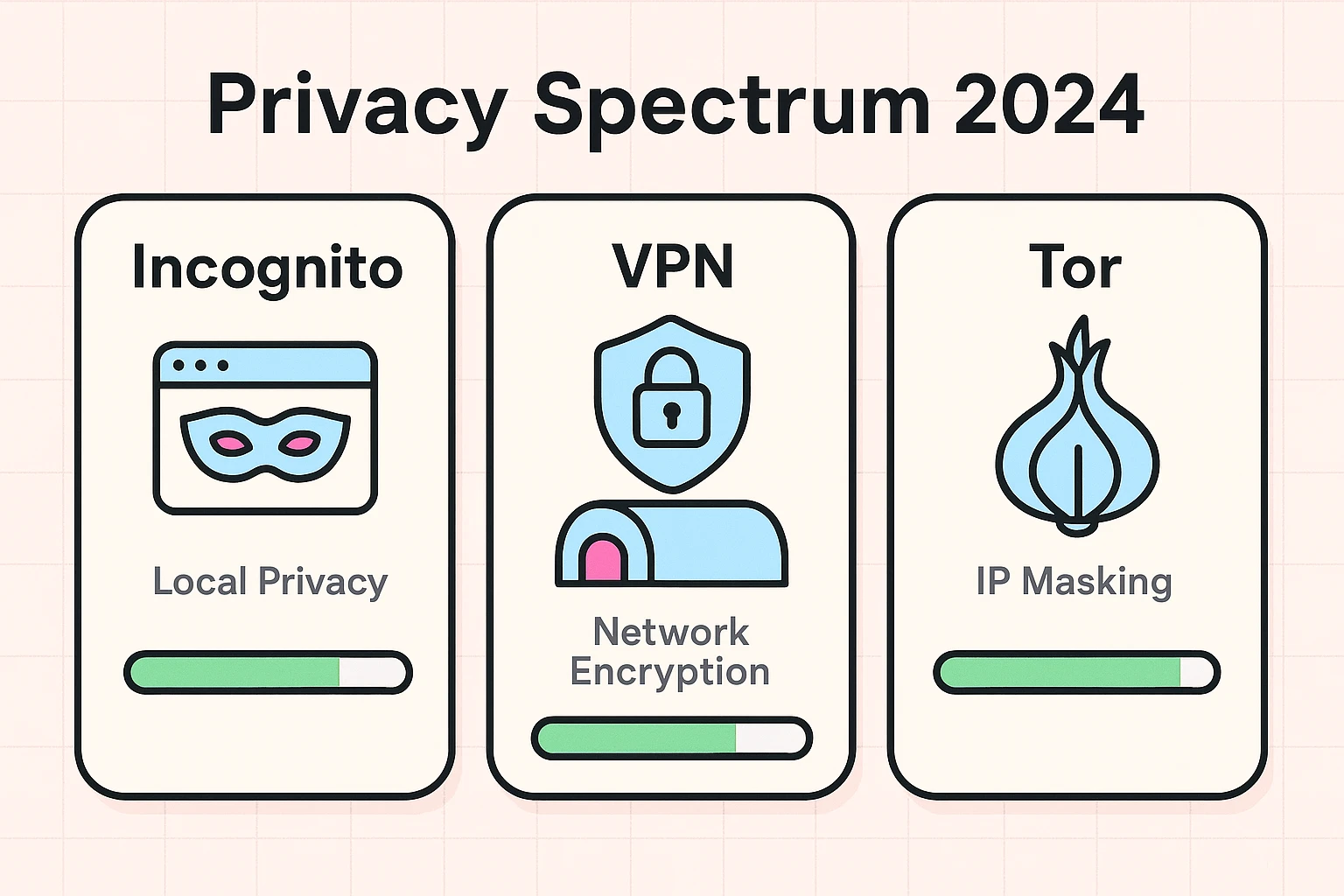
If you want to hide your activity from the network as well, that’s a job for a different tool. Here’s what a VPN is and how it works.
If you feel slightly misled by the word “Incognito,” you’re in good company. Millions of people felt the same way, and some of them took Google to court.
The lawsuit, filed in 2020, argued that Google kept collecting data about people’s browsing even while they used Incognito mode. Google settled in April 2024. It didn’t pay the users anything, but it agreed to destroy or anonymize billions of browsing records collected in private mode, to block third-party cookies in Incognito by default for five years, and to spell out more plainly what Incognito doesn’t hide. The plaintiffs’ lawyers valued the deal at more than $5 billion.
That’s why the screen you see when you open an Incognito window now says outright that websites, including Google’s, can still collect data about you. It’s a history eraser for your own computer, not a privacy shield for the internet.
Private browsing earns its keep in four situations:
Incognito mode is safe to use, but it doesn’t make you any safer from scams, viruses or hackers. It’s a privacy feature for your own device, not a security feature. The same fake website or bad download can hurt you in a private window just as easily as in a regular one.
It does come with a few small bonuses worth knowing about:
And it can’t undo anything. If you sign in to an account, that account keeps its own history no matter what kind of window you used. For the many other ways sites keep tabs on you, see our guide to website trackers.
Every major browser has a private mode. They just can’t agree on what to call it. Here’s how to open one, by device.
On a computer:
Private browsing on iPhone and iPad (Safari):
Chrome on an Android phone or an iPhone: Tap the three dots, then New Incognito tab. Apple and Google move these buttons around every year or two, so if yours look different, look for the word Private or Incognito near your tabs.
Tip: Your ad blocker is probably switched off in private windows, because browsers turn extensions off there by default. In Chrome, go to the three dots, then Extensions, then Manage Extensions. Click Details under your ad blocker and switch on Allow in Incognito.
No. Your IP address works like a return address on everything you send online, and Incognito mode doesn’t change it. Websites can still see roughly where you are, often down to your city. If you want to hide your IP address, you need a different tool, a virtual private network, usually called a VPN.
It’s safe, but it isn’t safer than a normal window. Your bank’s security depends on its own encryption and your login protections, not on private browsing. Incognito does help on a shared or public computer, because your login details and the pages you opened aren’t saved for the next person once you close the window.
Only for that session, and only partly. Inside a private window, sites can’t read the cookies from your regular browsing, so ads based on your past shopping fade. But the moment you sign in to Google, Amazon or Facebook in that window, they know exactly who you are and can tailor ads again.
Not on the device itself, once you close every private window. Your history, cookies and form entries are wiped. They can’t scroll back through it. But anyone who manages your home Wi-Fi router may be able to see which sites the household visited, and any account you signed in to keeps its own record.
Incognito mode is a handy, easy feature, as long as you treat it as what it really is: a digital broom for sweeping up your tracks on your own computer, not an invisibility cloak for the entire internet.
Now that you know what’s behind the spy mask, you can use it with confidence. Go ahead and research that noisy knee in peace. Just remember that the internet company still knows you’re doing it. For the rest of the checklist, start with our online safety guide for seniors.