Newsletter Subscribe
Enter your email address below and subscribe to our newsletter

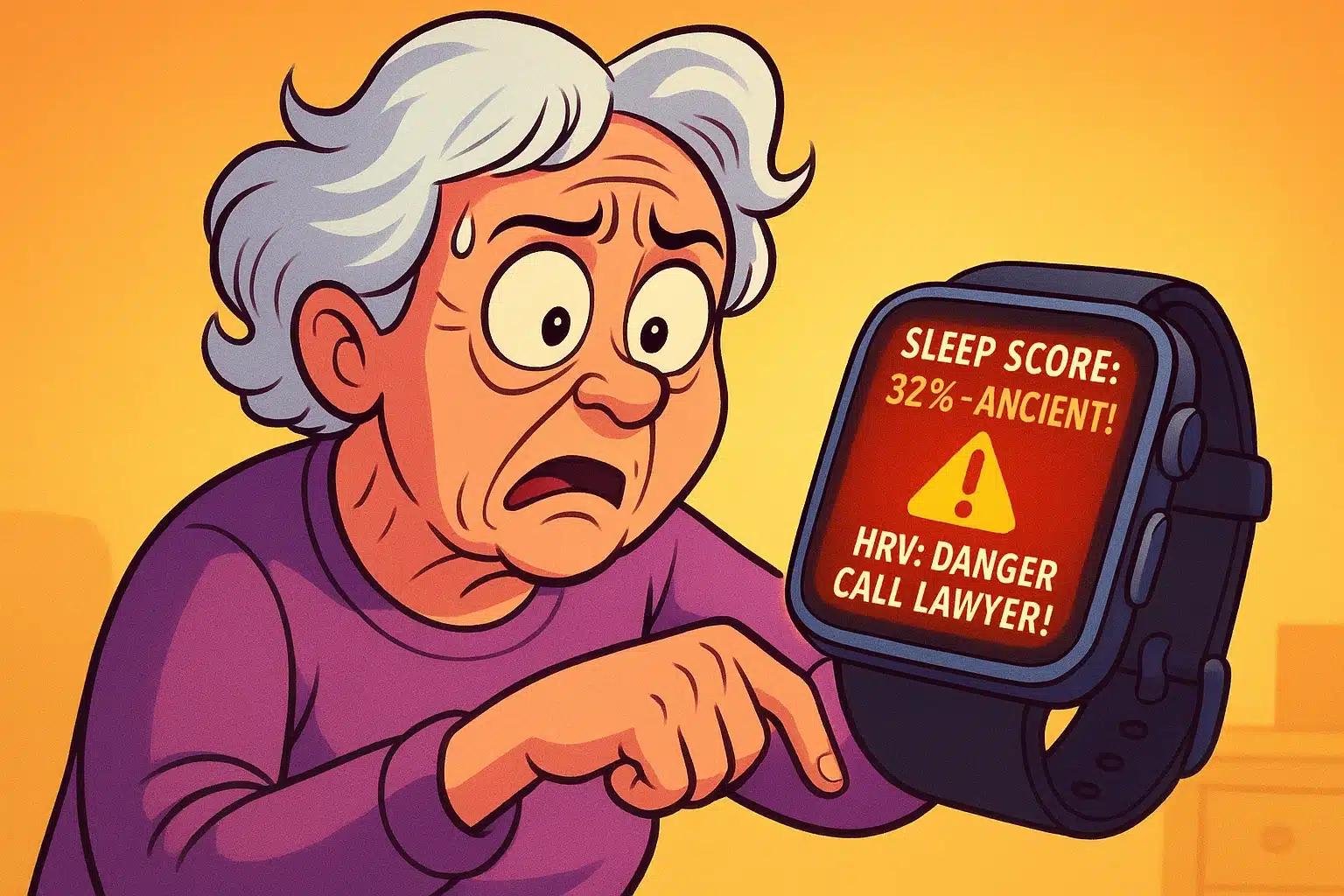
Imagine waking up after a solid eight hours of sleep, feeling perfectly rested. You stretch, pour yourself a cup of coffee, and cheerfully glance at your smartwatch. But instead of saying “Good Morning,” your watch informs you that your “Sleep Score” is an abysmal 32 out of 100 and your “Heart Rate Variability” is critically low.
Suddenly, despite feeling absolutely fine thirty seconds ago, you’re wondering if you need to lie down, update your will, or call your children to say a tearful goodbye. You bought this fitness tracker to count your steps and maybe check the weather, but now it’s handing out medical verdicts like an overly dramatic doctor permanently strapped to your wrist.
If this sounds familiar, take a deep breath. You are experiencing the “Anxiety Gap”—the terrifying space between receiving a scary tech notification and understanding what it actually means. Today, we are going to translate what your watch is trying to tell you, so you can stop stressing over the numbers and start using them to your advantage.
First, let’s get one thing straight: your smartwatch is an incredible wellness companion, but it is not a diagnostic tool. Medical journals have actually coined a new term for the panic these devices induce—”cyberchondria.”
When you strap on an Apple Watch, Fitbit, or Oura ring, you are giving a tiny computer access to millions of data points about your body. But computers lack context. Your watch doesn’t know you ate a spicy pepperoni pizza at 9 PM or that your grandson’s new puppy kept jumping on the bed all night.
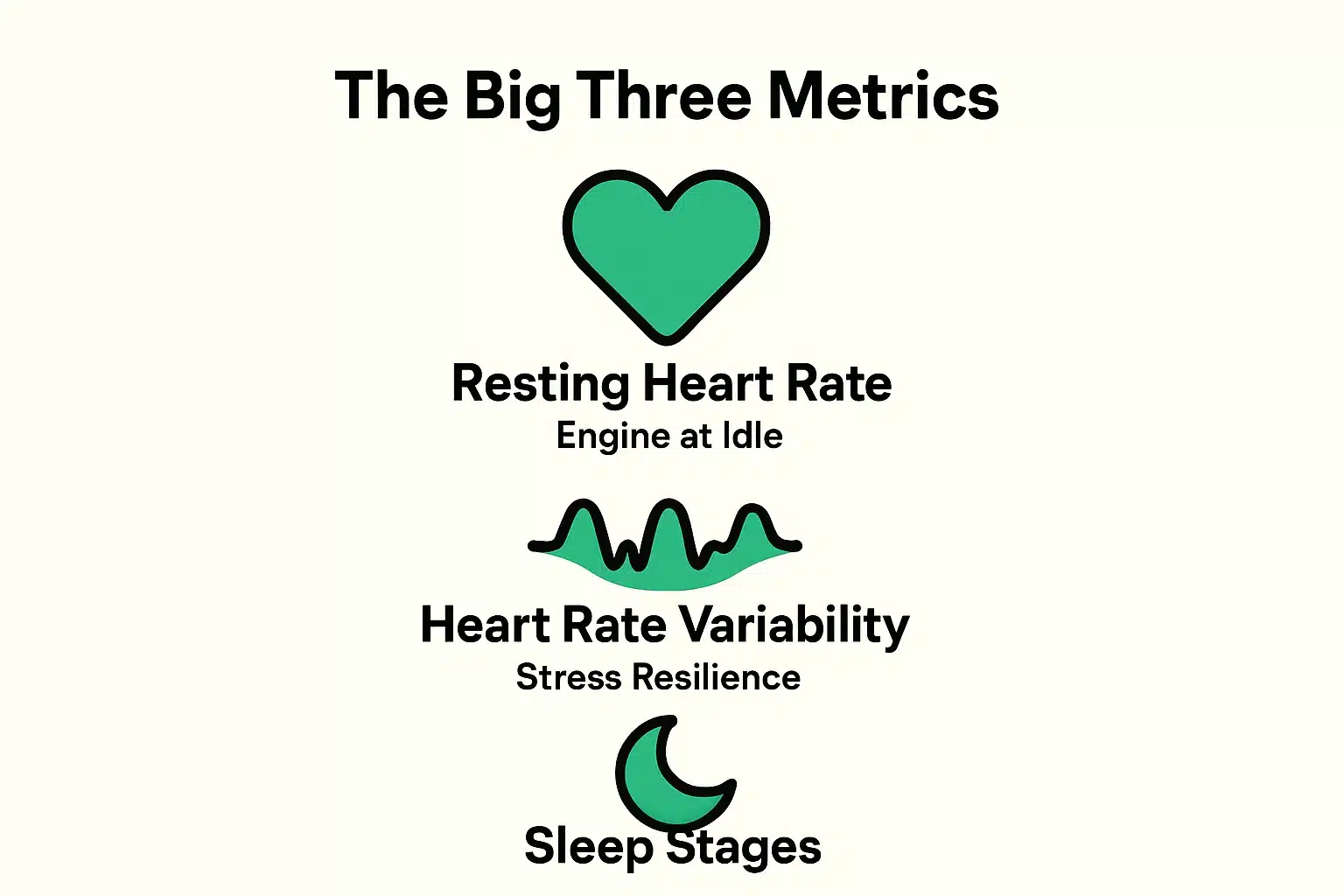
To stop the unnecessary panic, we need to understand the “Big Three” metrics your watch tracks, and more importantly, how they apply to you.
Your Resting Heart Rate is the number of times your heart beats per minute while you are completely at rest. Think of it like your car’s engine idling in the driveway. If the engine is revving high while sitting in park, it’s working harder than it needs to.
Generally, a lower resting heart rate indicates better cardiovascular fitness. However, this number naturally fluctuates based on hydration, stress, and even the temperature in the room. Don’t panic over a one-day spike; look at the average over a month.
Here is where most seniors get confused, and understandably so. In almost every aspect of life, “regularity” is a good thing—especially in our age bracket. But with Heart Rate Variability, high variability is actually the goal.
HRV measures the tiny time differences between your heartbeats. A high HRV means your nervous system is flexible, acting like good shock absorbers on a bumpy road, seamlessly shifting between stress and relaxation. A low HRV means your body is a bit more rigid, often due to fatigue or stress. But remember, a “good” HRV is highly personal.
Every morning, your watch probably tries to tell you exactly how many minutes of “Deep Sleep” or “REM Sleep” you had. Here is a dirty little secret: your watch is just guessing.
Unless you have electrodes glued to your head in a professional sleep lab, a watch on your wrist cannot definitively measure brain waves. It is guessing your sleep stages based purely on how much you toss and turn and your heart rate. Total time asleep is a much more reliable number to focus on than the percentage of “Deep Sleep” the watch claims you missed.
If your wearable reveals you aren’t getting enough total rest, perhaps adopting some soothing bedside routines could help—like utilizing Alexa for seniors to play calming white noise or read an audiobook before bed.
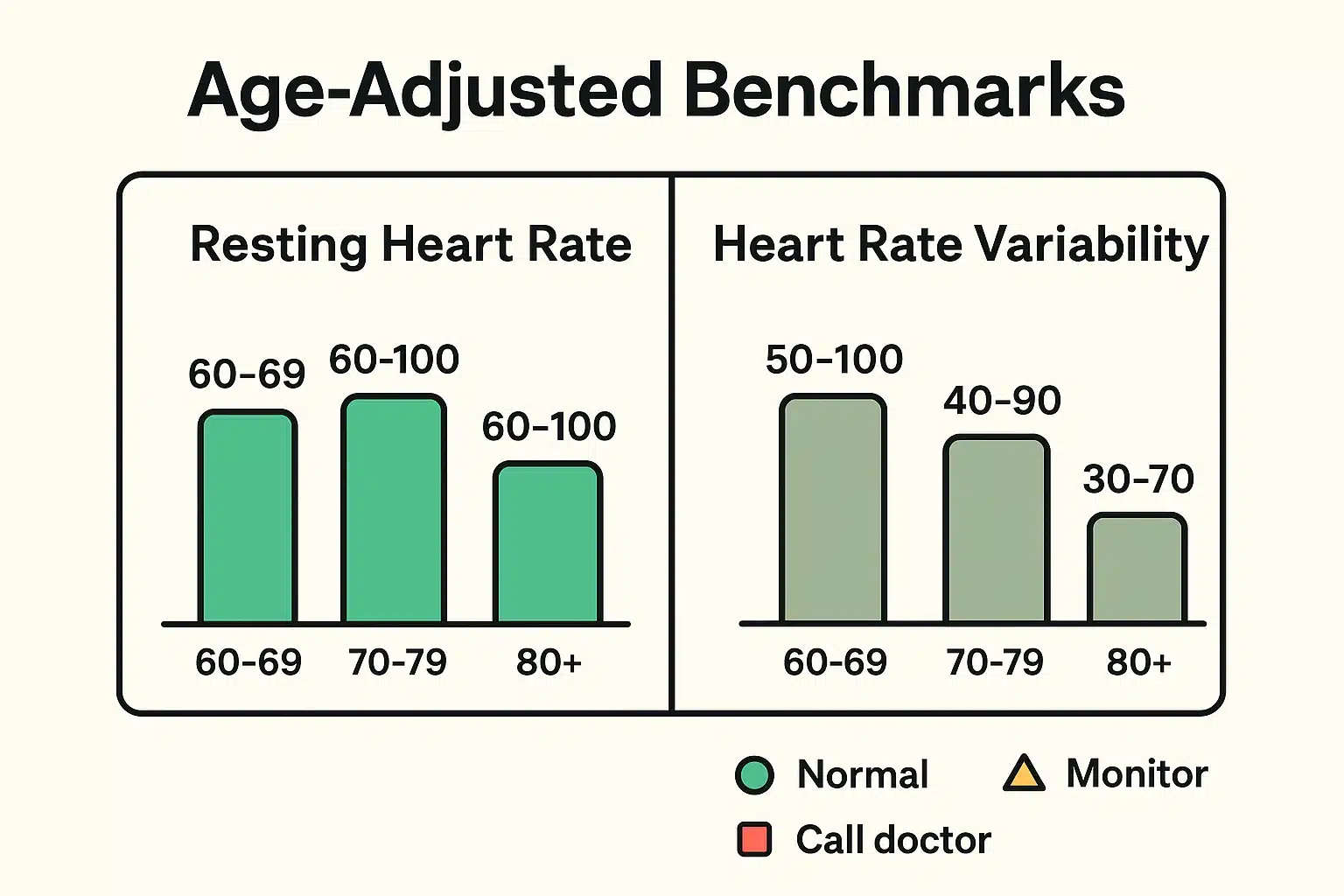
One of the biggest flaws with health apps is that their default “normal” ranges are often based on healthy 25-year-olds. If you are 70, comparing your HRV to a 20-something marathon runner is like comparing a reliable Buick to a Ferrari. They both run great, but their dashboard numbers are going to look very different.
As we age, our resting heart rate might elevate slightly, and our HRV naturally decreases. This is a normal part of the human experience, not a design flaw in your body.
Instead of comparing yourself to the app’s generic “ideal,” compare yourself to yourself. Using your watch to spot your own personal baseline trends over time is a wonderful habit. It’s much like setting up a reliable medication reminder to keep your daily routines consistent and predictable.
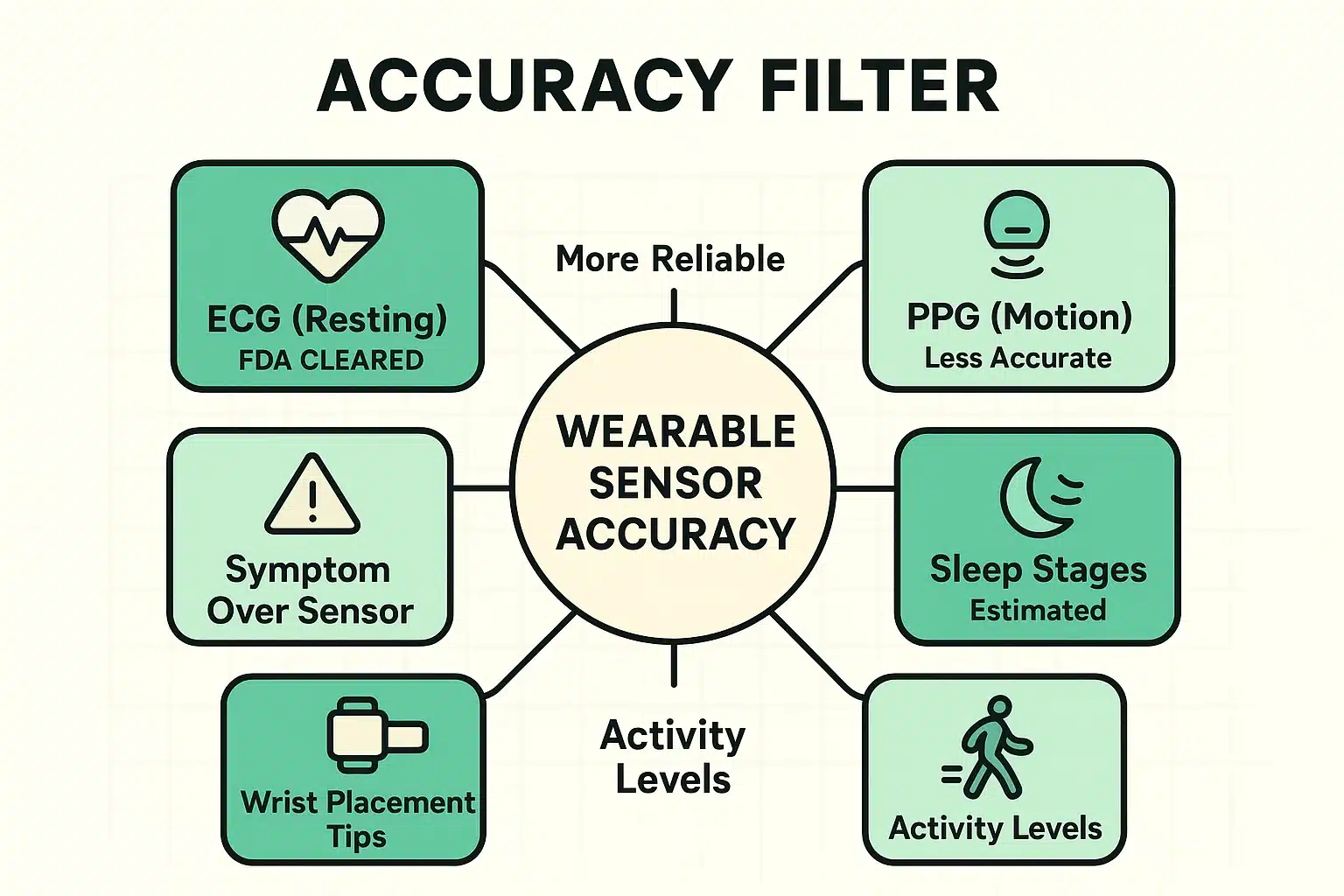
Not all sensors on your watch are created equal. Knowing how your watch gathers data is the secret to knowing when to trust it.
Most watches use a technology called PPG (Photoplethysmography), which is that little green blinking light on the back of the watch. It measures blood flow by shining light through your skin. It’s reasonably accurate when you are sitting perfectly still. But if you are mowing the lawn, shaking a cocktail, or wearing the watch too loosely, that green light gets confused.
On the other hand, ECG (Electrocardiogram) features, which require you to touch the watch dial with your opposite finger to complete an electrical circuit, are much more medically reliable. They are often FDA-cleared to detect Atrial Fibrillation (Afib).
If you take nothing else from this article, memorize this rule: Trust your body first, and your watch second.
If you feel dizzy, short of breath, or experience chest pain, but your smartwatch insists your heart rate is 100% perfectly normal, ignore the watch and call a doctor. Technology glitches; your physical symptoms do not.
Conversely, if you feel fantastic, energetic, and completely healthy, but your watch says you are having a terrible recovery day, maybe just tighten the watch strap. Don’t let a tiny piece of plastic ruin a perfectly good Tuesday.
Doctors love engaged patients, but they do not love scrolling through three months of random smartwatch data while you sit on the examination table. To use this data effectively, employ the “Traffic Light” system:
When you do talk to your doctor, simply say: “My watch normally says my resting heart rate is 65, but for the last week, it’s been consistently over 85, and I feel unusually fatigued.” This gives your doctor a clear, actionable baseline to work from!
Because you are moving! Your resting heart rate is taken at rest. Standing up and walking requires oxygen and energy, so your heart naturally speeds up to deliver it. This is exactly what a healthy heart is supposed to do.
At rest, yes—they are usually accurate within a few beats per minute. During heavy movement or exercise, their accuracy drops significantly due to the watch bouncing on your wrist.
No. Absolutely not. Smartwatches cannot detect a heart attack. If you experience symptoms of a heart attack (chest pain, shortness of breath, radiating pain in your arm or jaw), call 911 immediately. Do not check your watch for a second opinion.
Yes! Caffeine is a stimulant. It can temporarily raise your resting heart rate and lower your HRV. If your numbers look jittery after three cups of dark roast, your watch is simply confirming that your coffee is, indeed, working.
In the end, technology should empower you, not terrify you. Wear your smartwatch loosely enough to be comfortable, but snugly enough to be accurate. Treat its data as a gentle suggestion rather than gospel, and most importantly, remember to look up from the screen and actually enjoy the healthy life you’re tracking!