Newsletter Subscribe
Enter your email address below and subscribe to our newsletter

By Chris Clark, founder of Senior Tech Cafe
Health data privacy comes down to one surprise: HIPAA, the law most people assume protects their health information, usually doesn’t cover the data from a fitness tracker or a health app you downloaded yourself.
That matters, because these gadgets know a lot. You unwrap a sleek new tracker that promises to count your steps, watch your sleep and remind you to drink more water. It’s like having a tiny, optimistic drill sergeant on your wrist, cheering you on as you walk to the mailbox.
It also knows you took 4,327 steps yesterday, that you were restless between 2:15 and 2:48 a.m., and that your heart rate spiked during the tense final moments of your favorite game show. It knows more about your daily routine than your nosy neighbor, and it never has to peek through the blinds.
Here’s who else might see that information, and how to politely show them the door.
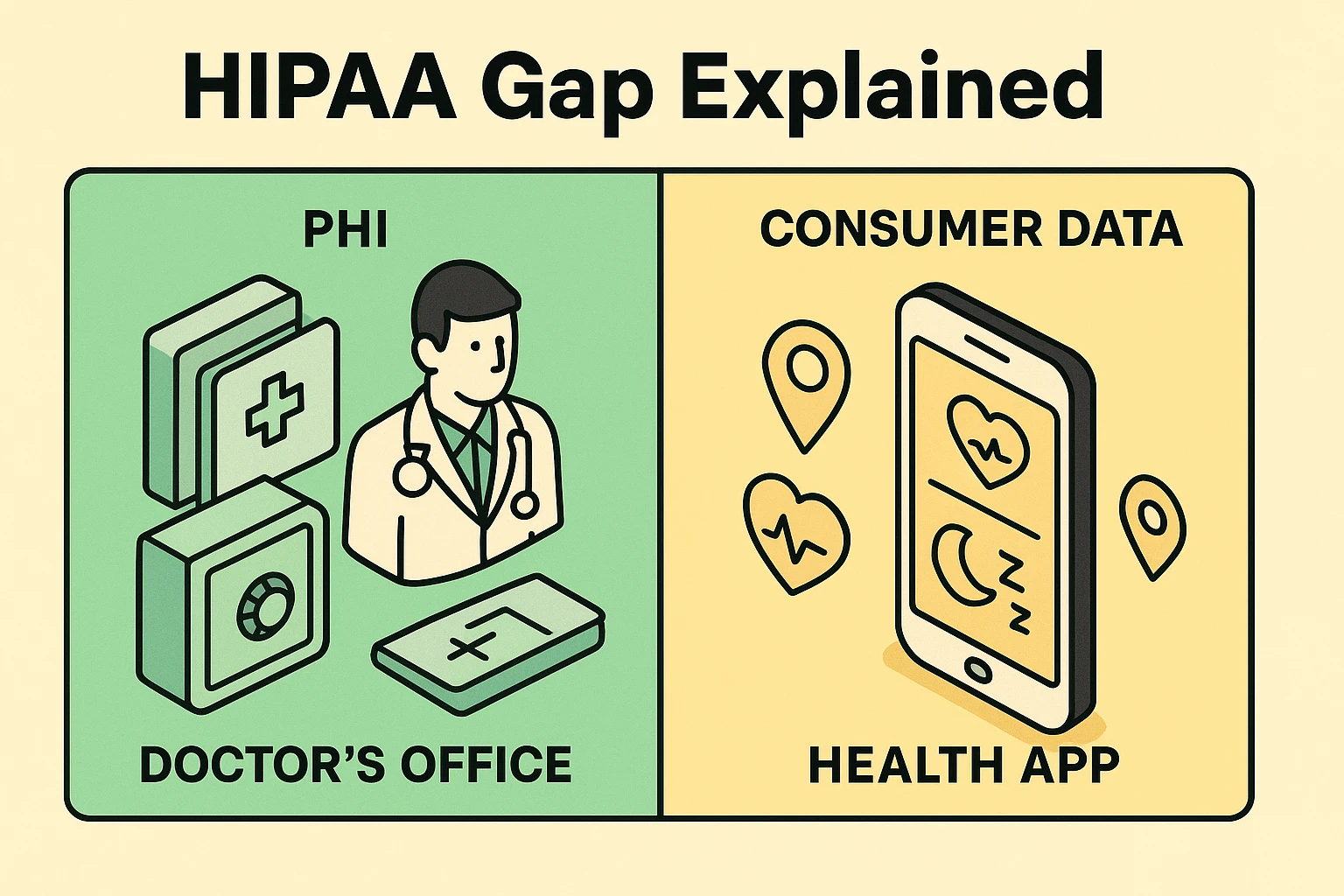
You’ve probably heard of HIPAA, the Health Insurance Portability and Accountability Act. It sounds official and protective, like a digital bodyguard for your medical records. And it is. HIPAA is the reason your doctor’s office has you sign a mountain of forms and can’t discuss your new knee replacement with your cousin Earl without your permission.
But HIPAA only covers certain organizations: doctors, hospitals, pharmacies, health insurance plans, and the companies they hire to handle your records. An app your doctor’s office gives you to see test results may be covered. A fitness tracker or health app you buy or download on your own generally isn’t.
There’s a twist, too. If you send your medical records from your doctor to an app you chose, the U.S. Department of Health and Human Services says HIPAA no longer protects that copy once the app has it.
That’s the HIPAA gap. The companies that make these apps aren’t your doctor. They’re tech companies, and their own privacy policy, not HIPAA, sets most of the rules for what they do with your data.
Fitness tracker privacy isn’t a free-for-all. The Federal Trade Commission’s Health Breach Notification Rule, updated in 2024, covers health apps and devices that HIPAA doesn’t. If one of them leaks your health data, or shares it without your permission, the company has to tell you.
The FTC has already used that rule. In 2023 it penalized GoodRx for sharing people’s prescription and health information with advertisers including Facebook and Google, and the fertility app Premom for sharing users’ health data with other companies. A few states have gone further. Washington’s My Health My Data Act, for example, requires a company to get consent before it collects or shares a Washington resident’s health data.
Those rules help, but they mostly kick in after something goes wrong. The settings further down help keep it from going wrong in the first place.
A lot of what happens to your health data now involves AI, which is just a very clever computer program that’s good at spotting patterns. Feed it your heart rate, sleep and step counts, and it can compare them with data from thousands of other people.
Some of that is genuinely useful. AI can notice a change in your sleep and nudge you to talk to your doctor, or help researchers study heart conditions using large pools of anonymized data. Some of it is just nosy: if an app figures out you’re trying to lower your cholesterol, don’t be surprised when cholesterol ads start following you around online.
The risks are the ones you’d expect. A company holding detailed health data is an attractive target for hackers, and a leak hands scammers the details they need for a convincing pitch. Some companies share data with advertisers or data brokers. And AI is only as good as what it learned from, so advice built mostly on younger people’s data may not fit you.
One more gap to know about: health questions you type into an AI chatbot aren’t covered by HIPAA either. Our guide to AI companion privacy covers what those apps keep and how to limit it.
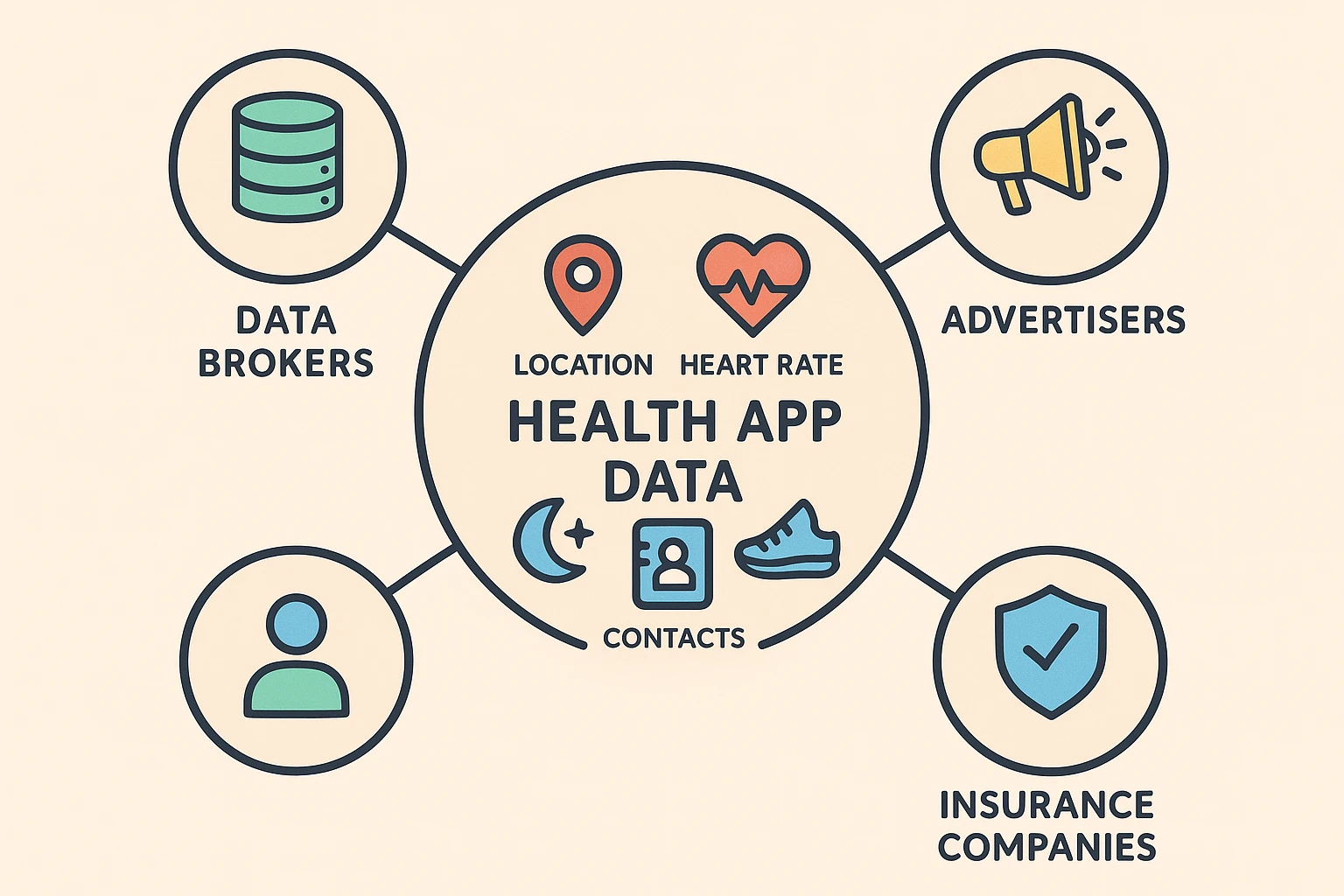
Every piece of data your app collects is a clue about your life. To you, it’s just a number. To a data broker or advertiser, it’s a chapter in your biography they can sell.
Much of the interest is advertising. Ever notice how, after you search for a new pair of walking shoes, ads for those exact shoes follow you around the internet like a lost puppy? It’s the same principle. If your app data shows you’re sleeping badly, you might start seeing ads for mattresses, sleep aids or chamomile tea.
And even careful organizations slip. In 2024, Kaiser Permanente told 13.4 million members and patients that tracking code on its websites and apps may have sent information about their visits to Google, Microsoft and X. In 2021, security researchers found an unprotected database holding more than 61 million records from fitness trackers and health apps, including names, birth dates, weights and locations. Your data is valuable, and plenty of companies want a look at it.
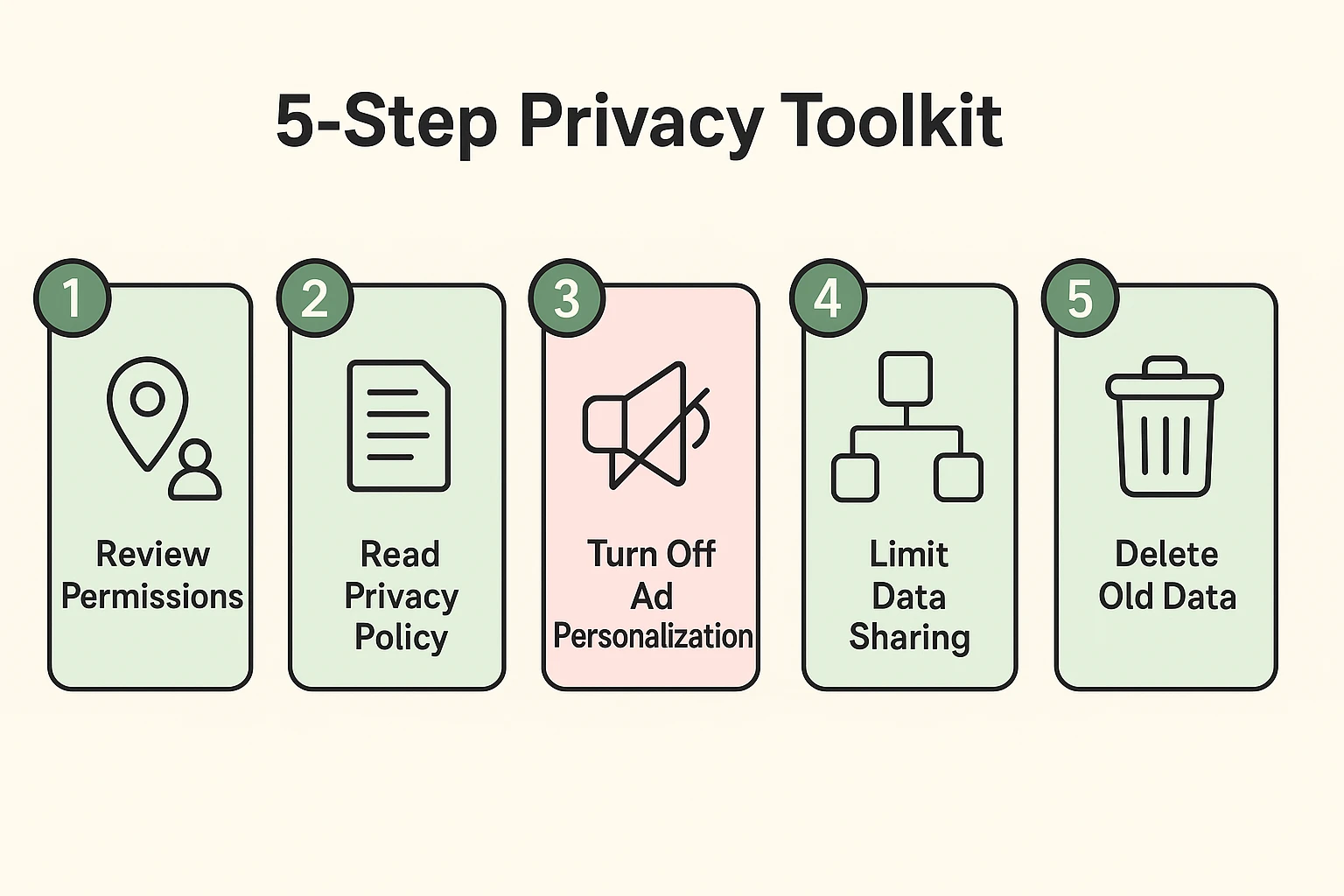
Feeling a little creeped out? Don’t be. The goal isn’t to throw your new tracker in a drawer. The goal is to become the boss of your own data. Here are five simple steps to take back control.
When you install an app, it asks for permission to reach things on your phone like your location, contacts and microphone. Be stingy. Does your step-counting app really need to know where you are at all times? Does it need your entire contact list? Probably not.
For a fuller tour of what each permission means, see our guide to decoding app permissions.
Reading a privacy policy sounds about as fun as assembling flat-pack furniture. But you don’t have to read every word. Use the find feature (Ctrl+F on a computer, or the search option in your phone’s browser) and look for a few key words:
Red flag: if you see “we may share your data with our trusted partners for marketing purposes,” that’s corporate-speak for “your data is going to advertisers.”
If the policy runs long, paste it into an AI chatbot and ask it to point out anything about selling or sharing health data. Then check those sentences yourself before you rely on the summary.
Your phone has an advertising ID that apps can use to follow you from app to app. You can shut that down. It won’t stop the ads, but it will stop them from being eerily specific to your life.
For the same cleanup on your Google and Facebook accounts, here’s how to turn off personalized ads.
Your phone’s health hub lets other apps read and add to your health data. That’s convenient, but every connection puts another copy of your data in another company’s hands. Any app that tracks sensitive information, from your heart rate to a simple medication timer, comes with these settings.
Every few months, cut off any app you no longer use.
Some apps and devices let you delete your data history. If you no longer use a service or just want a fresh start, see if there’s an option in the app’s settings to delete your account and associated data. If they can’t see it, they can’t sell it.
HIPAA usually doesn’t cover a fitness tracker or a health app you download yourself. It covers doctors, hospitals, pharmacies, health plans and the companies working for them. An app your doctor’s office gives you may be covered. And once you send your medical records to an app you chose, HIPAA no longer protects that copy.
Apple Health data is well protected. It’s encrypted on your iPhone and, with two-factor authentication turned on, end-to-end encrypted in iCloud, so even Apple can’t read it. The risk comes from other apps you allow to read that data. Review them in the Health app by tapping your profile picture, then Apps under Privacy.
Skipping fitness trackers isn’t necessary for good health data privacy. These devices can be genuinely motivating and useful, and a few minutes of settings work removes most of the risk. The trick is balance: keep the features that help your health, and turn off the sharing and permissions that mostly help advertisers.
The single most important step for health data privacy is reviewing app permissions. Cut off the location, contacts and microphone access a health app doesn’t need, and disconnect apps you’ve stopped using from Apple Health or Health Connect. It only takes a few minutes, and it closes the biggest leaks first.
Asking an AI chatbot about your health is fine for general questions, but HIPAA doesn’t cover what you type into one. Leave out your name, birth date and anything else that identifies you, and check whether the chatbot saves your conversations. For decisions about your own care, talk with your doctor.
With health data, it can feel like everyone’s after a piece of your personal pie. But you hold the forks. Once you understand the HIPAA gap and take a few simple steps, you can enjoy the benefits of modern health tech without giving away the farm.
So go ahead, count those steps and track that sleep. Just do it knowing you’re the one in charge of your information. For the rest of your privacy checklist, start with our online safety guide for seniors.