Newsletter Subscribe
Enter your email address below and subscribe to our newsletter

Enter your email address below and subscribe to our newsletter
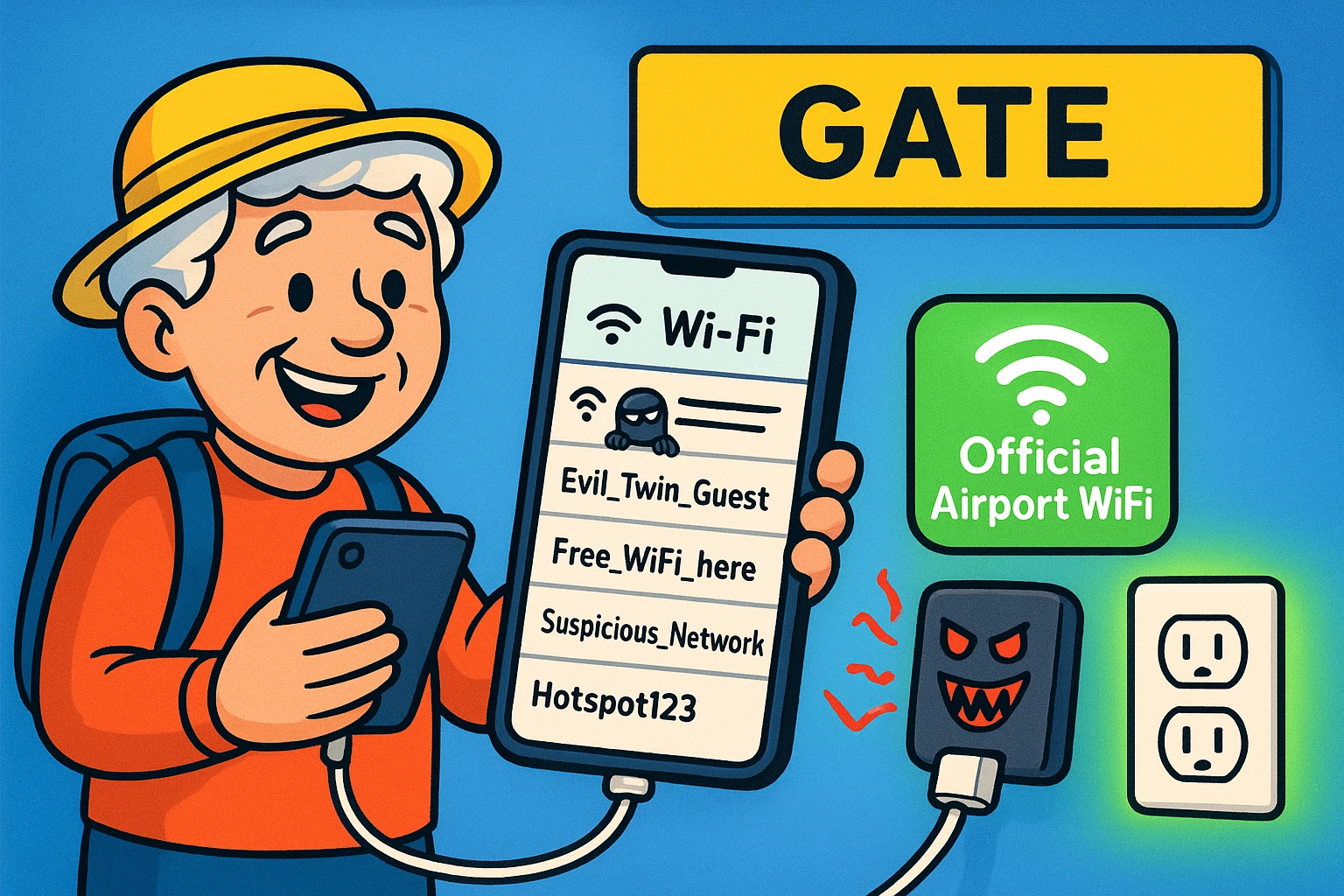
Have you ever survived the sheer chaos of an airport security line, successfully removing your shoes, belt, and dignity, only to face a much more terrifying adversary at Gate B12? Your smartphone battery is at 4%, your boarding pass is trapped inside that phone, and the only available charger looks like it’s survived three world wars. To make matters worse, you open your phone to find the Wi-Fi, and you’re greeted by a list of 37 different networks, half of which are suspiciously named things like “FreeWiFiDefinitelyNotA_Scam.”
You could have walked to your destination in the time it takes to figure out which one is safe to use. If this sounds familiar, take a deep breath. For many of us, combining travel stress with modern technology feels like trying to defuse a bomb while riding a unicycle.
The good news is that staying safe and connected at the airport doesn’t require a degree in computer science. Most airport tech guides are written for road warriors who practically live in the Delta Sky Club and speak entirely in acronyms. Today, we are going to focus on the practical, no-nonsense tips that keep your devices safe, charged, and out of the hands of digital pickpockets, all in plain English.
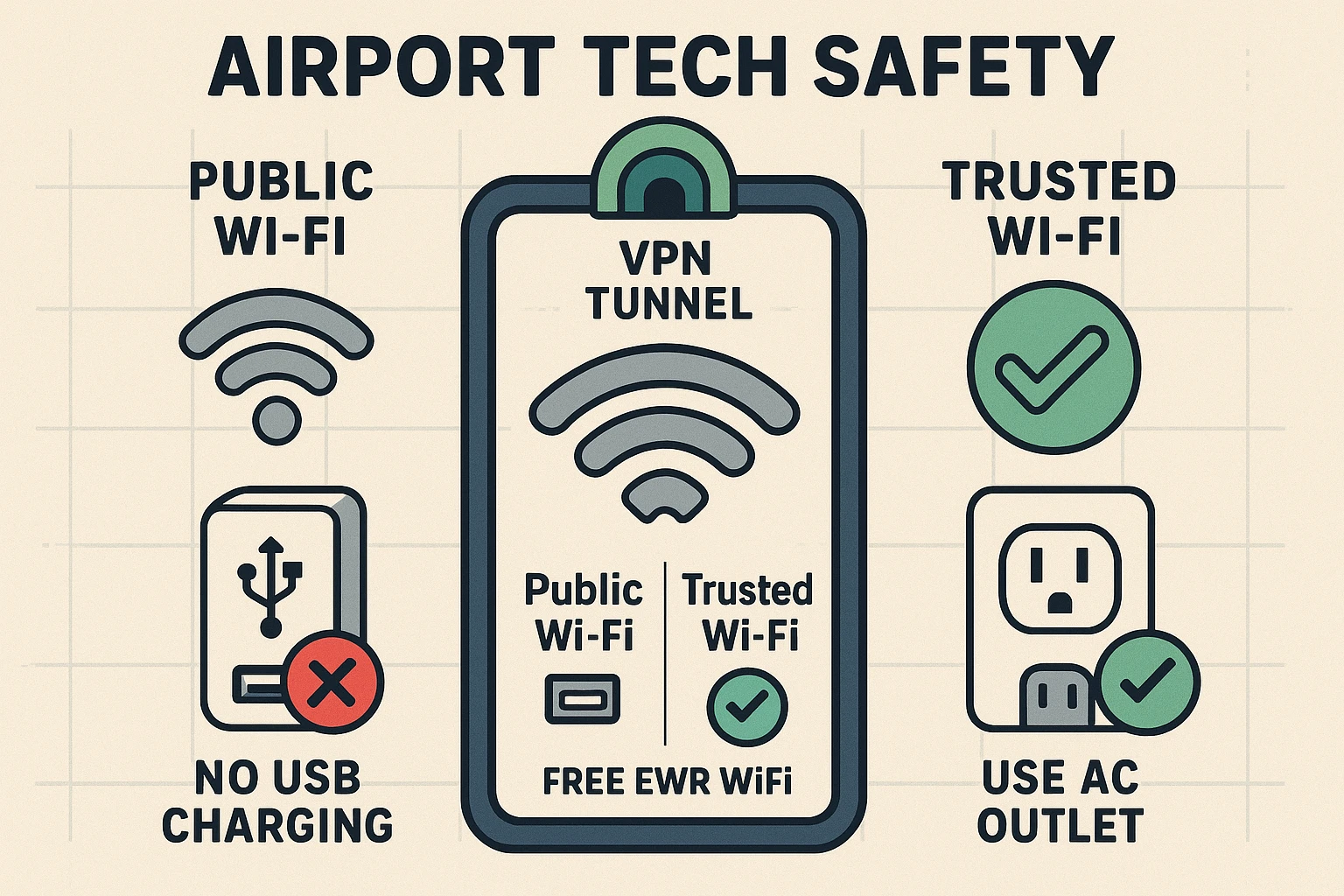
When you sit down at the gate and open your laptop or phone, you’ll likely see dozens of Wi-Fi networks fighting for your attention. Hackers love to set up what security experts dramatically call “Evil Twin” networks. These are fake networks with inviting names designed to trick you into connecting so they can snoop on your digital activity.
To beat them at their own game, you simply need to know the exact name of the official airport Wi-Fi before you arrive. For example, at Newark Liberty International, the real network is called _Free EWR WiFi, while Charlotte Douglas uses CLT Free WiFi. If you aren’t sure what the official network name is, you can always check their website before you leave for the airport to confirm.
Once you do connect, remember that public Wi-Fi is essentially a crowded room where anyone can overhear your conversation. If you must check your bank account or send sensitive emails, use a VPN (Virtual Private Network). Think of a VPN as a private, heavily tinted tunnel running right through the middle of a public highway; nobody can see what you are doing inside your tunnel, keeping your data safe from prying eyes.
Also, keep in mind that not all airport Wi-Fi is unlimited. At Manchester Airport, for instance, you only get two hours of free browsing before they cut you off. Plan your tech-heavy tasks, like downloading a movie or video calling the grandkids, early on so you aren’t interrupted mid-sentence.
We’ve all experienced that moment of panic when our battery indicator turns a threatening shade of red right before boarding. You spot a charging kiosk with convenient USB slots built right into the metal. You plug in your cable, sigh with relief, and accidentally expose your phone to something called “juice jacking.”
Juice jacking sounds like a terrible, overly-sweet breakfast beverage, but it’s actually a trick where cybercriminals tamper with public USB ports to steal data or install malware on your device. When you plug a USB cable directly into one of these public slots, your phone might flash a message asking, “Trust this Computer?” This is a massive red flag. Your phone is basically asking if it should hand over its life story to the airport charging station.
Always answer “No” to that prompt, but better yet, avoid the public USB slots entirely. Adopt the “AC-Only” policy by looking for the standard, three-prong wall outlets—the kind you plug a lamp into at home. A standard wall outlet can only transmit power, never data, making it 100% immune to juice jacking.
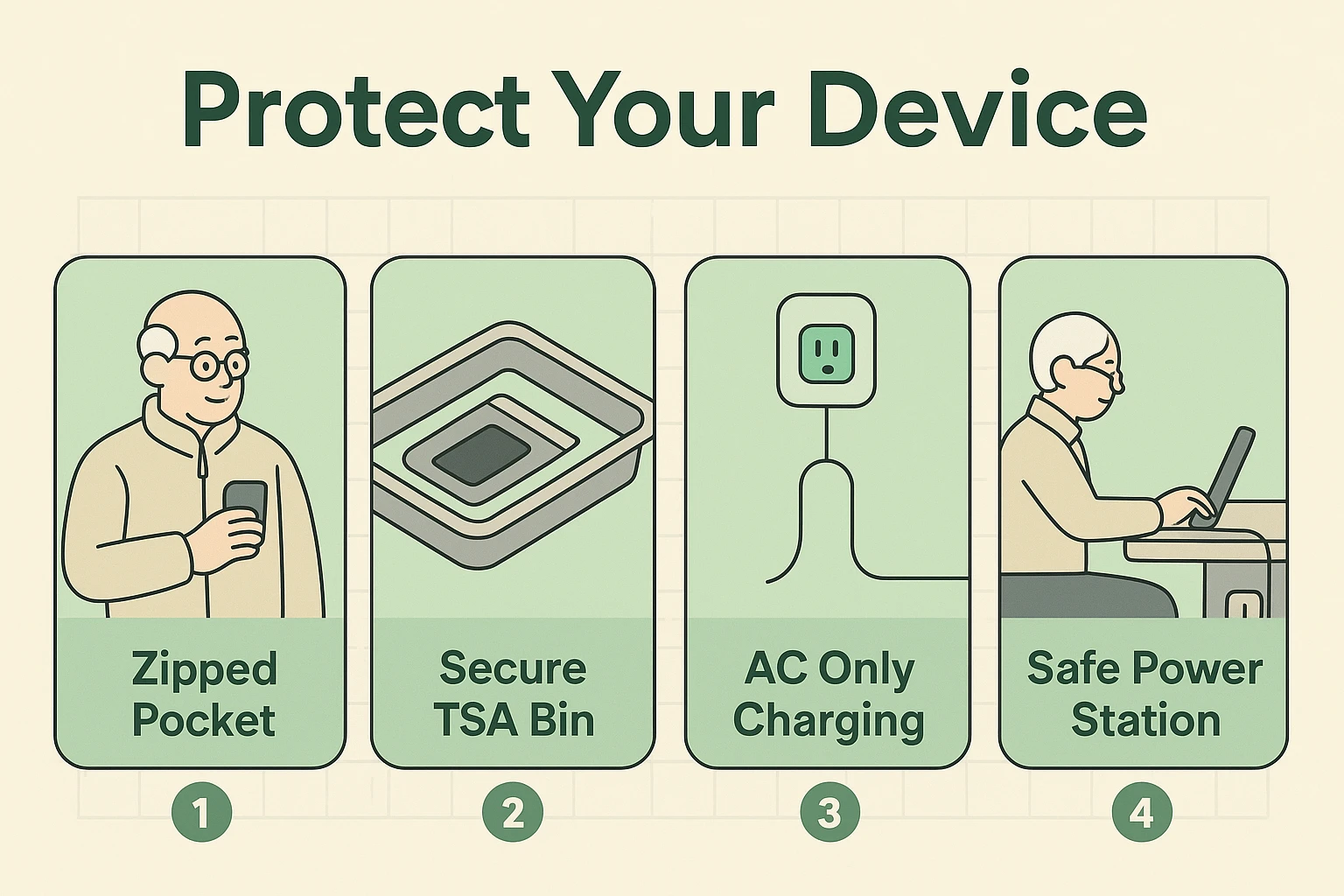
Digital safety is important, but physical safety is where most travelers actually slip up. We usually treat luggage safety and tech safety as two different things, but at an airport, they are identical twins. Never leave your tablet sitting on a chair while you wander ten feet away to inspect a flight departure board.
The most dangerous place for your electronics isn’t a hacker’s dark lair; it’s the TSA security checkpoint. When you are rushing to take off your shoes and empty your pockets, it’s incredibly easy to leave a smartphone sitting loosely in those gray plastic bins. Follow the “Zipped-In” rule: before you even reach the conveyor belt, place your phone, watch, and loose electronics securely into a zippered pocket of your carry-on bag.
Once you are through security, seek out designated “Tech-Safe Zones” if you need to work or charge up. At Chicago O’Hare (ORD), look for the seated “Power Stations” in Terminals 1, 2, 3, and 5, which offer dedicated wall outlets and a place to sit with your back to the wall. At Newark, look for the designated charging hubs in the Terminal A, B, and C stations where you can keep a close eye on your gear.
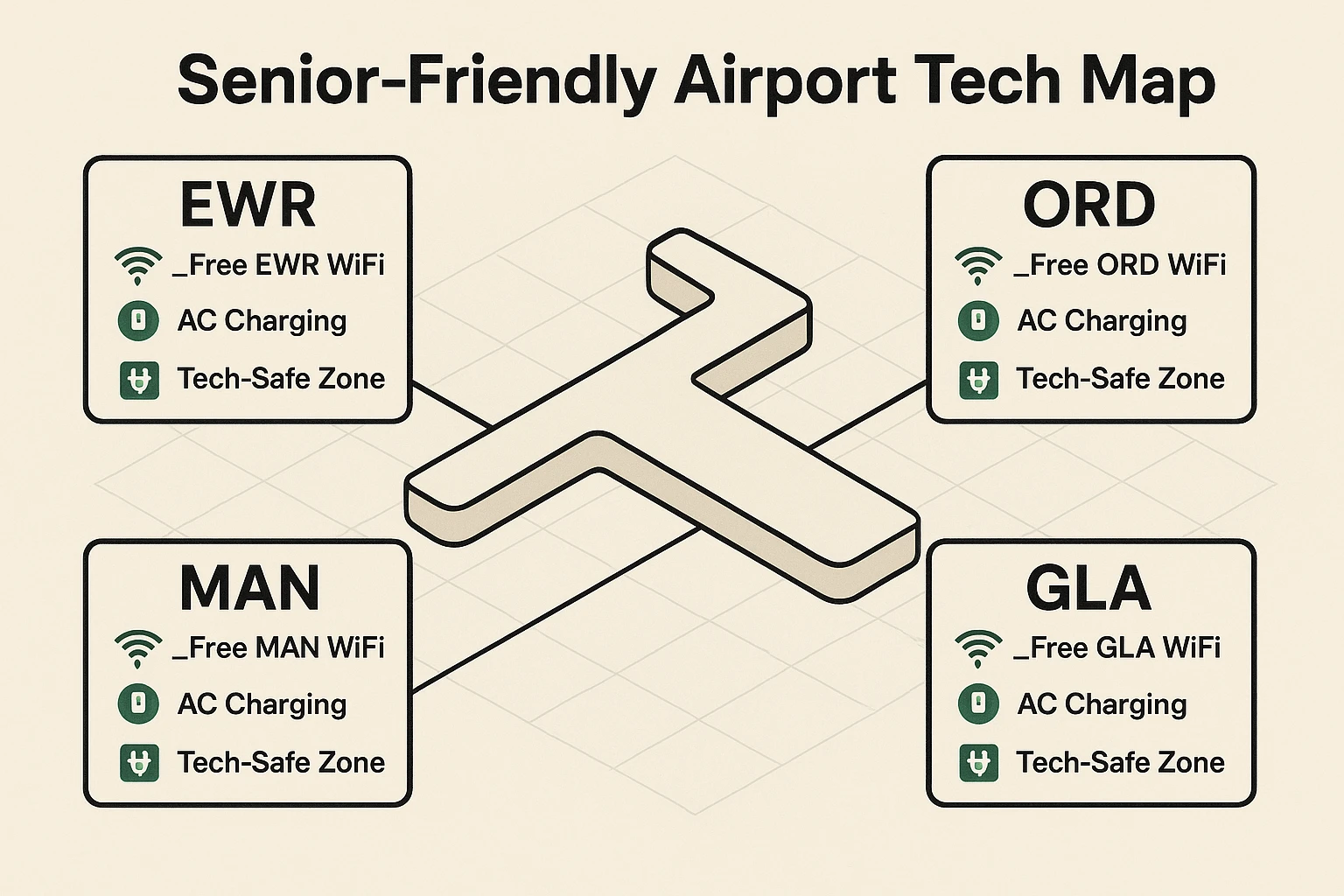
To make your next trip a breeze, we’ve put together a few cheat codes for some of the most traveled airports. Print this out or write it down on a sticky note to keep in your travel bag so you’re always prepared.
_Free EWR WiFi. If you need to charge up before security, look for the safe outlets in Lot P4. Otherwise, head straight to the terminal stations.Finally, avoid the temptation to buy a cheap $5 charging cable at the airport newsstand if you forget yours. These poorly made cables are often more dangerous to your device’s battery than a bad Wi-Fi connection. Pack your own, or invest in a quality replacement from a certified electronics store.
A USB data blocker is a tiny, inexpensive adapter that you plug onto the end of your charging cable. It physically blocks the data pins in the cable, allowing only power to flow through. It’s like putting a digital lock on your phone cable before using a public USB port, keeping your information completely sealed off.
If you plug your phone into a public charging station and see this message, unplug it immediately! This means the charging station is trying to access the files on your phone, just like it does when you plug it into your home computer to transfer photos. Always tap “Don’t Trust” and find a standard wall outlet instead.
Yes, purchasing official premium Wi-Fi from the airport’s provider is generally safe, but always verify you are on the correct, secure payment page. If a network asks for a credit card right away without clear branding, double-check that you haven’t connected to an imposter network. When in doubt, take a moment to check their website using your phone’s cellular data first to verify the provider.
Just remember the “Emergency Tech Kit” rule of three: Always pack a portable battery bank, a 3-prong wall adapter, and your own charging cable. If you have those three items, you’ll never be forced to rely on risky airport charging stations in the first place. And remember to always check their website for official airport maps and Wi-Fi names before heading out the door.
Navigating an airport is stressful enough without having to worry about digital pickpockets and dying batteries. By sticking to standard wall outlets, avoiding mysterious USB ports, and confirming official Wi-Fi names, you can take the anxiety right out of your travel tech.
Remember, technology should make your life easier, not give you a headache before your vacation even starts. The next time you are at the gate, you can sit back, connect safely, and maybe even enjoy watching everyone else fight over the dangerous USB ports while you browse in peace.