Newsletter Subscribe
Enter your email address below and subscribe to our newsletter

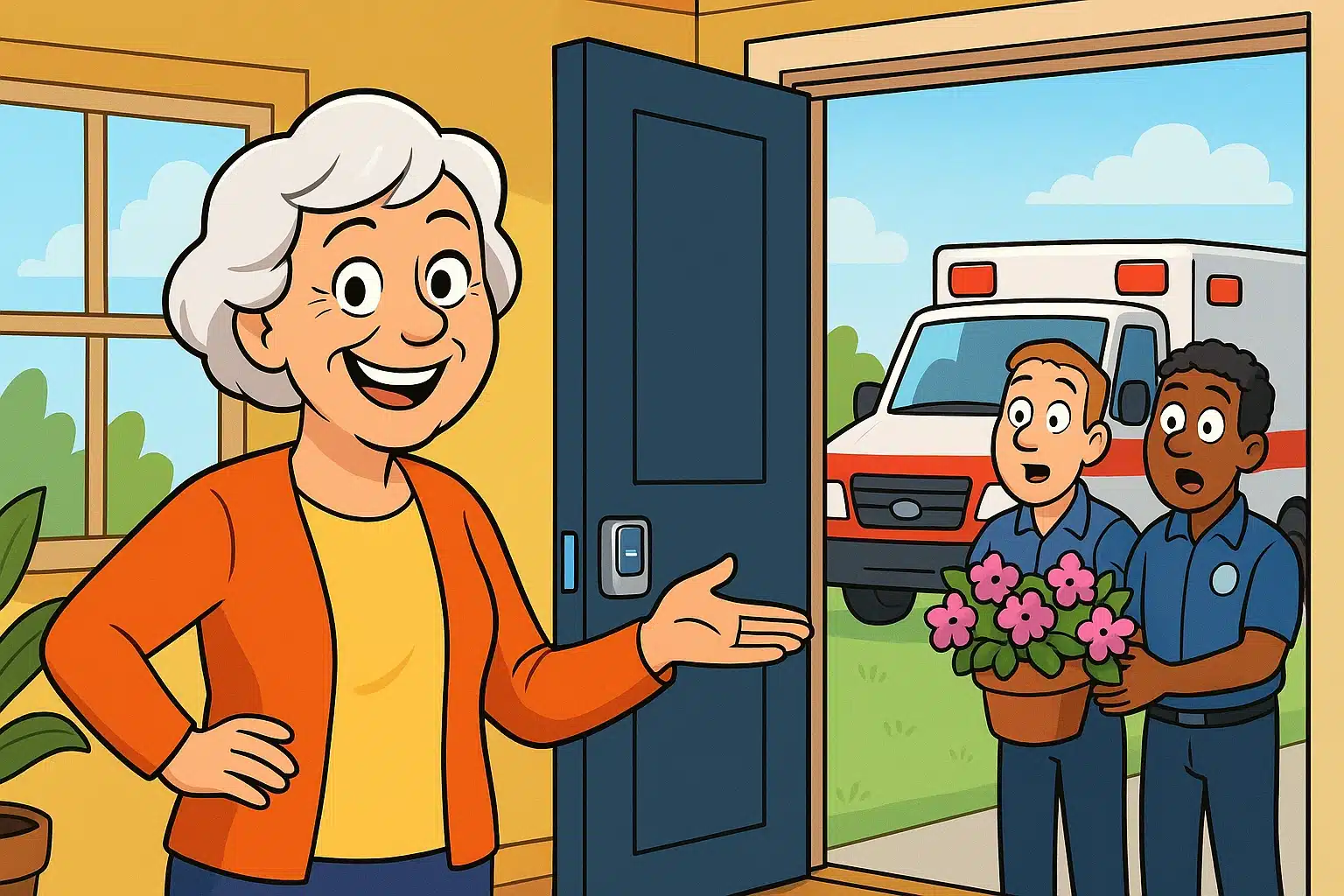
Picture this: It’s 2:00 AM, and you’ve had a minor tumble on the way to the kitchen. You press your trusty emergency button, and within minutes, flashing red lights appear in your window. The cavalry has arrived!
But there’s a catch. Your front door is locked up like Fort Knox, featuring two deadbolts, a chain lock, and a smart lock that seemingly requires a thumbprint, a passcode, and a letter of recommendation to open. The paramedics are standing outside, admiring your petunias, while you’re inside wondering if they brought a battering ram.
If this scenario makes your blood pressure spike, you are not alone. A massive anxiety point for older adults and their families isn’t just calling for help—it’s figuring out how the helpers will actually get inside. Today, we’re going to fix that by turning your house into a brilliant, automated safety net.
We all remember those dramatic 1980s commercials featuring people shouting into beige plastic pendants. You practically needed a neck brace just to wear one of those things. Well, the clunky pendant era is officially over.
We have now entered the “Integrated Home” era. This isn’t about slapping medical devices onto people who feel perfectly fine. It’s about upgrading your home to act as a “Silent Guardian”—a system that respects your independence while keeping a watchful eye out for trouble.
To build a fail-safe response loop, your home needs a clear set of instructions. It shouldn’t just call for help; it needs to prepare the house for the helpers.
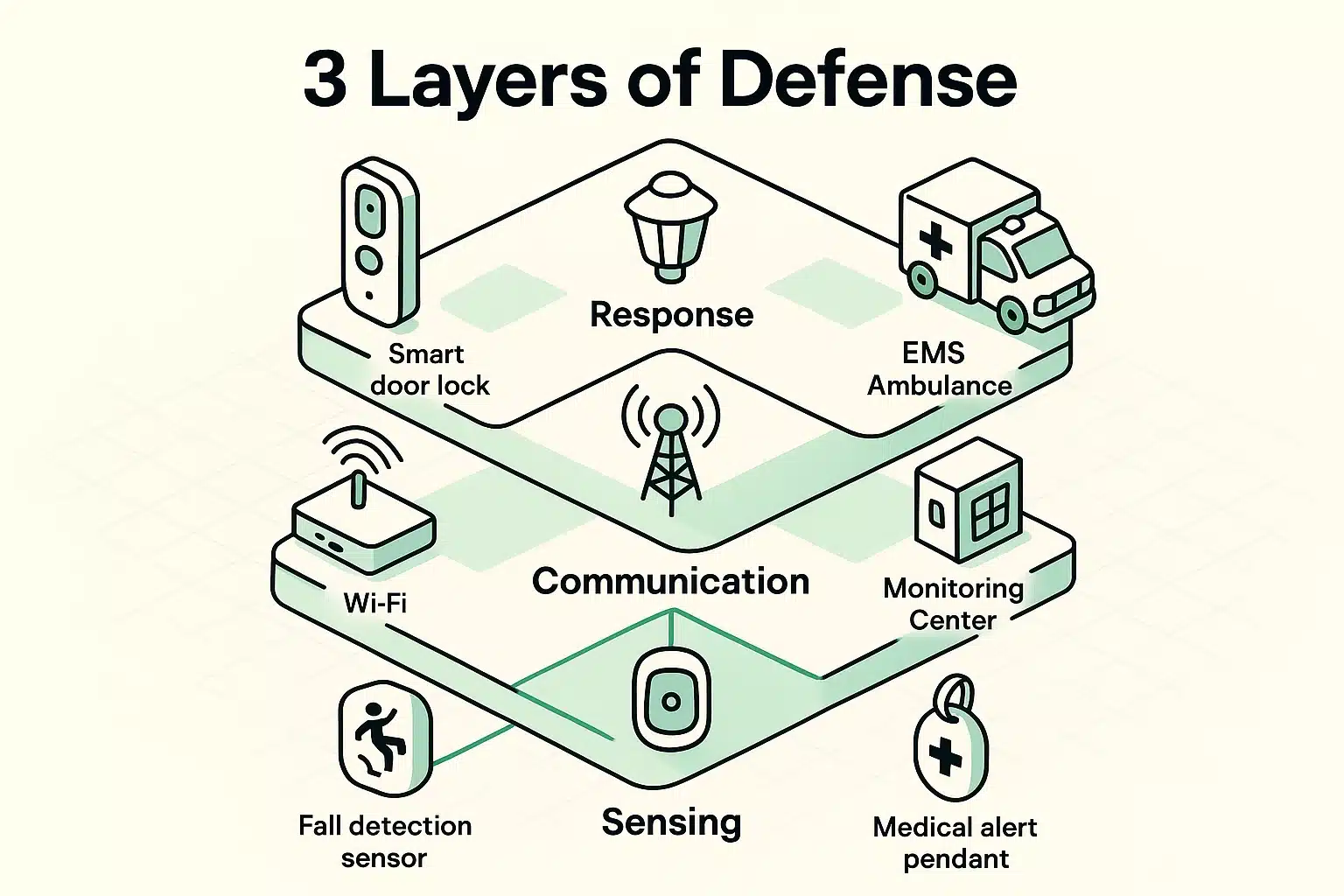
Building a smart home safety net is a lot like assembling a tiny, digital Secret Service detail for your living room. It works in three distinct layers.
This is the hardware that actually detects a problem. It could be a smartwatch with built-in fall detection, a voice-activated smart speaker, or even advanced AI motion sensors. These devices are the eyes and ears of your operation, constantly waiting for the signal that you need a hand.
Once a fall or emergency is detected, the message has to go somewhere. This is the bridge between your living room and the outside world. Whether you are using a dedicated medical alert base station, a smart speaker, or relying on an iphone emergency sos setup, this layer is responsible for sounding the alarm to your family or emergency dispatchers.
This is the “Last Mile” that most people completely forget about. When the ambulance pulls into your driveway, what does your house do? A properly configured home will automatically unlock the smart front door, turn on the exterior porch lights, and maybe even illuminate the hallway so paramedics aren’t tripping over the dog.
Here is a tech secret that surprises a lot of folks: most smart devices do not call 911 directly. Instead, they call a “Monitoring Center.”
Think of a monitoring center as a highly trained telephone operator who works for the tech company (like Noonlight or ADT). When your smart device detects a fall, it pings the monitoring center first.
These operators will typically try to speak to you through your smart speaker or call your phone. If you don’t answer—or if you say, “Yes, I need help!”—they are the ones who officially contact your local 911 dispatch. This middleman exists to prevent the police from rushing to your house every time you accidentally drop your smartwatch in the laundry basket.
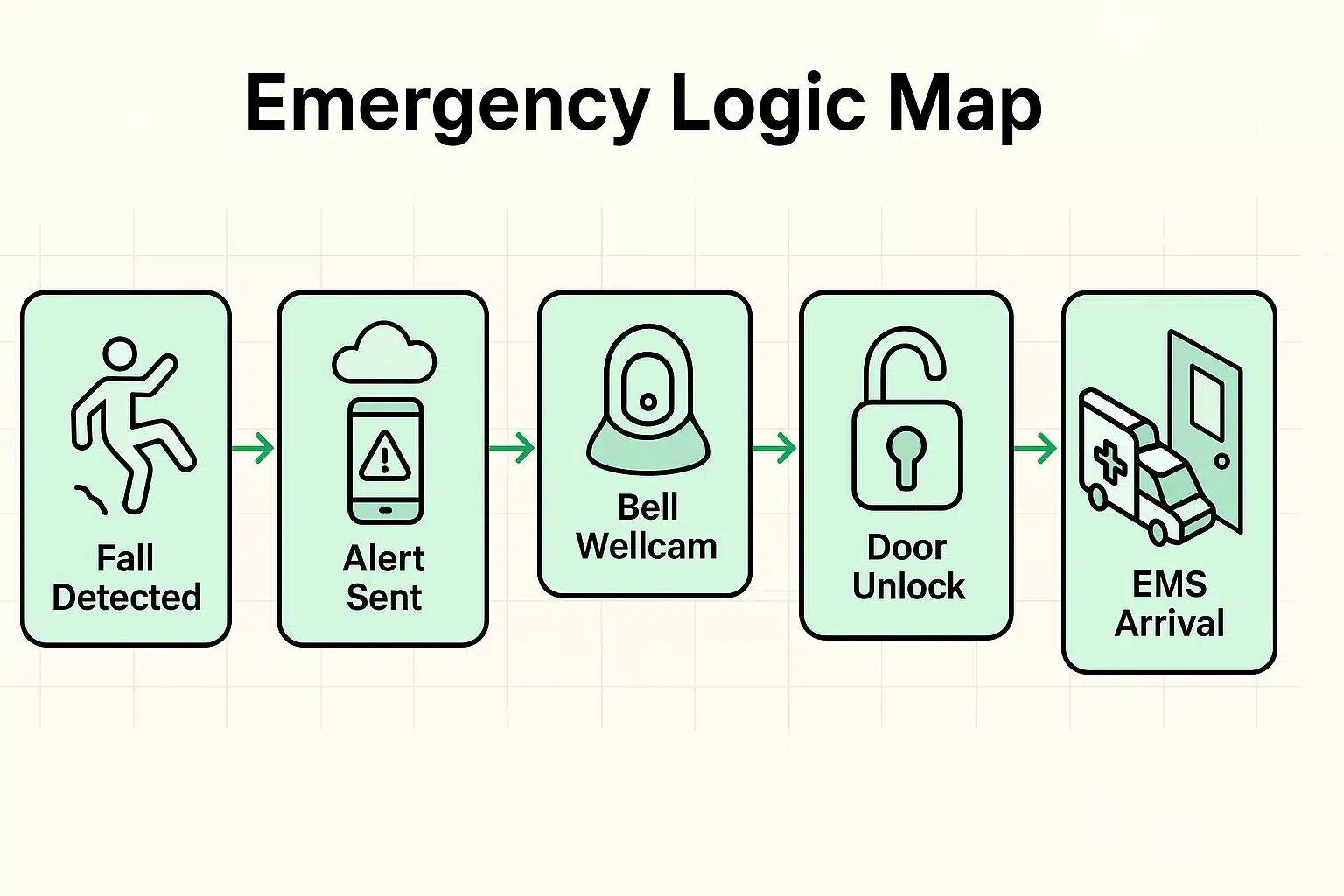
Now, let’s talk about the biggest fear on caregiver forums: Emergency Medical Services (EMS) having to break down a beautifully stained mahogany front door. To avoid this, we use something called “Automation Scripts.”
Don’t let the word “script” intimidate you. It’s just a simple “If This, Then That” rule you set up on your smartphone.
For example, you can tell your system: If a medical alert is triggered, Then immediately unlock the front smart lock and turn all exterior lights to 100% brightness. Advanced professional systems like ELK-M1 can even be programmed to light a clear path from the front door directly to the master bedroom!
When deciding how to outfit your home, you generally have two paths: the Do-It-Yourself (DIY) route or the Professional Setup.
If you’re exploring DIY options like alexa for seniors, you can use services like Alexa Emergency Assist. This allows you to simply yell, “Alexa, call for help,” and the system will route you to an emergency response agent. It’s incredibly user-friendly and doesn’t require hardwiring anything into your walls.
On the other hand, professional setups like Bell Smart Home offer things like the “Wellcam.” This allows monitoring centers to use visual verification to see if you’re actually in distress, drastically reducing false alarms. It costs a bit more, but it offers a white-glove level of peace of mind.
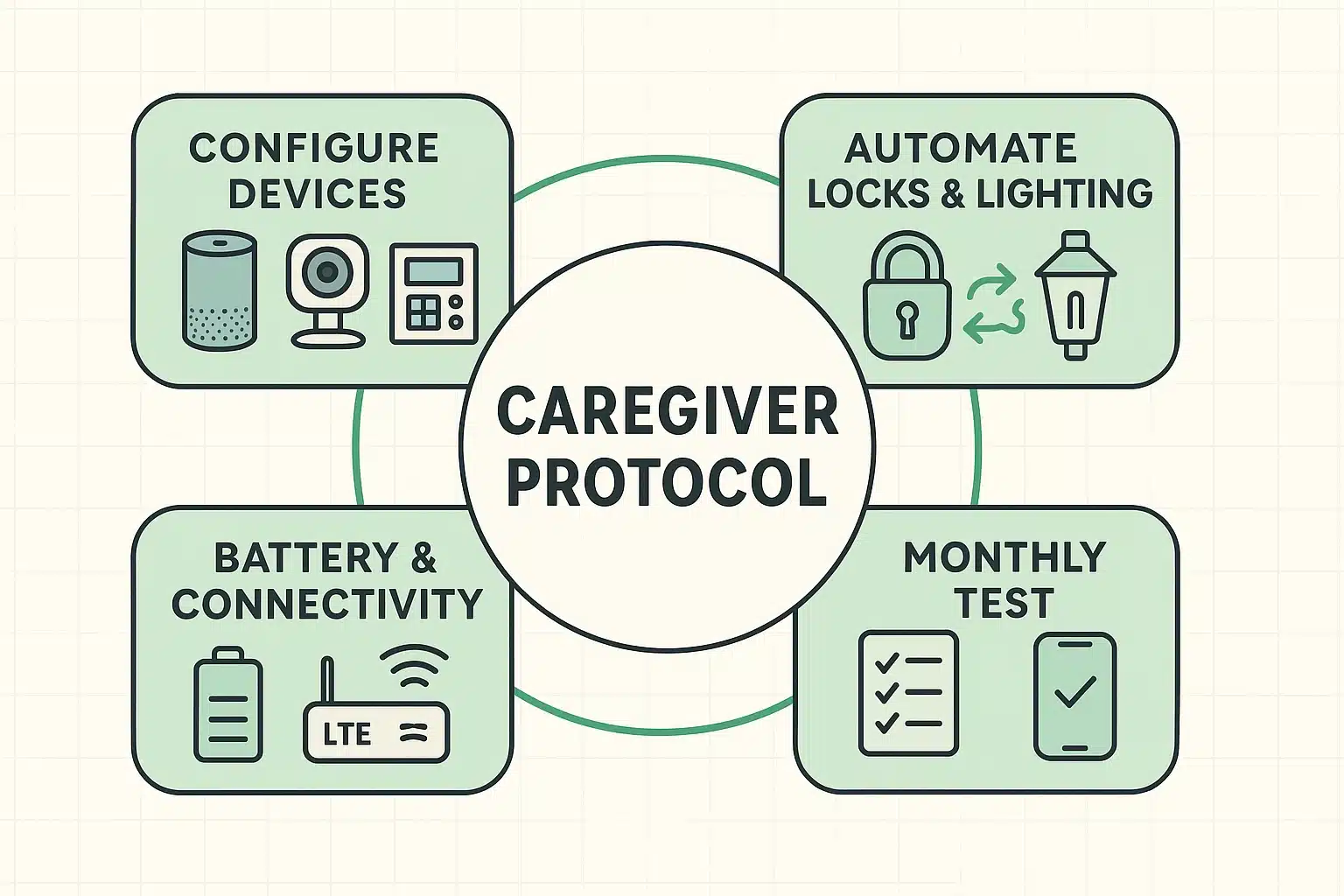
Even the smartest home can have a “senior moment” if the internet goes down. To make sure your response loop is fail-safe, we highly recommend that families adopt a 10-minute monthly “Caregiver Protocol.”
When the kids or grandkids come to visit, have them run through this quick checklist:
Generally speaking, original Medicare (Part A and Part B) does not cover medical alert systems or smart home devices. However, if you have a Medicare Advantage (Part C) plan, you should absolutely check your benefits. Many Part C plans now offer allowances for over-the-counter safety tech!
It depends on your setup. Most dedicated medical alert hubs have built-in backup batteries that last 24 to 32 hours. However, your home Wi-Fi will go down if the power drops. This is why having a system that relies on a cellular (LTE) backup connection is critical for true safety.
Not at all! We call this the “Privacy vs. Protection Slider.” You get to choose your comfort level. Many seniors opt for motion sensors in the bedroom and bathroom (which detect movement without taking video) and save the actual cameras for the front porch.
Transforming your house from a standard living space into a silent guardian doesn’t require a degree in computer science. It just takes a little planning and an understanding of how these devices can shake hands with one another.
Start small. Maybe begin with a smart lock on the front door, or set up emergency features on your smartphone. The goal isn’t to build a spaceship; the goal is simply to make sure that if you ever do need help, the door is already open when it arrives.