Newsletter Subscribe
Enter your email address below and subscribe to our newsletter

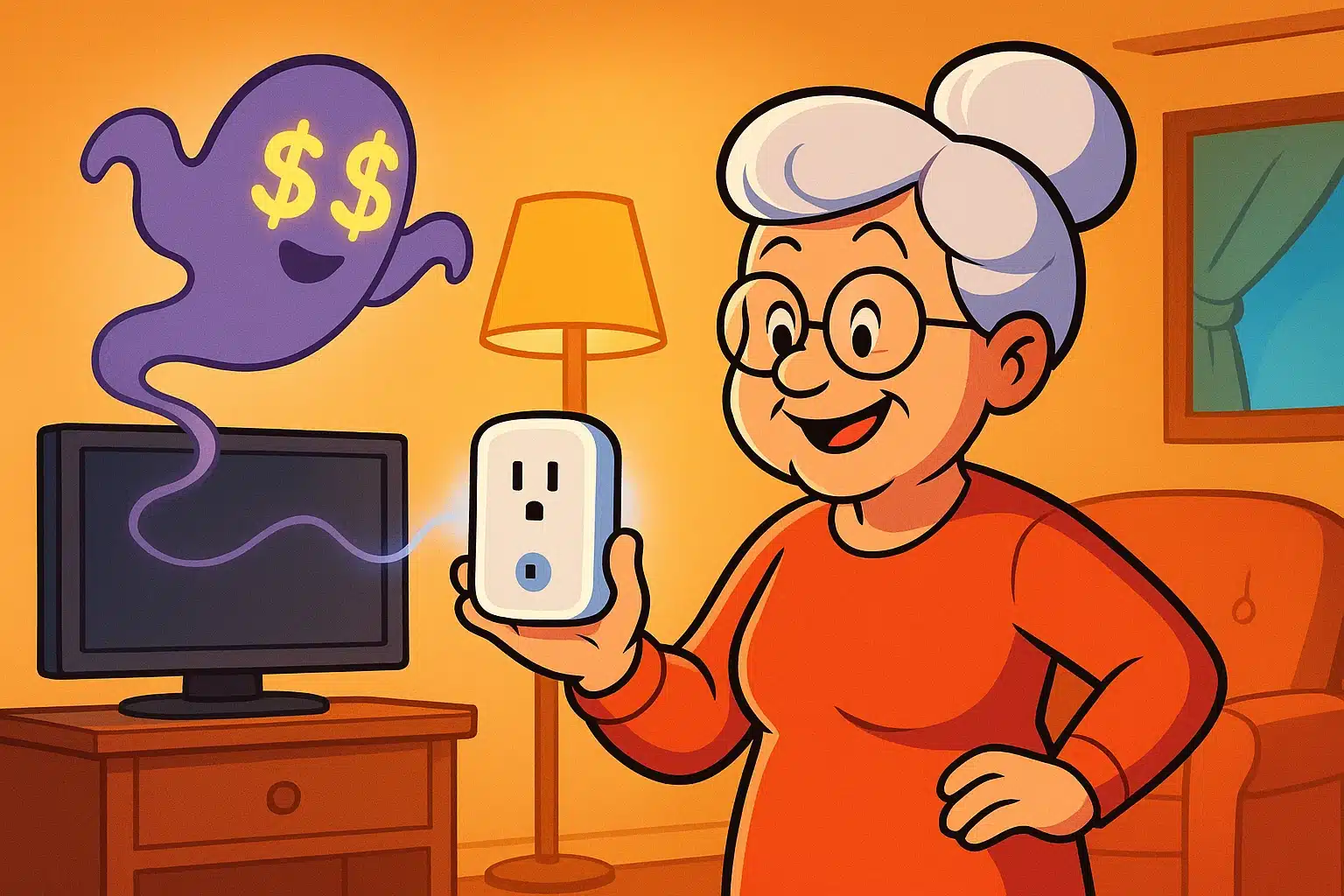
Have you ever opened your monthly electric bill and gasped so loudly the dog hid under the couch? Suddenly, you become the house energy warden, stalking through the halls, furiously flipping off light switches, and scolding the toaster for plotting against your wallet. You could have hand-cranked a generator in the backyard to power your own reading lamp for what the utility company is charging you this month.
If this sounds familiar, you are not alone. A shockingly high utility bill is one of life’s great, universal irritants. But here is a dirty little secret: even when your appliances are turned “off,” many of them are secretly sipping electricity like it’s an open bar at a wedding.
This sneaky phenomenon is called “phantom power” or standby power. According to the Department of Energy, these secret leeches can account for a surprising 5% to 10% of your total home energy use. The good news is that you don’t need to crawl behind your TV every night to unplug it.
Enter the smart plug. It’s a brilliant, inexpensive little gadget that plugs directly into your normal wall outlet and acts like an automatic bouncer for your electricity. We’re going to show you exactly how to use them to reclaim control of your home, lower your bills, and make your daily routines a little bit magical.
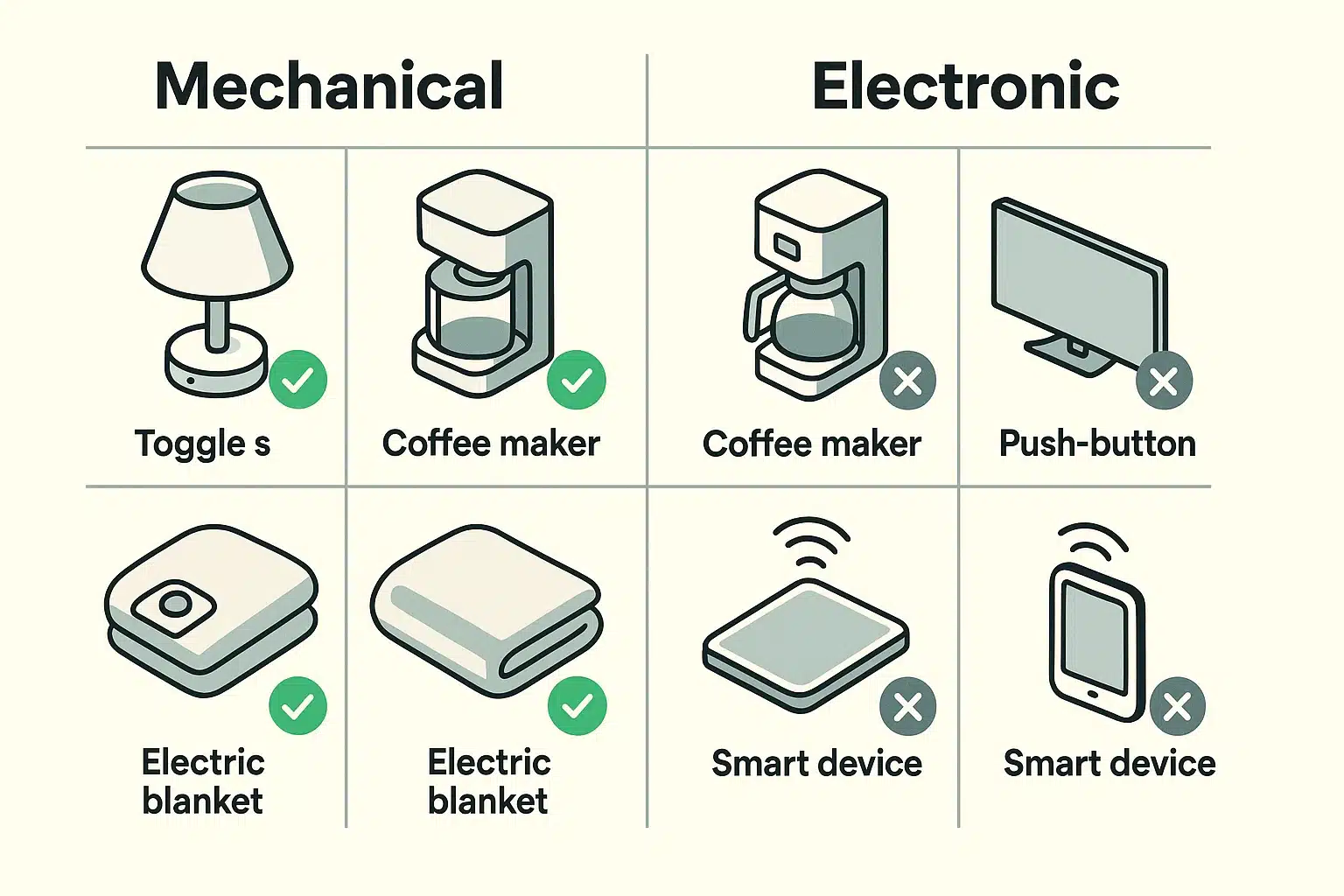
Before you buy a dozen smart plugs and try to automate everything from your reading lamp to your electric toothbrush, we need to do a quick test. Not all appliances play nice with smart plugs. Modern devices with digital screens, touch-pads, and soft electronic buttons often fail completely.
Here is the golden rule: for a smart plug to work, your appliance needs a “mechanical switch.” This is a physical switch that stays in the “on” position. Think of a classic lamp knob that clicks, a toggle switch on an older coffee maker, or a physical dial on a box fan.
To test your appliance, turn it on, then unplug it from the wall while it’s still running. Wait three seconds, then plug it back in. If the appliance turns back on automatically, congratulations! It’s ready for a smart plug. If you have to push a button on the appliance to wake it up again, a smart plug won’t work.
Now that you know what works, let’s talk about the fun part. You don’t have to pull out your smartphone every time you want to turn on a light. The magic happens when you set up “routines” in your smart plug’s app.
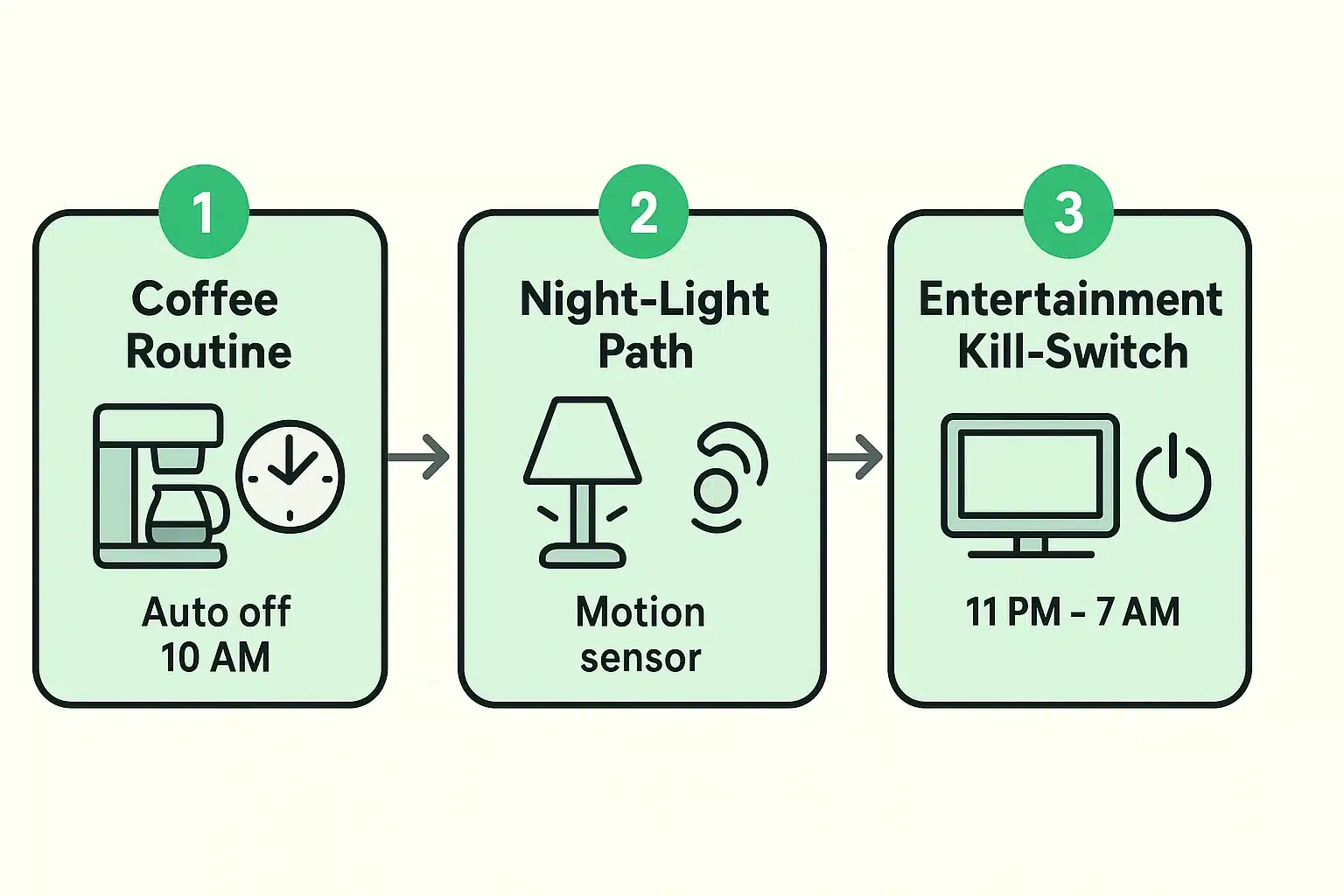
Routines are basically automated schedules you set up once and never have to think about again. Here are a few practical ways to put them to work in your home.
Your television, cable box, and that old stereo receiver are massive phantom power culprits. They sit there in standby mode all night, eating electricity while you sleep. They are waiting for a signal from your remote control, and they charge you a premium for their patience.
By putting your entertainment center on a single power strip, and plugging that strip into a smart plug, you can create a simple schedule. Set the smart plug to kill the power completely from midnight to 7:00 AM. It’s like putting your TV on a strict, money-saving diet.
Fumbling around in the dark is a recipe for stubbed toes or worse. But leaving hallway lamps burning at full blast 24/7 is a waste of money. A smart plug offers the perfect middle ground.
Plug a hallway or living room lamp into a smart plug and schedule it to turn on automatically at sunset. Then, have it shut off at sunrise. You’ll never have to remember to hit the switch, and you’ll always have a safely illuminated path to the kitchen for that midnight glass of water.
If you use a drip coffee maker with a physical on/off switch, a smart plug can be a lifesaver. You can prep the water and coffee grounds the night before, and leave the coffee maker switched “on.”
Set your smart plug schedule to send power to the machine at 6:45 AM, and cut the power at 10:00 AM. You’ll wake up to the smell of fresh coffee, and you’ll never again have that sinking “Did I leave the coffee pot on?” feeling when you are halfway to the grocery store.
We love smart plugs, but they aren’t meant for heavy lifting. Just like you wouldn’t ask your Yorkshire Terrier to pull a snow sled, you shouldn’t ask a standard smart plug to run high-energy appliances.
Never use smart plugs with space heaters, window air conditioners, or high-wattage electric kettles. Most smart plugs max out at 15 amps (about 1800 watts). Pushing them past this limit can overheat the plug, melt the plastic, and become a serious fire hazard. Always stick to lights, fans, TVs, and small, low-wattage gadgets.
Smart home gadgets are wonderful until your Wi-Fi suddenly takes a nap. (Side note: If you are constantly battling bad Wi-Fi, it might be time to evaluate your equipment and decide whether it makes more sense to rent or buy a wireless router for a more stable home connection).
But what happens to your smart plugs if the internet goes down? Are you trapped in the dark? Thankfully, no.
Every reputable smart plug has a physical override button right on the side of it. If the internet fails, or you simply don’t feel like using the app, just walk over and press the button. It will click, and turn your lamp on or off the old-fashioned way.
You might be thinking, “Wait a minute. Doesn’t the smart plug itself use electricity to stay connected to my Wi-Fi?” Yes, it does. But it uses an incredibly tiny amount—usually about 1 single watt of power.
Meanwhile, that smart plug is cutting off 10 to 15 watts of phantom power from your older, energy-hungry devices. The math is heavily in your favor.
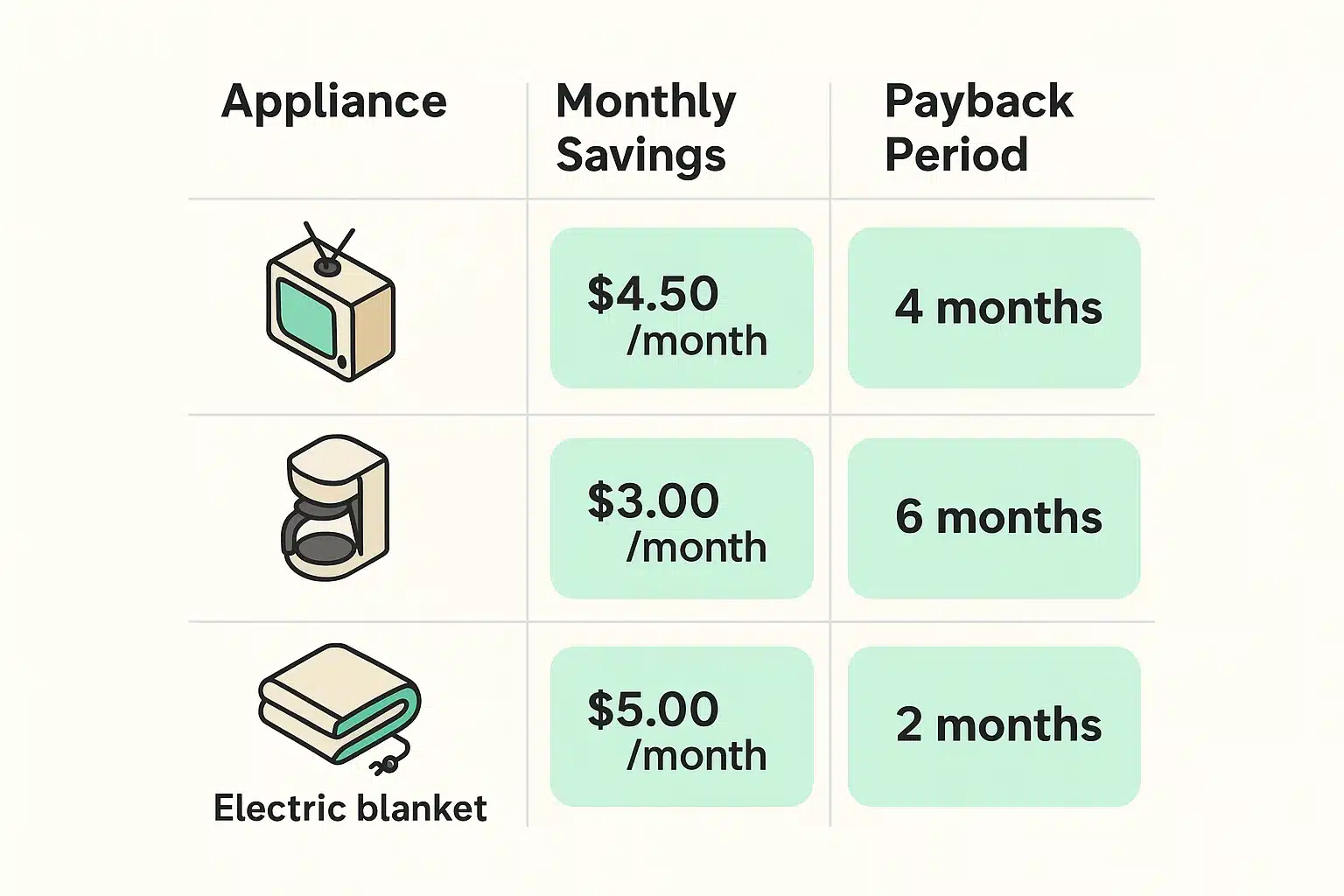
A standard smart plug costs about $10 to $15 on Amazon or at your local hardware store. According to home energy experts, cutting the phantom power on a few key appliances can save you roughly $20 to $60 a year. That means your smart plug literally pays for itself in just a few months. After that, it’s pure savings going right back into your pocket.
Absolutely. If you have an Amazon Echo (Alexa), Google Home, or Apple device, you can easily link your smart plugs to them. Once set up, you can feel like a genuine wizard by simply saying, “Alexa, turn off the living room lights,” without ever getting out of your comfortable chair.
Yes, and they can actually improve your home security. You can use your smart plug app to set a “vacation routine” that turns a few lamps on and off at random times throughout the evening. This makes the house look occupied, deterring potential burglars while you’re off enjoying a well-deserved trip.
You will need a smartphone or a tablet (like an iPad) to do the initial setup, connect the plug to your Wi-Fi, and create your daily schedules. However, once those schedules are saved, the plug runs on its own internal clock. You don’t need to keep checking your phone every day to make it work.