Newsletter Subscribe
Enter your email address below and subscribe to our newsletter


Learn how AI in Libby and Hoopla helps you discover books tailored to your preferences easily and for free.
Remember the good old days of wandering through library stacks? The quiet hum, the scent of aged paper, and the sheer joy of stumbling upon a book that seemed to be waiting just for you. It was a treasure hunt, guided by colorful covers and the occasional recommendation from a librarian who knew everything.
Fast forward to today. The library is now in your pocket, which is fantastic! But instead of quiet stacks, you’re faced with a screen full of endless choices. It can feel less like a treasure hunt and more like trying to find a single specific needle in a haystack the size of Texas. How are you supposed to find a new mystery series when you’re being bombarded with everything from celebrity memoirs to books on competitive cheese rolling?
Fear not! You have a secret weapon you might not even know about: a personal digital librarian. This little genius lives inside library apps like Libby and Hoopla, and its only job is to learn what you love and hand-pick your next great read. It’s powered by something called AI, but don’t let the fancy term scare you. Think of it as a friendly robot who’s read every book in the world and is dying to tell you which ones you’ll like.
Before we unleash our robot librarian, let’s get the introductions out of the way. Libby and Hoopla are two of the most popular apps that let you borrow e-books and audiobooks from your local library for free, using your library card.
Think of them as two different librarians with slightly different rules:
Neither is better than the other; they’re just different. Many libraries offer both, so you can have the best of both worlds!
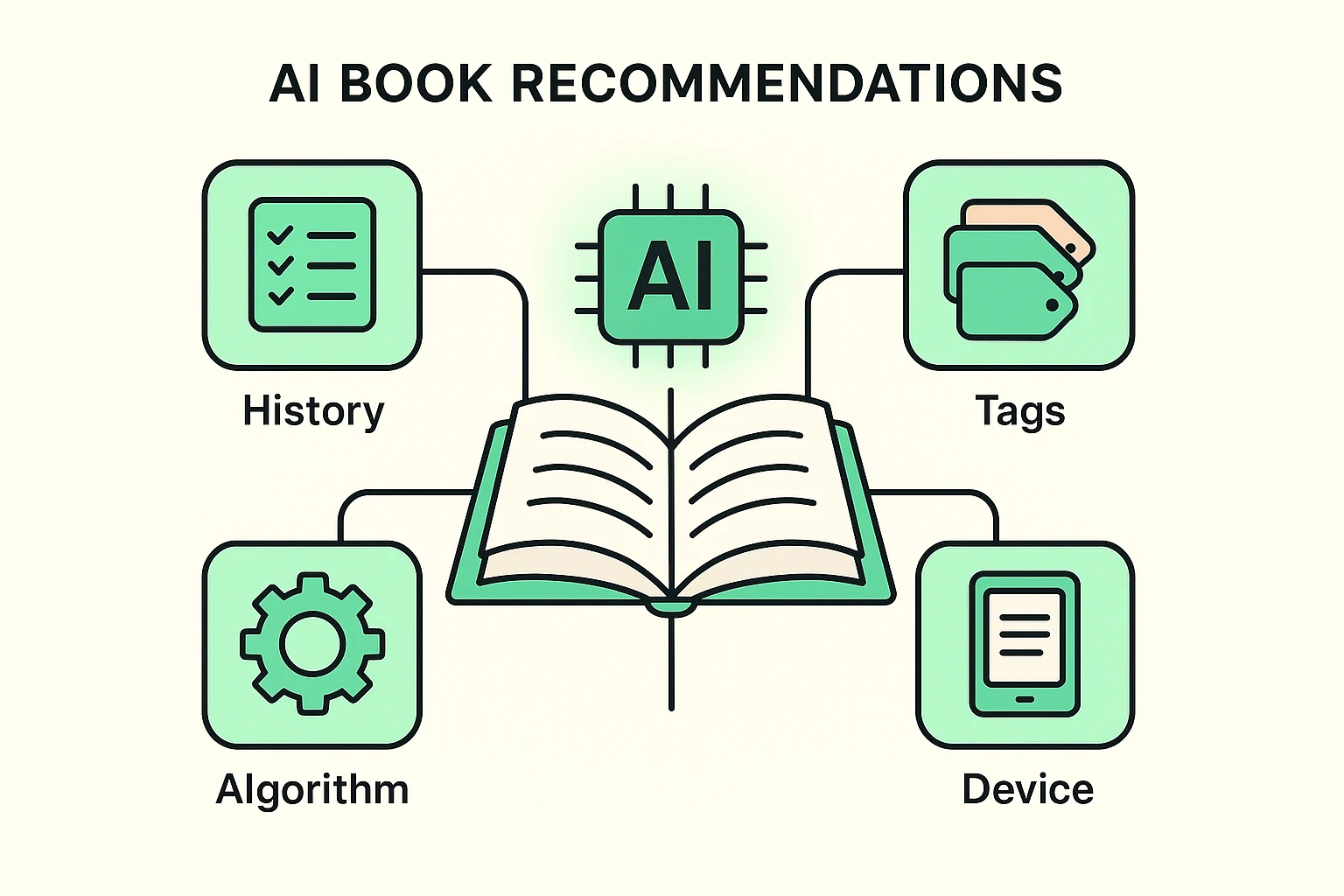
So, how do these apps magically know you have a soft spot for historical fiction set in Scotland but can’t stand vampire romances? It’s not magic, it’s just a clever bit of computer logic.
This “AI librarian” is a pattern-matching expert. It works in two main ways:
This constant learning process helps you break out of reading ruts and discover hidden gems you’d never find otherwise. It’s a wonderful way to keep your mind engaged and your curiosity piqued.
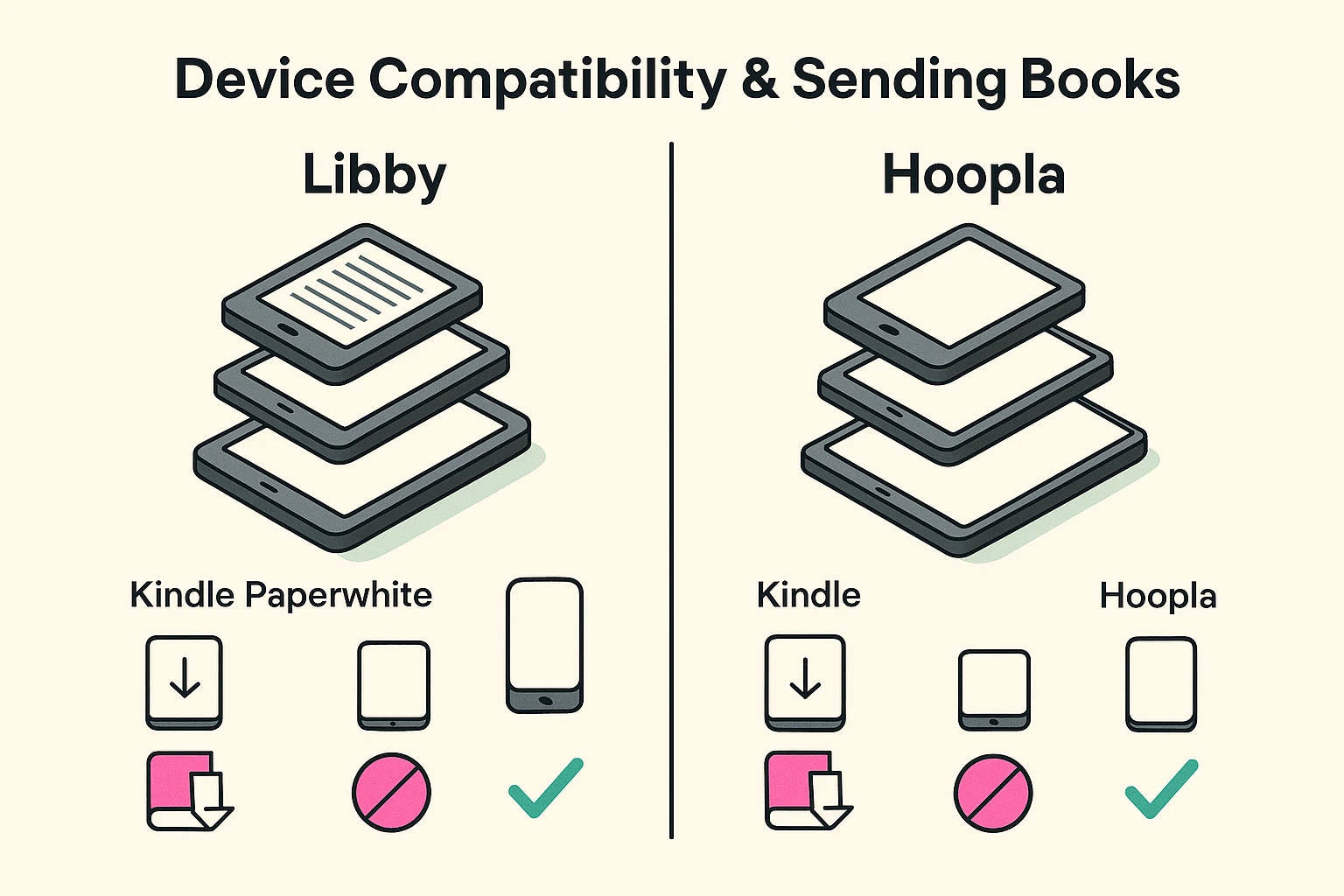
This is where things can get a little tricky, like trying to assemble furniture with instructions written in hieroglyphics. But don’t worry, here’s the simple breakdown.
Good news! Libby and Kindle e-readers (like the Paperwhite, Oasis, etc.) get along famously. When you borrow a book in Libby, you’ll see a “Read with Kindle” button. Tap that, log in to your Amazon account, and poof—the book is sent wirelessly to your Kindle, ready to read. It’s wonderfully simple.
Here’s the big “gotcha” that trips everyone up: Hoopla books do not work on Kindle e-ink e-readers (the black-and-white screen ones).
You can, however, read Hoopla books on a Kindle Fire tablet, because the Fire is more like a standard tablet and can run the Hoopla app. You can also read them on any smartphone or other tablet. It’s a frustrating limitation, but knowing it ahead of time can save you a lot of headaches.
Ready to train your personal librarian? The more feedback you give the app, the better its recommendations will become. You’re the boss here!
Libby has a fantastic feature called “Tags.” Think of these as digital sticky notes. You can create any tag you want. See a book that looks interesting but has a long waitlist? Tag it “Must Read Later.” Love an author? Create a tag for them. You can even make tags like “Book Club Ideas” or “Perfect for a Rainy Day.”
Using tags is a powerful way to organize your reading life and give Libby a clearer picture of your tastes.
Hoopla is a bit more automatic. The best way to train it is simply to use it. The more books you borrow, finish, and rate (by tapping the heart icon), the smarter its suggestions will get. It’s like a friendship—the more you interact, the better it gets to know you.
These AI tools aren’t just for finding books. If you enjoy discovering new things, you might be surprised to learn there are all sorts of creative hobbies powered by AI for seniors that can help you unleash your inner artist or writer.

The easiest way to remember is: Libby is like a physical library where you might have to wait for popular books. Hoopla is an always-available collection, but you get a limited number of checkouts each month.
Nope! They are completely free to use as long as you have a valid library card from a participating library.
Go ahead and place a hold on it! Libby will give you an estimated wait time and will automatically check the book out to you when it’s your turn. You’ll get a notification so you don’t miss it.
It boils down to different file protection technologies used by Hoopla and Amazon’s Kindle devices. Unfortunately, they just don’t speak the same language. You’ll need to use the Hoopla app on a phone, a tablet, or a Kindle Fire to read their books.
Many libraries now let you sign up for a digital card entirely online through their website. If not, a quick trip to your local branch with proof of address is all it takes!
Diving into the world of digital library apps might feel a little daunting at first, but you don’t need to be a tech wizard to make it work. Think of it as teaching a new friend—your personal robot librarian—about your favorite stories.
Start small. Download one app, connect your library card, and just browse the recommendations it gives you. Tap on a few things that look interesting. Before you know it, you’ll have a world of books at your fingertips, perfectly tailored to you. Happy reading