Newsletter Subscribe
Enter your email address below and subscribe to our newsletter


By Chris Clark, founder of Senior Tech Cafe
What is a VPN? A VPN, short for virtual private network, is an app that scrambles everything your phone or computer sends online and routes it through the VPN company’s server, so the network you’re on can’t see what you’re doing.
Ever feel like your internet activity is under a microscope? (It is.) A VPN puts a curtain over some of it. People like to call it a cloak of invisibility, but it’s more like tinted car windows: everyone can see there’s a car on the road, they just can’t see inside.
Here’s how a VPN works, whether you actually need one (for a lot of people, the answer is “not really”), and which ones we use. If you already know you want one, skip down to Our top picks for the two VPNs we recommend, one with a great free option.
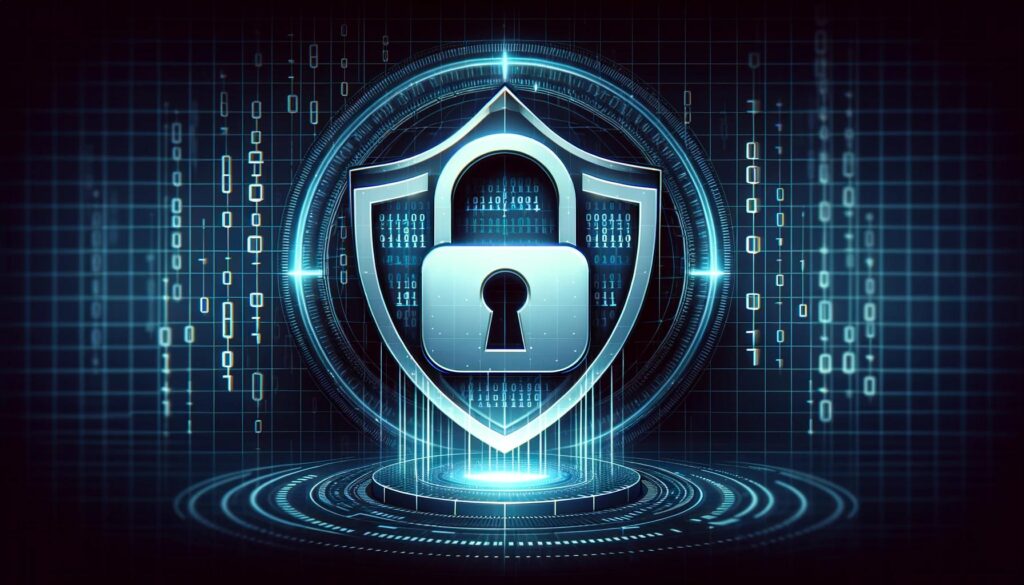
A VPN works by building an encrypted tunnel between your device and a server run by the VPN company. Everything you do online travels through that tunnel, scrambled, and comes out at the VPN’s server, which passes it along to the website you asked for.
Think of it as mail. Most websites already seal your letter in an envelope (that’s the padlock, or “https,” next to the web address), so nobody can read what’s inside. But the envelope still shows who it’s going to. A VPN puts that envelope inside a locked box addressed to the VPN company, which opens the box and mails the letter on for you.
That has three effects:
So a VPN is a bodyguard, of a sort. It doesn’t wear sunglasses and a suit, and it guards the road, not the places you visit.
If you mostly go online at home, you probably don’t need a VPN. Your home Wi-Fi is locked with a password, and almost every site you use for banking, email and shopping already encrypts your connection. Even for public Wi-Fi, the Federal Trade Commission says that because encryption is now so widespread, connecting is usually safe.
A VPN earns its keep in a few situations:
What a VPN won’t do is stop scams. It won’t catch a phishing email, a fake bank website, a virus or a scam phone call. If you type your password into a fake sign-in page, the VPN delivers it safely, straight to the crook. For those, your best defenses are your own suspicion and a device that’s kept up to date.
If one of these sounds like you, a VPN is worth a look.
Your internet provider, and whoever runs the Wi-Fi you’re on, sees only that you’re connected to a VPN. Advertisers still have plenty of other ways to follow you around, like cookies and your logins, so this is privacy from the network, not from the whole internet. Our guide to website trackers covers the rest.
A VPN on public Wi-Fi puts an encrypted tunnel between your device and the internet, which protects your passwords, card numbers and other sensitive information from anyone snooping on that network. Most sites already encrypt this, so think of it as a second lock rather than the only one.
Traveling but want to watch your favorite shows from back home? Out of the country, you might be blocked. A VPN lets you connect to a server in the U.S., so you can stream and browse as if you were relaxing on your couch. Some streaming services block VPNs, though (more on that below).
Some internet providers slow down certain kinds of traffic, like video. Because a VPN hides what kind of traffic it is, it can sometimes prevent those slowdowns. It can’t make your plan faster than it is.
If you’re in a place with strict internet rules, a VPN can help you reach blocked websites and services. Check the local law first, because some of those same places restrict VPNs.
VPNs come in handy, but they aren’t perfect. Here’s what to know before you sign up.
Choosing a VPN can be tricky, mostly because there are hundreds of them and every one says it’s the best. Here’s what actually matters.
Want to skip researching and reviewing a gazillion VPN options? We don’t blame you. Here are the two VPN services we actually use ourselves and recommend.
Proton is our favorite privacy-focused company, and we love its VPN. The free plan has no ads and no data limits, and Proton says it keeps no logs of your activity. The catch: it covers one device and a limited choice of server locations. Reasonably priced paid plans add more devices, more countries and extra bells and whistles. Proton is based in Switzerland.
(Note: We are an affiliate for Proton because we personally use and believe in their products. They are genuinely one of my favorite companies in the world right now, tech or otherwise, because of their business practices, great products, and focus on privacy and security.)
PIA has been around for more than 10 years and was my choice before I switched to Proton. Its apps are open source, so anyone can inspect how they work, and one subscription covers unlimited devices.
Using a VPN on public Wi-Fi comes down to a three-step habit: connect, click, confirm. Do it every time you sit down at a library, doctor’s office or hotel.
Many VPN apps also have a setting that switches the VPN on by itself whenever you join an unfamiliar network, which saves remembering.
Why bother? Crooks sometimes set up “evil twin” networks: a fake hotspot called “Java Joes Free Web” sitting next to the real Java Joe’s. In 2024, Australian police charged a man with running fake networks like this at airports and on domestic flights. People who connected got a page asking them to sign in with their email or social media accounts. He was later sentenced to more than seven years in prison.
A VPN scrambles your data even on a fake network. It can’t stop you from typing a password into a fake sign-in page, though, so treat any Wi-Fi page that asks for your email or social media password as a red flag. Our guide to public Wi-Fi safety has more.
A VPN is a useful tool with a narrow job: it hides what you do from the network you’re on. If you often use public Wi-Fi or travel, it’s worth having, and a free plan from a company you trust is a fine place to start. If you mostly browse at home, you can skip it without losing sleep.
Either way, the bigger wins are elsewhere: strong passwords, two-step sign-in and a healthy suspicion of surprise messages. Our online safety guide for seniors covers those. And if you’re heading out of town, here’s how to stay safe on airport Wi-Fi and chargers.
A VPN, or virtual private network, is an app that scrambles your internet traffic and sends it through a private tunnel to the VPN company’s server. The Wi-Fi network or internet provider you’re using can see that you’re connected, but not which websites you visit. Websites see the VPN’s internet address instead of yours.
Most people don’t need a VPN at home. Your home Wi-Fi is protected by a password, and nearly every site you use for banking, email and shopping already encrypts your connection. A VPN at home mainly hides which sites you visit from your internet provider. That’s a reasonable privacy choice, not a safety requirement.
A free VPN can be safe, but many aren’t. Running a VPN costs money, so free services often make it back by logging and selling your browsing data or showing ads, and some carry malware. Stick with a free plan from a well-known company that explains how it pays its bills and has had its no-logs promise independently checked.
Some phones have something close. Google Pixel phones from the Pixel 7 on include a free VPN by Google. iPhones with a paid iCloud+ plan get iCloud Private Relay, which hides your internet address and browsing in Safari but isn’t a full VPN and doesn’t cover your other apps. Most other phones need a separate VPN app.
No, a VPN won’t protect you from scams. It hides your internet traffic from the network you’re on, but it can’t spot a phishing email, a fake bank website or a scam phone call. If you type your password into a fake page, the VPN delivers it safely to the crook. Suspicion and up-to-date devices do that job.