Newsletter Subscribe
Enter your email address below and subscribe to our newsletter


By Chris Clark, founder of Senior Tech Cafe
Is online banking safe? Yes. For most people it’s at least as safe as a trip to the branch, because banks encrypt your connection, watch for strange activity, and have to cover most unauthorized transfers you report quickly. The weak spot is usually a scammer who talks you into moving the money yourself.
Remember what a pain in the keister it was to drive to the bank every time you had to deposit a check? These days you fire up your bank’s app, snap a couple of pictures, and you’re rolling in dough.
Still, when it’s your money on the line, “Is it safe?” is a fair question. Here’s how banks protect you, where the real risks are, and the habits that close the gaps.
Short answer: yes, online banking is safe.
Longer answer: it’s safe if you take a few precautions, kind of like how your house is safe when you remember to lock the door, shut the windows and maybe put a fake “Beware of Dog” sign in the front yard (even if you only have a cat).
Banks use encryption, which scrambles everything traveling between your device and the bank so anyone snooping sees gibberish. They’ve also got people and software watching for suspicious activity, so if someone tries to buy a diamond-encrusted hammock from Brazil using your account, your bank will probably notice before you do.
The law backs that up. If someone gets into your account and moves money without your permission, federal rules limit your loss, as long as you report it quickly. The catch is that those rules cover transfers you didn’t authorize. If a scammer persuades you to send the money yourself, even by lying to you, the bank may not have to give it back. That’s why most of the advice below is about scams rather than computer code.
Remember the good ol’ days when your ATM PIN was your birthday, your pet’s name or your grandchild’s nickname?
Yeah, don’t do that.
Your bank password should be long, unique and used nowhere else. A phrase of four or five random words beats a short jumble like “Tr0ub!e”, and it’s a lot easier to type.
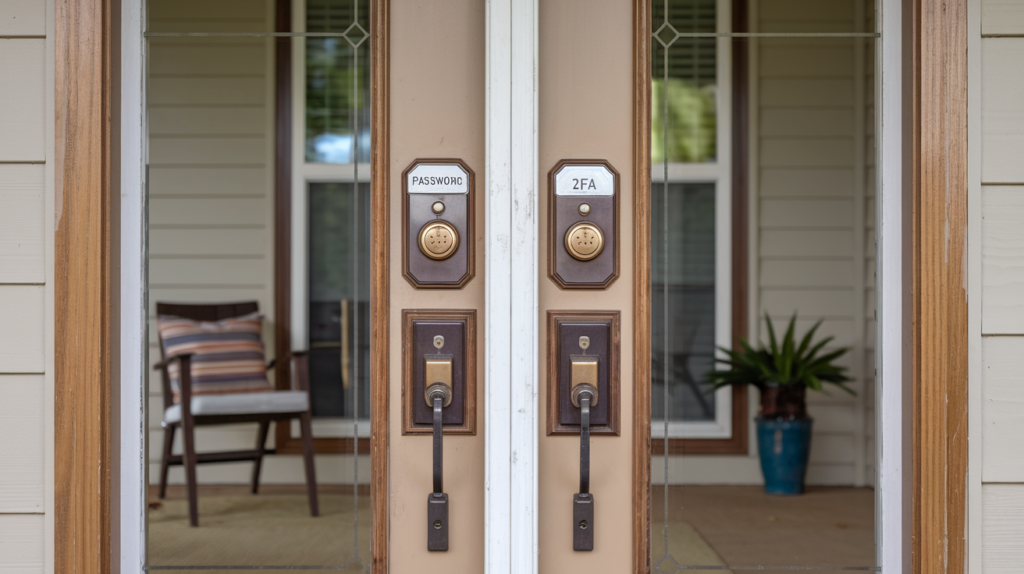
Then take it one step further with two-factor authentication (2FA). It’s like adding a second lock to your front door: it takes an extra step, but it keeps the bad guys out. With 2FA, even if someone guesses your password (probably by hacking your brainwaves), they still need a second code, usually texted to your phone or shown in your bank’s app.
One rule matters more than the rest: never read that code to anyone. Banks don’t call to ask for it, so anyone who does is trying to get into your account.
Public Wi-Fi used to be the scary part of online banking. Today it’s less risky than its reputation, because banks and most other sites encrypt everything you send. The FTC now says that connecting through public Wi-Fi is usually safe.
The risk that’s left is the fake. A crook can set up a hotspot called “Free Airport WiFi” or send you to a lookalike bank site, and encryption doesn’t help when the other end of the connection is the crook. So for banking on the go, use your phone’s mobile data or your bank’s own app, and type the bank’s address yourself instead of following a link. Here’s more on what public Wi-Fi can and can’t expose.
Phishing sounds like a relaxing hobby, right? Wrong. Phishing is when a scammer sends you an email or text pretending to be your bank (or your long-lost cousin) to trick you into handing over your login. These days it often arrives as a phone call too, from someone claiming to be the bank’s fraud department.
Here’s a tip: if a message says, “Act fast, or your account will be closed,” ignore it. Banks don’t do that. They’ll let you know about problems politely, not make you feel like you’re on a game show with a ticking clock. If you’re not sure, hang up or close the message and call the number on the back of your card. Our guide to spotting fake bank emails and texts shows what the fakes look like.
If you really want to go the extra mile, you can use a VPN (Virtual Private Network).
Think of it as a private tunnel for your internet connection: other people on the same Wi-Fi network can’t see what’s going on inside. It’s like being a ninja on the internet, but you don’t have to wear a mask (unless you want to). Since your bank already encrypts your connection, a VPN is a nice extra on public Wi-Fi, not a must for banking at home.
Hackers aren’t magicians. They can’t just wave a wand and take your money. Between encryption, fraud monitoring and two-factor authentication, breaking into a bank account is hard work.
Crooks know that, so many of them don’t bother. They go after the easier target: you. A fake text, a spoofed call from “the fraud department” or a too-good-to-be-true investment all work the same way, by getting you to open the door yourself. That’s the myth worth replacing: the danger isn’t someone breaking in, it’s someone talking their way in.
Here’s an easy-to-follow checklist for banking safely online:
Print it out and stick it on the fridge, right next to the grandkids’ artwork.
If you spot a charge or transfer you don’t recognize, or you think a scammer got your login, act fast. The sooner you report it, the less you can lose. Take these steps in order:
How secure is online banking? Along with the bank’s own encryption and fraud monitoring, federal rules protect your money and your information. These are the ones worth knowing.
The most useful one is a rule called Regulation E. It limits what you lose when someone takes money from your account without your permission:
FDIC insurance is the other one people ask about. It protects your deposits, up to $250,000 per depositor, per insured bank, for each account ownership category, if the bank itself fails. It doesn’t cover money lost to theft or fraud; that’s what Regulation E and your bank’s fraud department are for.
Banks have to follow information-security rules set by their federal regulators. The FTC’s Safeguards Rule extends similar requirements to financial companies that aren’t banks, such as mortgage brokers, car dealers that arrange financing, and tax preparers. Its updated version, in force since June 2023, requires those companies to run a real security program, including encryption and multi-factor authentication. Since May 2024, they’ve also had to tell the FTC about any breach that affects 500 or more people.
Since 2022, a rule from the Federal Reserve, the FDIC and the OCC (the agency that oversees national banks) has required banks to tell their federal regulator within 36 hours of discovering a serious computer-security incident. That rule is about getting regulators involved fast. It doesn’t require a letter to you.
Customer notices come from separate guidance from the same regulators. When a bank finds that someone got into sensitive customer information and misuse has happened or is reasonably possible, it’s expected to tell the customers affected. If one of those letters arrives, change your password, watch your statements, and treat any “helpful” call about the breach with suspicion.
Online banking might feel like stepping into the unknown, but with these habits in place, you’re at least as safe as you’d be handing your money to the friendly teller at your local branch. The bank handles the locks. Your job is to keep from opening the door for anyone who calls, texts or emails asking you to.
So go ahead: log in, pay those bills, and skip the drive to the bank. For the rest of the habits that keep scammers out, see our online safety guide for seniors.
Neither is risk-free, but online banking holds up well. Your connection is encrypted, banks watch for unusual activity, and nobody can peek over your shoulder at home. The bigger risk is scam calls and messages that push you to move money, and those reach you whether you bank online or not.
It depends on how it happened. If someone took money without your permission and you report it quickly, federal rules limit your loss, often to $50 or nothing. If a scammer tricked you into sending the money yourself, the bank may not have to refund it, though some banks will. Report it right away either way.
Both are secure when they really come from your bank. The app has one advantage: you can’t land on a lookalike site by mistyping an address or clicking a bad link. Get it from your phone’s official app store, using the link on your bank’s website, and turn on fingerprint or face sign-in.
No. Stopping online banking won’t undo a breach. Change your bank password, make sure two-factor authentication is on, watch your statements and alerts closely, and be extra wary of calls or texts about the breach, since scammers use the news as cover. Consider a credit freeze if your Social Security number was included.